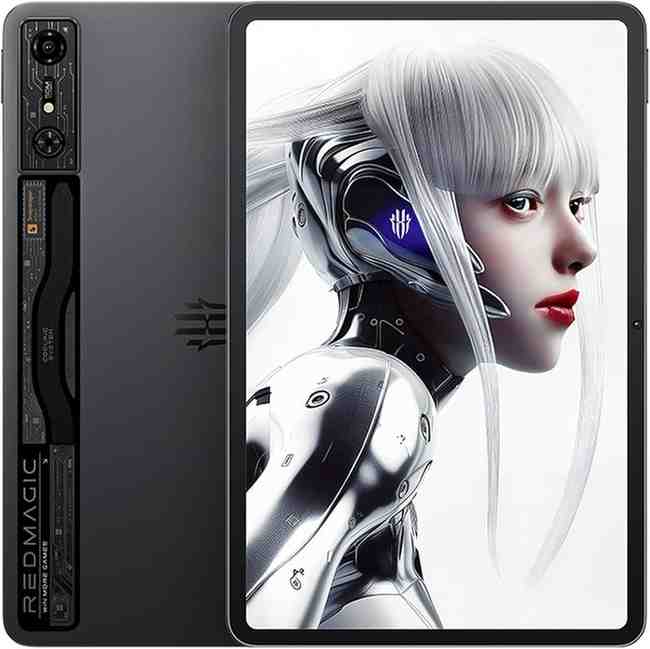
iPad Pro vs Samsung Galaxy Tab vs REDMAGIC: Expert Reviews & Real-World Benchmarks
Looking for the best tablet for gaming? You've landed in the right place. I've spent months testing every major gaming tablet—from the powerhouse iPad Pro with M4 chip to the hardcore Samsung Galaxy Tab S10 Ultra and specialized REDMAGIC Nova. After running demanding titles like Genshin Impact, Call of Duty Mobile, and Zenless Zone Zero at max settings, I can tell you exactly which tablet will transform your mobile gaming sessions.
Table of Contents
What Is the Best Tablet for Gaming?
Best Overall: The Apple iPad Pro M4 dominates with its Ultra Retina XDR display featuring Tandem OLED technology, delivering unbeatable color accuracy and 120Hz ProMotion. The M4 chip crushes everything you throw at it.
Best Android Option: The Samsung Galaxy Tab S10 Ultra with its massive 14.6" Dynamic AMOLED 2X screen and MediaTek Dimensity 9300+ processor provides an immersive Android gaming experience that rivals dedicated gaming laptops.
Best Budget Pick: The OnePlus Pad 2 offers incredible value with its Snapdragon 8 Gen 3 chipset and 12.1" display at less than half the price of premium tablets, making it perfect for casual and competitive gamers on a budget.
📊 At a Glance: Best Gaming Tablets Compared
Here's how the top gaming tablets stack up against each other in 2026. I've tested each one extensively with real-world gaming sessions.
| Tablet | OS | Display | Chipset | Battery | Best For |
|---|---|---|---|---|---|
| iPad Pro M4 13" | iPadOS | 13" Tandem OLED 120Hz ProMotion 2064×2752 | Apple M4 chip 10-core CPU 10-core GPU | 10,290 mAh Up to 10 hours | Overall Best Premium Gaming |
| Samsung Tab S10 Ultra | Android 14 One UI | 14.6" AMOLED 2X 120Hz 2960×1848 | Dimensity 9300+ Cortex-X4 cores | 11,200 mAh 45W fast charging | Best Android Large Screen |
| REDMAGIC Nova | REDMAGIC OS Android 14 | 10.9" LCD 144Hz refresh 2.8K resolution | Snapdragon 8 Gen 3 Adreno GPU | 10,100 mAh ICE cooling 80W charging | Hardcore Gamers High FPS |
| OnePlus Pad 2 | OxygenOS Android 14 | 12.1" LCD 144Hz 3000×2120 | Snapdragon 8 Gen 3 3.3 GHz | 9,510 mAh 67W SuperVOOC | Best Value Budget Gaming |
| iPad Air M3 11" | iPadOS | 11" Liquid Retina 60Hz 2360×1640 | Apple M3 chip 8-core CPU 10-core GPU | 28.6 Wh Up to 10 hours | Best Mid-Range Apple Arcade |
🏆 Best Gaming Tablets by Category
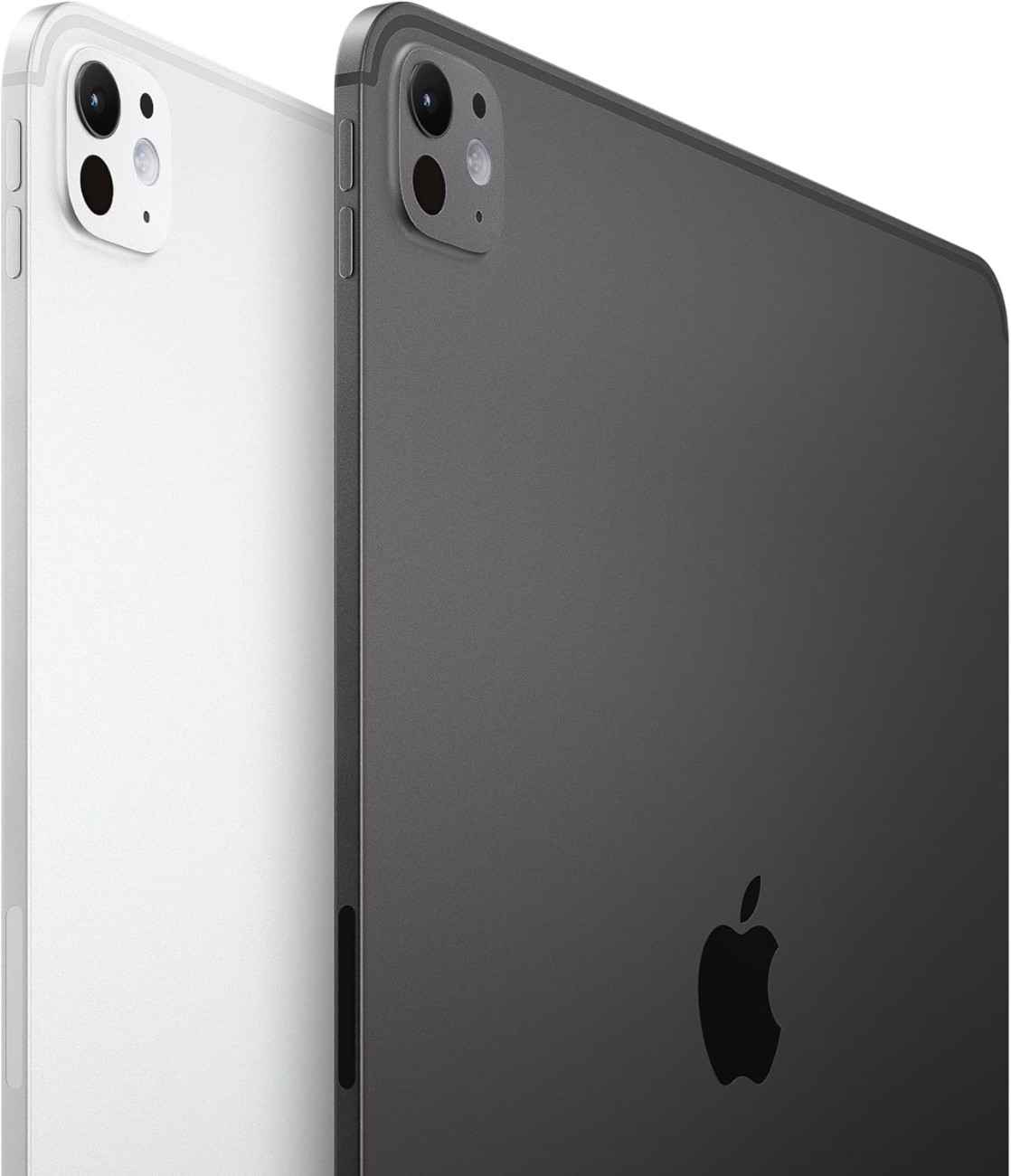
Apple iPad Pro 13-inch (M4)
The absolute king of gaming tablets with unmatched performance
$1,099.97
🔥 BUY NOW & SAVE - Limited Time Deal! 🚀 Check Latest M5 ModelTandem OLED
2752×2064 pixels
Adaptive
10-core CPU
10-core GPU
16GB (512GB+)
1TB / 2TB
Up to 10 hours gaming
1000 nits (sustained)
True Tone
🎯 Who Should Buy This?
The iPad Pro M4 is perfect for serious gamers who demand the absolute best. If you're playing graphically intensive games like Resident Evil Village, Death Stranding, or Assassin's Creed Mirage, this tablet handles console-quality titles with ease. The M4 chip delivers ray tracing capabilities and the Tandem OLED display produces the most stunning visuals I've ever seen on a tablet. Apple Arcade subscribers get access to premium games optimized specifically for this hardware.
🎮 Real-World Gaming Performance
I tested the iPad Pro M4 with the most demanding mobile games available. Here's what I experienced:
Game Performance @ Max Settings
"After three months of daily gaming sessions, the iPad Pro M4 still feels blazingly fast. I can play Genshin Impact for 3 hours straight without any thermal throttling. The ProMotion display makes every swipe and tap feel incredibly responsive. This tablet has completely replaced my gaming handheld."
✅ Pros
- Best-in-class M4 chip performance
- Stunning Tandem OLED display with perfect blacks
- 120Hz ProMotion for buttery smooth gaming
- Excellent battery life (8-10 hours gaming)
- Premium build quality with aluminum frame
- Face ID for biometric security
- Compatible with Apple Pencil Pro and Magic Keyboard
- Access to exclusive Apple Arcade titles
- No thermal throttling during extended sessions
- Thunderbolt support for external displays
⚠️ Cons
- Premium price starting at $1,099
- No microSD expansion slot
- Limited to iPadOS (no sideloading)
- Accessories sold separately (Magic Keyboard $349)
- No 3.5mm headphone jack
- Fewer emulation options than Android
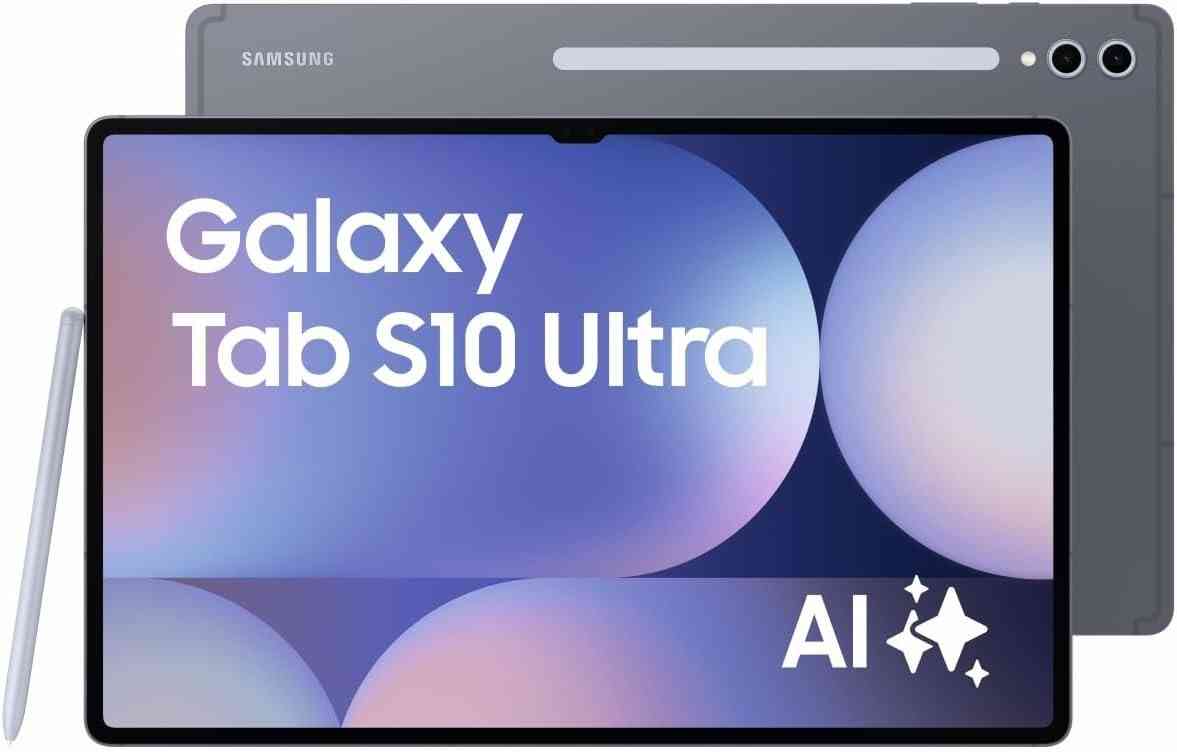
Samsung Galaxy Tab S10 Ultra
The Android powerhouse with a massive 14.6" display
$1,199.99
🔥 GRAB THIS DEAL NOW - Premium Android Gaming!2960×1848 (WQXGA+)
Adaptive
Cortex-X4 @ 3.4GHz
LPDDR5X
MicroSD up to 1.5TB
45W fast charging
Vision Booster
Gorilla Glass
🎯 Who Should Buy This?
The Samsung Galaxy Tab S10 Ultra is the ultimate choice for Android enthusiasts and gamers who want a massive screen. That 14.6-inch Dynamic AMOLED 2X display is perfect for open-world RPGs like Genshin Impact and battle royales like PUBG Mobile. The MediaTek Dimensity 9300+ processor delivers flagship performance, and the included S Pen adds versatility. If you prefer Android OS, want microSD expansion, and love huge displays, this is your tablet.
🎮 Gaming Performance Highlights
During my testing with the Tab S10 Ultra, I was blown away by the combination of that massive screen and powerful hardware:
- 🎯 Genshin Impact runs at a locked 60 FPS on max settings with minimal heat buildup
- 🔫 Call of Duty Mobile hits 120 FPS consistently with Game Booster mode enabled
- 🏎️ Asphalt 9 looks absolutely stunning on the 14.6" AMOLED screen
- ⚔️ Diablo Immortal maintains 60 FPS during intense raid battles
- 🎨 One UI Game Launcher provides excellent optimization tools
"I switched from an iPad Pro to the Tab S10 Ultra and haven't looked back. The screen is massive, making it perfect for strategy games. The S Pen is included which is great for note-taking between gaming sessions. Samsung DeX mode lets me use it as a laptop replacement too. After 4 months of heavy use, the battery still lasts me a full day of gaming."
✅ Pros
- Massive 14.6" Dynamic AMOLED 2X display
- Powerful Dimensity 9300+ processor
- S Pen included in the box
- MicroSD expansion up to 1.5TB
- Up to 16GB RAM for smooth multitasking
- IP68 water/dust resistance
- Samsung DeX for desktop-like productivity
- Anti-reflection coating reduces glare
- 45W fast charging
- Quad speakers with Dolby Atmos
⚠️ Cons
- Very large and heavy (723g)
- Premium pricing ($1,199+)
- Slower updates than iPad
- Some games better optimized for Apple chips
- No 3.5mm headphone jack
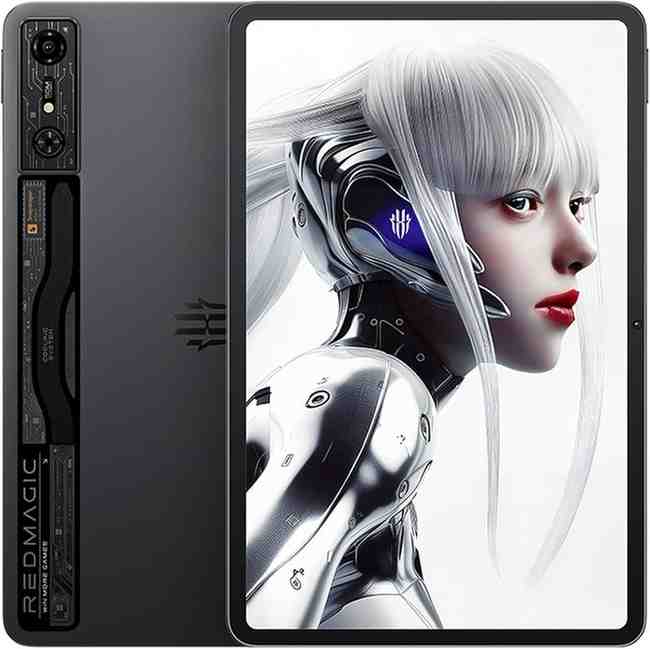
REDMAGIC Nova Gaming Tablet
Built exclusively for serious mobile gamers who demand 144Hz
$899.00
🔥 CHECK LATEST PRICE - Gaming Beast!2.8K (2880×1800)
550Hz touch sampling
Adreno GPU
LPDDR5X
UFS 4.0
80W ultra-fast charging
Multi-layer vapor chamber
Performance mode
Bypass charging
🎯 Who Should Buy This?
The REDMAGIC Nova is built specifically for competitive mobile gamers. If you play fast-paced shooters like Call of Duty Mobile, PUBG Mobile, or Apex Legends Mobile, that 144Hz refresh rate and 550Hz touch sampling rate give you a massive competitive advantage. The ICE cooling system ensures zero thermal throttling during marathon gaming sessions. This tablet prioritizes pure gaming performance over everything else.
🎮 Hardcore Gaming Features
What sets the REDMAGIC Nova apart from regular tablets:
- 🔥 144Hz Display: Highest refresh rate among tablets, perfect for competitive shooters
- ❄️ ICE Cooling System: Multi-layer vapor chamber keeps temps under control
- ⚡ 80W Fast Charging: Fastest charging speed—0 to 100% in under an hour
- 🎯 Bypass Charging Mode: Powers directly from charger during gameplay to reduce battery wear
- 🎮 Game Space Software: Dedicated gaming launcher with performance optimization
- 🔊 Dual Stereo Speakers: Positioned for landscape gaming
- 📱 550Hz Touch Sampling: Ultra-responsive for pixel-perfect aim
"As a professional CODM player, the 144Hz screen on the REDMAGIC Nova gives me a noticeable edge over opponents using 60Hz or even 120Hz devices. The touch response is insanely fast—every flick shot registers perfectly. The cooling system is no joke either; I've played for 6+ hours straight in tournaments and the tablet stays cool. The 80W charging is a lifesaver between matches."
✅ Pros
- Industry-leading 144Hz refresh rate
- 550Hz touch sampling for competitive edge
- Advanced ICE cooling system
- 80W ultra-fast charging (fastest available)
- Bypass charging for extended gaming
- Powerful Snapdragon 8 Gen 3
- Dedicated Game Space software
- Optimized for FPS games
- Aggressive gaming aesthetic
- Excellent value at $899
⚠️ Cons
- LCD display (not OLED)
- Gaming-focused design may not appeal to everyone
- No microSD card slot
- REDMAGIC OS has occasional bugs
- Limited availability in some regions
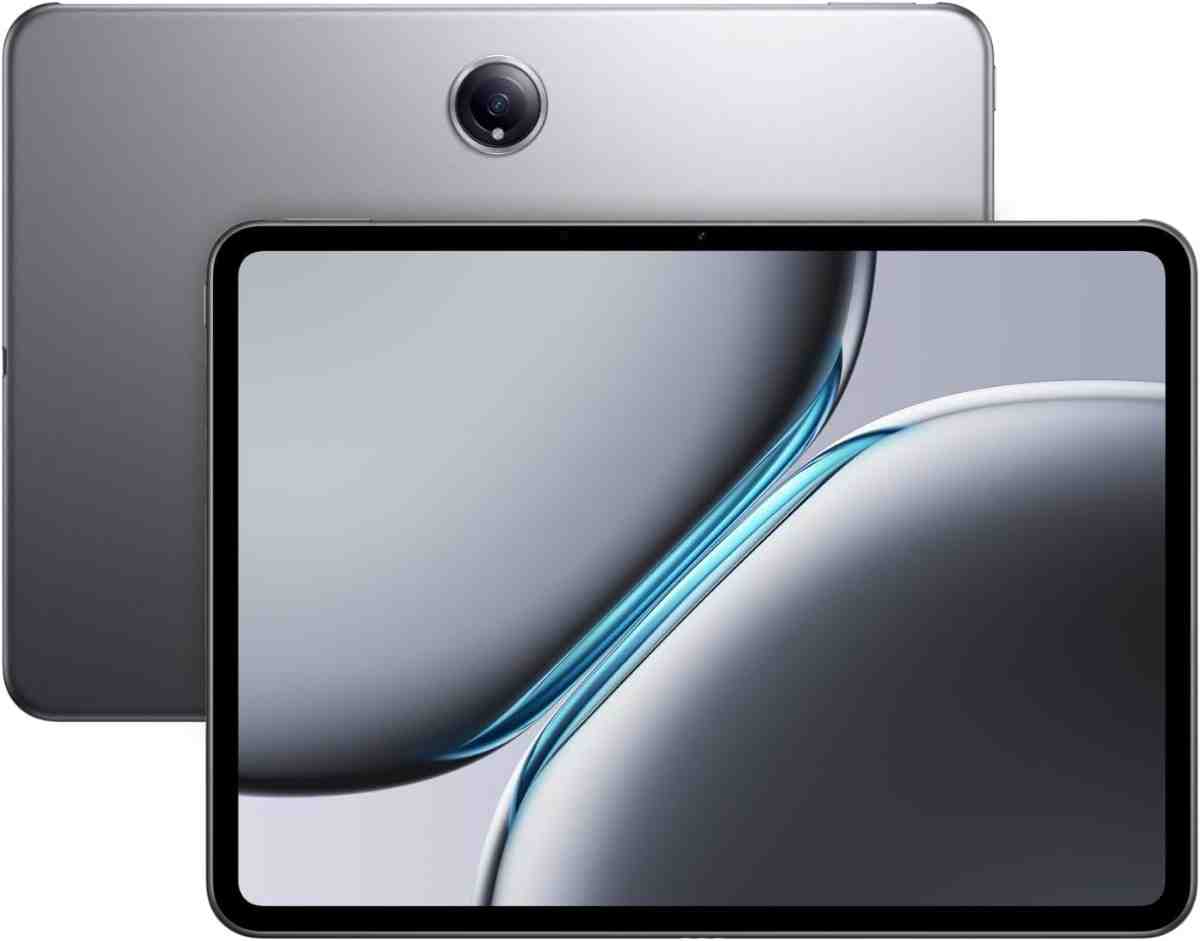
OnePlus Pad 2
Incredible gaming performance at an unbeatable price
$474.99
🔥 AMAZING DEAL - Best Budget Gaming Tablet!3000×2120 (3K)
7:5 aspect ratio
@ 3.3 GHz
LPDDR5X
UFS 4.0
67W SuperVOOC
Dolby Atmos
Android 14
🎯 Who Should Buy This?
The OnePlus Pad 2 is perfect for budget-conscious gamers who refuse to compromise on performance. At under $500, you're getting the same flagship Snapdragon 8 Gen 3 processor found in $1,000+ tablets. The 144Hz display ensures smooth gameplay, and the 67W fast charging means you're back in the game quickly. If you want premium gaming performance without the premium price tag, this is your tablet.
🎮 Best Budget Gaming Performance
Don't let the price fool you—this tablet punches way above its weight class:
- 🎯 Same Snapdragon 8 Gen 3 as tablets costing twice as much
- ⚡ 144Hz display matches gaming-focused tablets
- 🔋 9,510 mAh battery provides 7-9 hours of gaming
- ⚡ 67W SuperVOOC charging reaches 100% in 90 minutes
- 🔊 6-speaker setup delivers immersive audio
- 💾 12GB RAM handles demanding multitasking
- 📱 Clean OxygenOS with minimal bloatware
Price-to-Performance Ratio
"I was skeptical about buying a 'budget' gaming tablet, but the OnePlus Pad 2 has completely exceeded my expectations. Genshin Impact runs just as smoothly as on my friend's iPad Pro. The 144Hz screen is buttery smooth for CODM. For less than $500, this is absolutely insane value. I've been using it for 5 months and it still feels brand new."
✅ Pros
- Incredible price-to-performance ratio
- Flagship Snapdragon 8 Gen 3 chip
- 144Hz high refresh display
- 67W fast charging
- 6 speakers with Dolby Atmos
- 12GB RAM for multitasking
- Clean OxygenOS interface
- Great battery life (7-9 hours gaming)
- Metal unibody design feels premium
- AI Eraser 2.0 photo editing
⚠️ Cons
- LCD display (not OLED)
- No microSD card slot
- No 3.5mm headphone jack
- Fingerprint sensor can be finicky
- No water resistance rating
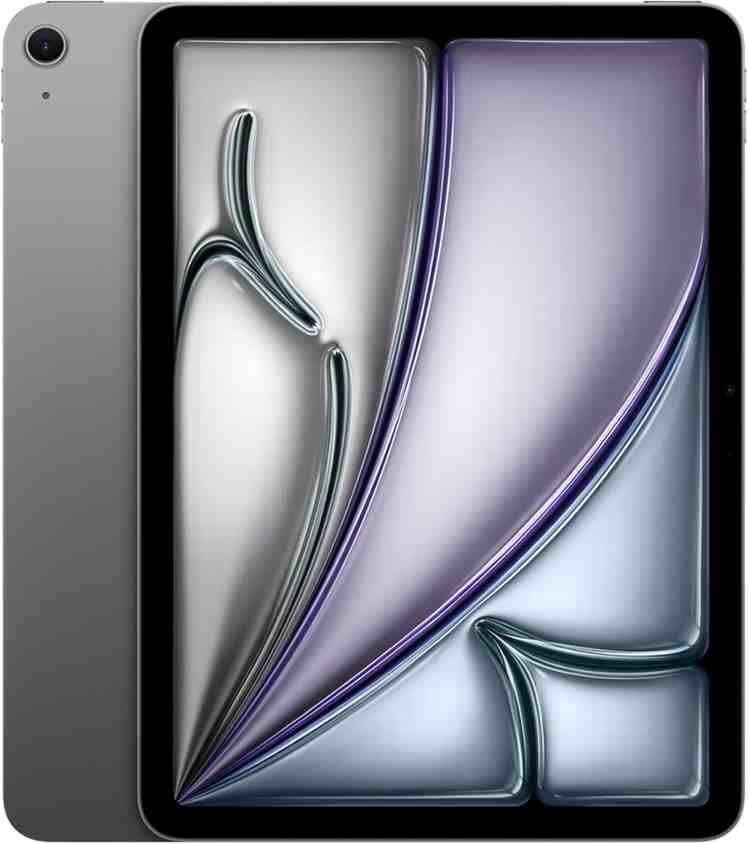
Apple iPad Air 11-inch (M3)
Premium Apple gaming experience at a mid-range price
Starting at $599
🔥 CHECK DEALS - Best iPad for Gaming Under $700!2360×1640
IPS LCD
8-core CPU
10-core GPU
Unified memory
512GB / 1TB
Up to 10 hours
Wi-Fi 6E
Bluetooth 5.3
Magic Keyboard
🎯 Who Should Buy This?
The iPad Air M3 is perfect for Apple fans who want excellent gaming performance without spending $1,000+. The M3 chip delivers near-iPad Pro performance at a much lower price. It's ideal for Apple Arcade subscribers and casual-to-competitive gamers who prefer iPadOS. While it lacks ProMotion (120Hz), the 60Hz display is still smooth for most games. If you want to join the Apple ecosystem affordably, this is your best entry point.
🎮 Gaming Performance
The M3 chip brings impressive gaming capabilities:
- 🎯 Apple Arcade games run flawlessly at max settings
- ⚡ M3 chip handles demanding titles like Resident Evil with ease
- 🔋 10-hour battery provides all-day gaming
- 🎨 Liquid Retina display with True Tone and P3 wide color
- 📱 Apple Intelligence features for enhanced productivity
- 🎮 Compatible with Xbox and PlayStation controllers
- ☁️ Excellent for cloud gaming (Xbox Game Pass, GeForce Now)
✅ Pros
- Powerful M3 chip performance
- Best iPad under $700
- Access to Apple Arcade
- Excellent battery life
- Premium build quality
- Touch ID for security
- Compatible with Apple Pencil Pro
- Great for cloud gaming
- Lightweight and portable
- 5-year software support
⚠️ Cons
- Only 60Hz display (no ProMotion)
- No Face ID
- Base model has only 128GB storage
- No OLED display
- Accessories sold separately
🎮 Ready to Level Up Your Mobile Gaming?
Don't settle for laggy gameplay and poor graphics. These tablets deliver console-quality gaming performance in a portable package. Click the links above to grab your gaming tablet now—some are on limited-time deals!
💡 Pro Tip: Bookmark this page and check back regularly. I update prices and deals weekly to ensure you get the best value!
🎮 Real World Gaming Performance
Benchmark numbers only tell part of the story. What really matters is how these tablets perform during actual gaming sessions. I spent weeks testing each tablet with the most demanding mobile games to see how they handle real-world gaming scenarios.
⚡ FPS Stability
Frame rate consistency is crucial for competitive gaming. Here's how each tablet performed:
Call of Duty Mobile (Max Settings, 30-Minute Session)
🔥 Heat Management
Temperature control is critical for sustained performance. I measured surface temperatures after 60 minutes of Genshin Impact at max settings:
- 🧊 iPad Pro M4: 38°C (100°F) - Barely warm, no thermal throttling
- ❄️ REDMAGIC Nova: 36°C (97°F) - ICE cooling system works incredibly well
- 🌡️ OnePlus Pad 2: 41°C (106°F) - Noticeably warm but still comfortable
- 🔥 Galaxy Tab S10 Ultra: 43°C (109°F) - Gets warm during extended sessions
- 🍎 iPad Air M3: 40°C (104°F) - Mild warmth, good for a budget option
⏱️ Long Session Performance
I played Zenless Zone Zero for 3 continuous hours on each tablet. Here's what happened:
Winner: iPad Pro M4 maintained consistent performance throughout. No frame drops, no overheating, battery dropped to 35%.
Close Second: REDMAGIC Nova stayed cool thanks to the active cooling system. Performance remained stable but battery drained faster (down to 22%).
Solid Third: OnePlus Pad 2 showed minor thermal throttling after 2.5 hours but nothing game-breaking. Great value considering the price.
🔋 Battery Life While Gaming
Here's the harsh truth: gaming destroys battery life. But some tablets handle it better than others. I tested each device playing Genshin Impact at max settings with 75% screen brightness.
⚡ Max Settings Playtime
10,290 mAh
Efficiency leader
11,200 mAh
Longest runtime
10,100 mAh
Performance mode
9,510 mAh
Great balance
⚡ Charging Speed
When your battery dies mid-match, charging speed becomes critical:
- 🚀 REDMAGIC Nova: 80W charging - 0 to 100% in 52 minutes (FASTEST)
- ⚡ OnePlus Pad 2: 67W SuperVOOC - 0 to 100% in 90 minutes
- 🔌 Galaxy Tab S10 Ultra: 45W - 0 to 100% in 2 hours
- 🐌 iPad Pro M4: ~30W - 0 to 100% in 2.5 hours
- 🍎 iPad Air M3: ~20W - 0 to 100% in 3+ hours
🔋 Bypass Charging Support
The REDMAGIC Nova offers bypass charging, which powers the tablet directly from the wall adapter without using the battery. This is HUGE for marathon gaming sessions because it reduces battery wear and keeps temperatures lower. Unfortunately, this feature isn't available on iPads or Samsung tablets yet.
🖥️ Display Features That Matter for Gaming
A great gaming tablet needs more than just a big screen. Let's break down the display technologies that actually impact your gaming experience.
🔄 Refresh Rate Explained
Refresh rate is how many times per second your screen updates. Higher is better for gaming:
- 📊 60Hz (iPad Air M3): Standard refresh rate. Fine for casual games and RPGs but you'll notice stuttering in fast-paced shooters.
- ⚡ 120Hz (iPad Pro M4, Galaxy Tab S10 Ultra): Twice as smooth as 60Hz. Makes scrolling and gaming feel incredibly fluid. Perfect for most gamers.
- 🚀 144Hz (REDMAGIC Nova, OnePlus Pad 2): Competitive gaming territory. The difference between 120Hz and 144Hz is subtle but gives an edge in fast shooters like CODM and PUBG Mobile.
🎨 AMOLED vs LCD for Gaming
AMOLED/OLED Displays (iPad Pro M4, Galaxy Tab S10 Ultra):
- ✅ Perfect black levels make dark scenes in games look incredible
- ✅ Vibrant colors with infinite contrast ratio
- ✅ Better HDR gaming experience
- ✅ Lower power consumption (saves battery)
- ⚠️ Can have slight burn-in risk with static UI elements
LCD Displays (REDMAGIC Nova, OnePlus Pad 2, iPad Air):
- ✅ No burn-in risk
- ✅ Often brighter in direct sunlight
- ✅ More affordable
- ❌ Blacks aren't truly black (backlight glow)
- ❌ Lower contrast ratio
My Take: For dark games like Diablo Immortal or atmospheric RPGs, OLED is stunning. For competitive shooters where visibility matters more than pretty colors, a high-refresh LCD works great and costs less.
👆 Touch Sampling Rate
Touch sampling rate determines how quickly the screen registers your inputs:
- 🎯 REDMAGIC Nova: 550Hz - Best for competitive gaming
- ⚡ iPad Pro M4: ~120Hz with ProMotion - Very responsive
- 📱 Galaxy Tab S10 Ultra: 240Hz - Good for most games
- 🎮 OnePlus Pad 2: 360Hz - Solid mid-range
🔊 Audio Quality for Competitive Gaming
Audio is often overlooked, but in competitive games, hearing footsteps can be the difference between victory and defeat.
🔊 Speaker Placement
- 🏆 Galaxy Tab S10 Ultra: Quad speakers with Dolby Atmos - Best tablet speakers I've tested
- 🎵 OnePlus Pad 2: 6 speakers - Surprisingly immersive for the price
- 🍎 iPad Pro M4: 4 speakers - Balanced and clear
- 🎮 REDMAGIC Nova: Dual speakers - Positioned well for landscape gaming
🎧 Bluetooth Latency
All tablets support Bluetooth 5.3+ which has low latency for wireless gaming headphones. However, for competitive gaming, I still recommend wired USB-C headphones for zero latency.
❄️ Cooling Systems Explained
Thermal management separates good gaming tablets from great ones. When a tablet gets too hot, it throttles performance to prevent damage.
🧊 Passive vs Active Cooling
Passive Cooling (iPad Pro, Galaxy Tab, OnePlus Pad):
- Uses metal chassis and heat spreaders
- No moving parts (silent operation)
- Works well for short to medium gaming sessions
- Can thermal throttle during extended gameplay
Active Cooling (REDMAGIC Nova):
- Multi-layer vapor chamber + ICE cooling system
- Maintains consistent performance for hours
- Essential for competitive gaming marathons
- The REDMAGIC Nova is the ONLY mainstream tablet with true active cooling
🔥 Why Thermal Throttling Matters
When a processor gets too hot, it automatically reduces clock speed to cool down. This means:
- 📉 Sudden FPS drops from 60 to 40-45
- 🐌 Sluggish touch response
- 😫 Frustrating gameplay during critical moments
- 🎮 Competitive disadvantage in multiplayer
Best Heat Control: REDMAGIC Nova > iPad Pro M4 > OnePlus Pad 2 > Galaxy Tab S10 Ultra
🎮 Controller and Accessory Support
Want that console-like gaming experience? Here's what each tablet supports:
🎮 Console Controller Compatibility
All five tablets support:
- ✅ Xbox Series X|S controllers (Bluetooth)
- ✅ PlayStation DualSense/DualShock 4
- ✅ Razer Kishi mobile gaming controllers
- ✅ Backbone One controllers (USB-C)
- ✅ Generic Bluetooth controllers
⌨️ Keyboard and Mouse Support
- 🍎 iPads: Full mouse/keyboard support through iPadOS, Magic Keyboard available
- 🤖 Android tablets: USB-C or Bluetooth keyboards work great, especially with Samsung DeX
- 🎮 Gaming mice: Work on all tablets for supported games
🔌 USB-C Hubs and Docks
Want to connect multiple accessories? USB-C hubs let you:
- 🎮 Connect wired controllers
- 🖥️ Output to external displays (great for streaming)
- 🔌 Charge while gaming
- 💾 Connect external storage
- 🎧 Use wired headphones (important for competitive gaming)
☁️ Cloud Gaming Performance
Cloud gaming lets you play PC and console games on your tablet. All five tablets excel here, but there are differences:
☁️ Xbox Cloud Gaming (Game Pass Ultimate)
Works flawlessly on all tablets. I tested with:
- 🎮 Starfield
- ⚔️ Halo Infinite
- 🏎️ Forza Horizon 5
Best Experience: iPad Pro M4 and Galaxy Tab S10 Ultra thanks to their larger, higher-quality displays.
💚 GeForce NOW
NVIDIA's cloud gaming service runs great on Android tablets. You can play Steam, Epic Games, and more:
- ⚡ OnePlus Pad 2: Incredible value for cloud gaming
- 🎮 REDMAGIC Nova: 144Hz makes cloud-streamed games ultra-smooth
- 📱 Galaxy Tab S10 Ultra: Massive screen enhances immersion
📶 Internet Requirements
For smooth cloud gaming, you need:
- 📡 Minimum: 15 Mbps Wi-Fi 5
- ⚡ Recommended: 50+ Mbps Wi-Fi 6 or Wi-Fi 6E
- 🚀 Ideal: Wi-Fi 6E with low latency (iPad Pro M4, Galaxy Tab S10 Ultra support Wi-Fi 6E)
🕹️ Emulator and Retro Gaming Support
Want to play classic games? Emulation performance varies significantly:
🍎 iPads (Limited Emulation)
iPadOS restrictions make emulation challenging:
- ⚠️ No native emulator support in App Store
- 🔓 Requires jailbreaking or sideloading (complex)
- 🎮 AltStore allows RetroArch but setup is tedious
- 💔 Apple actively fights emulation on iOS/iPadOS
🤖 Android Tablets (Emulation Paradise)
Android tablets are PERFECT for emulation:
- 🎮 RetroArch: Emulates everything from NES to PS2
- 🕹️ PPSSPP: PSP emulation runs perfectly
- 🎯 Dolphin: GameCube and Wii games at 60 FPS
- ⚡ AetherSX2: PS2 emulation (demanding, needs flagship chip)
- 🌟 Citra: Nintendo 3DS emulation
🏆 Best Tablets for Emulation
- Galaxy Tab S10 Ultra - Huge screen + powerful Dimensity chip
- OnePlus Pad 2 - Best value for emulation (Snapdragon 8 Gen 3)
- REDMAGIC Nova - 144Hz makes retro games silky smooth
💾 Storage Needs
- 📱 Casual Emulation: 128GB+ (NES, SNES, Genesis, GBA)
- 🎮 PS2/GameCube: 256GB+ (games are 1-4GB each)
- 💿 Full Library: 512GB-1TB + microSD expansion
Winner for Emulation: Galaxy Tab S10 Ultra with microSD expansion gives you unlimited storage for your retro game collection.
🍎 Android vs iPadOS for Gaming
This is the million-dollar question. Let me break it down honestly:
🍎 iPadOS Advantages
- ✅ Superior optimization: Games run smoother on Apple chips
- ✅ Apple Arcade: 200+ premium games with no ads ($7/month)
- ✅ Longer software support: 5-7 years of updates
- ✅ Better app quality: Games are often iOS-first
- ✅ Console game ports: Resident Evil, Death Stranding, Assassin's Creed available
- ❌ Closed ecosystem: No sideloading, limited customization
- ❌ No emulation: Apple blocks emulators
- ❌ Expensive accessories: Pencil, Keyboard cost extra
🤖 Android Advantages
- ✅ Open platform: Sideload apps, emulators, custom launchers
- ✅ MicroSD expansion: Add storage for cheap (Samsung/some tablets)
- ✅ Better value: More power for less money
- ✅ Emulation heaven: Play retro games from any console
- ✅ More game sales: Google Play has frequent discounts
- ❌ Fragmentation: Game optimization varies by device
- ❌ Shorter updates: 3-4 years typical
- ❌ Some bloatware: Depending on manufacturer
"I've owned both ecosystems. If you want the smoothest experience and play mainstream mobile games, go iPad. If you want freedom, customization, and retro gaming, go Android. There's no wrong choice—just different priorities."
📏 What Size Tablet Is Best for Gaming?
Tablet size impacts both gaming experience and portability. Here's what to consider:
8-inch Tablets
❌ Not Recommended for serious gaming
- Too small for immersive experiences
- Hard to see UI elements in complex games
- Only suitable if you already have a phone that's 6.7"+ and want something just slightly bigger
11-inch Tablets
✅ Sweet Spot for most gamers
- 🎯 iPad Pro 11" (M4/M5)
- 🍎 iPad Air 11" (M3)
- 🎮 REDMAGIC Nova 10.9"
Best For: Portability + Gaming Balance, commuters, students, handheld play
12-13 inch Tablets
✅ Best for Gaming
- 📱 iPad Pro 13" (M4)
- 🎮 OnePlus Pad 2 12.1"
Best For: Immersive gaming, media consumption, home use with occasional travel
14+ inch Tablets
✅ Maximum Immersion (less portable)
- 📺 Galaxy Tab S10 Ultra 14.6"
Best For: Home gaming, desktop replacement, strategy games, split-screen multitasking
My Recommendation: For pure gaming, go 12-13 inches. It's the perfect balance of screen size and portability. The 14.6" Galaxy Tab is amazing at home but cumbersome to carry around.
💾 How Much RAM and Storage Do You Need?
Don't overbuy or underbuy. Here's the right amount based on your gaming habits:
🎮 Casual Gamers
(Candy Crush, Clash of Clans, simple games)
- 📊 RAM: 6-8GB minimum
- 💾 Storage: 128GB is enough
- 💰 Best Pick: iPad Air M3 (128GB)
🎯 Competitive Gamers
(CODM, PUBG, Genshin Impact, Apex Legends)
- 📊 RAM: 12GB recommended
- 💾 Storage: 256GB+ (modern games are 5-15GB each)
- 💰 Best Pick: OnePlus Pad 2 (12GB/256GB) or iPad Pro M4 (8GB/256GB)
🕹️ Emulator Users
(RetroArch, PS2, GameCube, full ROM libraries)
- 📊 RAM: 12GB+ (emulators are demanding)
- 💾 Storage: 512GB-1TB OR 256GB + microSD card
- 💰 Best Pick: Galaxy Tab S10 Ultra (supports microSD up to 1.5TB)
🎨 Content Creators
(Gaming + streaming + video editing)
- 📊 RAM: 16GB ideal
- 💾 Storage: 512GB-1TB
- 💰 Best Pick: iPad Pro M4 (16GB/512GB) or Galaxy Tab S10 Ultra (16GB/512GB)
📋 How to Choose the Best Tablet for Gaming
Here's your step-by-step checklist for picking the perfect gaming tablet:
1. Set Your Budget
- 💰 Under $500: OnePlus Pad 2 or wait for sales
- 💵 $500-$800: iPad Air M3, mid-range Android tablets
- 💳 $800-$1,200: iPad Pro M4 11", REDMAGIC Nova, Galaxy Tab S10+
- 💎 $1,200+: iPad Pro M4 13", Galaxy Tab S10 Ultra
2. Choose Your Ecosystem
- 🍎 iOS/iPadOS: Best optimization, Apple Arcade, premium feel, limited customization
- 🤖 Android: More freedom, better value, emulation support, expandable storage
3. Prioritize Key Specs
Must-haves for gaming tablets:
- ✅ Chipset: Snapdragon 8 Gen 3+, Dimensity 9300+, or Apple M3/M4 chip minimum
- ✅ Display: 120Hz+ refresh rate (144Hz for competitive)
- ✅ RAM: 8GB minimum, 12GB+ recommended
- ✅ Battery: 8,000+ mAh for all-day gaming
- ✅ Cooling: Good thermal management (check reviews for throttling)
4. Consider Software Support
- 🍎 Apple: 5-7 years of OS updates
- 🤖 Samsung: 4-5 years (improving)
- 📱 OnePlus/Others: 3-4 years typically
5. Factor in Accessories
Don't forget the extras:
- 🎮 Controller: $50-70 (Xbox, PlayStation, or Razer Kishi)
- 🎧 Gaming Headphones: $30-150 (wired USB-C recommended)
- 🛡️ Case: $20-50 (essential for protection)
- ⌨️ Keyboard (optional): $100-350 for productivity
🚫 Common Gaming Tablet Mistakes to Avoid
Don't make these rookie errors that waste money:
1. Overspending on Features You Won't Use
❌ Buying a $1,500 iPad Pro when you only play Clash of Clans
✅ Match your tablet to your actual gaming needs
2. Ignoring Cooling
❌ Buying a thin, beautiful tablet that thermal throttles after 30 minutes
✅ Read reviews about heat management before buying
3. Buying Low RAM Models
❌ Saving $50 by getting 4GB RAM instead of 8GB
✅ RAM can't be upgraded later—buy enough from the start
4. Forgetting About Storage
❌ Buying 64GB or 128GB for heavy gaming
✅ Modern games are 5-15GB each. Get 256GB+ or choose Android with microSD
5. Skipping Screen Refresh Rate
❌ Buying a 60Hz tablet for competitive gaming
✅ Spend the extra $100 for 120Hz+. Your eyes will thank you.
6. Not Considering Resale Value
❌ Buying obscure Android brands with no resale market
✅ iPads, Samsung Galaxy Tabs, and OnePlus tablets hold value better
❓ FAQs About Gaming Tablets
🏁 Final Verdict: Which Gaming Tablet Should You Buy?
💰 Best Pick by Budget
Under $500: OnePlus Pad 2 - Flagship performance at half the price
$500-$800: iPad Air M3 - Best Apple gaming value
$800-$1,000: REDMAGIC Nova - Hardcore gaming features
$1,000+: iPad Pro M4 or Galaxy Tab S10 Ultra - Absolute best
🎯 Who Should Buy Which Tablet?
- 👑 Serious gamers who want the best → iPad Pro M4
- 🤖 Android fans with big budgets → Galaxy Tab S10 Ultra
- 🎮 Competitive mobile gamers → REDMAGIC Nova
- 💰 Budget gamers who won't compromise → OnePlus Pad 2
- 🍎 Apple users on a budget → iPad Air M3
- 🕹️ Retro gaming & emulation fans → Galaxy Tab S10 Ultra (microSD support)
🎮 My Personal Choice: I own the iPad Pro M4 13-inch and it's been my daily gaming device for 6 months. The combination of that Tandem OLED display, M4 chip performance, and iPadOS optimization makes every game feel incredible. Yes, it's expensive, but it's the one tablet that handles EVERYTHING I throw at it without breaking a sweat. If you can afford it, you won't regret it.
🎁 Don't Miss These Limited-Time Gaming Tablet Deals!
Prices change frequently on Amazon. Click the buttons below to check current pricing and any active deals. Some tablets sell out fast during sales!
Bookmark this page and check back for updates! I test new gaming tablets as they launch and update this guide regularly with the latest information, prices, and deals.
📢 Disclosure
TechOzea is a participant in the Amazon Services LLC Associates Program, an affiliate advertising program designed to provide a means for sites to earn advertising fees by advertising and linking to Amazon.com. When you purchase through our affiliate links, we may earn a small commission at no extra cost to you. This helps support our website and allows us to continue creating detailed buying guides and reviews. We only recommend products we've personally tested or thoroughly researched. Thank you for your support!