




Is it actually worth upgrading from AirPods Pro 2 (or older)? That’s the only question that matters, especially because AirPods Pro 3 is the first real hardware refresh we’ve gotten in about three years.
I’ve been using AirPods Pro 3 as my daily pair for a week, basically replacing my AirPods Pro 2. I’m also factoring in what long-term users and other reviewers are saying after weeks to months, because with earbuds, comfort and “daily-life” stuff usually shows up later.
Here’s what I think after living with them:
- The biggest wins are fit and seal, ANC, bass, and battery life per charge.
- The “new features” story is more complicated because a lot of the coolest stuff is software and many of those features have already landed on AirPods Pro 2 over the last few years.
Who this review is for:
- Travelers who care about silence on flights and long battery life
- Gym users who want a secure fit (and now heart-rate tracking)
- Apple ecosystem users who want every feature to “just work”
- Android users who are considering AirPods anyway and want the honest truth
My one-line verdict tiers (explained in detail later)
- Must-upgrade: AirPods Pro (1st gen) owners, or anyone whose Pro 2 fit never felt secure, or frequent travelers who want the best Apple ANC ever.
- Nice-to-have: AirPods Pro 2 owners who care a lot about ANC, bass, and 8-hour battery.
- Skip (or wait): Android-first users at full price, and Pro 2 owners who already love their fit and feel “good enough” on ANC.
If you already know you want them, here’s my affiliate link (same price for you):
What’s new (and what isn’t) vs AirPods Pro 2
So what actually changed this time, and what’s just marketing? Apple did something unusual here: they kept some big “core” pieces the same, but still made the AirPods Pro 3 feel meaningfully different in daily use.
What’s new (real hardware changes)
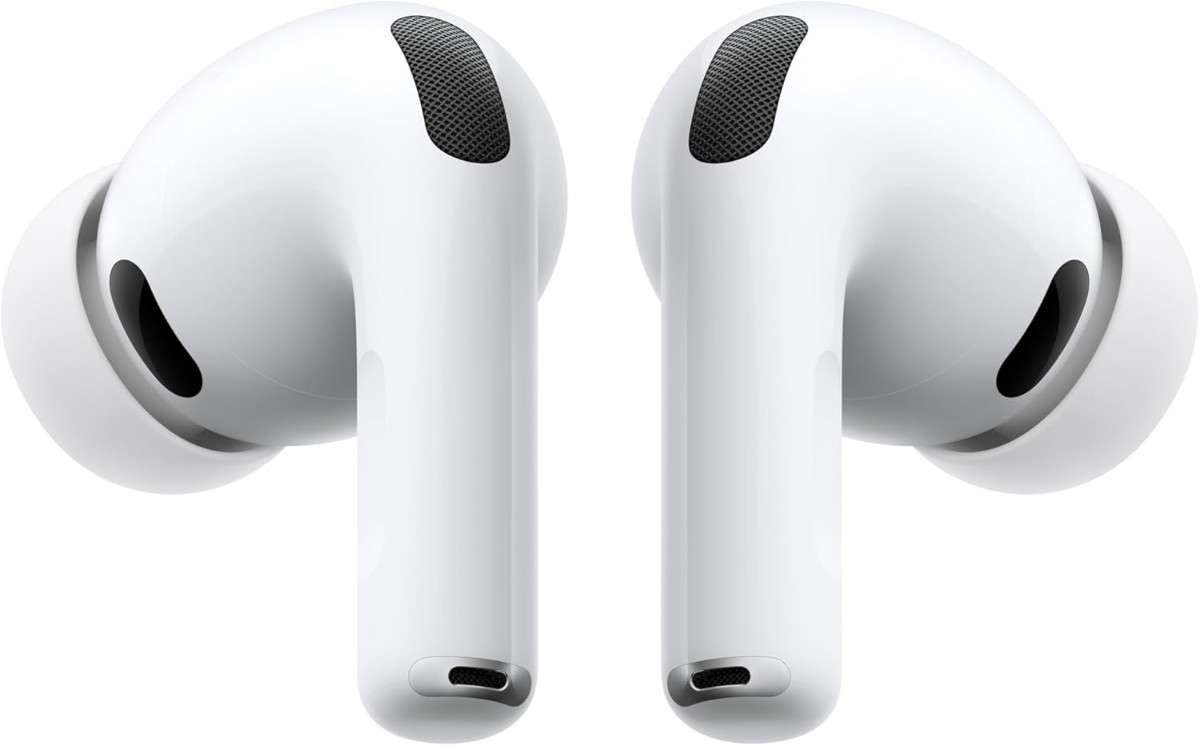
- Smaller earbuds with a revised shape
- Ear tip angle points more downward and into the ear canal
- Redesigned ear tips with a thin memory-foam layer near the front
- Five tip sizes: XXS, XS, S, M, L
- Durability jump to IP57 (dust resistance + water immersion rating)
- Battery per charge: up to 8 hours with ANC on (up from 6)
- Updated UWB chip in the case (Precision Finding range about 1.5x better)
- Heart rate tracking during workouts via infrared sensors
- Case design tweak: no physical button on the back
What exists now (software features that matter)
Why bring this up? Because the AirPods Pro 2 launched “simpler,” then became monsters over three years of iOS updates. That affects whether Pro 3 feels like a must-buy.
Features mentioned in the video that exist now:
- Live translation (offline supported)
- Head gestures (nod/shake to accept/decline)
- Conversation awareness
- Hearing health modes (hearing test, hearing protection, hearing aid modes)
- Camera remote from the stem
And a key nuance from the transcript: many of these features also arrived on AirPods Pro 2 via software updates, so AirPods Pro 3 isn’t the only way to get them.
What didn’t change
- Same H2 chip
- Same $249 MSRP
- Only white
Why “same chip” isn’t necessarily bad
Does keeping the H2 chip kill the excitement? Not automatically.
Apple’s track record with AirPods Pro 2 is the reason I’m not mad about it. Over time, Pro 2 gained a ridiculous number of features via firmware and iOS updates, and the Pro 3 will likely follow that same path, possibly with some future exclusives.
Still, if you were hoping for “H3 = instant huge jump,” that rumor simply didn’t happen.
Design and comfort: smaller buds, different angle, more secure fit
Do you feel the redesign the moment you put them in? Yes. And it’s not subtle.
AirPods Pro 3 buds are slightly smaller, but the bigger change is the geometry: the ear tips point more down and into the ear canal than before. Apple reportedly scanned more ears to optimize this redesign, which has resulted in a noticeable difference in fit behavior. This aligns with their guidance on how to find the right fit with AirPods Pro.
Why that angle matters
A better fit usually means:
- Better seal
- Better ANC
- Better bass
- Less “readjusting” during workouts
In my case, the change surprised me: I used Medium tips on AirPods Pro and Pro 2, but on Pro 3 I ended up using Small because the new shape seated differently. That matches exactly what the reviewer said in the transcript.
Compatibility note (important)
Can you reuse your old tips? No. The tips attach differently and aren’t interchangeable with AirPods Pro or AirPods Pro 2 tips.
The annoying downside
Is tip swapping easy? Honestly, it can be genuinely frustrating.
Some units seem to have tips that fit extremely tight. The reviewer described trying to swap tips on a flight and calling it a “big mistake,” because it was hard to remove them without tools and there’s a risk of tearing the silicone flange.
My advice:
- Try tip sizes at home, not mid-flight.
- If you find one size that seals well and stays comfortable, stick with it.
New ear tips: 5 sizes + memory-foam infusion (and one annoying downside)
Are the new tips a small detail, or the whole story? I think they’re a huge part of why AirPods Pro 3 feels upgraded.
Five sizes now
You get:
- XXS
- XS
- S
- M
- L
That “XXS” addition matters more than people think. A lot of users never got a true seal with earlier Pros, and a bad seal ruins everything: bass, ANC, and comfort.
Also, the sizing feel changed. In the video, the reviewer notes that Large now fits more like XL, and some people who used Medium on Pro 2 moved down to Small on Pro 3. That’s consistent with the changed geometry.
Silicone + thin memory foam layer
These are not classic “full foam tips.” They’re silicone with a thin foam infusion near the front. The reviewer described them as firmer and more premium feeling than dense squishy foam tips.
What that does in practice:
- Helps create a more consistent seal
- Improves ANC
- Improves perceived bass response
The annoying downside (again, because it matters)
Removing and replacing tips can “suck” if yours are super tight. I’d love a simple pry point or a slightly easier mechanism, but right now it’s the least elegant part of the whole experience.
Durability upgrade: IP57 is a bigger deal than it sounds
Do you actually need IP57, or is it just a spec-sheet flex? For the way most people use AirPods, it’s more than a flex.
AirPods Pro 3 jumps to IP57, which means:
- 5: limited dust protection (dust resistant)
- 7: water immersion up to 1 meter for 30 minutes
Compare that to older Pros (including Pro 2) which were basically IPX4 splash resistant.
Why this matters in real life
- Sweat-heavy workouts
- Running in rain
- Tossing them in a bag at the airport
- Dusty environments
- General “I’m not babying these” usage
Realistic expectations
They’re still not “swimming earbuds,” and I wouldn’t treat them like waterproof action gear. But for daily abuse, IP57 is the most confidence-inspiring durability bump the AirPods line has ever had.
Sound quality: same driver size, new internals, noticeably better bass
Can earbuds sound meaningfully better without bigger drivers? Yes, and AirPods Pro 3 is a good example of that.
The driver size remains 10.7mm, but the internals were rebuilt and Apple introduced a new acoustic architecture with a multiport design and more controlled airflow.
What I hear in daily use
- A slightly more open, broader soundstage than Pro 2
- Better clarity and “definition” overall
- The big one: bass
The bass on Pro 3 has more:
- extension (deeper reach)
- definition (less “one-note”)
- impact (more punch)
The reviewer says the bass boost was initially controversial, then became broadly accepted after longer use. I agree with the “oomph” description across genres.
A responsible way to frame sound
I’m not going to pretend I measured these with a lab rig. But character-wise, Pro 3 sounds like Apple pushed harder on:
- Low-end authority
- Clean loudness
- A slightly more spacious presentation
If you mostly listen casually and care about enjoyment, Pro 3 is an easy upgrade over Pro 2 in sound. If you’re an “I only care about neutral tuning and microdetail” listener, you’ll still find higher-end audiophile options that edge it out.
Quick comparisons: where AirPods Pro 3 lands vs Bose/Sony/audiophile buds
How does Pro 3 compare to the noise-canceling kings and audiophile favorites? Here’s the cleanest, fairest way to say it based on the transcript.
ANC class comparison (real-world)
The reviewer compared AirPods Pro 3 with:
- Bose QuietComfort Ultra Earbuds (2nd gen)
- Sony WH-1000XM6 (headphones, not earbuds)
In NYC subway and street use, the takeaway was: Apple is now in the same conversation with Bose and Sony for perceived ANC performance, without calling a scientific “winner.”
Sound comparison (consumer vs audiophile)
The reviewer places Pro 3’s clarity and definition among top-tier consumer earbuds like:
- Sennheiser Momentum True Wireless 4
And notes that audiophile buds like:
- Noble
- Bowers & Wilkins PI8 …can still have an edge in detail or tonality.
My practical take:
- If you want a complete package (ANC + sound + transparency + Apple features), Pro 3 is one of the strongest all-rounders.
- If you want pure audio quality above everything and you don’t care about ANC, you might choose differently.
Active Noise Cancellation (ANC): the headline upgrade in daily life
Is the ANC upgrade actually noticeable, or is it “only on paper”? It’s noticeable. Immediately.
Apple claims:
- up to 2x better than AirPods Pro 2
- up to 4x better than the original AirPods Pro
That’s marketing language, so I’ll describe the impact the same way the reviewer did.
Real-world scenarios where Pro 3 feels “too good”
- Flights: engine hum drops to a faint presence, sometimes almost uncanny
- Coffee shops: chatter reduces heavily, especially when music starts
- Treadmills: the harsh mechanical noise is reduced or becomes a soft hum
- City/subway: broad reduction across frequencies, including mids where voices live
One part of the transcript I really relate to: once you get used to this level of ANC, turning it off can feel jarring.
The reviewer even said it makes flying feel like “flying private,” which sounds dramatic until you experience ANC that strong on a long flight.
A wish I share: more ANC levels
The reviewer mentioned wishing Apple offered two or three ANC intensity levels, like a “light ANC” for walking around and “full-fat” for sleeping on planes. I agree. Adaptive modes help, but a manual intensity slider would be amazing.
Transparency mode and Adaptive Transparency: more natural, better for conversations
Does transparency still sound robotic, or is it finally natural? It’s more natural than before.
The transcript highlights:
- transparency sounds more “normal”
- your own voice sounds natural with minimal delay
- conversations feel less fatiguing
This matters more than people admit because it changes behavior:
- Ordering coffee without removing earbuds
- Quick chats at the gym
- Taking calls while walking
- Staying aware while still protecting your ears
Adaptive transparency also ties into hearing protection. In loud environments, it can reduce harsh volume while keeping speech understandable, which looks and feels more natural than constantly popping earbuds in and out.
New health features: heart rate tracking during workouts
Is heart rate tracking on earbuds a gimmick, or actually useful? Surprisingly useful, especially if you don’t always wear an Apple Watch.
How it works (high level, from the transcript):
- Infrared lights fire into your ears 250+ times per second
- Only active during workouts
- Supports about 50 workout types
Where you see it:
- iPhone Activity app
- Lock Screen Live Activity
Calories:
- Uses on-device models trained from Apple movement study data (as described in the video)
If you also wear an Apple Watch:
- The devices compare readings every few minutes
- They choose the most reliable source
- Example given: during HIIT, wrist motion can mess with watch HR, so earbuds might be more accurate at times
Who this is for:
- Gym users who don’t wear a watch
- People who want one less thing to charge and wear
- Anyone who wants lightweight workout tracking without changing their routine
Live translation: surprisingly useful (and works offline)
Can earbuds really translate conversations in a way you’d actually use? If you travel, this is one of those features that sounds like a demo until you need it.
From the transcript, the experience is:
- Beamforming mics focus on the person in front of you
- On-device Apple Intelligence language models translate near real time
- ANC reduces environment noise
- The other person’s volume is lowered slightly
- Translation plays louder into your ears
The travel win: offline support
It works offline, meaning no internet connection required. That’s huge for:
- Airports
- Taxis
- Smaller towns
- International travel without roaming
Launch languages mentioned:
- English
- French
- German
- Portuguese (Brazil)
- Spanish (Spain)
Coming later:
- Italian
- Japanese
- Korean
- Simplified Chinese
Important nuance: not exclusive to Pro 3
This feature is available on other H2-based AirPods too (including AirPods Pro 2 and AirPods 4 series). So don’t buy Pro 3 just for translation alone.
Everyday “smart” features (and why updates matter more than specs)
Are the “smart” features just fluff, or do they change daily use? Some are gimmicky, but a few become habits once you learn them.
Head gestures
Nod or shake to accept/decline notifications. It sounds silly, but it’s useful when:
- your hands are full (groceries, luggage)
- you’re on a run
- you’re mid-workout
Hearing health suite
AirPods have moved into a space that used to be separate devices:
- hearing test
- hearing protection mode
- hearing aid modes
What I think is realistic to expect:
- Great for everyday situational help
- Not a magic replacement for professional medical care for everyone
- But genuinely useful, especially paired with strong ANC and adaptive transparency
Camera remote
Using the stem to start/stop video or take a photo is a real creator feature:
- tripod setups
- group photos
- quick social clips
Conversation awareness
Detects when you’re speaking and boosts the other person’s voice. This is one of those subtle features that reduces friction, especially if you keep earbuds in most of the day.
The key context
Many of these features also landed on AirPods Pro 2 via software updates over the last three years. That’s why Pro 3’s value is mainly:
- hardware improvements (fit, ANC, bass, battery, durability)
- plus whatever future exclusives Apple adds later
Charging case and Find My upgrades: no button, better tracking range
Did Apple make the case better, or just different? A bit of both.
No physical button on the back
The case no longer has the physical button. Pairing still works, and in practice it’s not a daily issue, but it’s a change you’ll notice if you’re used to the old method.
Better Precision Finding range
The case now has a newer Ultra Wideband chip (noted as U2 / second-gen UWB in the transcript), giving about 1.5x range improvement for Precision Finding.
If you misplace AirPods often, this is one of those features that saves real time and stress.
Still has the case speaker
You can still ping it with sound, which matters when they’re lost in couch cushions or buried in a bag.
Tradeoffs
- Case is slightly larger, partly from shape and battery changes
- The hinge is described as slightly less satisfying, though still excellent overall
Battery life: 8 hours is the silent upgrade that changes travel
Is battery life actually a reason to upgrade? If you travel, yes.
AirPods Pro 3 is rated for:
- up to 8 hours per charge with ANC on
AirPods Pro 2 was rated:
- up to 6 hours per charge
That per-charge number matters more than most people realize. It changes:
- long flights
- full-day city exploring
- long workdays with calls
- “I forgot to charge” mornings
Why it improved (even with the same H2)
The transcript says the battery size is similar, but Apple changed:
- efficiency
- battery chemistry
Apple reportedly aimed for even more (the reviewer mentioned a goal like 10 hours for hearing aid and transparency users), but 8 is still a big practical jump.
Nuance: total battery with case may be lower
The reviewer mentions total battery life with the case decreased. That sounds bad, but day-to-day I care more about:
- how long a single listening session lasts
- how quickly they top up in the case
And the transcript emphasizes: with the case, it’s basically a non-issue for most people because quick recharges are so convenient.
Android use: yes, they connect—but you lose a lot of what you’re paying for
Can Android users buy AirPods Pro 3 and be happy? You can be… but you need to be honest about what you’re giving up.
What works on Android
- Pairing is fast and simple
- Music playback works normally
What you can partially patch with apps
The reviewer mentioned third-party apps can sometimes add:
- battery monitoring
- auto-pause on removal (sometimes)
What’s missing (big stuff)
On Android, you lose a lot of the value:
- separate left/right stem actions and deeper controls
- head gestures
- camera remote
- personalized spatial audio
- adaptive audio behaviors that respond to your environment
- some automatic pause behaviors (like pausing on sleep)
The biggest drawback: firmware updates
You cannot update firmware from Android. You need:
- iPhone, iPad, or Mac
That’s a deal-breaker for some people, because updates can bring bug fixes and features.
Bottom line for Android users
If you’re Android-first, AirPods Pro 3 at full price is hard to justify unless:
- you care primarily about ANC
- and you love the fit
- and you don’t mind living without the “smart” stuff
If that’s you and you still want them:
Check AirPods Pro 3 price on Amazon
The downsides (because they’re not perfect)
What’s the stuff that annoyed me enough that I’d warn a friend? There are a few, and they matter depending on your ears and your phone.
1) Ear tip removal can be genuinely annoying
If your tips are super tight, swapping them can feel like you need tools. There’s also a real risk of tearing the silicone flange if you fight it.
This is small… until you’re on a plane trying to fix comfort mid-flight. Don’t do that.
2) Comfort can be worse for some people
Even though the fit is more secure overall, the reviewer still preferred the comfort of AirPods Pro 2, regardless of tip size. That’s a big deal, because comfort beats specs when you’re wearing them for hours.
Your mileage will vary, but if Pro 2 fits you perfectly, don’t assume Pro 3 will automatically feel better.
3) Apple ecosystem lock-in
With an iPhone, Pro 3 can be:
- earbuds
- hearing protection
- hearing aid-style assistance
- heart rate tracker
- live translator
On Android, you get a reduced experience, and it can feel “second-class citizen,” as the reviewer put it.
4) No charging cable in the box
I personally understand the argument about not shipping endless cables, but at $249, it still feels annoying, especially because it’s not like Apple “passed the savings on.”
5) They look very similar to Pro 2
This sounds superficial, but it creates real confusion: Pro 2 owners look at Pro 3 and think, “Is it really different?” The answer is yes, but mostly in ways you feel after hours of use (ANC, bass, battery, fit).
AirPods Pro 3 vs AirPods Pro 2: who should upgrade (and who should keep what they have)
If you already have AirPods Pro 2, should you spend the money? This is the section I’d want if I were deciding.
Upgrade if you care about 2–3 of these things
- You want the best ANC Apple has ever shipped
- You travel often and want that “engine hum becomes a whisper” effect
- You want deeper, harder-hitting bass and slightly clearer sound
- You want 8-hour battery per charge
- You struggled with Pro 2 fit/seal and want more sizes and a new geometry
- You want heart rate tracking during workouts without always wearing a watch
- You want better durability with IP57
If you’re ready, here’s my link:
Buy AirPods Pro 3 (latest deals) on Amazon
Consider waiting or skipping if…
- Your AirPods Pro 2 fit is perfect and ANC is already “good enough”
- You’re sensitive to ear tip comfort and hate tight, snug fits
- You’re primarily on Android and want full feature parity
- You don’t care about heart rate tracking, extra bass, or the battery bump
A practical decision framework (how I’d decide)
Rank what you care about most:
- ANC
- Fit/comfort
- Sound (bass/clarity)
- Battery per charge
- Health features
- Ecosystem features
If your top 2 include ANC + fit, Pro 3 is easy to justify.
If your top 2 are comfort + value, Pro 2 on sale might still be the smarter buy.
Pricing and best time to buy (don’t pay full price if you can avoid it)
Should you pay $249 for AirPods Pro 3 right now? You can, but I usually wouldn’t unless you need them immediately.
- MSRP is still $249
- AirPods often hit discounts on Amazon and major retailers, especially around holidays and big sale windows
The reviewer’s advice in the transcript is basically what I’d tell my own readers:
- If you’re upgrading from Pro 2 and you’re on the fence, wait for a sale
- If you’re coming from Pro 1 (or older), it’s easier to justify even closer to full price
Check current pricing here:
See today’s AirPods Pro 3 price on Amazon
Also worth remembering: AirPods Pro 2 became a better product over time via updates, and Pro 3 will likely do the same. Buying later often means:
- better deals
- more software maturity
- more feature drops
Final takeaway: the best AirPods yet—just not an automatic upgrade for everyone
So are AirPods Pro 3 the best AirPods ever? Yes. And also, no, it’s not a mandatory upgrade for every Pro 2 owner.
What I love most (the real wins)
- Phenomenal ANC that changes flights, gyms, and noisy cities
- Noticeably better bass with more definition and impact
- Improved fit options (five tip sizes + new geometry)
- IP57 durability for real-world use
- 8-hour battery per charge, which is a travel cheat code
- Extra utility features like heart rate tracking and offline live translation
What holds it back from being a universal recommendation
- Ear tip swapping can be annoying and can risk tearing
- Comfort can be worse for some people than Pro 2
- Android users lose too many features for the price
- Pro 2 remains excellent, especially after years of updates
My clear recommendation ladder
- AirPods Pro (1st gen) owners: Big upgrade. Pro 3 is absolutely worth it.
- AirPods Pro 2 owners: Upgrade if ANC, bass, battery, or fit are top priorities. Otherwise, wait for a sale or stick with what you have.
- Android-first users: Consider alternatives unless you’re buying mainly for the ANC and you accept the feature tradeoffs.
If you want to grab them while you’re thinking about it:
Specs (click to reveal)
AirPods Pro 3 key upgrades (click to expand)
- Smaller bud design, revised angle into ear canal
- New ear tips: XXS, XS, S, M, L
- Silicone tips with thin memory foam infusion near front
- Durability: IP57
- Battery: up to 8 hours per charge with ANC on
- Case: updated Ultra Wideband chip (about 1.5x Precision Finding range)
- Heart rate tracking during workouts (IR sensor system)
- Live translation (offline supported, on-device models)
- Same H2 chip, $249 MSRP, white only
AirPods Pro 3 vs Pro 2 vs Pro 1 (skimmable comparison)
Every spec across all three generations. Filter by category, spot the wins, make the call.
| Pro 1 2019 | Pro 2 2022 | Pro 3 2025 | |
|---|---|---|---|
| Hardware | |||
| Launch Date | Oct 30, 2019 | Sep 23, 2022 | Sep 19, 2025 Latest |
| Availability | Discontinued 3rd party | Refurbished ~$169+ | In stock $249 |
| Chip | H1 | H2 | H2 |
| Bluetooth | 5.0 | 5.3 | 5.3 |
| Case Charging Port | Lightning | USB-C | USB-C |
| MagSafe Charging | ✗ | ✓ | ✓ |
| Sound | |||
| Active Noise Cancellation | Gen 1 ANC | 2× Gen 1 | 2× Gen 2 Best ever |
| Transparency Mode | Basic | Adaptive | Adaptive |
| Spatial Audio | Basic | Personalized | Personalized |
| Audio Architecture | Standard driver | H2-tuned driver | Multiport acoustic New |
| Adaptive EQ | ✓ | ✓ | ✓ Next-gen |
| Battery | |||
| Earbuds — ANC on | 4.5 h | 6 h | 8 h +2h vs Pro 2 |
| Earbuds — Transparency | ~5 h | 6 h | 10 h Best |
| Total with Case (ANC) | 24 h | 30 h Best total | 24 h |
| Quick Charge | 15 min → 1 h | 5 min → 1 h | 5 min → 1 h |
| Fit & Build | |||
| Water Resistance | IPX4 | IP54 | IP57 1m immersion |
| Ear Tip Sizes | 3 (S, M, L) | 4 (XS – L) | 5 + foam infused XXS added |
| Earbud Weight | 5.4 g | 5.3 g Lightest | ~5.7 g |
| Case Pairing Button | Physical | Physical | Capacitive New |
| Features | |||
| Heart Rate Sensor | ✗ | ✗ | ✓ 50+ workout types New |
| Live Translation | ✗ | ✓ via update | ✓ Native |
| Precision Finding (Find My) | Basic only | ✓ 1st gen UWB | ✓ 2nd gen UWB, 1.5× Best |
| Hearing Aid Mode (FDA) | ✗ | ✓ | ✓ |
| Conversation Awareness | ✗ | ✓ | ✓ |
| Case Speaker (Find My) | ✗ | ✓ | ✓ |
| Verdict | Pass on it H1 chip, Lightning port, and weakest ANC. Fine if already on your ears — not worth buying in 2026. | Strong value pick Unbeaten 30 h total battery. Grab a refurb deal and you're not missing much. | Clear winner Best ANC, 8 h earbuds, heart rate, IP57, foam tips — same $249 price. No brainer. |
Data sourced from Apple's official tech specs pages and third-party lab reviews. Battery figures based on Apple test conditions at 50% volume with ANC enabled.
When considering the purchase of a new pair of AirPods Pro, it’s essential to weigh the options carefully. Just like choosing the right food bear canisters for your outdoor adventures, which you can read more about in this guide, selecting the right AirPods requires understanding the differences between each model.
One last thing
What would I personally do if I owned AirPods Pro 2? If my Pro 2 fit was perfect, I’d probably wait for a sale and then decide. But if I traveled a lot, or wanted the best ANC Apple has done, I’d upgrade sooner.
If you want the simplest “safe buy” move:
Check if AirPods Pro 3 is discounted on Amazon today
FAQs (Frequently Asked Questions)
Is it worth upgrading from AirPods Pro 2 to AirPods Pro 3?
Upgrading is recommended if you own the 1st generation AirPods Pro, have fit issues with Pro 2, or are a frequent traveler seeking the best Apple ANC and longer battery life. For Pro 2 owners satisfied with fit and ANC, upgrading is nice-to-have but not essential.
What are the main hardware improvements in AirPods Pro 3 compared to AirPods Pro 2?
AirPods Pro 3 feature smaller earbuds with a redesigned shape and downward-pointing ear tips, five tip sizes including XXS and XS, improved IP57 dust and water resistance, longer battery life up to 8 hours with ANC on, upgraded UWB chip for better Precision Finding, heart rate tracking via infrared sensors, and a case without a physical button.
Do AirPods Pro 3 have new software features not available on AirPods Pro 2?
Many of the coolest software features like live translation (offline), head gestures, conversation awareness, hearing health modes, and camera remote control have already been introduced to AirPods Pro 2 via iOS updates. Therefore, AirPods Pro 3 shares most software capabilities with its predecessor.
How does the fit and comfort of AirPods Pro 3 compare to previous models?
AirPods Pro 3 provide a more secure and comfortable fit due to their smaller size and ear tips angled more downward into the ear canal. This redesign improves seal quality, ANC performance, bass response, and reduces the need for readjusting during activities like workouts.
Can I use my old AirPods Pro or Pro 2 ear tips with the AirPods Pro 3?
No. The ear tips for AirPods Pro 3 attach differently and are not interchangeable with those from older models. The new design includes five tip sizes with a thin memory-foam layer for better comfort and seal.
What is the battery life improvement in AirPods Pro 3 compared to earlier versions?
AirPods Pro 3 offer up to 8 hours of listening time per charge with Active Noise Cancellation enabled, which is an increase from the previous maximum of around 6 hours on AirPods Pro 2.
