




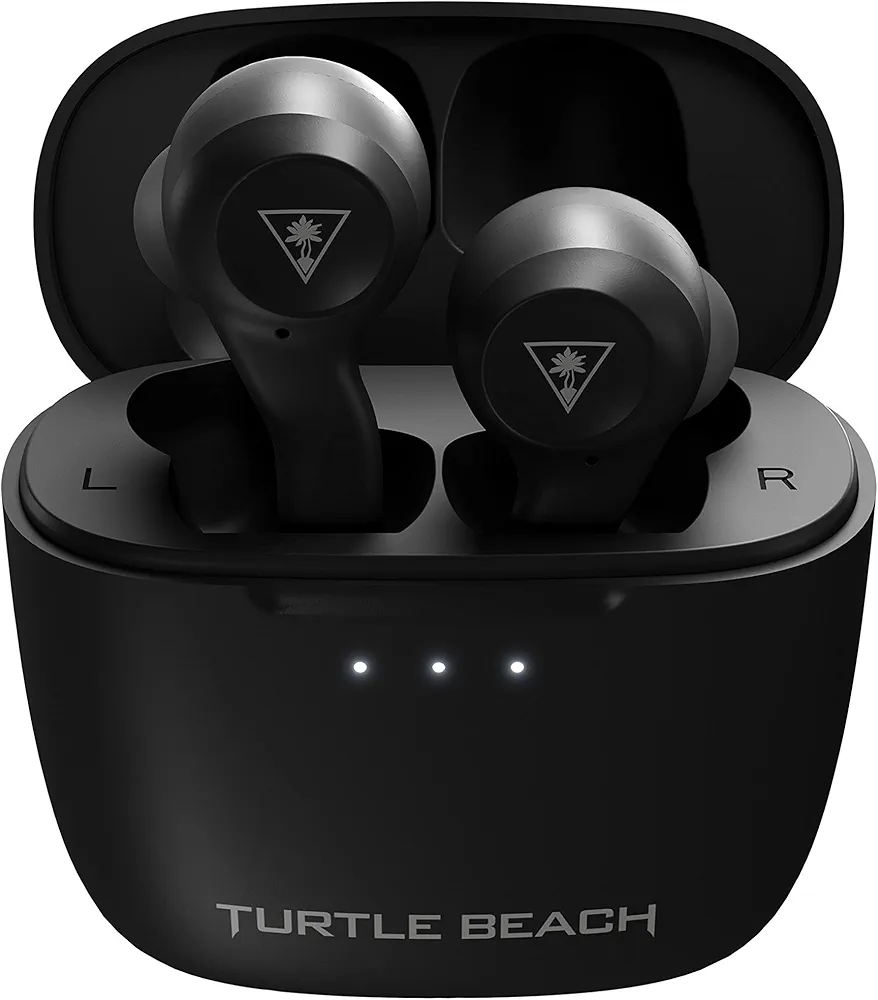
A headshot lands half a second before you hear it. A footstep behind you registers a beat too late. If you've ever blamed your reflexes for something that was actually your audio, you're not alone, and it's probably not your reflexes.
Wireless earbuds have quietly become one of the most popular ways to game, whether that's a Steam Deck on the couch, a Nintendo Switch on a flight, or a PS5 controller in hand after the kids go to bed. The problem is that most wireless earbuds were built for podcasts and playlists, not for split-second audio cues, and the gap between the two shows up in exactly the moments that matter most.
We dug through independent lab measurements, manufacturer specs, and dozens of hands-on reviews to find the best wireless earbuds for gaming, the ones that actually solve the lag problem instead of just wearing a gamer-branded case. Here's how seven of the top picks stack up, what the latency numbers really mean, and which one is worth your money.
Jump to a section
- Why gaming audio latency deserves its own category
- How we picked these earbuds
- Quick comparison: 7 wireless gaming earbuds at a glance
- The best wireless earbuds for gaming in 2026
- What actually matters when you're shopping
- Matching earbuds to how you actually play
- Common mistakes people make buying gaming earbuds
- What the latency numbers actually tell you
- The honest take: one to skip, and when wired still wins
- Where wireless gaming audio is headed
- Quiz: which pair fits your setup?
- Final verdict
- FAQ
Why Gaming Audio Latency Deserves Its Own Category
Picture two players hearing the exact same footstep. One's audio arrives instantly. The other's arrives a tenth of a second late, which sounds tiny until you realize that's roughly how long it takes to turn a corner and land a shot in a fast-paced shooter. Multiply that delay across hundreds of small decisions in a single match, and it adds up to a real, measurable disadvantage that has nothing to do with skill.
That's the whole reason wireless earbuds for gaming exist as their own product category rather than just being regular earbuds with a different paint job. Standard Bluetooth earbuds, the kind built for music, weren't designed with split-second timing in mind. Gaming-specific earbuds close that gap with a 2.4GHz USB-C dongle, a dedicated low-latency Bluetooth mode, or both, plus tuning aimed at footsteps and gunfire rather than bass-heavy playlists.
Earbuds have also become a genuinely practical alternative to a full headset. A wireless gaming mouse gets a lot of attention for shaving milliseconds off input lag, and audio deserves the same scrutiny, especially now that handhelds like Steam Deck and ROG Ally, plus console couch gaming, have made bulky over-ear headsets feel optional rather than mandatory.
How connection type changes gaming latency
Approximate delay between an in-game sound and when you actually hear it, based on manufacturer specs and independent testing cited throughout this guide.
How We Picked These Earbuds
We didn't run every pair through a lab. What we did instead was cross-reference three things for each product: the manufacturer's own published specs, independent measurements and long-term testing from outlets like RTINGS and SoundGuys, and patterns across verified buyer feedback on the retail listings themselves.
We weighed five factors for every pair on this list:
- Latency, and whether the low-latency claim comes from a dongle, a Bluetooth mode, or just marketing copy.
- Platform support, since PC, PS5, Xbox, Switch, and mobile all handle wireless audio differently.
- Microphone quality for voice chat, which most gaming earbuds treat as an afterthought.
- Battery life, split between what you get per charge and what the case adds on top.
- Price against what you actually get, rather than price against the brand name on the box.
Where a pair has a genuine weakness, we say so. A buying guide that only ever says good things isn't giving you a comparison, and every earbud below made real trade-offs to hit its price point.
Quick Comparison: 7 Wireless Gaming Earbuds at a Glance
Tap a filter to narrow the table down to your platform, or scroll right on mobile to see every column.
| Model | Best for | Price | Connection | Latency | Battery (buds/case) | ANC |
|---|---|---|---|---|---|---|
| SteelSeries Arctis GameBuds | Best overall | $159.99 | 2.4GHz dongle + BT 5.3 | ~30ms | 10h / 40h total | Yes |
| Razer Hammerhead Pro HyperSpeed | Cross-platform low latency | $199.99 | 2.4GHz dongle + BT 5.3 | <40ms | ~6h / 24h total | Yes |
| Sony INZONE Buds | Best for PS5 | $199.99 | 2.4GHz dongle + BT LE | <30ms | 12h / 24h total | Yes |
| ASUS ROG Cetra TW SpeedNova | Best for handhelds | ~$180 | 2.4GHz dongle + BT | Low (BT is slow) | 8-10h / 46h total | Yes (adaptive) |
| EPOS GTW 270 Hybrid | Best sound quality | ~$150 | 2.4GHz dongle (aptX-LL) + BT | Low (aptX-LL) | ~3h / 20h total | No |
| JBL Quantum TWS | Best value | $149.95 | 2.4GHz dongle + BT 5.2 | ~60ms | 8h / 24h total | Yes |
| Turtle Beach Scout Air | Most affordable true wireless | $99.99 | Bluetooth 5.1 game mode | ~60ms | 5h / 20h total | No |
Prices reflect typical US retail as of publication and can shift with sales. Xbox support varies by model; see each review below.
The Best Wireless Earbuds for Gaming in 2026
Here's the breakdown on all seven, starting with the one we'd point most people toward first.
SteelSeries Arctis GameBuds
 $159.99
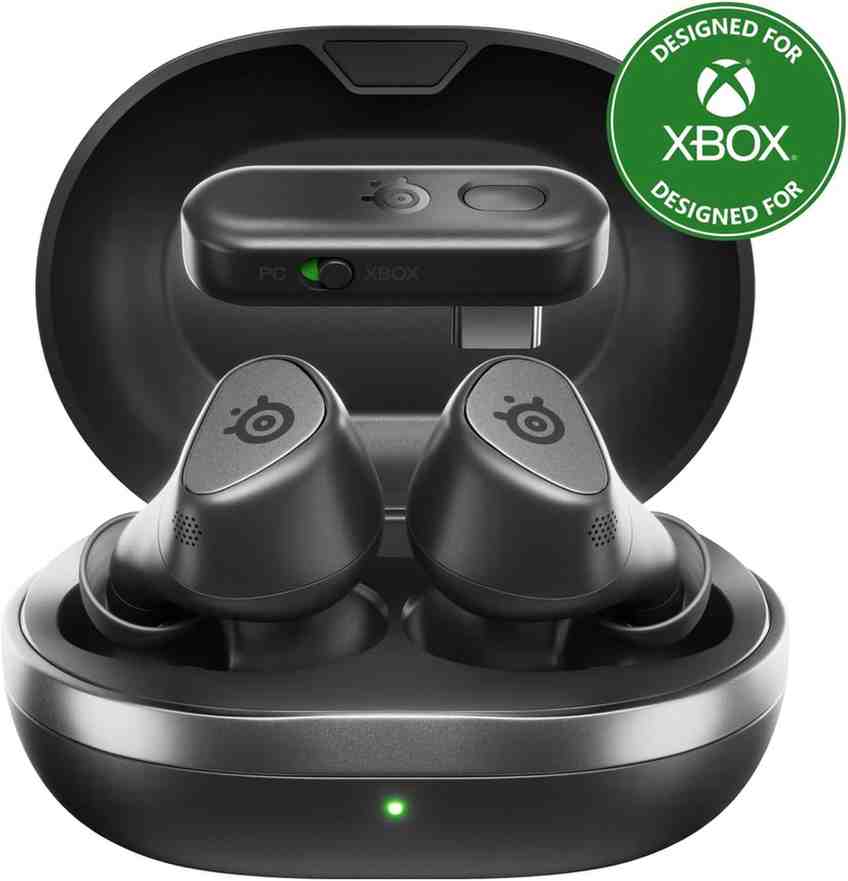
SteelSeries built the Arctis GameBuds to do one thing well: work like a proper gaming headset shrunk down into a pair of true wireless earbuds. The included USB-C dongle switches on a 2.4GHz connection that independent testers and RTINGS both rate as the strongest all-around gaming pick currently available, and it plugs straight into a PC, PS5, or Steam Deck without any setup.
The GG software unlocks more than 100 game-tuned EQ presets, and you can assign a separate profile to the dongle connection versus Bluetooth, which is a genuinely useful touch if you split time between a PC and a phone. Comfort holds up well too: the stemless, waterdrop-shaped design sits closer to a Pixel Bud than an AirPod, and reviewers consistently note hours-long sessions without discomfort.
The catches are minor but real. Active noise cancelling is functional rather than exceptional, and firmware updates require a PC, so console-only owners will occasionally need to borrow one. You'll also need to pick between the PlayStation and Xbox versions at checkout, since Xbox compatibility isn't universal.
Why it earns the top spot
- Lowest-fuss dongle setup of any pair here
- Genuinely useful EQ customization
- Comfortable enough for multi-hour sessions
Where it falls short
- ANC is average, not class-leading
- No multipoint pairing over Bluetooth
- Firmware updates need a PC
Razer Hammerhead Pro HyperSpeed
 $199.99
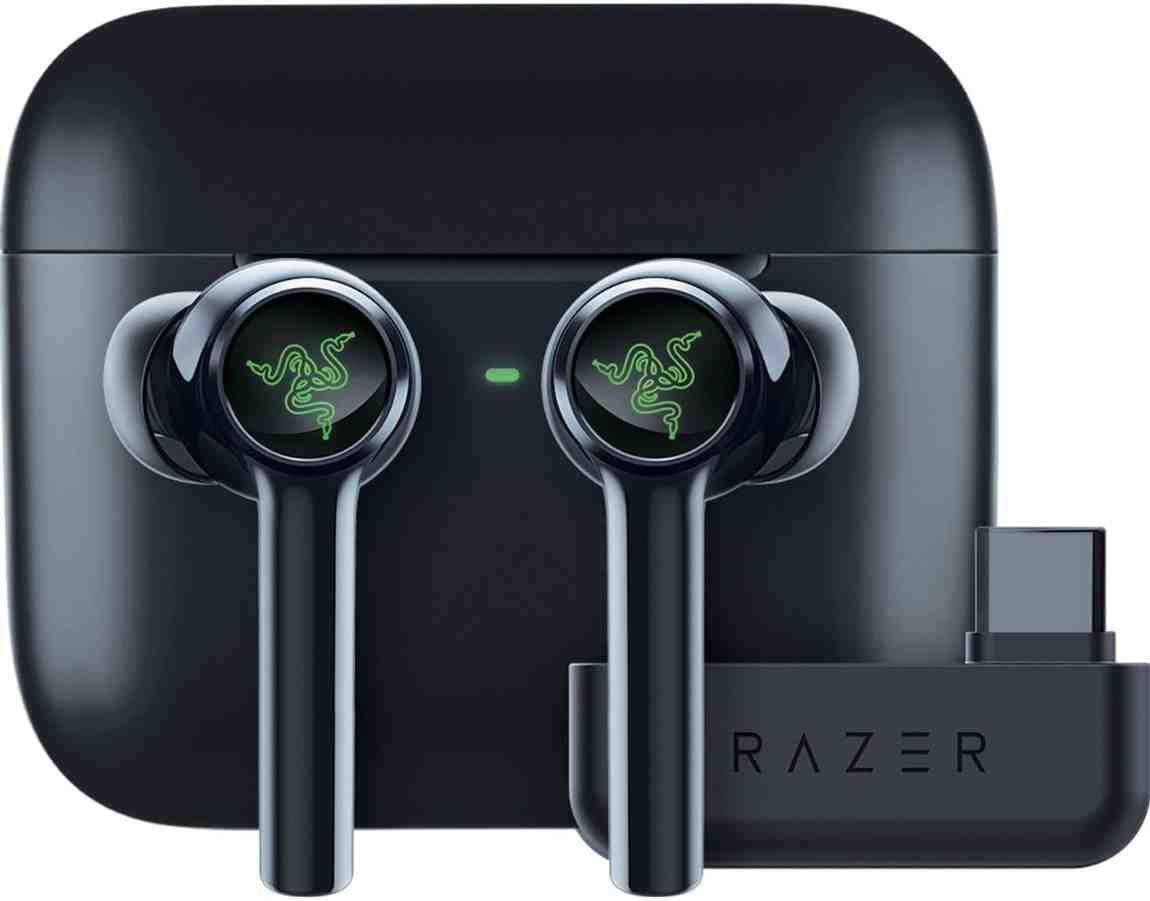
Razer's pitch with the Hammerhead Pro HyperSpeed is simple: give serious gamers the lowest latency it can manage, then build everything else around that. The 2.4GHz HyperSpeed dongle plugs into a USB-C port on a PC, PS5, Switch, or Steam Deck, and Razer's own published figure puts the delay under 40 milliseconds. Leave the dongle at home and there's still a Bluetooth Gaming Mode that Razer rates at around 60 milliseconds, which multiple independent reviewers have confirmed in their own testing.
Dual connectivity is the standout feature here: you can stay on the dongle for your PC while your phone hangs onto Bluetooth in the background, so a text or call doesn't mean pulling the earbuds out. Hybrid ANC and an ambient pass-through mode round things out, and the RGB lighting will either be a selling point or completely beside the point depending on your taste.
Tom's Hardware's testing found the sound quality solid but not class-leading for the price, and battery life trails the other picks here at around six hours per charge. Xbox owners should also note these don't pair directly with Xbox consoles, since Microsoft's hardware doesn't support the dongle or standard Bluetooth audio.
Why it earns a spot
- Official sub-40ms latency figure, independently corroborated
- True dual connectivity: dongle plus Bluetooth at once
- Works across PC, PS5, Switch, and Steam Deck
Where it falls short
- Shortest per-charge battery life on this list
- No Xbox support
- Price competes with premium over-ear headsets
Sony INZONE Buds (WF-G700N)
 $199.99
Sony designed the INZONE Buds around one core promise: sub-30 millisecond latency through a USB-C dongle built specifically for PC and PS5. That's the fastest official figure of any earbud on this list, and it comes paired with 360 Spatial Sound that personalizes itself to the shape of your ear through a quick photo scan in the companion app, aimed at helping you pinpoint an opponent's location a beat faster.
On PS5 specifically, the INZONE Buds show battery level, volume, and mic status right on screen, and they tap into Tempest 3D AudioTech for supported titles. That console-first integration is the whole reason to buy this pair over the competition if the PS5 is your main system.
The trade-off shows up the moment you leave that PS5-and-PC world. SoundGuys found that the INZONE Buds skip standard Bluetooth entirely, so an iPhone needs a USB-C model to use the dongle at all, and most older Android phones can't pair over Bluetooth LE Audio either. Forget the dongle at home once, and these earbuds are dead weight until you find it again.
Why it earns a spot
- Fastest official latency spec in this guide
- Deep PS5 integration, including on-screen status and 3D Audio
- Strong battery life for a dongle-based pair
Where it falls short
- No standard Bluetooth Classic support
- Nearly useless without the dongle in hand
- Limited phone compatibility outside newer USB-C iPhones
ASUS ROG Cetra True Wireless SpeedNova
 ~$180
~$180
If a Steam Deck, ROG Ally, or ROG Ally X spends more time in your hands than a traditional controller, the Cetra True Wireless SpeedNova is built with exactly that in mind. ASUS's SpeedNova 2.4GHz wireless tech connects through the bundled dongle and, according to ASUS, delivers up to 36 hours of battery life in that mode alone, among the longest runtimes of any pair here.
Bone-conduction sensors work alongside the microphone array to isolate your voice from background noise, and Adaptive ANC continuously reads how the earbuds sit in your ear to adjust noise cancelling in real time. It's a genuinely clever feature set for anyone gaming on the move.
One caveat worth knowing before you buy: RTINGS' side-by-side testing found Bluetooth-only latency noticeably higher than the dongle connection, to the point that gaming over plain Bluetooth isn't really the point of this pair. Stick to the 2.4GHz dongle when you're gaming and save Bluetooth for music and calls. Continuous battery life with ANC and RGB running also comes in closer to 8 to 10 hours rather than the marketing-friendly 46-hour figure, which only applies across the full charge cycle with the case.
Why it earns a spot
- Longest 2.4GHz battery life of any pick here
- Built-in support for ROG Ally and ROG Ally X
- Hi-res 24-bit/96kHz audio over the dongle
Where it falls short
- Bluetooth-only latency is a poor fit for gaming
- Real-world continuous battery life is lower than headline claims
- Bass presence trails the EPOS and SteelSeries picks
EPOS GTW 270 Hybrid
 ~$150
~$150
EPOS, the company that split off from Sennheiser's gaming division, went a different route with the GTW 270 Hybrid: instead of chasing the lowest possible latency number, it chased the best possible sound. The USB-C dongle uses Qualcomm's aptX Low Latency codec, and reviewers across the board single out these earbuds as the best-sounding pair in the gaming earbud category, describing the audio as closer to a dedicated gaming headset than typical true wireless earbuds.
Build quality stands out too, with a brushed-aluminum case and earbud housings that feel closer to a premium accessory than a plastic gaming peripheral. Comfort holds up over long sessions, and the dongle now supports microphone use as well after a round of firmware updates addressed an early limitation.
The one number that matters most here is battery life, and it's the weakest in this entire list. RTINGS measured just over three hours of continuous use, which means marathon sessions will mean topping off in the case partway through. There's also no active noise cancelling, so this is a pair built for sound quality and low-latency PC and console gaming rather than blocking out a noisy room.
Why it earns a spot
- Best overall sound quality of any pair tested
- aptX Low Latency delivers a genuinely fast, clean dongle connection
- Premium build quality at a mid-tier price
Where it falls short
- Weakest continuous battery life here, around 3 hours
- No active noise cancelling
- iOS users lose aptX over Bluetooth (Apple doesn't support it)
JBL Quantum TWS
 $149.95
The JBL Quantum TWS earns its spot by doing almost everything reasonably well without asking a premium price for any single feature. JBL's Dual Source tech lets the earbuds hold a 2.4GHz dongle connection to your PC or PS5 while staying on Bluetooth with your phone at the same time, switching between the two automatically the moment a call comes in.
TechRadar's testing praised the bass response for gaming specifically, noting that gunfire and explosions carried real weight, and six built-in microphones with beamforming keep voice chat clear without needing to lean into a boom mic. True Adaptive Noise Cancelling and an Ambient Aware mode both work well enough for everyday use, even if neither leads the category.
The biggest limitation is platform support: JBL confirms the Quantum TWS simply doesn't work with any Xbox console, since Xbox hardware doesn't support the required Bluetooth or dongle protocols. If Xbox is your main system, skip straight to a pair with confirmed Xbox compatibility instead.
Why it earns a spot
- Strong all-around feature set for the price
- Genuinely good bass and 6-mic voice pickup
- Seamless Bluetooth and dongle switching
Where it falls short
- No Xbox compatibility at all
- Dongle latency trails the SteelSeries, Sony, and Razer picks
- Bulkier case than most true wireless earbuds
Turtle Beach Scout Air
 $99.99
Turtle Beach skipped the dongle entirely with the Scout Air and instead built its low latency around a Bluetooth 5.1 Game Mode rated at 60 milliseconds, toggled with a triple tap on the left earbud. That makes this the simplest pair on this list to set up: no dongle to lose, no separate receiver taking up a USB-C port, just a standard Bluetooth pairing that works with a Switch, phone, tablet, or laptop.
The Audio Hub companion app adds EQ presets and lets you rename touch controls, and dual built-in microphones handle party chat reasonably well for the price. At $99.99, it undercuts every other true wireless pair in this guide by a wide margin.
Reviews land in mixed territory here, which is worth knowing going in. GamesRadar+ called it a solid set of features for the price, while TechRadar found the fit less comfortable over longer sessions and noted occasional Bluetooth connection hiccups. Since there's no 2.4GHz dongle at all, it also can't reach the sub-40ms range that the dongle-based picks manage.
Why it earns a spot
- Lowest price of any true wireless pick here
- No dongle to buy, charge, or misplace
- Solid fit for Switch and mobile gaming specifically
Where it falls short
- No 2.4GHz option, so it can't match dongle-based latency
- Mixed comfort reviews over long sessions
- No ANC, no PS5 or Xbox dongle support
What Actually Matters When You're Shopping
Latency, decoded
"Low latency" gets slapped on packaging so often that it's started to mean almost nothing on its own. What actually matters is which of three paths your audio takes to get from the game to your ears.
- A 2.4GHz USB-C dongle is the fastest wireless option available, typically landing between 25 and 40 milliseconds. Every top pick in this guide except the Scout Air uses one.
- A dedicated Bluetooth gaming mode optimizes the connection without a dongle, usually landing between 60 and 90 milliseconds. It's slower than a dongle but still a big step up from plain Bluetooth.
- Standard Bluetooth, the mode your everyday earbuds default to, can run anywhere from 150 milliseconds to well over 300, depending on the codec and device. That's the range where a gunshot and its sound genuinely stop lining up.
If you've read our breakdown of Bluetooth audio codecs, you already know the codec your earbuds and source device agree on plays a huge role here too. SBC is the baseline every Bluetooth device supports and also the slowest, while aptX Low Latency and Qualcomm's newer variants were built specifically to close that gap.
Platform compatibility, especially the Xbox catch
This trips up more shoppers than any other factor on this list. PS5 and Nintendo Switch both handle Bluetooth and, in some cases, USB-C dongles reasonably well. Xbox consoles are a different story: Microsoft's hardware doesn't support Bluetooth audio output or most third-party 2.4GHz dongles, which is exactly why the JBL Quantum TWS, Razer Hammerhead Pro HyperSpeed, and several others on this list simply don't pair with an Xbox at all. SteelSeries gets around this by selling a separate Xbox-specific version of the Arctis GameBuds, so check the listing carefully if Xbox is your primary console.
Battery life: per-charge versus total
Every spec sheet loves to lead with the biggest possible number, which is usually the combined total once you add the charging case into the mix. The number that actually affects your gaming session is the per-charge figure, and it varies more than you'd expect: EPOS squeezes out roughly three hours before you need the case, while the Sony INZONE Buds and SteelSeries GameBuds both clear ten hours or more. If you already know your wireless earbuds tend to degrade over a couple of years of daily charging, it's worth weighing per-charge runtime a little more heavily than the flashy combined total.
Microphone quality for voice chat
A great pair of earbuds that makes you sound like you're calling from inside a tin can isn't actually a great pair of gaming earbuds. Beamforming microphone arrays, like the six-mic setup in the JBL Quantum TWS or the bone-conduction sensors ASUS built into the ROG Cetra SpeedNova, do a noticeably better job isolating your voice from keyboard clatter and roommate noise than a single omnidirectional mic squeezed into a tiny earbud housing.
ANC: nice to have, not the main event
Active noise cancelling makes a real difference if you game in a noisy house or a shared space, and most picks here include some version of it. But treat it as a tiebreaker rather than the deciding factor. The best noise cancelling headphones on the market still outperform any of these gaming earbuds on ANC alone, since gaming-specific engineering trades some noise cancelling headroom for lower latency and gaming-tuned EQ.
Matching Earbuds to How You Actually Play
The "best" pair depends heavily on what you're actually doing with it. Here's how the picks above map onto four common setups.
Competitive and ranked play
If footsteps and directional callouts decide your matches, prioritize the lowest dongle latency you can get: the Sony INZONE Buds and Razer Hammerhead Pro HyperSpeed both land under 40 milliseconds, and the SteelSeries Arctis GameBuds aren't far behind with genuinely useful EQ presets tuned for footstep detection in titles like Counter-Strike 2 and Valorant.
Couch console gaming
For relaxed PS5 sessions after work, the INZONE Buds' on-screen status and Tempest 3D Audio integration are hard to beat, provided you don't mind keeping the dongle plugged in permanently. Xbox owners have a shorter list to pick from, so double-check compatibility on the SteelSeries listing before buying.
Handheld gaming on the go
Steam Deck, ROG Ally, and ROG Ally X owners get the most out of the ASUS ROG Cetra True Wireless SpeedNova, both because ASUS explicitly supports its own handhelds and because the long 2.4GHz battery life suits longer commutes and travel days.
Mobile and commute gaming
If your gaming happens mostly on a phone during a commute, a dongle is one more thing to juggle on a crowded train. The Turtle Beach Scout Air's Bluetooth-only setup and lower price make more sense here than paying for dongle-based latency you won't get much use out of on a phone screen anyway.
Common Mistakes People Make Buying Gaming Earbuds
- Assuming any Bluetooth earbuds are fine for gaming. Even excellent everyday earbuds like the AirPods Pro run standard Bluetooth latency, which is a real step behind a dedicated gaming pair.
- Skipping the Xbox check. If Xbox is your main console, confirm compatibility before you buy, since several strong picks on this list don't support it at all.
- Chasing ANC over latency. A quiet room with laggy audio still loses to a slightly noisier room with tight timing, at least where competitive play is concerned.
- Ignoring the microphone specs. Great sound going in doesn't help if your squad can't hear you clearly going out.
- Buying the most expensive pair on autopilot. The right earbuds depend on your platform and priorities far more than on price alone; the $99.99 Scout Air is the better buy for plenty of people despite costing half of some picks here.
What the Latency Numbers Actually Tell You
It's worth stepping back and asking how much any of this really matters in practice. Audio engineers generally place the point where a delay becomes noticeable somewhere between about 20 and 45 milliseconds, based on broadcast standards for lip-sync and studies on what's called the Haas effect, the way our brains fuse two closely timed sounds into one. Past roughly 100 milliseconds, most people notice the lag without needing to think about it.
That framing matters for two reasons. First, it means the difference between a 25-millisecond dongle connection and a 40-millisecond one is close to imperceptible for the vast majority of players, so don't lose sleep chasing the single lowest number on a spec sheet. Second, it means the real gap that matters is between dongle-based earbuds and standard Bluetooth, not between one dongle pair and another.
Competitive players also have to weigh network ping alongside audio latency. A professional match might run on a server ping under 50 milliseconds, and stacking 60 to 90 milliseconds of Bluetooth audio delay on top of that starts to add up in a way that a 25 to 40 millisecond dongle connection simply doesn't. That's a real, defensible reason serious competitors lean toward dongle-based earbuds or wired setups, separate from any marketing claim.
The Honest Take: One to Skip, and When Wired Still Wins
⚠ One we'd think twice about: HyperX Cirro Buds Pro
At $79.99, the HyperX Cirro Buds Pro looks like an easy budget pick, and the Bluetooth Game Mode does work as advertised. The catch is the number itself: independent testing consistently puts that Game Mode at around 90 milliseconds, noticeably higher than every dongle-based pair in this guide and even behind the Scout Air's 60 milliseconds. Multiple reviewers, including SoundGuys and Reviewed, landed on the same conclusion: fine as an everyday pair of earbuds, but not a pair we'd specifically recommend for gaming at this price when the Scout Air and JBL Quantum TWS both beat it on latency for a similar or only slightly higher cost.
It's also worth being upfront about something none of these seven earbuds can fully solve: wired still wins on latency, full stop. A basic 3.5mm connection carries audio at close to the speed of electricity down a copper wire, landing somewhere in the 5 to 10 millisecond range with essentially none of the compression or radio transmission steps that add delay to any wireless signal. That's exactly why LAN tournaments and professional esports players overwhelmingly stick with wired headsets or in-ear monitors rather than any wireless pair, however fast the dongle.
For everyone else, that gap is small enough to trade for the convenience of going wireless, especially once you're using a dongle-based pair under 40 milliseconds. But if you compete at a level where every variable counts, or you just don't want to think about batteries at all, a good wired option deserves a serious look before you commit to wireless.
Where Wireless Gaming Audio Is Headed
Bluetooth LE Audio and its Auracast broadcasting feature are slowly replacing the aging SBC codec baseline, and the LC3 codec at its core is both more efficient and lower latency than what most Bluetooth earbuds have used for the past decade. The Sony INZONE Buds already lean on this technology, and expect more brands to follow as LE Audio support becomes standard in phones and consoles.
Sony's PlayStation Pulse Explore, priced at $199.99, points toward another direction worth watching: planar magnetic drivers, once found only in serious audiophile headphones, are starting to show up in mainstream gaming earbuds through Sony's PlayStation Link wireless protocol. SoundGuys' testing found the latency essentially unnoticeable on PS5, though the earbuds lose most of their advantage the moment you step outside the PlayStation ecosystem.
The broader trend across every pick in this guide points the same direction: the gap between wired and wireless keeps narrowing, and a 2.4GHz dongle connection today gets remarkably close to what only a wired setup could deliver just a few years back. Don't be surprised if next year's roundup pushes that low end of the latency range down even further.
Quiz: Which Pair Fits Your Setup?
What's your main gaming platform?
Pick the one you use most often.
What matters most to you?
What's your budget?
Your match
Final Verdict
If you only take one recommendation from this guide, make it this: the SteelSeries Arctis GameBuds are the best wireless earbuds for gaming for most people in 2026. The 2.4GHz dongle setup is close to plug-and-play, the latency numbers hold up against pairs costing more, and the comfort and battery life make them easy to live with day to day.
That said, "best overall" isn't the same as "best for you." Go with the Sony INZONE Buds if the PS5 is your only console and you want the tightest console-specific integration available. Choose the ASUS ROG Cetra True Wireless SpeedNova if a Steam Deck or ROG Ally is where most of your hours go. If your budget tops out around $100, the Turtle Beach Scout Air gets you into true wireless gaming audio without a dongle to manage, and if sound quality matters more to you than battery life, the EPOS GTW 270 Hybrid is worth the trade-off.
Whichever pair you land on, the biggest upgrade almost anyone can make is simply moving off standard Bluetooth and onto a dongle or a genuine low-latency mode. That single change closes most of the gap between "regular earbuds" and "earbuds built for gaming," and every pick in this guide gets you there.
Frequently Asked Questions
What are the best wireless earbuds for gaming right now?
The SteelSeries Arctis GameBuds are the strongest all-around pick for most people in 2026, thanks to a 2.4GHz USB-C dongle that keeps latency low on PC, PlayStation, and Switch, plus solid battery life and a comfortable everyday fit. Your best option still depends on your main platform: the Sony INZONE Buds suit PS5-first households, the ASUS ROG Cetra True Wireless SpeedNova fits handhelds like Steam Deck and ROG Ally, and the Turtle Beach Scout Air covers anyone who wants true wireless gaming features under $100.
Do wireless earbuds have noticeable lag when gaming?
Plain Bluetooth earbuds can lag well over 150 milliseconds, which is enough delay for gunshots and footsteps to feel out of sync with the action on screen. Earbuds built specifically for gaming get around this with a 2.4GHz USB-C dongle or a dedicated low-latency Bluetooth mode, which can bring the delay down to somewhere between 25 and 90 milliseconds depending on the model and connection type.
Can I use wireless gaming earbuds on Xbox?
Not easily, and this trips up a lot of shoppers. Xbox consoles don't support Bluetooth audio output or most third-party 2.4GHz dongles, so earbuds like the JBL Quantum TWS simply won't connect. SteelSeries sells an Xbox-specific version of the Arctis GameBuds, and a 3.5mm-to-controller wired workaround exists for some models, but Xbox remains the hardest platform to serve with true wireless gaming earbuds.
Is a 2.4GHz dongle better than Bluetooth for gaming?
Yes, for latency specifically. A 2.4GHz dongle connection typically runs in the 25 to 40 millisecond range, while even an optimized Bluetooth gaming mode usually lands between 60 and 90 milliseconds. The trade-off is convenience: a dongle takes up a USB-C port and is one more small object to keep track of, while Bluetooth just works out of the box on nearly any device.
Are wireless gaming earbuds good enough for competitive or esports play?
For most ranked or casual competitive play, yes, especially with a dongle-based pair running latency under 40 milliseconds. For LAN tournaments and professional esports, wired in-ear monitors or wired headsets still edge out wireless because they remove audio latency almost entirely, and top competitors tend to avoid any variable they don't have to accept.
What's the difference between gaming earbuds and regular wireless earbuds?
Regular wireless earbuds, including popular models like AirPods Pro, are tuned for music and calls and typically run standard Bluetooth without a dedicated low-latency mode. Gaming earbuds add a 2.4GHz dongle or a special low-latency Bluetooth mode, game-tuned EQ presets that boost footsteps and directional cues, and often a boosted microphone mode for voice chat.
How long do wireless gaming earbuds last on a single charge?
Most pairs in this category run 5 to 12 hours per charge in the earbuds themselves, with the charging case adding another 15 to 35 hours before you need a wall outlet. Running ANC, RGB lighting, or a 2.4GHz dongle connection tends to shorten the per-charge number compared to the manufacturer's best-case Bluetooth-only figure.
Do gaming earbuds work with PS5 and Nintendo Switch?
Most of the picks in this guide work with PS5 through either a USB-C dongle or Bluetooth, and the Nintendo Switch supports standard Bluetooth audio directly, so any Bluetooth-capable gaming earbuds pair with it. Dongle-based earbuds also tend to work well with the Switch's USB-C port, which is worth checking before you buy if handheld play is your main use case.
Prices, specs, and availability are accurate as of publication and may change. See our affiliate disclosure for more on how TechOzea is funded.
