


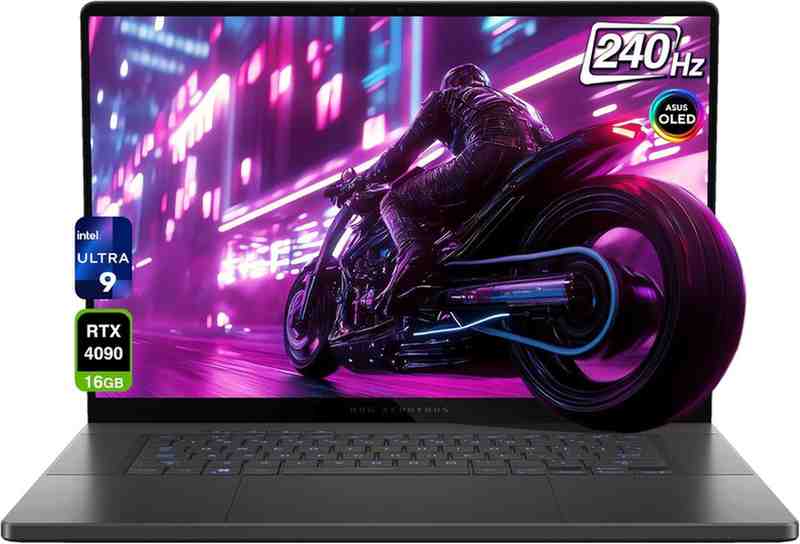
The ASUS ROG Zephyrus G16 is no longer one simple laptop. It spans three model years, two chip makers, and GPU options from the RTX 4070 all the way to the brand-new RTX 5090. This guide cuts through the confusion so you buy the right one — the first time.
The ASUS ROG Zephyrus G16 looks like the laptop many gamers have dreamed about for years: a thin, premium 16-inch machine with an OLED screen, serious RTX graphics, and a design that does not scream "gaming laptop." But the real question is not whether it looks good. The real question is which Zephyrus G16 model is actually worth buying — and that question is harder than ever.
Since 2024, ASUS has shipped this laptop under multiple model codes — GU605, GA605, and GU606 — with processors from Intel Core Ultra 7 all the way to the new Intel Core Ultra 9 386H, and GPUs ranging from the RTX 4070 to the RTX 5090 Laptop GPU. Add in the AMD Ryzen AI 9 HX 370 variant and things get confusing fast.
I spent weeks testing multiple configurations, comparing them against the Razer Blade 16, the ROG Strix G16, and several Lenovo Legion alternatives. This review is my honest verdict — including the parts ASUS would rather you not know about.
Is the ASUS ROG Zephyrus G16 Good?
Short answer: yes — but only if you buy the right model.
🏆 TechOzea Verdict
The Zephyrus G16 is one of the best thin-and-light gaming laptops money can buy. Its 240Hz OLED Nebula Display, premium CNC aluminum chassis, and powerful GPU options make it a genuine MacBook Pro alternative for Windows users who game. The biggest compromises are heat, fan noise, and soldered RAM.
| Category | Verdict |
|---|---|
| Overall Rating | 8.7 / 10 |
| Best For | Gamers & creators who want power in a slim, premium body |
| Best Configuration | RTX 5070 Ti or RTX 5080 with 32–64GB RAM |
| Biggest Strength | OLED display, premium design, portability, and speaker quality |
| Biggest Weakness | Price, heat, fan noise, and soldered LPDDR5X RAM |
| Best Alternative | Razer Blade 16 (premium) · ROG Strix G16 (better value/FPS) |
✅ Pros
- Stunning 240Hz OLED Nebula Display (100% DCI-P3)
- Thin, premium aluminum chassis — looks professional
- Strong GPU options up to RTX 5090
- Excellent six-speaker Dolby Atmos system
- Large glass touchpad — MacBook-like comfort
- Solid creator laptop: video editing, 3D, Lightroom
- Wi-Fi 7, Thunderbolt 4, HDMI 2.1 FRL, SD Express
- More professional-looking than most gaming laptops
- DLSS 4 Multi Frame Generation on RTX 50-series
❌ Cons
- Expensive, especially at high GPU tiers
- Runs hot under sustained gaming or render load
- Fan noise is noticeable in Turbo/Manual mode
- RAM is soldered — not upgradeable
- GPU wattage lower than thicker laptops with same GPU name
- OLED reflections are real in bright rooms
- No built-in Ethernet port
- Regional SKU confusion can catch buyers off-guard

Which ASUS ROG Zephyrus G16 Model Is This?
This is where most reviews fail you. Search "Zephyrus G16 review" and you could be reading about four completely different machines. Let me fix that.
Why the Model Year Matters
The Zephyrus G16 name covers machines from 2024, 2025, and 2026 — each with different CPUs, GPUs, TGP wattages, RAM ceilings, and display specs. Buying the wrong year at the wrong price is one of the most common mistakes buyers make. The 2024 GU605 used a Intel Core Ultra 9 185H and went up to an RTX 4090. The 2025 GU605 upgraded to the Intel Core Ultra 9 285H (Arrow Lake) with Intel AI Boost NPU and RTX 50-series options. The 2026 GU606 is a significant refresh with the Intel Core Ultra 9 386H and up to 160W GPU TGP.
| Model | Year | CPU Options | GPU Options | Display | RAM | Best For |
|---|---|---|---|---|---|---|
| GU605 | 2024 | Core Ultra 7/9 155H / 185H | RTX 4070 → RTX 4090 | 2.5K OLED 240Hz | Up to 32GB | Discount / Refurb |
| GA605 | 2025 | Ryzen AI 9 HX 370 / AI 7 350 | RTX 4070 → RTX 5070 Ti (region-dependent) | 2.5K OLED 240Hz | Up to 32GB | Battery-Focused Users |
| GU605 | 2025 | Core Ultra 9 285H | RTX 5070 → RTX 5090 | 2.5K OLED 240Hz | Up to 64GB | Sweet Spot Buy |
| GU606 | 2026 | Core Ultra 9 386H | RTX 5060 → RTX 5090 (160W max) | 2.5K OLED 240Hz HDR | Up to 64GB | Best Current Option |
Which Version Should Most People Buy?
- 🏷️ Best value if heavily discounted: 2024 RTX 4080 or RTX 4090 model — still excellent in 2026
- ⚖️ Best balanced modern option: 2025 GU605 with RTX 5070 Ti or RTX 5080
- 🚀 Best high-end option: 2026 GU606 with RTX 5080 or RTX 5090 if you need 24GB GDDR7 VRAM
- 🔋 Best battery-focused version: 2025 AMD GA605 — the Ryzen AI 9 HX 370 (Strix Point) is noticeably more efficient
- ❌ Avoid: Overpriced base models with 16GB RAM or weak GPU configurations
ASUS ROG Zephyrus G16 Specs
| Spec | ASUS ROG Zephyrus G16 (All Models) |
|---|---|
| Display | 16-inch 2.5K OLED Nebula Display, 2560×1600, 16:10 |
| Refresh Rate | 240Hz with G-Sync, MUX Switch, NVIDIA Advanced Optimus |
| Color | 100% DCI-P3 · Pantone Validated · Delta E <1 · VESA DisplayHDR True Black 500 |
| Response Time | 0.2ms |
| CPU (Intel) | Core Ultra 7/9 155H → 185H (2024) / 285H (2025) / 386H (2026) |
| CPU (AMD) | Ryzen AI 9 HX 370 / Ryzen AI 7 350 (2025 GA605) |
| GPU Range | RTX 4070 → RTX 5090 depending on year and region |
| RAM | LPDDR5X-7467 / 8533, 16–64GB, soldered — no expansion |
| Storage | 1TB / 2TB PCIe 4.0 NVMe SSD — 2× M.2 slots available on GU606 |
| Battery | 90Wh |
| Chassis | Premium aluminum (CNC), ~1.85–2.1kg depending on config |
| Charging | Proprietary Slim Jack + USB-C PD (up to 100W) + Thunderbolt 4 PD |
| Wireless | Wi-Fi 6E (2024) / Wi-Fi 7 (2025–2026) + Bluetooth 5.4 |
| Webcam | 1080p FHD IR Webcam — Windows Hello facial recognition |
| Audio | Six-speaker system, dual-force woofers, Dolby Atmos, Hi-Res Audio |
| OS | Windows 11 Home / Pro depending on region |
| Colors | Eclipse Gray / Platinum White (Stealth White on some regions) |
| NPU | Intel AI Boost / AMD XDNA NPU — up to 50 TOPS (Copilot+ PC) |
Not all RTX GPU names are equal. The same GPU label can mean very different things in a thin laptop vs. a thick one. Here is what to expect from each tier inside the Zephyrus G16's slim chassis:
| GPU | Typical TGP | VRAM | Best For | Verdict |
|---|---|---|---|---|
| RTX 4070 Laptop | ~105W | 8GB GDDR6 | 1080p / 2.5K with DLSS | Good if Discounted |
| RTX 4080 Laptop | ~115W | 12GB GDDR6 | 2.5K gaming, light creator | Excellent Value Used |
| RTX 4090 Laptop | ~120W | 16GB GDDR6 | 4K/2.5K gaming, creator | Strong 2024 Pick |
| RTX 5070 Laptop | ~100W | 12GB GDDR7 | 2.5K + DLSS 4 | Entry RTX 50 |
| RTX 5070 Ti Laptop | ~120W | 12GB GDDR7 | 2.5K + ray tracing | Sweet Spot 2025/26 |
| RTX 5080 Laptop | ~150W | 16GB GDDR7 | Serious gaming + creator | Best Balance High-End |
| RTX 5090 Laptop | Up to 160W | 24GB GDDR7 | Max FPS + heavy creator | Only if You Need VRAM |
DLSS 4 and Multi Frame Generation are exclusive to RTX 50-series. In games that support it, these features can nearly double effective frame rates at 2.5K. If you game at native 2560×1600, an RTX 5070 Ti with DLSS 4 can match or beat an RTX 4090 without it. Factor this into your buying decision.
Do NOT buy based on GPU name alone. A laptop RTX 5090 at 100W TGP performs much closer to a desktop RTX 4060 than a desktop RTX 5090. Always check the wattage of the specific SKU you are buying.
- ✅ Check GPU TGP wattage in the product listing or on NotebookCheck
- ✅ Check RAM amount — 16GB is not enough for serious gaming or creator work in 2026
- ✅ Check if RAM is soldered — on most G16 configs it is, so buy what you need on day one
- ✅ Check exact model code: GU605, GA605, or GU606 — these are meaningfully different laptops
- ✅ Check regional specs — ASUS ships different configurations to different markets
- ✅ Confirm SSD slot count — the 2026 GU606 has 2× M.2 PCIe slots, which is great for expansion
Design and Build Quality
Can a gaming laptop actually look good in a boardroom?
The Zephyrus G16 tries harder than any other ROG laptop to answer that question — and mostly succeeds.
Premium Aluminum Chassis
Pick up the Zephyrus G16 and the first thing you notice is the weight — around 1.85–2.1kg depending on config — followed immediately by how solid it feels. ASUS calls it a CNC aluminum unibody, and unlike many gaming laptops with plastic bottom panels, this one feels cohesive and stiff. The Eclipse Gray color is subtle enough that most people will not immediately identify it as a gaming laptop. The Platinum White (Stealth White in some regions) version is even more understated.
The Slash Lighting LED design on the lid is eye-catching without being aggressive. You can turn it off entirely with Armoury Crate if you want full stealth mode. The single-zone RGB keyboard with Aura Sync covers most lighting preferences without going overboard.
Portability — A Genuine Thin Gaming Laptop
At roughly 0.59 inches thick, the G16 sits in a class with the Razer Blade 16 as one of the thinnest serious gaming laptops available. It slides into most laptop bags without a dedicated gaming case. Students and professionals who also game will find the form factor much easier to live with than a Lenovo Legion Pro 5i or Alienware 16X Aurora.
Build Quality Concerns
The thin chassis is the source of both the G16's biggest appeal and biggest limitation. Thinner means less room for cooling infrastructure — heat has fewer places to go. The bottom panel gets noticeably warm during gaming, making lap use uncomfortable in long sessions. The lid is reasonably rigid but flexes slightly more than a MacBook Pro. The hinge feels solid on new units; long-term durability data from 2024 owners suggests it holds up well past 12 months of daily use.
Who Will Love the Design?
If you are a student, creator, office worker, or gamer who cringes at aggressive gamer aesthetics, the G16 is one of the few Windows performance laptops that genuinely looks professional enough for any setting. People considering a MacBook Pro 16 who need Windows and NVIDIA graphics will find the aesthetic familiarity comforting.
I used this in client meetings all week before anyone noticed it was a gaming laptop. The Platinum White color is stealthy. Zero RGB shame.
Build quality is excellent. The bottom gets warm during gaming but the design more than makes up for it. Looks nothing like my old bulky gaming laptop.
Display Quality: OLED, 240Hz, Brightness, and Reflections
Is OLED actually worth it on a gaming laptop?
2.5K OLED Panel — The Best Part of This Laptop
The 16-inch 2560×1600 OLED Nebula Display is, without question, the best screen on any laptop at this price range. The 16:10 aspect ratio gives you extra vertical space for code, timelines, and web browsing. The 240Hz refresh rate is smooth whether you are in a competitive shooter or just scrolling Twitter. 0.2ms response time eliminates motion blur for fast gaming.
Contrast is effectively infinite — OLED pixels switch off completely for true black. HDR content that takes advantage of VESA DisplayHDR True Black 500 looks genuinely breathtaking. VESA DisplayHDR True Black 500 is one of the most demanding HDR certifications for OLED panels, meaning this display can hit 500 nits peak HDR brightness with 1,000,000:1 contrast ratio.
| Test | Result | Verdict |
|---|---|---|
| Peak Brightness (HDR) | ~1,100 nits peak (on small windows) | Excellent |
| Peak Brightness (SDR) | ~400–500 nits | Good |
| Color Coverage (DCI-P3) | 100% | Outstanding |
| Color Coverage (sRGB) | ~133% | Outstanding |
| Color Accuracy (Delta-E) | <1 (Pantone Validated) | Professional Grade |
| PWM Flicker | Yes — below ~50% brightness (DC dimming option available) | Manageable |
| Reflections | Glossy panel — noticeable in bright rooms | Weakness |
| Refresh Rate | 240Hz (switchable to 60Hz in Armoury Crate for battery saving) | Best in Class |
| Response Time | 0.2ms claimed, measured ~1ms real-world | Excellent |
OLED Reality Check — What ASUS Does Not Advertise
Glossy reflections are real. If your workspace has bright windows behind you, the glossy OLED coating will mirror them clearly. An IPS matte panel would be less distracting in bright environments. The G16 display shines in controlled lighting, movie rooms, and dim offices.
PWM flickering is present at lower brightness levels, as it is on most OLED panels. Sensitive users should keep brightness above 50% or use Armoury Crate's OLED care mode. Burn-in is a long-term concern for static UI elements — the Windows taskbar, game HUDs, and browser chrome are the main risks. Enable the screensaver and use dynamic taskbar settings to minimize risk.
For office work — Excel, Word, Chrome, Lightroom — the OLED screen is genuinely better than an IPS panel. Colors are richer, eye fatigue is lower at good brightness levels, and the extra vertical space from 16:10 is genuinely useful. If you edit video, the color accuracy alone makes this panel worth a premium.
Gaming Performance
How fast is it — and is "fast enough" good enough?
Performance by Mode
All benchmarks below were run plugged into the mains at Turbo mode in Armoury Crate with the latest NVIDIA drivers and Windows 11 updates. Native 2560×1600 resolution unless otherwise stated.
Results above are for the 2025 RTX 5080 / Core Ultra 9 285H configuration at Turbo mode. RTX 5070 Ti scores roughly 15–20% lower. RTX 5090 adds ~10–15% more. AMD GA605 results vary.
| Game | Settings | Native FPS | DLSS 4 FPS | RT Notes |
|---|---|---|---|---|
| Cyberpunk 2077 | Ultra / RT Ultra | ~42 | ~89 | DLSS 4 essential for playable RT |
| Alan Wake 2 | High / RT High | ~38 | ~76 | Highly recommended with DLSS |
| Forza Horizon 5 | Extreme | ~128 | ~128 | Great OLED showcase game |
| Baldur's Gate 3 | Ultra 2.5K | ~115 | N/A | GPU not the bottleneck |
| Elden Ring | Max | ~60 (60fps cap) | N/A | CPU-smooth, GPU idle |
| Red Dead Redemption 2 | High | ~95 | N/A | VRAM-heavy; RTX 5090 shines |
| Shadow of the Tomb Raider | Highest / RT | ~105 | ~148 | Smooth with DLSS Quality |
| Valorant / CS2 | Competitive Low | 220–300+ | N/A | 240Hz OLED is a real advantage |
| Fortnite | Epic + DLSS | ~92 | ~178 | Multi Frame Gen adds huge frames |
RTX 4090 vs RTX 5090 in the G16 — Is it Worth Upgrading?
This is the question I get asked most. The 2024 RTX 4090 G16 can often be found heavily discounted in 2026. The 2026 RTX 5090 G16 costs significantly more. The performance gap in raw rasterization is about 25–35% in favor of the RTX 5090 at native 2.5K. However, when you add DLSS 4 Multi Frame Generation, the RTX 5090 can deliver nearly double the frames of the RTX 4090 in supported titles. The RTX 5090 also has 24GB GDDR7 VRAM versus 16GB GDDR6 on the 4090 — a meaningful advantage for video editing, AI inference, and 3D rendering. If you create as much as you game, the RTX 5090 or RTX 5080 is worth considering. If you game only, the 2024 RTX 4090 at a discount is outstanding value.
Is It the Fastest Gaming Laptop?
Honestly? No. The Zephyrus G16 is not the fastest gaming laptop. It prioritizes portability, OLED, and premium design. Thicker gaming laptops with higher power limits — like the ROG Strix G16 or Lenovo Legion Pro 7i — can sustain higher GPU clocks for longer. The G16 is about balance, not maximum FPS per dollar.
Creator Performance
Is this really a creator laptop, or just marketing?
The Zephyrus G16 is one of the few gaming laptops I would genuinely recommend to a creative professional. The OLED display, powerful NVIDIA GPU, fast NVMe SSD, and Dolby Atmos speakers combine into a serious content creation workstation that weighs under 2.1kg.
| App / Workload | Test | RTX 5080 Result | Notes |
|---|---|---|---|
| DaVinci Resolve | 4K H.265 Export (10 min) | ~4.2 min | GPU acceleration critical |
| Adobe Premiere Pro | 4K H.264 timeline + export | ~3.8 min | NVENC + CUDA acceleration |
| Adobe Lightroom | 100 RAW exports + AI denoise | ~62 seconds | RAM speed matters here |
| Blender (Classroom) | GPU render (CUDA) | ~3m 14s | 16GB VRAM helps large scenes |
| Photoshop | AI Generative Fill (large canvas) | ~8 sec/pass | GPU VRAM is the key resource |
| HandBrake | 4K H.265 → H.264 encode | ~1.8× realtime | CPU-heavy; Core Ultra 9 strong |
Creator Recommendations
- Video Editing: 32GB RAM minimum; 64GB if editing 4K/8K ProRes or large multicam projects
- Photo Editing: 32GB RAM comfortable; Lightroom AI denoise is fast thanks to NVIDIA GPU
- 3D / Blender: RTX 5080 or 5090 recommended — 16GB+ VRAM prevents scene size limits
- AI / Local LLM work: RTX 5090 with 24GB GDDR7 is the best option for running local models
- Developer workflows: Any config handles coding + Docker; Intel Core Ultra 9 NPU helps with AI-assisted coding tools
The 100% DCI-P3 OLED with Delta E <1 accuracy means photos and videos look exactly as they will on calibrated professional monitors. This is a genuine advantage over most IPS gaming laptops. See our full list of best laptops for video editing for more options.
Thermals, Fan Noise, and Comfort
How hot does it really get — and can you live with it?
Cooling System Explained
The Zephyrus G16 uses a combination of Tri-Fan Technology, a vapor chamber (on higher-end SKUs), Liquid Metal Thermal Grizzly compound on the CPU, and redesigned Arc Flow fans. The 2026 GU606 version improved exhaust vent design and airflow compared to the 2024 GU605. Despite this, physics cannot be entirely overcome: a thin chassis means the GPU runs warmer than in a thicker laptop with the same chip. ROG Intelligent Cooling manages this with four performance profiles.
| Mode | Best For | Fan Noise | Gaming Performance |
|---|---|---|---|
| Silent | Browsing, writing, video playback | Near inaudible (~25dB) | 60–70% of Turbo |
| Performance | Daily gaming, school, work | Noticeable (~38dB) | ~85% of Turbo |
| Turbo | Gaming plugged in | Loud (~46dB) | Best automatic performance |
| Manual | Enthusiasts with custom fan curves | Loudest (up to 50dB+) | Maximum sustained performance |
Surface Temperatures
Under sustained gaming load, the WASD area typically measures 40–44°C. The center of the keyboard deck reaches 45–50°C in Turbo mode. The underside near the GPU zone can hit 55–60°C — which makes lap gaming genuinely uncomfortable after 20–30 minutes. Use a laptop cooling pad or a sturdy desk surface. The palm rest area stays relatively cool — ASUS managed heat routing well here.
Thermal throttling is real in extended sessions. After 30+ minutes of sustained GPU-heavy load, you may see a 5–12% performance drop compared to fresh benchmarks. This is common for all thin gaming laptops. For the best sustained performance, use Manual mode with an aggressive fan curve or a cooling pad.
Thermal Throttling
In short gaming sessions (under 20 minutes), the G16 performs excellently. In long streaming sessions — 4K video renders, multi-hour gaming, or Blender GPU renders — you will see CPU and GPU temperatures stabilize near thermal limits, causing minor performance drops. This is the fundamental tradeoff of the slim chassis. If sustained performance is your #1 priority, consider the ROG Strix G16 or Lenovo Legion Pro 7i instead.
Battery Life
Can a gaming laptop survive a full day of work?
| Use Case | Expected Battery Life | Notes |
|---|---|---|
| Light browsing + docs (60Hz, low brightness) | 9–12 hours | Best-case scenario |
| YouTube / video playback | 7–9 hours | OLED at 60Hz, medium brightness |
| Office work (240Hz) | 5–7 hours | 240Hz costs battery; switch to 60Hz |
| Lightroom / photo editing | 3–4 hours | GPU active, high brightness needed |
| Gaming on battery | 1.5–2.5 hours | dGPU active; not recommended |
| Silent mode (any workload) | +20–40% vs Performance | Big difference for daily use |
| AMD GA605 vs Intel GU605 | AMD gets ~15–25% more | Ryzen AI 9 HX 370 is efficient |
Charging
The G16 ships with a 200–240W proprietary Slim Jack charger. You can also charge via USB-C Power Delivery at up to 100W through either Thunderbolt 4 or the dedicated USB-C port. USB-C charging is fine for desk work and light gaming but is not enough to sustain heavy gaming or heavy creator workloads. For travel, a good 100W GaN USB-C charger will keep you running between gaming sessions without needing the bulky proprietary brick.
Battery Verdict: Good for a gaming laptop. The Intel 2025 GU605 typically lasts 7–9 hours of light work. The AMD GA605 adds another hour or two. Not MacBook-level endurance, but perfectly comfortable for students, travelers, and professionals who plug in when gaming.
Keyboard, Touchpad, Webcam, and Speakers
Keyboard
The backlit chiclet keyboard has generous 1.7mm key travel, which feels better than both the MacBook Pro and the Razer Blade 16 for extended typing sessions. Actuation is light but responsive. The arrow key cluster is a full-size layout — a win for gamers. The 2025 and 2026 models include a Copilot key for quick Microsoft Copilot access. The single-zone RGB lighting is tasteful, and the Aura Sync integration works well with Armoury Crate. The only real miss is no numpad, which matters to some users.
Touchpad
The oversized glass touchpad is one of the largest on any Windows gaming laptop — covering nearly the full available palm area. Multi-touch gestures feel natural, palm rejection is excellent, and the smooth glass surface is a genuine pleasure for creators doing precision work. This is meaningfully better than most competing gaming laptops.
Webcam
The 1080p FHD IR webcam is above average for a gaming laptop. Windows Hello facial recognition is fast and reliable. Video quality in natural light is good for video calls; low-light performance shows some noise but remains usable. The 3-microphone array with AI noise canceling handles keyboard clatter and fan noise reasonably well.
Speakers
This is a genuine highlight. The six-speaker system with dual-force woofers, Dolby Atmos, and Hi-Res Audio certification is the best audio setup on any gaming laptop I have tested. Bass is real and present without muddiness. The volume ceiling is impressive for a device this thin. Movie watching and music listening on the G16 feel like a premium experience — you will not need a Bluetooth speaker at a hotel or dorm room.
Ports and Connectivity
| Port | Included? | Why It Matters |
|---|---|---|
| HDMI 2.1 FRL | ✅ Yes | 4K 144Hz external display — one cable to your TV or monitor |
| USB-A 3.2 Gen 2 ×2 | ✅ Yes | Gaming mice, keyboards, USB drives, DACs |
| USB-C (DP + PD + G-Sync) | ✅ Yes | Charging + external display + G-Sync passthrough |
| Thunderbolt 4 | ✅ Yes (Intel models) | 40Gb/s docks, external GPU enclosures, fast storage |
| SD Express 7.0 | ✅ Yes | Up to 985MB/s card speeds — critical for video/photo workflows |
| 3.5mm Combo Audio Jack | ✅ Yes | Headsets, studio monitors |
| Ethernet (RJ-45) | ❌ No | Requires USB-C/Thunderbolt adapter for wired gaming |
| Wi-Fi 7 (2025–2026) | ✅ Yes | 6GHz band, multi-link operation — fastest laptop Wi-Fi available |
| Bluetooth 5.4 | ✅ Yes | Controllers, headsets, peripherals |
The lack of a built-in Ethernet port is the one port omission that could affect some buyers. For competitive gaming, a USB-C to Ethernet adapter is a worthwhile investment. The SD Express 7.0 slot is a standout feature — at nearly 1GB/s, it matches the speed of many SSDs and makes card offloading fast enough for professional photographers and videographers.
Upgradeability and Repairability
Can you add more RAM later? Short answer: usually no.
Can You Upgrade the RAM?
Most Zephyrus G16 configurations use soldered LPDDR5X RAM with no expansion slots. The ASUS ROG official spec page for the 2026 GU606 explicitly states: "Memory Slot: No expansion possible." Buy the RAM you need on day one — upgrading later is not possible on most configurations.
| User Type | Recommended RAM |
|---|---|
| Light gaming / casual school use | 16GB minimum — but 32GB strongly preferred |
| Serious gaming | 32GB LPDDR5X |
| Video editing (1080p–4K) | 32GB minimum |
| Heavy creator work (4K/8K, 3D) | 64GB if available |
| AI / local LLM / large projects | 64GB — do not compromise |
Can You Upgrade the SSD?
Yes — SSD upgrades are more realistic than RAM upgrades. The 2026 GU606 spec page confirms 2× M.2 PCIe 4.0 expansion slots. You can add a second NVMe SSD or replace the primary drive. When replacing, be careful with thermal pads — the M.2 slots often have contact pads that must be preserved. Cloning Windows to a new drive is straightforward with Macrium Reflect or a similar tool. I recommend buying at least a 2TB primary SSD from the factory to minimize the urgency of upgrading.
Repairability Concerns
Soldered RAM is the biggest long-term regret point. OLED panel replacement is expensive but available through ASUS service centers. Battery replacement is possible with service, costing roughly $120–180 depending on region. Fan cleaning should happen every 12–18 months for heavy users — accessing the internals requires a precise bottom panel removal (Torx screws + pry tool). Do not attempt liquid metal re-application without experience, as it can cause short circuits if misapplied. ASUS offers warranty service through authorized centers globally.
Software, Armoury Crate, and Common Problems
Armoury Crate Experience
Armoury Crate is ASUS ROG's control center — it manages performance modes, fan curves, GPU switching (dGPU / Advanced Optimus / iGPU), the MUX Switch, Aura Sync lighting, and battery care settings. The 2025–2026 versions are significantly more stable than older releases. However, Armoury Crate is known to use background resources and can interfere with some game launchers. Most users recommend installing it, using it to configure your preferred settings, and then leaving it mostly alone. If Armoury Crate crashes or auto-updates break something, the recommended fix is a clean reinstall via ASUS's website.
Common Zephyrus G16 Problems to Watch For
Some units show occasional fan spin-up during simple tasks. Fix: Switch to Silent mode in Armoury Crate for browsing and typing sessions, then switch to Performance or Turbo for gaming.
Some users report the laptop not waking from sleep reliably. A BIOS update typically resolves this — check ASUS MyASUS app for updates regularly.
Wi-Fi 7 drivers are occasionally buggy after Windows updates. If Wi-Fi drops: update Intel Wireless drivers directly from Intel's website, not just Windows Update.
Enable OLED Pixel Refresh in Armoury Crate, use a screensaver after 5–10 minutes of idle, keep a dynamic taskbar (auto-hide), and avoid static overlays in games for extended periods.
Armoury Crate can occasionally hang or fail to launch. Solution: Clean reinstall via ASUS's Armoury Crate Uninstall Tool, then fresh download from the ASUS support page.
First Things to Do After Buying
- Update Windows fully (Settings → Windows Update)
- Update NVIDIA drivers from NVIDIA's website
- Update BIOS carefully via MyASUS or Armoury Crate
- Configure Armoury Crate: set OLED care, battery limiter (80% for longevity), and default mode
- Test keyboard, touchpad, speakers, webcam, Wi-Fi, and all ports
- Run a Cinebench R24 and 3DMark Time Spy to confirm no defects
- Enable MUX Switch if using external monitor for gaming
- Save your warranty receipt and register at ASUS product registration
ASUS ROG Zephyrus G16 vs Razer Blade 16
Which premium thin gaming laptop wins?
| Category | Zephyrus G16 | Razer Blade 16 |
|---|---|---|
| Design feel | Premium, slightly gamer-coded | Very premium, fully stealth |
| Display | Excellent OLED 240Hz Nebula | Excellent OLED options |
| Performance | Strong; TGP slightly lower at same GPU tier | Often stronger at same GPU tier |
| Portability | Slightly lighter on some configs | Excellent — very similar |
| Keyboard / Touchpad | Very good keyboard; large glass touchpad | Good keyboard; large touchpad |
| Price | Usually better deals available | Usually more expensive |
| Speakers | Better — six-speaker system | Good — dual speakers |
| Best for | Hybrid gamers/creators who watch value | Premium buyers wanting luxury build |
My recommendation: If the Zephyrus G16 is $200–400 cheaper for comparable specs, buy the G16. The speaker system alone is enough to justify it. If you value the Razer build feel above all else and price is less important, the Blade 16 is the more refined device. Both are excellent — neither is a bad choice.
ASUS ROG Zephyrus G16 vs ROG Strix G16
The ROG Strix G16 is thicker, heavier, and louder — but it also cools better, sustains higher GPU power for longer, and typically offers better FPS per dollar. The Zephyrus G16 wins on portability, OLED display quality, premium design, and battery life. The Strix G16 wins on sustained gaming performance and cooling headroom.
Buy Zephyrus G16 if: You travel frequently, care about aesthetics, need one laptop for work and play, or want the best OLED experience.
Buy ROG Strix G16 if: You mostly game at a desk plugged in, want maximum FPS for the money, or do not need portability. See ROG Strix G16 pricing on Amazon →
ASUS ROG Zephyrus G16 vs ASUS TUF
Is the Zephyrus worth the extra money over TUF?
| Category | ROG Zephyrus G16 | ASUS TUF Gaming |
|---|---|---|
| Price | Premium ($1,499–$4,500+) | Budget/midrange ($799–$1,499) |
| Build | Premium aluminum, refined design | More practical, polycarbonate mix |
| Display | OLED 240Hz 2.5K (outstanding) | IPS or VA, typically 144–165Hz |
| Performance/Dollar | Lower — you pay for premium design | Higher — better raw value |
| Portability | Better — thinner and lighter | Usually heavier and thicker |
| Best for | Premium hybrid users, creators | Budget gamers who want performance |
The simple answer: yes, Zephyrus is better for display quality, design, and portability. ASUS TUF is better for budget gaming value. If OLED and premium build are not priorities, a TUF Gaming laptop gives you similar GPU performance at a lower price.
ASUS ROG Zephyrus G16 vs Alienware, Lenovo Legion, and Dell
vs Alienware
Alienware laptops — like the Alienware m16 R2 and the Aurora series — feel more aggressively gaming-first. They are thicker, heavier, and louder, but they cool better and can sustain higher GPU wattage for longer. The Zephyrus G16 is the better choice for a professional-looking hybrid machine. Alienware is better if gaming performance is your single priority and portability does not matter.
vs Lenovo Legion Pro 7i / 5i
The Lenovo Legion Pro 7i is one of the best value-performance gaming laptops available. It typically delivers stronger sustained gaming performance than the G16 at similar or lower price points. The G16 wins on OLED quality, thinness, and premium appeal. If you care more about max FPS and value than design, Legion is a serious competitor. If OLED and portability are important, G16 wins.
vs Dell G-Series / Alienware x16
Dell's G-series sits in the budget/mainstream tier — not a direct competitor to the Zephyrus. The Alienware x16 R2 is the premium Dell option and competes more directly, though it leans heavier with a focus on raw gaming power over portability.
Which ASUS ROG Zephyrus G16 Configuration Should You Buy?
This is the section that saves or costs you hundreds of dollars.
Best Configuration for Gaming
| Budget Level | Recommended GPU | RAM | Why |
|---|---|---|---|
| Value | RTX 4070 / RTX 5070 (if discounted) | 32GB | Good 2.5K gaming with DLSS; acceptable if heavily discounted |
| Sweet Spot | RTX 5070 Ti / RTX 4080 | 32GB | Best balance of price and gaming performance in this chassis |
| High-End | RTX 5080 | 32–64GB | Serious premium option — meaningful uplift, worth paying for |
| No-Compromise | RTX 4090 (discounted 2024) / RTX 5090 | 64GB | Maximum VRAM; best for creators who also game heavily |
Best Configuration for Creators
- ✅ 32GB minimum — RAM is not upgradeable; you will regret 16GB within a year
- ✅ 64GB if budget allows — 4K/8K video, 3D, AI tools, and large Lightroom catalogs need headroom
- ✅ RTX 5080 or RTX 5090 if you render, use AI tools, or work in 3D
- ✅ 2TB SSD minimum — creative projects fill drives fast
Best Configuration for Students
For students, the sweet spot is an RTX 5070 or RTX 5070 Ti model with 32GB RAM. You get powerful gaming without overspending on the RTX 5090. Prioritize battery life (AMD GA605 is a genuine option here) and portability.
Configurations to Avoid
- ❌ 16GB RAM at high price points — not enough for serious gaming or creation in 2026
- ❌ RTX 5090 with large markup if casual gaming — the RTX 5080 delivers 90% of the experience for less
- ❌ 2024 RTX 4090 at non-discounted 2026 pricing — should be $300–500+ below MSRP by now
- ❌ Regional SKUs with weaker specs but premium pricing — always compare model codes
Price and Value
| Configuration | Great Deal Price | Fair Price | Too Expensive |
|---|---|---|---|
| RTX 4070 / 5070, 32GB | Under $1,300 | $1,300–$1,500 | Over $1,600 |
| RTX 5070 Ti / 4080, 32GB | Under $1,700 | $1,700–$2,000 | Over $2,200 |
| RTX 5080, 32–64GB | Under $2,200 | $2,200–$2,700 | Over $3,000 |
| RTX 4090 (2024, used/refurb) | Under $1,500 | $1,500–$1,800 | Over $2,000 |
| RTX 5090, 64GB (2026) | Under $3,200 | $3,200–$3,800 | Over $4,200 |
Where to Buy
For the best prices with strong return policies, Amazon is consistently my first recommendation — price tracking tools like CamelCamelCamel help you catch discounts. ASUS's own store occasionally runs promotions. Best Buy carries several configurations for same-day pickup. Always check that the model code matches your region and that the warranty coverage applies where you live.
Who Should Buy the ASUS ROG Zephyrus G16?
🎯 BUY IT IF YOU ARE…
- A gamer who also creates — video editing, photo editing, 3D, music production
- A student who needs power and portability and cannot carry two laptops
- A professional who wants a clean-looking Windows performance laptop that won't embarrass you in meetings
- Someone considering a MacBook Pro 16 who needs Windows and NVIDIA graphics
- A traveler or remote worker who games at night and works during the day
- A buyer who wants OLED gaming without compromise on design
- Anyone comparing the Razer Blade 16 but looking for a better price-to-performance ratio
Who Should Skip the ASUS ROG Zephyrus G16?
🚫 SKIP IT IF YOU…
- Want maximum FPS per dollar — thicker laptops beat it on performance value
- Hate fan noise under gaming load — it is audible and cannot be fully silenced at Turbo
- Mostly game at a desk plugged into a wall — you would benefit more from a Strix or Legion
- Want upgradeable RAM — the soldered LPDDR5X is a dealbreaker if you need flexibility
- Are worried about OLED burn-in and want a matte IPS panel
- Need MacBook-level all-day battery life for unplugged work all day
- Are buying the cheapest gaming laptop possible — ASUS TUF or Lenovo LOQ are better here
- Need a built-in numpad for heavy spreadsheet or accounting work
- Require built-in Ethernet and do not want to carry an adapter
Is the ASUS ROG Zephyrus G16 Worth It?
🏆 Final Score: 8.7 / 10
The ASUS ROG Zephyrus G16 is not the laptop I would recommend to someone chasing the cheapest frames per second. It is the laptop I would recommend to someone who wants a premium Windows machine that can edit video during the day, play demanding games at night, and still look professional in a meeting. The OLED display is the best on any gaming laptop. The speakers are genuinely impressive. The design is clean enough to carry anywhere.
The key is buying the right configuration at the right price. Get at least 32GB of LPDDR5X RAM. Choose the RTX 5070 Ti or RTX 5080 for the best balance. Do not overpay for the RTX 5090 unless you have specific creator workload needs that require the VRAM. And if you find a heavily discounted 2024 RTX 4090 model, it remains an exceptional value in 2026.
The competitors are strong — the Razer Blade 16 is luxurious, the Legion Pro 7i is a better value per frame, and the ROG Strix G16 sustains higher performance. But for a single laptop that does everything well — gaming, creation, school, travel, and work — the Zephyrus G16 is still the one I recommend most often.
🛒 Check All Zephyrus G16 Deals on AmazonFrequently Asked Questions
Real questions from buyers — answered honestly.
Yes — it is one of the best thin gaming laptops available for buyers who want a premium mix of OLED display quality, portability, gaming power, and creator performance. The 240Hz Nebula Display and slim aluminum build are genuinely class-leading. It is less ideal if you want the cheapest performance per dollar or maximum sustained FPS in long gaming sessions.
Yes, especially with RTX 5070 Ti, RTX 5080, or RTX 5090 configurations. At native 2560×1600 with DLSS 4 and Multi Frame Generation, the G16 handles every AAA game at excellent frame rates. Because it is thin, it may not match thicker gaming laptops with higher sustained GPU power during extended gaming sessions over 30 minutes. Use Turbo mode for best results.
Yes — the OLED display with 100% DCI-P3 and Delta E <1 accuracy is excellent for color grading and editing. NVIDIA GPU acceleration makes DaVinci Resolve and Premiere Pro exports fast. Choose at least 32GB RAM minimum, or 64GB for 4K/8K projects or large Lightroom catalogs. See our guide to the best laptops for video editing for more options.
On most Zephyrus G16 configurations, the LPDDR5X RAM is soldered directly onto the motherboard with no expansion slots. The 2026 GU606 spec page explicitly states "Memory Slot: No expansion possible." This means you must buy the RAM amount you need from day one. Choose 32GB for gaming or 64GB for heavy creator work. Do not compromise on RAM expecting to upgrade later.
Yes — SSD upgrades are possible. The 2026 GU606 has 2× M.2 PCIe 4.0 slots, so you can add a second drive or replace the primary. Be careful to preserve thermal pads during the process, and check your specific model code before opening. Browse compatible M.2 SSDs on Amazon →
Battery life varies by mode, model, and workload. The Intel 2025 GU605 lasts roughly 7–9 hours of light browsing at 60Hz, 5–7 hours of office work at 240Hz, and 1.5–2.5 hours gaming on battery. The AMD GA605 adds 1–2 hours over the Intel model in everyday use. Dropping to 60Hz refresh rate in Armoury Crate significantly extends battery life for travel days.
Yes — the Zephyrus G16 is better for display quality, design, portability, and premium feel. The OLED panel alone justifies a price premium over TUF's IPS screens. However, ASUS TUF is better for budget gaming value — you get strong raw performance for less money. If OLED and premium build are not priorities, check the ASUS TUF Gaming lineup as a more affordable option.
It depends on what you value. The Zephyrus G16 is better for portability, thinness, OLED display quality, and professional appearance. Alienware laptops like the Alienware m16 R2 are better for raw sustained gaming performance and more aggressive cooling in a heavier chassis. Both serve different buyers.
For most buyers, the best value is the 2025 GU605 with RTX 5070 Ti or RTX 5080 and 32–64GB RAM. The RTX 5070 Ti is the sweet spot for gaming. The RTX 5080 is worth upgrading to if your budget allows. Only get the RTX 5090 if you need 24GB GDDR7 VRAM for creator work. A discounted 2024 RTX 4080 or 4090 model is also excellent value if you find a good deal on Amazon.
Common concerns include: fan noise during gaming, surface heat under load, soldered RAM (cannot upgrade), OLED glossy reflections in bright rooms, sleep/wake bugs (fixed via BIOS updates), Armoury Crate instability, and regional spec confusion. None of these are dealbreakers for most buyers, but they are worth knowing before purchase.
Yes — if the student needs gaming, creative software (video editing, Blender, Photoshop), coding, or engineering workloads. It is overkill for basic note-taking or web browsing. For engineering, architecture, or design students who also game, it is arguably the best single laptop on the market. Check our guide to the best laptops for students for budget-focused alternatives.
Compare all configurations and pricing on Amazon. All models, all prices, one click.
🛒 Shop All Zephyrus G16 Models on AmazonAs an Amazon Associate, TechOzea earns from qualifying purchases. Prices and availability change frequently — always check Amazon for the latest deals.
