




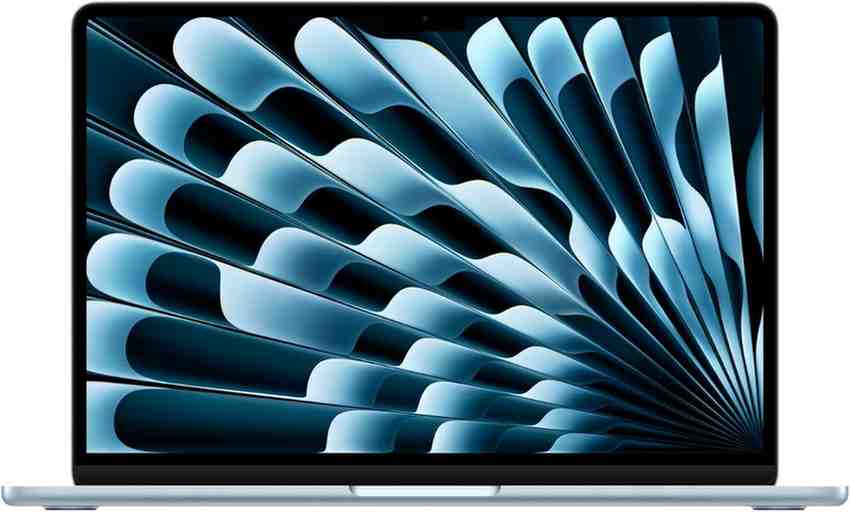
Apple’s MacBook Air updates have become a familiar rhythm: same chassis, same vibe, and a chip bump that quietly changes what the “entry-level Mac laptop” can get away with. That’s exactly what’s happening with the MacBook Air M4. It is iterative to the point of comedy, but the practical value is higher than the visuals suggest.
The real buyer question is simple: is the $999 base model finally the easy recommendation again, and is it worth upgrading from an M1/M2/M3 Air or an Intel Mac? Because the outside barely moves, the inside has to do all the work. This year, it mostly does.
What actually changed this year?
Here are the headline changes you’ll actually notice: M4 chip, 16GB unified memory as standard, a new 12MP Center Stage webcam, support for two external displays, a slightly larger battery, a new Sky Blue color, and a return to $999 pricing. You also get small Thunderbolt-related improvements in the mix, but don’t expect a ports renaissance. It is still an Air.
For the most part, that adds up to a laptop that stays “basic” in the best ways while creeping into tasks that used to be Pro-only. It will edit, export, and multitask harder than most people expect. It still does it without a fan. That limit never disappears.
What’s the design like day-to-day (and why does it feel familiar)?
If you’ve seen the last few MacBook Airs, you already know what this one feels like. Thin, light aluminum, sturdy enough for daily travel, and simple in that very Apple way where everything looks calm until you start looking for ports. The keyboard and trackpad are the same excellent, no-drama experience.
The display is still the familiar 60Hz Liquid Retina panel with the notch at the top. Bezels are starting to look a bit thick compared to the newest ultra-thin Windows competition, and the notch remains a “you get used to it” situation. It’s not offensive. It’s just not evolving.
Ports and layout are unchanged, too. On the left you get MagSafe 3 plus two USB‑C/Thunderbolt ports; on the right, a headphone jack. This is very much still the MacBook Air.
Though if you want the tiniest tell that it’s the new generation, there’s an updated mute key icon. Yes, really. That’s the level of “new” we’re dealing with.
In my experience, the most important design feature is still portability. Compared to a 14-inch MacBook Pro, the Air basically disappears in a bag, and you feel that every day more than you feel a benchmark chart. That’s the point. It stays light.
How does connectivity look in 2026—ports, charging, and the stuff you’ll notice?
MagSafe is still the Air’s most underrated quality-of-life win. You can charge without sacrificing one of your two USB‑C ports, and that matters the moment you plug in anything else. It also saves laptops from floor-bound charging accidents. Ask anyone with a scarred USB‑C port.
That said, the port story remains minimalist but workable. Two Thunderbolt 4 ports cover a lot of modern life, especially if you’re mostly cloud-based. But if you’re running external storage, a display, and a couple accessories, you’re living the dongle life.
As someone who travels with multiple devices, I also get why Apple includes the dual 35W adapter option. It is convenient for charging two devices. It is also slow if you’re trying to top up the Air quickly.
Faster charging is absolutely possible with a higher-wattage brick (and Apple will happily sell you one). If you already own a 65W USB‑C charger, you’re fine. You don’t need a special Apple solution.
But there’s one “old” port I’m glad is still here: the headphone jack. If you actually plug in cans, it’s a quiet win. Closed-backs on a plane, open-backs at home, no adapters required.
What’s new with the Sky Blue color—does it look better in person?
Sky Blue is the most visible change, and it’s barely blue. In a lot of lighting it reads silver, then shows a pale blue tint only when it’s next to white or when light hits it at the right angle. One reviewer called it the LaCroix of paint colors, and that’s not unfair.
But Space Gray is gone, replaced by this subtle shade that feels like a whisper instead of a statement. Some people will love the softer look. Others will miss the more “serious” neutral option.
Though if color matters to you, don’t trust photos. Go see it in a store, because cameras either exaggerate it or wash it out depending on the scene. Sky Blue is a lighting trick.
The honest takeaway is that it’s the biggest cosmetic change. That’s telling.
How good is the new 12MP Center Stage webcam for calls?
The webcam upgrade is real, and it’s overdue. Apple moved the Air to a 12MP Center Stage camera, which can keep you framed as you move around. You can also disable Center Stage if you hate the “camera is following me” feeling, which I do most of the time.
Desk View is also here, and it’s more useful than it sounds. It gives a top-down view of what’s on your desk, so you can show notes, a keyboard, a device, or a sketch without playing the awkward “let me tilt my laptop” game. It’s a small feature that makes you look more competent on calls.
For students and remote workers, this upgrade lands harder than any performance chart. If you live in video meetings, a better camera is a daily quality boost. You’ll notice it immediately.
It isn’t cinematic. It’s just better at the job.
How fast is the M4 MacBook Air in real life—especially with no fan?
The M4 chip is the big deal, and we already knew that from the M4 iPad Pro and the M4 Mac mini. In the Air, it’s still passively cooled, so you get excellent burst performance and a lower sustained ceiling than actively cooled Macs. That’s the trade.
But daily usage is exactly where the Air feels unbeatable. Slack, two dozen Chrome tabs, Photos, Spotify in the background, and rapid app switching all feel effortless. There’s no drama, no stutters, and no sense that you’re “using the cheap Mac.”
That said, if you’re coming from an M2 or M3 Air, you may not feel a dramatic difference unless you stress it or you care about specific features like the camera or dual-display support. The baseline experience is already fast on recent Apple silicon. Apple has made “fast enough” boring.
For Intel MacBook Air owners, or anyone on an older machine, it’s night-and-day. Apps launch instantly, multitasking is smooth, and battery anxiety changes shape. You’ll feel the upgrade in the first hour.
What do benchmarks and creative tests say—without pretending they’re the whole story?
Benchmarks support what your hands already tell you: the M4 is strong on single-core work and meaningfully better in multi-core, and Intel-era machines are simply left behind. One test cited a huge single-core jump over the M3 and a solid multi-core gain. Even if you ignore the exact percentages, the direction is clear.
More interesting are the creative tests that reflect real workflows. In Handbrake, the M4 Air finished video exports faster than the M3 model by about a minute and a half in one reported test. That’s not life-changing, but it is the difference between “go make coffee” and “wait here.”
But the MacBook Pro still wins on sustained exports even with the same chip, because active cooling matters when you’re hammering the system for long stretches. The Air can sprint. The Pro can run distance.
Though the surprise is how well the Air can play with “Pro” apps when you treat it like an Air. One creator loaded 4K and 8K footage into Final Cut Pro, scrubbed smoothly at quarter-resolution playback, and exported only a bit slower than an M4 Mac mini. That’s ridiculous capability for a fanless laptop at this price.
If you live in all-day renders, buy the machine with a fan. Period.
How much does the Neural Engine matter—are the ‘AI’ gains real?
The M4’s 16-core Neural Engine is a real upgrade, but the impact is mostly in small accelerations across tasks you already do. You see it in things like faster local image generation features (even the goofy ones), quicker background cutouts, and faster single-click photo enhancement in apps like Pixelmator Pro. It’s not magic. It’s time saved in seconds.
Apple Intelligence also makes the Air feel more modern in everyday ways. Reading Tools can proofread, rewrite in different tones, and summarize long documents, which is genuinely helpful if you read for work. Photos Cleanup is useful too, although it still works best when the scene isn’t chaotic.
Siri is also getting better at being practical, especially with the option to type to Siri. That sounds minor until you’re in a quiet place and you don’t want to talk to your laptop. Step-by-step help for simple tasks (like screen recording) is also great for new Mac users.
To say the least, the AI gains are useful, not transformative. They’re not a reason alone to upgrade if your current Air is fine. They’re a reason to feel good about buying new.
Is the MacBook Air M4 display good enough—or is it still the compromise?
The Air’s Liquid Retina display is still very good for the price. It’s bright, colorful, and accurate, and it looks great for writing, browsing, and watching movies. In direct comparisons, it can even outshine some premium Windows ultraportables in brightness, depending on the model.
But Apple draws a hard line between Air and Pro here. No mini‑LED. No high refresh rate. No nano-texture option. And yes, the notch still exists.
That said, most people won’t care, and they’ll be totally happy. If you haven’t lived on a MacBook Pro screen, the Air display won’t feel like a downgrade. It will feel like a nice laptop screen.
If you have used a Pro, the Air is where you’ll most clearly feel Apple holding back. I wish there were an optional upgrade path. There isn’t.
How is battery life in the real world—did it improve?
Apple nudged the battery capacity up slightly, from 52.6Wh to 53.8Wh, which is roughly a 2% increase. On paper, that’s a little more headroom. In practice, it doesn’t guarantee better runtime.
In real testing, some results came in lower than the previous M3 Air, which is disappointing. And the best Windows competitors are increasingly strong on battery life, so the Air no longer wins by default in every comparison.
Though the lived experience is still very good. In one week of typical work, a reviewer got through a full day and still had 38% left from a full charge. That’s the kind of battery life that makes you stop caring.
The bottom line is that it has plenty of staying power. It just isn’t class-leading anymore.
Can it run two external displays now (finally)?
Yes, and it matters. The M4 MacBook Air supports two different 6K external displays with the lid open, which fixes a real pain point for docking setups and home offices. If you’re the person who bounced off the last Air because it couldn’t do your monitor setup, this is your upgrade.
That said, you still only get two USB‑C ports. So if you’re running multiple displays plus storage plus accessories, budget for a proper hub or dock. The Air lifestyle is still about smart expansion.
For the most part, this is the upgrade many people will feel immediately. It changes how the Air fits into a desk setup. It’s a big quality-of-life fix.
What about speakers, Wi‑Fi, and the small stuff Apple didn’t fix?
The speakers are fine, but they’re not great. The sound can get muddled because of the underbody placement, and it’s a reminder you’re not buying a MacBook Pro. It works for casual listening. It won’t impress you.
Wi‑Fi is another small frustration. The Air sticks with Wi‑Fi 6E, which is not the latest standard in 2026 when Wi‑Fi 7 exists in parts of Apple’s own lineup (like newer iPhones). Most people won’t suffer day-to-day. But it feels behind the curve.
Storage is the other long-term reality check. The base model still starts at 256GB, and while that’s usable, it can feel tight fast as apps and media grow. There were also reports of the 256GB SSD posting lower read and write speeds than expected, while the 512GB version tested faster.
And then there’s the part Apple never fixes: upgrade pricing. RAM and storage bumps cost too much for what they are. It’s the quiet tax on otherwise excellent hardware. It’s not subtle.
Is the base $999 MacBook Air M4 finally the one to buy?
Yes, for most people. The return to $999 matters, but the bigger story is 16GB unified memory as standard, because it makes the base config feel like it belongs in 2026. Apple silicon machines can hit swap memory quickly under multitasking, and modern “light use” is heavier than it looks.
If you’re the typical Air buyer, the base model is genuinely fine again. Email, web, documents, calls, light photo work, school, and office workloads will run comfortably. And you’re no longer starting from a place that feels compromised on day one.
Though storage is still the weak spot. 256GB is doable if you live in the cloud and keep things tidy, but it’s not what I’d call comfortable long-term. If you keep laptops for years, storage fills up faster than you expect.
It’s a good base laptop again. That’s the win.
Check MacBook Air M4 price on Amazon
Which configuration makes sense—what should you spend extra on?
Prioritize storage first if you keep lots of media, download games, or juggle projects locally. 512GB is the minimum comfortable option for many people. One creator’s “set it and forget it” recommendation is 1TB, especially if you plan to keep the machine for years (because macOS and apps only get bigger).
Then think about RAM if your workflow stacks heavy apps, lots of browser tabs, and creative tools at the same time. 16GB is now the baseline, and for most it’s enough. If you already know you push memory, you already know why you want more.
For more GPU-heavy work (editing, 3D, gaming), consider the configuration with the higher GPU core count (often referenced as the 10‑core GPU option). It won’t change the fanless ceiling, but it can help in bursts. It’s worth it if graphics is your bottleneck.
As always, don’t spec-up out of principle. Apple’s upgrade ladder is expensive, and it’s easy to spend yourself into MacBook Pro territory without realizing it. Be deliberate.
How does it handle gaming and creative apps—what’s realistic?
macOS still has a smaller game library than Windows, even though Apple is clearly trying harder than it used to. The good news is that when a game is optimized and supported, it can actually be fun on the Air. One reviewer got properly sucked into Lies of P with fluid action and solid detail, which is not something you’d have said about older Airs.
But demanding titles still require humility. In testing, some heavier games stayed below 30fps on this Air, including Borderlands 3 and Shadow of the Tomb Raider, while Civilization VI did better around the high 30s. That’s playable depending on the genre, but it’s not “max settings” territory.
Creative apps are where the Air is more consistently impressive. Photo editing, light-to-moderate video work, and even some heavier timelines in Final Cut can run better than people expect—especially if you use optimized playback settings. The performance ceiling only shows up when you sustain loads for a long time.
It’s a capable bonus. Not the main pitch.
Should you upgrade to the MacBook Air M4—or buy something else?
If you’re on an Intel MacBook Air, this is a straightforward upgrade. You get the modern design, MagSafe charging, a much better camera, far faster performance, and a laptop that doesn’t feel like it’s negotiating with you. It will feel like a new era.
If you’re on an M1 Air, the case is still strong. You’re jumping to the newer chassis, brighter-feeling overall experience, better webcam, dual external display support, and a big speed bump. It’s not just benchmarks. It’s the whole package.
But if you own an M2 or M3 Air, you can skip it. The design is identical, the day-to-day feel is similar, and you still get Apple Intelligence features on those machines. The M4 is nice. It’s not necessary.
Pricing helps, too. The 13-inch starts at $999, while the 15-inch starts higher (commonly around $1,199) for the bigger panel and potentially better endurance. Size is the bigger decision than the chip for most buyers.
Buy what you’ll enjoy using every day. That’s the rule.
Should you buy the 13-inch or 15-inch MacBook Air M4?
The 13-inch is peak portability. It’s the version you forget is in your bag, the one that feels effortless on a commute, and the one that best matches the Air philosophy. If you work in coffee shops, classrooms, or travel often, it’s the easy pick.
The 15-inch is comfort. You get more room for split-screen work, a better movie-watching experience, and generally a more relaxed daily workspace. It’s still light, but you’ll notice it more than the 13-inch.
That said, the 15-inch costs more, and that money can sometimes be better spent on storage. Decide what you value: more screen or more headroom. Both are valid.
Choose the size you’ll actually like living with. Nothing else matters more.
MacBook Air M4 review verdict: what I’d tell a friend before they spend the money
Apple didn’t reinvent the MacBook Air with M4. It mostly kept the shell, sprinkled in a new “barely blue” color, and let the internals do the talking. But the internals are good enough that the whole laptop becomes easier to recommend.
The earned compliments are clear: $999 pricing is back, 16GB base unified memory fixes the most annoying baseline compromise, M4 performance is excellent for real tasks, the 12MP Center Stage webcam is a meaningful quality upgrade, and dual external display support finally makes desk setups painless. For most people, that’s the list that matters.
The frustrations are also clear: the display is still where Apple draws the line, speakers are just okay, Wi‑Fi 6E feels behind in 2026, the base 256GB SSD can be tight (and slower than higher capacities), and Apple’s upgrade pricing is still borderline robbery. You’re allowed to be annoyed.
Though as a total package, it’s still the best MacBook for most people, and arguably the best laptop buy in its price range if you want macOS. It’s especially strong as an upgrade from Intel or M1. The M4 MacBook Air is boring in the right ways.
If your M2/M3 is fine, keep it.
Check MacBook Air M4 price on Amazon
FAQs (Frequently Asked Questions)
What are the key upgrades in the MacBook Air M4 (2026) compared to previous models?
The MacBook Air M4 features the new M4 chip, 16GB unified memory as standard, a 12MP Center Stage webcam, support for two external displays, a slightly larger battery, a new Sky Blue color option, and returns to $999 base pricing. It also includes minor Thunderbolt-related improvements but retains the same chassis design.
How does the design of the MacBook Air M4 feel in daily use?
The design remains familiar with its thin, light aluminum body that’s sturdy enough for daily travel. The keyboard and trackpad offer a no-drama, excellent experience. The display is still a 60Hz Liquid Retina panel with a notch. Ports and layout are unchanged, including MagSafe 3 charging on the left with two USB-C/Thunderbolt ports and a headphone jack on the right.
What connectivity options does the MacBook Air M4 offer in 2026?
It includes MagSafe 3 for charging without occupying USB-C ports, two Thunderbolt 4 ports for versatile modern connectivity, and a headphone jack. While sufficient for many users, those needing multiple accessories may require dongles. Charging can be done with dual 35W adapters or faster with higher-wattage chargers.
What should I know about the new Sky Blue color option on the MacBook Air M4?
Sky Blue is a subtle shade that often appears silver but reveals a pale blue tint under certain lighting conditions. It’s softer and less bold than previous colors like Space Gray, which has been discontinued. The color effect varies with lighting and looks best when seen in person rather than through photos.
How effective is the new 12MP Center Stage webcam on the MacBook Air M4 for video calls?
The upgraded 12MP Center Stage webcam offers improved video call quality by keeping you framed as you move around. You can disable Center Stage if preferred. The Desk View feature provides a useful top-down perspective during calls, enhancing versatility beyond traditional webcams.
Is it worth upgrading to the MacBook Air M4 from an older model like M1, M2, or Intel-based Macs?
If you value improved performance from the M4 chip, enhanced multitasking with 16GB unified memory standard, better webcam capabilities, support for dual external displays, and prefer the updated Sky Blue color or return to $999 pricing, upgrading makes sense. However, since design changes are minimal and ports remain limited, users satisfied with current models might not find it essential.
