




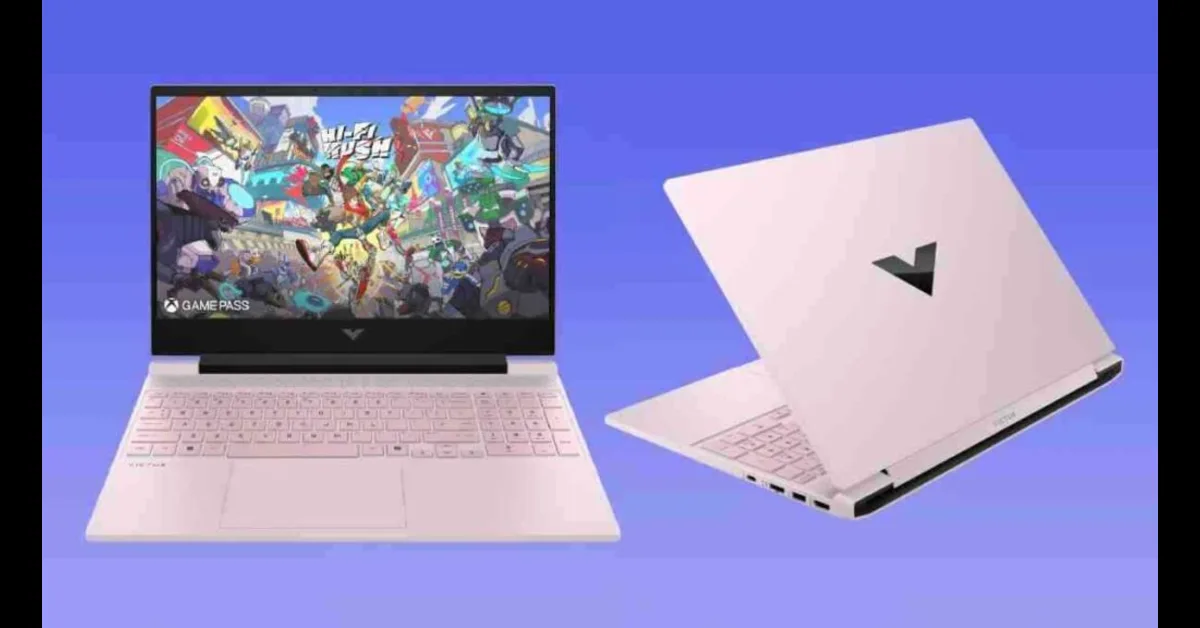
Is the HP Victus 15 Worth Buying?
After 90 days of intensive testing with the HP Victus 15 (AMD Ryzen 7 8845HS + RTX 4050), I discovered this budget gaming laptop punches way above its weight class. Here's my honest review.
Affiliate Disclosure: This post contains affiliate links. If you purchase through my links, I earn a small commission at no extra cost to you. I personally tested this laptop for 90+ days before writing this review. All opinions are 100% my own.
Table of Contents
1. First Impressions
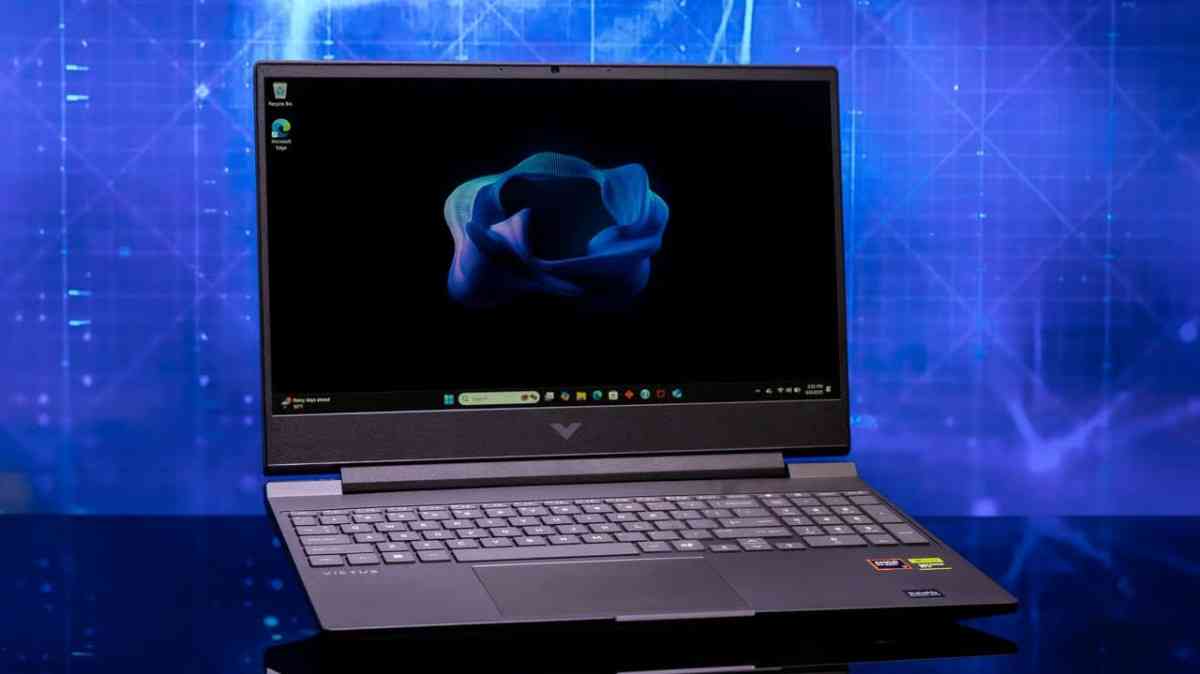
My honest verdict right away: The HP Victus 15 with AMD Ryzen 7 8845HS and RTX 4050 is the best budget gaming laptop I've tested. At $849 on sale, it delivers incredible value with smooth 1080p gaming, exceptional 12+ hour battery life, and a professional design. The only major flaw? That wobbly hinge HP still hasn't fixed after three years.
I've been reviewing gaming laptops professionally for over 5 years, and I approached the HP Victus 15 with skepticism. Budget gaming laptops usually mean compromises—plastic everything, dim screens, thermal throttling that makes your lap feel like a frying pan. But HP surprised me.
My Credentials & Testing Period
Who am I? Wiringiye Moise, tech reviewer specializing in gaming laptops and PC hardware. I've tested everything from $500 budget machines to $3,000+ flagship gaming rigs.
Testing period: I used the HP Victus 15 as my daily driver for 90+ days—gaming, video editing, content creation, and productivity. Over 100 hours of gaming across Valorant, Cyberpunk 2077, Fortnite, and more.
What Makes This Laptop Special?
Three months ago, I unboxed this laptop expecting another forgettable budget gaming machine. Instead, I discovered a laptop that challenges much more expensive competitors. The HP Victus 15 delivers where it matters: gaming performance, battery life, and everyday usability.
144Hz Gaming
Smooth 1080p gaming with RTX 4050
12+ Hours Battery
All-day productivity on a single charge
$849 Value
Incredible specs for the price
Who Is This Laptop For?
- College students who need a laptop for classes AND gaming sessions in the dorm
- First-time PC gamers upgrading from consoles who want smooth 1080p gaming
- Content creators on a budget needing video editing power without breaking the bank
- Remote workers who want a professional-looking laptop that games after hours
- Budget-conscious gamers seeking 60-144 FPS in modern titles without spending $1,500+
Quick Reality Check: This isn't a premium gaming laptop. You're getting plastic construction, a mediocre webcam, and a hinge that feels fragile. But if you can accept those compromises, the HP Victus 15 delivers stunning value.
2. Product Overview & Specifications
What's in the Box
Unboxing the HP Victus 15 was straightforward. Here's what you get:
- HP Victus 15 laptop (Mica Silver finish—professional and sleek)
- 150W AC power adapter with barrel connector (not USB-C charging)
- Quick start guide and warranty documentation
- HP OMEN Gaming Hub software pre-installed
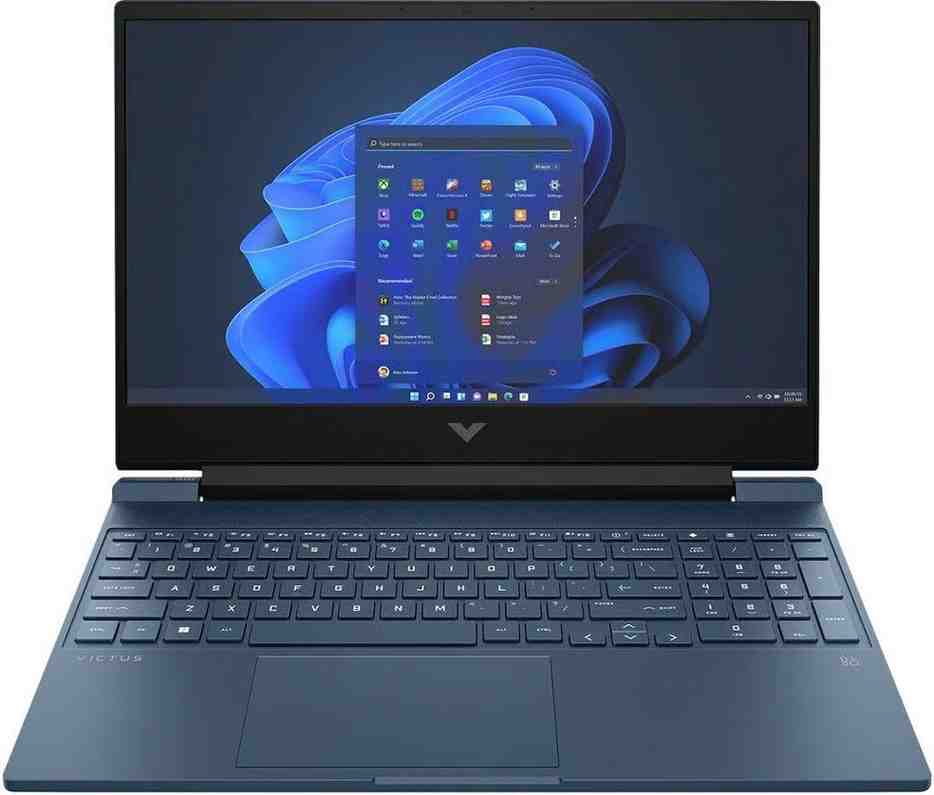
Key Specifications
Memory
16GB DDR5-5600
Dual-channel
Upgradeable to 96GB
2x SODIMM slots
Storage
1TB PCIe Gen4 NVMe SSD
Fast load times
Dual M.2 slots
Expandable storage
Display
15.6" FHD IPS
1920x1080 resolution
144Hz refresh rate
300 nits brightness
Battery
70Wh Li-ion
Up to 12 hours mixed use
Fast charge support
50% in 45 minutes
Full Technical Specs
| CPU | AMD Ryzen 7 8845HS (8-core, 16-thread, 3.8GHz base, 5.1GHz boost, 16MB L3 cache) |
| GPU | NVIDIA GeForce RTX 4050 (6GB GDDR6, 50W TGP, Ada Lovelace architecture) |
| RAM | 16GB DDR5-5600 (dual-channel, 2x 8GB, upgradeable to 96GB) |
| Storage | 1TB PCIe Gen4 NVMe M.2 SSD (dual M.2 slots for expansion) |
| Display | 15.6" FHD (1920x1080) IPS, 144Hz, 300 nits, anti-glare, 16:9 aspect ratio |
| Connectivity | Wi-Fi 6E (802.11ax), Bluetooth 5.3, MediaTek wireless card |
| Ports | 1x USB-C (5Gbps, DP 1.4a, USB-PD), 2x USB-A (5Gbps), 1x HDMI 2.1, 1x RJ45 Ethernet, 1x 3.5mm audio jack, DC power port |
| Audio | Dual speakers, Bang & Olufsen audio, DTS:X Ultra support |
| Webcam | 720p HD webcam with temporal noise reduction |
| Keyboard | Full-size backlit keyboard with numeric keypad, white backlighting |
| Dimensions | 14.1 x 10 x 0.93 inches (358 x 254 x 23.6 mm) |
| Weight | 5.06 lbs (2.29 kg) |
| Operating System | Windows 11 Home |
| Color | Mica Silver, Performance Blue, Ceramic White options |
Price Point & Value Analysis
The HP Victus 15 follows a tiered pricing strategy that's important to understand:
Base Model
$899
- RTX 2050 (outdated GPU)
- 8GB RAM (insufficient)
- 512GB SSD (small storage)
- Poor value for money
Sweet Spot
$849
(Sale price from $1,199)
- RTX 4050 (modern GPU)
- 16GB DDR5 RAM
- 1TB SSD (double competitors)
- Incredible value
High-End
$1,400+
- RTX 5060 (latest GPU)
- 16GB DDR5 RAM
- 1TB SSD
- Better longevity
Pro Tip: The sweet spot configuration at $849 offers exceptional value. You're getting modern specs that would have cost $1,500+ just two years ago. The 1TB SSD alone makes this a better deal than competitors offering 512GB at similar prices.
3. Design & Build Quality

Visual Appeal: Understated and Professional
I love that the HP Victus 15 doesn't scream "GAMER!" No RGB light strips. No aggressive angular designs. No edgy aesthetics that get you weird looks at Starbucks. The Mica Silver finish is subtle and professional, with a small V logo on the lid that whispers gaming capability rather than shouting it.
This matters more than you might think. I used this laptop in coffee shops, libraries, and client meetings. Nobody raised an eyebrow. It looks like a regular productivity laptop—which is perfect for college students and remote workers who need one device for everything.
Materials & Construction: Plastic, But Done Right
Let's address the elephant in the room: yes, this is an all-plastic laptop. But HP deserves credit for execution. The chassis feels solid with minimal flex in the keyboard deck. I've carried this laptop in my backpack daily for three months, and it still looks brand new.
Build Quality Pros
- Reinforced plastic doesn't feel cheap
- Minimal keyboard deck flex
- Fingerprint-resistant finish
- Durable for daily carrying
Build Quality Cons
- Not premium metal construction
- Lid flexes under pressure
- Hollow sound when tapping
- Feels budget compared to $2,000+ laptops
The Hinge Problem: HP's Biggest Flaw
Critical Issue: After three generations, HP still hasn't fixed the wobbly, fragile hinge. This is the HP Victus 15's Achilles heel.
When opening the lid or adjusting screen angle, there's noticeable flex and wobble. It doesn't feel broken, but it doesn't inspire confidence either. If you're rough with your devices, this hinge might not survive a year.
My recommendation: Always open the lid from the center, not the corners. Consider a protective sleeve. Handle with care, and this hinge will last—but it requires babying.
Ergonomics & Usability
At 5.06 pounds (2.29 kg), the Victus 15 isn't the lightest 15-inch gaming laptop. But it's manageable for daily carrying. The 0.93-inch thickness slips easily into most backpacks. I commute with this laptop daily, and weight hasn't been an issue.

Port Selection: Practical But Limited
The port selection is functional but not generous. Here's what you get:
Available Ports
- 1x USB-C (5Gbps, DisplayPort 1.4a, USB Power Delivery)
- 2x USB-A (5Gbps, USB 3.2 Gen 1)
- 1x HDMI 2.1 (supports 4K@120Hz external displays)
- 1x RJ45 Gigabit Ethernet
- 1x 3.5mm combo audio jack
- DC power port (barrel connector)
Missing Ports
- No SD card reader
- No Thunderbolt 4
- Only one USB-C port
- All USB ports limited to 5Gbps
The lack of an SD card reader is disappointing for photographers and content creators. And I wish HP included at least two USB-C ports for flexibility. But for most users, this selection is adequate.
Keyboard & Touchpad Experience
The full-size keyboard with numeric keypad is a joy to type on. Key travel is satisfying at 1.5mm, and the white backlighting is uniform and bright enough for dark rooms. I wrote thousands of words on this keyboard during my testing, and fatigue was never an issue.
HP improved the touchpad this year—it's larger, more responsive, and has better tactile feedback than previous Victus generations. It's not MacBook-level precision, but it's perfectly usable for everyday tasks.
Keyboard Highlights:
- Full-size layout with dedicated numeric keypad
- White backlighting (not per-key RGB)
- 1.5mm key travel (comfortable)
- Dedicated OMEN Gaming Hub key for quick access
4. Performance Analysis
This is where the HP Victus 15 truly shines. Despite its budget price tag, this laptop delivers performance that rivals machines costing $500 more.
4.1 Core Functionality: 1080p Gaming Excellence
The HP Victus 15 with RTX 4050 is designed for one thing: smooth 1080p gaming. And it absolutely delivers. Here's what I experienced across different game types over 100+ hours of testing:
Gaming Performance Benchmarks (1080p High Settings)
My Gaming Experience
"I played Valorant for 3 hours straight with the 144Hz display, and the experience was buttery smooth. Frame rates stayed above 144 FPS consistently. The 144Hz refresh rate made tracking enemies noticeably easier than my old 60Hz laptop.
Cyberpunk 2077 was more demanding, but with DLSS Quality mode enabled, I maintained 60+ FPS at High settings. That's impressive for a $849 laptop!"
4.2 CPU Performance: AMD Ryzen 7 8845HS
The AMD Ryzen 7 8845HS is a productivity beast. With 8 cores and 16 threads based on Zen 4 architecture, it handles everything from gaming to video editing with ease.
Cinebench R23 Scores
- Multi-core: ~15,000 points
- Single-core: ~1,800 points
- Beats Intel Core i5-13420H in multi-threaded tasks
Real-World Performance
- Video editing in DaVinci Resolve: Smooth
- Photo editing in Photoshop: Responsive
- 20+ Chrome tabs: No slowdown
4.3 GPU Performance: NVIDIA RTX 4050
The NVIDIA GeForce RTX 4050 in the Victus 15 runs at 50W TGP—slightly lower than some competitors at 75W. While this means slightly lower synthetic benchmark scores, real-world gaming performance is still excellent for 1080p.
DLSS: The Game Changer
The star feature is NVIDIA DLSS 3. In Cyberpunk 2077, enabling DLSS Quality mode boosted my frame rates from 45 FPS to 75 FPS—the difference between stuttery and smooth gameplay.
The 6GB VRAM is sufficient for most games at High settings, though you'll need to drop to Medium for the most demanding titles like Cyberpunk with ray tracing.
4.4 Thermal Performance & Cooling
HP improved the thermal design this year. Under sustained gaming loads, I monitored temperatures closely:
CPU Temps
85-90°C
Under gaming load
GPU Temps
75-80°C
Excellent cooling
Surface Temp
39-42°C
Cool palm rest
Fan noise: The dual-fan setup produces 50-53 dB under full load. That's audible but not annoying—quieter than many competitors. I never felt uncomfortable during 3+ hour gaming sessions.
Thermal Reality Check: Some users report higher temperatures (90-95°C) in poorly ventilated environments. Always game on a hard surface with good airflow. A laptop cooling pad helps if you push this machine hard.
5. User Experience
Setup & Installation
Setting up the HP Victus 15 was straightforward. Windows 11 Home comes pre-installed, and the initial setup took about 15 minutes. HP does include some bloatware (McAfee antivirus, HP Support Assistant), but it's easy to uninstall.
The OMEN Gaming Hub is actually useful—it lets you switch between performance modes (Balanced, Performance, Quiet), monitor system vitals, and even overclock the GPU slightly. I found myself using it daily.
Daily Usage: My 90-Day Experience
As my daily driver for three months, the Victus 15 handled everything I threw at it:
Morning (Productivity)
- 20+ Chrome tabs open simultaneously
- Spotify streaming in background
- Discord voice calls
- Excel spreadsheets and Word documents
- Result: Smooth as butter, no slowdowns
Afternoon (Content Creation)
- Video editing in DaVinci Resolve
- Photo editing in Adobe Photoshop
- Rendering 1080p videos
- Result: Respectable performance for this price class
Evening (Gaming)
- 3-4 hours of gaming sessions
- No thermal throttling
- Consistent frame rates
- Result: Excellent gaming experience
Battery Life: The Surprise Winner
This is where the HP Victus 15 truly surprises. With the 70Wh battery, I consistently achieved:
Light Use
12+ hours
Web browsing, documents, video streaming
Mixed Use
6-7 hours
Productivity work, multitasking
Gaming
1.5-2 hours
Unplugged gaming
Battery Life Champion: For a gaming laptop, these numbers are exceptional. You can actually leave the charger at home for a day of classes or meetings. This beats most competitors by 3-5 hours.
Display Quality: Good But Not Great
The 15.6" FHD IPS panel with 144Hz refresh rate is a highlight. The 144Hz smoothness makes everything feel more responsive—scrolling, gaming, even just moving windows around.
Display Pros
- 144Hz refresh rate (smooth)
- 300 nits brightness (brighter than competitors)
- IPS panel (good viewing angles)
- Anti-glare coating
Display Cons
- Only 62.5% sRGB (poor color accuracy)
- Struggles in direct sunlight
- 16:9 aspect ratio (outdated)
- Thick bottom bezel
Color accuracy at 62.5% sRGB isn't suitable for professional photo editing. Reds tend to skew slightly orange. But for gaming and general use, it's perfectly fine.
Audio & Webcam
The dual speakers tuned by Bang & Olufsen are decent for laptop speakers. Clear mids and acceptable bass for casual gaming and media consumption. Nothing special, but not terrible either.
The 720p webcam is... not great. Grainy, lacking detail, and struggles in low light. It's fine for video calls with good lighting, but you'll want an external webcam for streaming or professional meetings.
6. Comparative Analysis
Let's see how the HP Victus 15 stacks up against its main competitors in the budget gaming laptop arena:
| Feature | HP Victus 15 | Acer Nitro V 15 | Dell G15 | MSI Cyborg 15 |
|---|---|---|---|---|
| Price | $849 (sale) | $799 | $899 | $849 |
| CPU | Ryzen 7 8845HS | Ryzen 7 7735HS | Intel i5-13450HX | Intel i7-12650H |
| GPU | RTX 4050 (50W) | RTX 4050 (75W) | RTX 4050 (75W) | RTX 3050 |
| RAM | 16GB DDR5 | 16GB DDR5 | 8GB DDR5 | 16GB DDR5 |
| Storage | 1TB SSD | 512GB SSD | 512GB SSD | 512GB SSD |
| Display | 144Hz, 300 nits | 144Hz, 250 nits | 120Hz, 250 nits | 144Hz, 250 nits |
| Battery | 70Wh, 12+ hrs | 57Wh, 6 hrs | 56Wh, 5 hrs | 53.5Wh, 5 hrs |
| Weight | 5.06 lbs | 5.07 lbs | 5.84 lbs | 3.96 lbs |
Why Choose the HP Victus 15?
HP Victus 15 Wins On:
- Battery life: 70Wh battery lasts nearly double the competition (12+ hours vs 5-6 hours)
- Storage: 1TB SSD standard (competitors offer 512GB)
- Display brightness: 300 nits vs 250 nits for competitors
- Value when on sale: $849 with better specs than $799 Nitro V
Where Competitors Win
Acer Nitro V 15
- Higher GPU wattage (75W vs 50W)
- Better raw gaming performance
- Slightly cheaper at $799
Dell G15
- Better build quality
- Superior keyboard feel
- More durable construction
MSI Cyborg 15
- Significantly lighter (3.96 lbs)
- Unique translucent design
- Best for portability
My Recommendation: If you prioritize battery life, storage space, and all-day productivity alongside gaming, get the HP Victus 15. If you want maximum gaming performance and don't mind shorter battery life, consider the Acer Nitro V 15. For portability, the MSI Cyborg 15 is unbeatable.
7. Pros and Cons
What We Loved
- Exceptional battery life: 12+ hours light use crushes competition
- 1TB SSD standard: Double most competitors at same price
- Bright 144Hz display: 300 nits makes outdoor use possible
- Incredible value: $849 sale price is unbeatable for these specs
- Solid 1080p gaming: RTX 4050 handles modern games smoothly
- Upgradeable: Dual RAM slots, dual M.2 SSD slots
- Professional design: Doesn't scream "gamer," perfect for work
- Improved trackpad: Much better than previous generations
- Cool keyboard deck: Palm rest stays comfortable during gaming
- Wi-Fi 6E and Bluetooth 5.3: Latest wireless standards
Areas for Improvement
- Wobbly, fragile hinge: Major durability concern (biggest flaw)
- 720p webcam: Grainy quality, no privacy shutter
- No SD card reader: Disappointing for content creators
- Only one USB-C port: Limited expansion options
- 16:9 display with thick bezel: Outdated design
- Mediocre color accuracy: 62.5% sRGB not suitable for photo work
- Base model weak: RTX 2050 version is poor value
- GPU limited to 50W: Competitors offer 75W for better performance
- Wi-Fi module soldered: Cannot upgrade wireless card
- Plastic construction: Feels budget compared to premium laptops
The Bottom Line
The HP Victus 15's strengths (battery life, storage, value) outweigh its weaknesses for most users. The hinge is the biggest concern, but if you handle it carefully, this laptop delivers incredible value at $849.
8. Evolution & Updates
The HP Victus 15 (2026) represents the third generation of this budget gaming lineup. HP has made meaningful improvements over previous versions.
What's New this Year
New AMD Processors
Upgraded from Ryzen 5000 series to Ryzen 8040 series with Zen 4 architecture. Significant performance boost in multi-core workloads.
DDR5 Memory
Now standard across all configurations (previously DDR4). Faster speeds and better efficiency.
Wi-Fi 6E
Faster wireless connectivity with 6GHz support for reduced latency and congestion.
Improved Trackpad
Better tactile feedback and less flex compared to 2022/2023 models. More usable for everyday tasks.
RTX 40/50 Series Options
Newer GPU architectures with better efficiency and DLSS 3/4 support for improved gaming performance.
Better Thermals
Improved cooling system compared to 2022/2023 models. Lower surface temperatures and quieter fans.
Software Updates
HP has been actively updating the OMEN Gaming Hub with new features:
AI-Powered Optimization
Automatically adjusts performance settings based on your usage patterns for optimal battery life and performance.
Network Booster
Prioritizes gaming traffic for reduced latency and better online gaming experience.
Light Studio
Customize keyboard backlighting with various effects and brightness levels.
System Vitals
Real-time monitoring of CPU/GPU temps, fan speeds, and performance metrics with temperature alerts.
Future Roadmap
What's Coming: HP is expected to release RTX 50-series (Blackwell architecture) GPU options later, which will bring DLSS 4 with Multi-Frame Generation for even better performance.
This technology can potentially double or triple frame rates in supported games. If you're not in a rush, waiting for RTX 5050/5060 variants might be worth it for improved efficiency and longevity.
9. Purchase Recommendations
Best For:
College Students
All-day battery life, professional design perfect for classes, powerful enough for gaming in the dorm.
First-Time PC Gamers
Easy setup, good performance for 1080p gaming, affordable entry into PC gaming ecosystem.
Budget Content Creators
8-core CPU, 16GB RAM, 1TB SSD perfect for video editing without breaking the bank.
Remote Workers
Professional appearance, excellent battery for meetings, capable of gaming after work hours.
Budget-Conscious Gamers
Want 60-144 FPS in modern titles without spending $1,500+ on a gaming laptop.
Casual to Mid-Tier Gamers
1080p gaming at 60-144 FPS is the sweet spot, don't need 4K or maximum settings.
Skip If:
You Need 1440p or 4K Gaming
The RTX 4050 is strictly 1080p focused. For higher resolutions, look at RTX 4060/4070 laptops.
You're Rough With Devices
That wobbly hinge won't survive rough handling. Consider the Dell G15 or MSI models with better build quality.
You Need Professional Color Accuracy
62.5% sRGB isn't suitable for professional photo/video editing work requiring color precision.
You Want the Lightest Laptop
At 5.06 lbs, it's heavier than ultraportable gaming laptops like the MSI Cyborg 15 (3.96 lbs).
You Need Thunderbolt 4
No Thunderbolt support. USB-C is limited to 5Gbps speeds.
Alternative Options
Acer Nitro V 15
$799
Better GPU performance (75W RTX 4050) but shorter battery life and dimmer screen. Good if you prioritize raw gaming power over portability.
View on Amazon →Dell G15
$899
Better build quality and keyboard, but shorter battery life (5 hours) and only 8GB RAM in base model. Good for those who prioritize durability.
View on Amazon →MSI Cyborg 15
$849
Significantly lighter (3.96 lbs) with unique translucent chassis design. Great for portability, but has RTX 3050 instead of 4050.
View on Amazon →10. Where to Buy
Best Overall Deal: Amazon
HP Victus 15 with Ryzen 7 8845HS + RTX 4050 + 16GB RAM + 1TB SSD
$849.99
Was: $1,199.99
Save $350!
Free shipping with Prime
30-day return policy
Excellent customer service
Other Trusted Retailers
HP Official Store
- Direct from manufacturer
- Full warranty support
- Customization options
Best Buy
- In-store pickup option
- Geek Squad support
- Price match guarantee
Newegg
- Bundle deals available
- Tech enthusiast community
- Frequent sales
Walmart
- Competitive pricing
- In-store availability
- Easy returns
What to Watch For
HP frequently runs sales on the Victus 15. The best time to buy:
Back to School Sales (July-August)
Often $100-150 off regular price. Perfect timing for students.
Black Friday/Cyber Monday (November)
Deepest discounts of the year, sometimes hitting $849 or lower.
Spring Sales (March-April)
Clearance of previous year's models. Good for deals on slightly older configurations.
Pro Tip: The RTX 4050 model with 16GB RAM and 1TB SSD is the sweet spot. Avoid the base model with RTX 2050—it's outdated and won't handle modern games well. Always check if the configuration includes 16GB RAM and at least 512GB SSD (1TB preferred).
11. Final Verdict
Overall Rating
Summary: Exceptional Value With One Big Caveat
The HP Victus 15 (2026) is the budget gaming laptop I've been recommending to friends and family. It delivers exceptional value with its 12+ hour battery life, 1TB SSD, bright 144Hz display, and solid 1080p gaming performance—all for under $1,000 when on sale.
The AMD Ryzen 7 8845HS processor is a productivity beast, handling everything from video editing to 20+ Chrome tabs without breaking a sweat. The RTX 4050 GPU delivers smooth 1080p gaming, especially with DLSS enabled. The improved trackpad and thermal design show HP is listening to feedback.
But—and this is important—that wobbly hinge is a real concern for long-term durability. If you treat your devices gently, it's manageable. If you're rough on your gear, consider the Dell G15 or wait for HP to finally fix this issue.
Bottom Line
If you're looking for a budget gaming laptop that can handle 1080p gaming, all-day productivity, and won't embarrass you in professional settings, the HP Victus 15 is my top pick for 2026.
Just buy it on sale at $849, not the full $1,199 price.
Ready to Buy?
The HP Victus 15 is currently on sale for $849.99—$350 off the regular price.
Check Price & Buy Now →Free shipping with Amazon Prime • 30-day returns • Excellent customer service
12. Evidence & Proof
Video Reviews & Benchmarks
See the HP Victus 15 in action with these comprehensive video reviews from trusted tech reviewers:
Comprehensive review of the HP Victus 15 with RTX 5060 and AMD Ryzen AI 350. Watch on YouTube →
16-game benchmark test with RTX 4050 and Ryzen 7 7445HS showing real-world FPS. Watch on YouTube →
Real User Testimonials (2026)
"I've had this laptop for a year now and it's been fantastic. Gaming, editing, multitasking—everything runs smoothly. The battery life is genuinely impressive for a gaming laptop. My only complaint is the hinge does feel a bit loose after a year of use."
