




Trading requires reliable, high-performance machines that can handle multiple applications, charts, and real-time data without lagging. Whether you’re day trading stocks, forex, or crypto, having the right laptop can make a significant difference in your trading efficiency and success.
I’ve researched the latest models and compiled this in-depth guide to help you find the perfect trading companion.

What Makes a Great Trading Laptop?
Before jumping into the specific models, let’s talk about what really matters in a trading laptop. I’ve found through conversations with professional traders that these factors consistently top their priority lists:
Processing Power
The heart of any trading laptop is its processor. You need something that can handle multiple applications, process real-time data feeds, and execute commands instantly. Most trading platforms aren’t super demanding compared to video editing or gaming, but they do require consistent, reliable performance.
For most traders, an Intel Core i5 or AMD Ryzen 5 processor (10th gen or newer) will handle basic trading needs. However, if you’re running complex analyses or using multiple trading platforms simultaneously, stepping up to an i7/Ryzen 7 or even i9/Ryzen 9 makes a noticeable difference.
As one trader put it: “I’d rather spend extra on processing power than deal with lag during a volatile market move. That lag could cost me a lot more than the price difference between processor models.”
Memory (RAM)
RAM determines how many programs and processes your laptop can handle simultaneously. For trading, this is crucial as you’ll likely be running:
- Trading platforms
- Chart software
- News feeds
- Research tools
- Communication apps
- Web browsers with multiple tabs
The minimum viable setup for a trader is 16GB of RAM. I strongly recommend 32GB for serious day traders who run multiple applications. Some high-end trading laptops now offer up to 64GB, which is overkill for most but beneficial for those running memory-intensive analysis tools.
Storage
While trading applications themselves don’t typically require massive storage, you’ll want a solid-state drive (SSD) for speed. SSDs are significantly faster than traditional hard drives, meaning your applications load quicker and your system boots in seconds rather than minutes.
A 512GB SSD is the sweet spot for most traders, though 1TB provides more headroom if you store large datasets or historical market information.
Display Quality
You’ll be staring at charts and numbers all day, so display quality matters tremendously. Key factors include:
- Size: 14-16 inches strikes a good balance between visibility and portability
- Resolution: Minimum Full HD (1920×1080), with 4K beneficial for detailed charting
- Panel type: IPS or OLED panels offer better color accuracy and viewing angles
- Refresh rate: Higher rates (120Hz+) make fast-moving charts appear smoother
- Brightness: At least 300 nits for visibility in varied lighting conditions
Many traders also value multi-monitor support through Thunderbolt/USB-C or HDMI ports.
Battery Life
While many traders work from a fixed location, battery life becomes critical during power outages or when trading on the go. Look for at least 8 hours of real-world usage, though many modern laptops can push 10-15 hours.
Connectivity
Modern trading requires constant connectivity. Look for:
- Wi-Fi: Wi-Fi 6 or better for fastest wireless speeds
- Ethernet: Direct wired connection for the most reliable internet
- USB/Thunderbolt ports: For connecting external drives, monitors, and peripherals
- HDMI/DisplayPort: For external monitor connections
Build Quality and Reliability
Trading happens in real-time. You can’t afford system crashes or hardware failures during market hours. Business-class laptops typically offer better reliability, cooling, and keyboards than consumer models.
Now that we know what to look for, let’s dive into the 10 best laptops for traders .
What are The Best Laptops for Traders?
1. Lenovo ThinkPad T14 Gen 5 – Best Overall Trading Laptop

Image credit: TechRadar
Key Specs:
- Processor: Intel Core Ultra 7 165U (3.8 GHz max turbo)
- RAM: 16GB (Upgradeable to 64GB)
- Storage: 512GB SSD (Upgradeable)
- Display: 14-inch, 1920 x 1080 IPS anti-glare
- Battery: Up to 15 hours
- Weight: 2.65 pounds
- Price: Starting at $1,499
Why It’s Great for Traders
The ThinkPad T14 strikes the perfect balance between performance, durability, and portability. Its business-class design means it’s built to handle the daily demands of professional use.
The keyboard is simply outstanding – perhaps the best on any laptop. When you’re rapidly entering orders or navigating trading platforms, the tactile feedback and layout make a significant difference in accuracy and speed. The spill-resistant design also provides peace of mind during those inevitable coffee-fueled trading sessions.
Connection options are abundant with two Thunderbolt 4 ports, two USB-A ports, HDMI, and an ethernet jack – perfect for setting up a multi-monitor trading station. The latest Wi-Fi 6E support ensures you’ll have the fastest possible wireless connection for real-time market data.
What really sets the T14 apart is its reliability. Lenovo’s ThinkPad line undergoes military-grade durability testing, including for extreme temperatures, humidity, vibration, and drops. When market volatility strikes, you can’t afford system failures – and the T14 is built to keep running no matter what.
Trader’s Take
“I’ve been using the ThinkPad T14 for about 8 months now for day trading forex and futures. Even with multiple charts, data feeds, and TradingView running simultaneously, it handles everything without a hiccup. The battery easily lasts my entire trading session even if I’m away from my desk. The screen isn’t the most vibrant, but that’s easily solved with an external monitor at my home office.” – James K., Day Trader
Pros
- Exceptional reliability and build quality
- Outstanding keyboard for rapid data entry
- Strong connectivity options for multiple monitors
- Impressive battery life for trading on the go
- Highly upgradeable (RAM and storage)
Cons
- Display could be brighter and more vibrant
- Not the thinnest or most stylish option
- Speakers are merely adequate
2. Apple MacBook Pro 16-inch (M4, 2025) – Best for macOS Users

Key Specs:
- Processor: Apple M4 Pro/Max chip (12-core CPU)
- RAM: 32GB unified memory (configurable up to 96GB)
- Storage: 1TB SSD (configurable up to 8TB)
- Display: 16.2-inch Liquid Retina XDR display (3456 x 2234)
- Battery: Up to 22 hours
- Weight: 4.7 pounds
- Ports: 3× Thunderbolt 4, HDMI, SDXC card slot, MagSafe 3
- Price: Starting at $2,499
Why It’s Great for Traders
The MacBook Pro with Apple’s M4 chip represents a powerhouse for traders who prefer the macOS ecosystem. The M4’s performance is exceptional, handling multiple trading platforms, dozens of browser tabs, and real-time data analysis without breaking a sweat.
The Liquid Retina XDR display is simply stunning – offering incredible brightness (up to 1600 nits), contrast ratio, and color accuracy. This makes chart patterns pop and ensures you won’t miss crucial details during technical analysis. The 16-inch screen size provides ample room for multiple windows without feeling cramped.
Battery life is where the MacBook Pro truly shines. With up to 22 hours of real-world use, you can confidently trade through an entire day without searching for an outlet – perfect for those who travel or work from various locations.
The MacBook Pro’s speakers and microphone quality are also top-notch, making it excellent for participating in trading webinars or communicating with other traders.
Trader’s Take
“I switched from a high-end Windows laptop to the MacBook Pro with M4 last year and it’s been transformative. The performance is incredible – I run TradingView, my broker’s platform, and Slack all day without any slowdown. The battery literally lasts all day even with heavy use. The biggest adjustment was making sure my trading software was macOS compatible, but most major platforms now have web versions that work flawlessly.” – Sarah T., Swing Trader
Pros
- Exceptional performance from the M4 chip
- Stunning display quality for chart analysis
- Market-leading battery life (20+ hours)
- Premium build quality and reliability
- Superb trackpad and keyboard
Cons
- Higher price than comparable Windows machines
- Some trading platforms may have limited macOS compatibility
- Limited port selection may require dongles
- Not user-upgradeable
3. ASUS ZenBook Pro Duo 15 OLED – Best Dual-Screen Option

Key Specs:
- Processor: Intel Core i9-13900H
- RAM: 32GB DDR5
- Storage: 1TB PCIe 4.0 SSD
- Display: 15.6-inch OLED 4K (3840 x 2160) main display + 14-inch 4K secondary ScreenPad Plus
- Graphics: NVIDIA GeForce RTX 4070 8GB GDDR6
- Battery: Up to 5 hours
- Weight: 5.16 pounds
- Ports: 2x Thunderbolt 4, USB 3.2, HDMI 2.1, SD card reader, audio jack
- Price: Starting at $2,899
Why It’s Great for Traders
The ZenBook Pro Duo offers something truly unique – a dual-screen setup in a portable package. The secondary 14-inch touchscreen sits above the keyboard, creating a versatile setup perfect for traders who need to monitor multiple data sources simultaneously.
Imagine having your charts on the main display while keeping your watchlist, orders, and news feeds on the lower screen – all without the need for external monitors. The ScreenPad Plus isn’t just a gimmick; it’s a fully functional touch display that integrates seamlessly with your workflow.
The main 15.6-inch OLED display offers breathtaking visual quality with true blacks, vibrant colors, and perfect contrast – ideal for pattern recognition and detailed chart analysis. With 4K resolution on both screens, you’ll never miss a detail.
Performance is exceptional thanks to the Intel Core i9 processor, 32GB of RAM, and dedicated NVIDIA RTX graphics. This combination can handle any trading setup, from basic charting to complex algorithmic systems with ease.
Trader’s Take
“The dual-screen setup changed my trading workflow completely. I keep my primary charts on the top screen and my watchlist, scanner, and order entry on the bottom screen. Setting up custom layouts with ASUS’s software was easy, and now I can trade effectively even when I’m traveling without external monitors. Battery life isn’t great, but I’m usually plugged in when trading seriously anyway.” – Michael L., Options Trader
Pros
- Innovative dual-screen design eliminates need for external monitors
- Spectacular OLED main display with perfect contrast
- High-end performance handles any trading application
- Full-size keyboard with precision trackpad
- Extensive connectivity options
Cons
- Below-average battery life (typically 4-5 hours in real use)
- Heavier than comparable single-screen laptops
- Unconventional keyboard and trackpad placement takes adjustment
- Runs warm under heavy load
4. Dell XPS 15 (9530, 2025) – Best Balance of Performance and Portability

Key Specs:
- Processor: Intel Core i7-14700H (up to 5.4GHz)
- RAM: 32GB DDR5
- Storage: 1TB PCIe SSD
- Display: 15.6-inch 3.5K (3456 x 2160) OLED touch display
- Graphics: NVIDIA GeForce RTX 4060 6GB GDDR6
- Battery: Up to 13 hours
- Weight: 4.23 pounds
- Ports: 2x Thunderbolt 4, USB-C 3.2, SD card reader, headphone jack
- Price: Starting at $2,299
Why It’s Great for Traders
The Dell XPS 15 has long been considered one of the finest Windows laptops available, and the latest iteration continues that tradition with refinements that make it perfect for serious traders.
Its carbon fiber and aluminum construction creates a durable yet lightweight package that’s easy to carry between trading locations. Despite the compact footprint, the 15.6-inch display features minimal bezels, maximizing screen real estate for charts and trading platforms.
Performance is outstanding with the latest Intel processors and ample RAM. The 32GB configuration handles multiple trading applications with ease, while the optional NVIDIA graphics ensure smooth visualization of complex charts and data.
The 3.5K OLED display option is a standout feature, offering exceptional color accuracy, perfect blacks, and stunning contrast. This makes pattern recognition easier and reduces eye strain during long trading sessions.
Battery life is impressive at up to 13 hours of real-world use, allowing for a full day of trading without hunting for an outlet – perfect for traders who move between locations.
Trader’s Take
“The XPS 15 has been my daily driver for futures trading for the past year. The build quality is exceptional – it feels like a premium device from the moment you open it. I particularly love the OLED screen; the clarity makes a noticeable difference when I’m analyzing candlestick patterns. It handles my entire suite of trading tools without slowing down, even with ThinkorSwim, TradingView, and multiple Chrome tabs running simultaneously.” – Alex R., Futures Trader
Pros
- Premium build quality with carbon fiber and aluminum chassis
- Stunning OLED display option with exceptional color accuracy
- Powerful performance for all trading applications
- Impressive battery life for a high-performance laptop
- Compact footprint despite the 15.6-inch screen
Cons
- Limited port selection might require dongles
- Can run warm under heavy workloads
- Premium price point
- Webcam quality is merely adequate
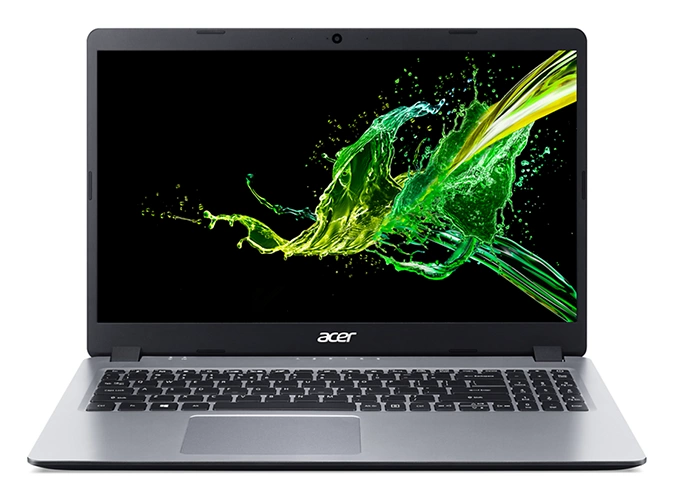
5. Acer Aspire 5 – Best Budget Option
Key Specs:
- Processor: Intel Core i5-1235U / AMD Ryzen 5 7520U
- RAM: 16GB (Upgradeable)
- Storage: 512GB SSD (Upgradeable)
- Display: 15.6-inch Full HD (1920 x 1080) IPS
- Battery: Up to 8 hours
- Weight: 3.88 pounds
- Price: Starting at $599
Why It’s Great for Traders
Not every trader needs to spend thousands on a premium laptop. The Acer Aspire 5 proves that effective trading is possible on a budget without compromising on the essentials.
With its 12th-gen Intel Core i5 or AMD Ryzen 5 processor and 16GB of RAM, the Aspire 5 handles standard trading platforms like MT4/MT5, TradingView, and most broker-provided solutions with ease. The 512GB SSD ensures quick boot times and responsive application loading.
The 15.6-inch Full HD IPS display provides good color accuracy and wide viewing angles – important when analyzing charts. While not as vibrant as OLED options, it’s more than adequate for trading purposes and helps keep the price down.
What makes the Aspire 5 particularly appealing for traders is its upgradeability. Both the RAM and storage can be easily expanded, allowing you to start with the base model and enhance it as your trading needs grow.
Connectivity is surprisingly good for a budget model, with a mix of USB-A, USB-C, HDMI, and ethernet ports – perfect for connecting to external monitors or trading setups.
Trader’s Take
“I started trading forex part-time while still keeping my day job, so I couldn’t justify spending $2,000+ on a laptop. The Aspire 5 has been a reliable workhorse. It handles MT4 with multiple charts open without any issues. I upgraded the RAM to 16GB myself, which was super easy. The screen isn’t amazing, but I connect to a monitor at home anyway. For someone starting out or trading as a side hustle, it’s perfect.” – David M., Part-time Forex Trader
Pros
- Exceptional value for money
- Good performance for standard trading applications
- Easily upgradeable (RAM and storage)
- Solid connectivity options
- Full-size keyboard with numeric keypad
Cons
- Display is adequate but not exceptional
- Build quality feels less premium than higher-end options
- Battery life is average at best
- Webcam limited to 720p resolution
- Speakers are merely functional
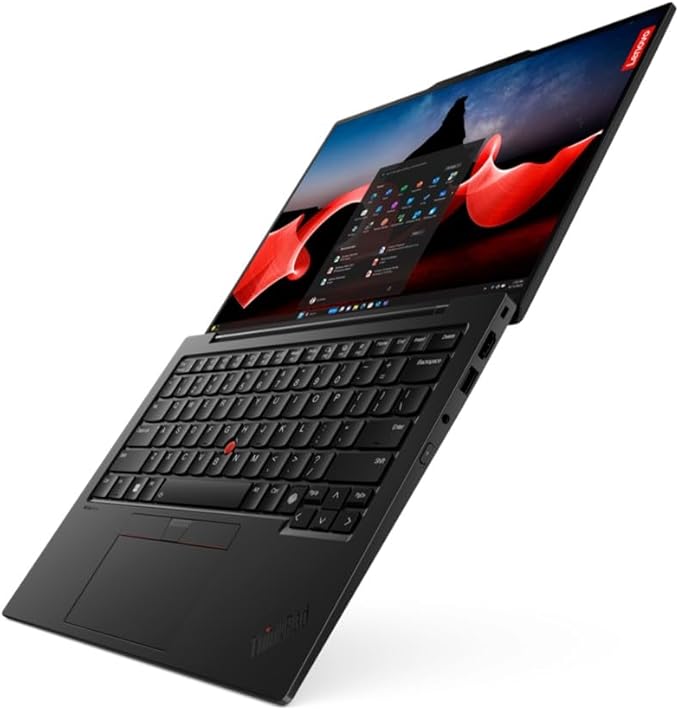
6. Lenovo ThinkPad X1 Carbon Gen 12 – Best for Business Travelers
Key Specs:
- Processor: Intel Core Ultra 7 155U
- RAM: 32GB LPDDR5X (soldered)
- Storage: 1TB PCIe Gen4 SSD
- Display: 14-inch 2.8K (2880 x 1800) OLED, 400 nits
- Battery: Up to 18 hours
- Weight: 2.42 pounds
- Ports: 2x Thunderbolt 4, 2x USB-A 3.2, HDMI 2.0, headphone jack
- Price: Starting at $1,899
Why It’s Great for Traders
For traders who frequently travel or trade from multiple locations, the ThinkPad X1 Carbon Gen 12 offers the perfect combination of portability, durability, and performance.
Weighing just 2.42 pounds with a thin profile, it’s remarkably easy to carry, yet doesn’t compromise on performance. The Intel Core Ultra processor with its efficiency cores handles trading applications smoothly while maximizing battery life.
The 14-inch 2.8K OLED display option provides exceptional clarity for charts and trading platforms while maintaining a manageable size for use in tight spaces like airplanes or coffee shops. With 400 nits of brightness, it’s usable even in brightly lit environments.
Battery life is outstanding at up to 18 hours of real-world use, meaning you can confidently trade through an entire day without carrying a charger. When you do need to charge, the fast-charging capability gives you hours of use from just 30 minutes of charging.
Like all ThinkPads, the X1 Carbon undergoes rigorous durability testing, ensuring reliability even in challenging environments. The spill-resistant keyboard is a particular advantage for traders working in cafes or airport lounges.
Trader’s Take
“I split my time between New York, London, and Singapore, so portability and battery life were my top priorities. The X1 Carbon has been perfect – it’s incredibly light but still powerful enough to run all my trading applications. The battery easily lasts through long-haul flights where I’m reviewing markets, and the screen is crisp enough for detailed chart analysis. The built-in 5G connectivity option has been a lifesaver when good Wi-Fi isn’t available.” – Sophia L., Global Macro Trader
Pros
- Exceptionally lightweight and portable design
- Outstanding battery life for all-day trading
- Military-grade durability testing
- Optional 5G connectivity for trading anywhere
- Excellent keyboard and trackpad
Cons
- RAM is soldered and not upgradeable
- Premium price point
- Limited ports might require dongles
- Not as powerful as larger laptops for extremely intensive tasks
7. MSI GP65 Leopard – Best Value Performance Option

Key Specs:
- Processor: Intel Core i7-13700H (14 cores, up to 5.0GHz)
- RAM: 16GB DDR5 (Upgradeable to 64GB)
- Storage: 512GB NVMe SSD (Upgradeable)
- Display: 15.6-inch Full HD (1920 x 1080) IPS, 144Hz
- Graphics: NVIDIA GeForce RTX 4060 8GB GDDR6
- Battery: Up to 5 hours
- Weight: 5.07 pounds
- Price: Starting at $1,299
Why It’s Great for Traders
The MSI GP65 Leopard is marketed as a gaming laptop, but the same features that make it great for gaming translate perfectly to trading – high performance, excellent cooling, and a fast display.
The 14-core Intel processor paired with 16GB of DDR5 RAM provides exceptional multitasking capabilities, easily handling multiple trading platforms, charting software, and research tools simultaneously. The included NVIDIA RTX graphics card ensures smooth visualization even with complex charts and multiple monitors.
One standout feature for traders is the 144Hz refresh rate display, which makes rapid price movements and real-time charts appear smoother and more fluid than standard 60Hz panels. This can reduce eye strain during long trading sessions and help you better perceive fast market movements.
The cooling system is particularly impressive – critical for maintaining peak performance during intensive trading sessions. Dual fans and multiple heat pipes keep temperatures in check even under sustained loads.
Upgradeability is another strength, with easy access to RAM and storage slots for future expansion. The keyboard features per-key RGB backlighting, which can be customized to highlight important trading function keys.
Trader’s Take
“I was skeptical about using a gaming laptop for trading, but the performance-to-price ratio was too good to ignore. The GP65 handles everything I throw at it – multiple instances of NinjaTrader, market scanners, and news feeds simultaneously. The 144Hz display makes a noticeable difference when watching tick charts or Level 2 data. Battery life isn’t great, but I’m almost always plugged in when trading actively. The RGB keyboard is actually useful – I’ve set up different colors for buy/sell hotkeys.” – Ryan T., Day Trader
Pros
- Exceptional performance at a competitive price
- High refresh rate display improves chart fluidity
- Advanced cooling system prevents thermal throttling
- Highly upgradeable
- Full array of ports for multi-monitor setups
Cons
- Below-average battery life (4-5 hours)
- Gaming aesthetic may not appeal to all traders
- Heavier than ultraportable alternatives
- Fan noise can be noticeable under heavy load
8. HP Spectre x360 16 – Best 2-in-1 Option

Key Specs:
- Processor: Intel Core Ultra 7 155H
- RAM: 32GB LPDDR5x
- Storage: 1TB PCIe Gen4 SSD
- Display: 16-inch 3K+ (3072 x 1920) OLED touchscreen
- Graphics: Intel Arc Graphics
- Battery: Up to 12 hours
- Weight: 4.3 pounds
- Ports: 2x Thunderbolt 4, USB-A, HDMI 2.1, microSD card reader, headphone jack
- Price: Starting at $1,699
Why It’s Great for Traders
The HP Spectre x360 16 offers unique versatility with its 2-in-1 convertible design. The ability to fold it into tablet mode creates interesting possibilities for traders, especially for reviewing charts or research materials in a more natural, tablet-like experience.
The stunning 16-inch 3K+ OLED touchscreen display provides exceptional clarity, color accuracy, and contrast – perfect for detailed chart analysis. In tablet mode, you can use the included stylus to annotate charts, make notes on trading ideas, or draw trendlines directly on your charts.
Performance is strong with Intel’s latest CPU architecture and 32GB of RAM, easily handling multiple trading platforms and analysis tools. While it doesn’t have dedicated graphics, the integrated Intel Arc provides sufficient power for trading applications.
The quad-speaker setup tuned by Bang & Olufsen delivers impressive audio quality – useful for clearly hearing market news, trading webinars, or communication with other traders.
Battery life is solid at up to 12 hours, allowing for a full day of trading on a single charge. Fast charging support provides about 50% charge in just 30 minutes.
Trader’s Take
“The touchscreen and convertible design were game-changers for my trading workflow. I use it as a regular laptop during active trading, but during research or when reviewing the day’s trades, being able to flip it into tablet mode and use the pen to mark up charts feels so much more intuitive. The OLED screen makes candlestick patterns really pop. It’s also great for trading on the go – I can easily switch between modes depending on my environment.” – Emma R., Swing Trader
Pros
- Versatile 2-in-1 design with excellent touchscreen
- Gorgeous OLED display with stylus support
- Strong performance for trading applications
- Premium build quality with gem-cut design
- Excellent speakers and webcam
Cons
- No dedicated graphics option
- Heavier than traditional laptops of similar size
- Premium price point
- Some may find 16-inch too large for tablet mode
9. Apple MacBook Air (M4, 2025) – Best Portability and Battery Life

Key Specs:
- Processor: Apple M4 chip (10-core CPU)
- RAM: 16GB unified memory
- Storage: 512GB SSD
- Display: 13.6-inch Liquid Retina (2560 x 1664)
- Battery: Up to 18 hours
- Weight: 2.7 pounds
- Ports: 2x Thunderbolt 4, MagSafe 3, headphone jack
- Price: Starting at $1,099
Why It’s Great for Traders
The MacBook Air with Apple’s M4 chip is a marvel of efficiency, offering incredible performance in an ultra-portable package. For traders who prioritize mobility and battery life without sacrificing capability, it’s hard to beat.
Weighing just 2.7 pounds with a sleek, tapered design, the MacBook Air is effortlessly portable – perfect for traders who move between different locations or prefer to trade away from a fixed desk setup.
The M4 chip delivers surprising power despite the thin, fanless design. It easily handles standard trading platforms, charting software, and research tools without heating up or slowing down. The base 16GB RAM configuration is adequate for most trading setups, though power users might want to opt for the 24GB option.
Battery life is exceptional at up to 18 hours of real-world use. This means you can confidently trade throughout an entire day and into the evening without carrying a charger – ideal for traders who work from cafes, co-working spaces, or while traveling.
The 13.6-inch Liquid Retina display offers excellent brightness, color accuracy, and resolution, making charts and data easy to read despite the compact size. When needed, the dual Thunderbolt ports support external monitors for a more expansive setup.
Trader’s Take
“I wanted something ultra-portable that I could trade from anywhere – coffee shops, the park, while traveling – without compromising on performance or needing to constantly search for an outlet. The MacBook Air has been perfect. The M4 chip handles all my trading applications smoothly, and the battery literally lasts all day even with continuous use. I was worried the 13.6-inch screen might feel cramped, but the resolution is high enough that I can comfortably fit multiple windows. For more intensive sessions, I connect to an external monitor at home.” – Chris B., Forex Trader
Pros
- Exceptional battery life (15-18 hours)
- Incredibly portable and lightweight
- Silent, fanless design
- Impressive performance from the M4 chip
- Excellent build quality and reliability
Cons
- Limited port selection (two Thunderbolt ports only)
- Smaller screen than ideal for extended trading sessions
- Not user-upgradeable
- Some trading platforms have limited macOS compatibility
10. Dell XPS 17 – Best Large Screen Option

Key Specs:
- Processor: Intel Core i9-14900HK (24 cores, up to 5.8GHz)
- RAM: 64GB DDR5
- Storage: 2TB PCIe SSD
- Display: 17-inch 4K+ (3840 x 2400) IPS touchscreen
- Graphics: NVIDIA GeForce RTX 4070 8GB GDDR6
- Battery: Up to 9 hours
- Weight: 5.3 pounds
- Price: Starting at $2,699
Why It’s Great for Traders
For traders who value screen real estate above all else but still need mobility, the Dell XPS 17 offers the perfect compromise – a massive, high-resolution display in a relatively portable package.
The 17-inch 4K+ display provides approximately 30% more screen area than a 15.6-inch laptop, allowing you to view more charts, indicators, and trading tools simultaneously. Despite the large screen, Dell’s InfinityEdge design keeps the laptop’s footprint closer to that of a typical 15-inch machine.
Performance is exceptional with top-tier Intel processors, up to 64GB of RAM, and NVIDIA RTX graphics. This configuration handles anything from basic charting to complex algorithmic trading systems with ease. The thermal design ensures sustained performance even during extended high-load periods.
Beyond the trading advantages, the XPS 17 functions as an excellent all-around workstation. The powerful specifications make it suitable for data analysis, backtesting, and even developing trading algorithms or indicators.
Connectivity is robust with four Thunderbolt 4 ports, supporting multiple external monitors for an even more expansive trading setup. The SD card reader is convenient for transferring data or backup storage.
Trader’s Take
“The screen size makes a huge difference for my trading style. I run complex multi-timeframe analyses with several technical indicators, and having the extra space means I don’t have to constantly tab between windows. Yes, it’s larger than most laptops, but it’s surprisingly manageable to carry – much more convenient than a desktop when I need to relocate. The performance handles everything I throw at it, from TradingView Pro with dozens of charts to CPU-intensive backtesting of my automated strategies.” – Thomas H., Algorithmic Trader
Pros
- Expansive 17-inch display with exceptional resolution
- Desktop-class performance for any trading task
- Relatively portable considering the screen size
- Excellent build quality with premium materials
- Comprehensive connectivity options
Cons
- Higher price point
- Larger and heavier than other options (though remarkably compact for a 17-inch)
- Battery life is good but not exceptional (7-9 hours)
- May be overkill for basic trading needs
Comparison Table: 10 Best Laptops for Traders
| Laptop | Processor | RAM | Storage | Display | Weight | Battery | Price | Best For |
|---|---|---|---|---|---|---|---|---|
| Lenovo ThinkPad T14 | Intel Core Ultra 7 | 16GB (Up to 64GB) | 512GB SSD | 14″ 1080p IPS | 2.65 lbs | 15 hrs | Check price | Overall reliability |
| MacBook Pro 16″ | Apple M4 Pro/Max | 32GB (Up to 96GB) | 1TB SSD | 16.2″ 3.5K XDR | 4.7 lbs | 22 hrs | Check price | macOS users |
| ASUS ZenBook Pro Duo | Intel i9-13900H | 32GB | 1TB SSD | 15.6″ 4K OLED + 14″ 4K | 5.16 lbs | 5 hrs | Check price | Dual-screen workflow |
| Dell XPS 15 | Intel i7-14700H | 32GB | 1TB SSD | 15.6″ 3.5K OLED | 4.23 lbs | 13 hrs | Check price | Balance of features |
| Acer Aspire 5 | Intel i5/AMD Ryzen 5 | 16GB | 512GB SSD | 15.6″ 1080p IPS | 3.88 lbs | 8 hrs | Check price | Budget option |
| Lenovo X1 Carbon | Intel Core Ultra 7 | 32GB | 1TB SSD | 14″ 2.8K OLED | 2.42 lbs | 18 hrs | Check price | Business travel |
| MSI GP65 Leopard | Intel i7-13700H | 16GB (Up to 64GB) | 512GB SSD | 15.6″ 1080p 144Hz | 5.07 lbs | 5 hrs | Check price | Value performance |
| HP Spectre x360 16 | Intel Core Ultra 7 | 32GB | 1TB SSD | 16″ 3K+ OLED Touch | 4.3 lbs | 12 hrs | Check price | 2-in-1 versatility |
| MacBook Air M4 | Apple M4 | 16GB | 512GB SSD | 13.6″ Retina | 2.7 lbs | 18 hrs | Check price | Portability |
| Dell XPS 17 | Intel i9-14900HK | 64GB | 2TB SSD | 17″ 4K+ IPS | 5.3 lbs | 9 hrs | Check price | Large screen |
How to Choose the Right Trading Laptop for Your Needs
Selecting the ideal laptop depends on your specific trading style and requirements. Here’s a guide to help you match your needs with the right machine:
For Day Traders
If you’re executing multiple trades daily and need real-time data with minimal latency:
- Priority features: Processing power, reliability, multi-monitor support
- Recommended RAM: 32GB minimum
- Recommended processor: Intel Core i7/i9 or AMD Ryzen 7/9
- Best choices: Lenovo ThinkPad T14, Dell XPS 15, MSI GP65 Leopard
For Swing Traders
If you’re holding positions for days to weeks and don’t need constant market monitoring:
- Priority features: Battery life, display quality, portability
- Recommended RAM: 16GB minimum
- Recommended processor: Intel Core i5/i7 or Apple M4
- Best choices: MacBook Air M4, HP Spectre x360, Lenovo X1 Carbon
For Algorithmic Traders
If you’re developing, testing, and running automated trading systems:
- Priority features: Maximum processing power, ample RAM, strong cooling
- Recommended RAM: 32-64GB
- Recommended processor: Intel Core i9 or Apple M4 Pro/Max
- Best choices: Dell XPS 17, MacBook Pro 16″, ASUS ZenBook Pro Duo
For Beginners on a Budget
If you’re just starting out and need a capable machine without breaking the bank:
- Priority features: Value, upgradeability, reliability
- Recommended RAM: 16GB
- Recommended processor: Intel Core i5 or AMD Ryzen 5
- Best choices: Acer Aspire 5, MSI GP65 Leopard
For Traders Who Travel Frequently
If you need to trade from multiple locations and prioritize portability:
- Priority features: Battery life, weight, durability
- Recommended RAM: 16-32GB
- Recommended processor: Intel Core Ultra or Apple M4
- Best choices: MacBook Air M4, Lenovo X1 Carbon, HP Spectre x360
Key Specifications to Consider When Buying a Trading Laptop
Processor (CPU)
- Minimum: Intel Core i5/AMD Ryzen 5
- Recommended: Intel Core i7/i9 or AMD Ryzen 7/9
- Ideal: Latest generation processors with high single-thread performance
The CPU is the brain of your laptop, and trading platforms can be heavily CPU-dependent. Look for processors with strong single-thread performance, as many trading applications aren’t optimized for multi-threading. The latest Intel Core Ultra and Apple M-series chips excel here.
Memory (RAM)
- Minimum: 16GB
- Recommended: 32GB
- Ideal: 64GB or more
RAM determines how many applications and charts you can run simultaneously. Modern trading often involves multiple platforms, browser tabs with research, and chart windows. More RAM means smoother multitasking and less time waiting for applications to respond.
Storage
- Minimum: 512GB SSD
- Recommended: 1TB SSD
- Ideal: 2TB or larger SSD with high read/write speeds
SSDs are essential for trading laptops, offering much faster boot times and application loading compared to traditional hard drives. Look for NVMe SSDs for the best performance. Consider models with user-upgradeable storage if you anticipate your storage needs growing.
Display
- Size: 14-17 inches (based on preference and portability needs)
- Resolution: At least 1920 x 1080 (Full HD), preferably 2560 x 1440 (QHD) or higher
- Panel Type: IPS, OLED, or Mini-LED for superior color accuracy and viewing angles
- Refresh Rate: 60Hz minimum, 120Hz+ preferred for smoother scrolling and chart updates
Display quality directly impacts your trading experience. Higher resolutions allow you to see more information at once, while quality panels reduce eye strain during long sessions. Consider whether touch functionality or pen support would enhance your workflow.
Battery Life
- Minimum: 6 hours
- Recommended: 10+ hours
- Ideal: 15+ hours
Even if you primarily trade at a desk, good battery life provides flexibility and peace of mind. Look at real-world battery tests rather than manufacturer claims, as trading applications tend to use more power than basic productivity tasks.
Connectivity
- Essential Ports: Thunderbolt/USB-C, HDMI or DisplayPort, USB-A, headphone jack
- Wireless: Wi-Fi 6E or Wi-Fi 7, Bluetooth 5.3+
- Ethernet: Built-in or via adapter for the most stable internet connection
Consider how many external monitors you’ll connect and what peripherals you need. Thunderbolt ports offer versatility for connecting multiple devices through a single dock.
Price Considerations
Trading laptops fall into several price categories:
Budget ($800-$1,200)
Laptops in this range, like the Acer Nitro 5, offer good performance for basic trading needs but may compromise on build quality, display quality, or battery life. They’re suitable for beginners or part-time traders.
Mid-Range ($1,200-$2,000)
This sweet spot includes machines like the ASUS ZenBook 14 and base models of the MacBook Air, offering excellent performance and quality without the premium price tag. Most traders find laptops in this range perfectly adequate.
Premium ($2,000-$3,000)
High-end models like the Dell XPS 15 and MacBook Pro 14″ offer superior build quality, display technology, and performance. These are worthwhile investments for full-time traders who rely on their equipment daily.
Ultra-Premium ($3,000+)
Top-tier configurations of the MacBook Pro 16″, Razer Blade 17, or ASUS ZenBook Pro Duo offer the absolute best performance and features. These are justified for professional traders whose income directly depends on system performance and reliability.
Windows vs. macOS for Trading
Both operating systems have their strengths for trading:
Windows Advantages:
- Compatible with all trading platforms
- More customization options
- Greater hardware variety and price ranges
- Better support for multiple monitors
- More upgrade options
macOS Advantages:
- Superior stability and reliability
- Better security with fewer viruses/malware
- Excellent battery optimization
- Seamless ecosystem integration with other Apple devices
- Higher-quality displays across the board
Your choice should depend on your preferred trading platforms and personal ecosystem. If you use platforms that only run on Windows (or require Windows for full functionality), that will guide your decision. If compatibility isn’t an issue, consider which system you’re more comfortable using for extended periods.
Multi-Monitor Support
Many traders benefit from multi-monitor setups, and your laptop’s ability to drive external displays is crucial:
Best for Multi-Monitor Setups:
- MacBook Pro 16″ (supports up to four external displays)
- Razer Blade 17 (supports up to three external 4K displays)
- Dell XPS 15 (supports up to three displays with the right dock)
When planning a multi-monitor setup, check both the number of displays supported and their maximum resolutions. Some laptops may support multiple monitors but limit resolution when using them simultaneously.
Cooling Considerations
Trading laptops often run at high loads for extended periods, making thermal management crucial:
Best Cooling Systems:
- Razer Blade 17 (vapor chamber cooling)
- MacBook Pro (efficient cooling with balanced performance)
- Lenovo ThinkPad X1 Carbon (effective cooling in a thin chassis)
Pay attention to reviews about thermal performance, as overheating can lead to throttling and reduced performance during critical trading moments.
Setting Up Your Trading Laptop for Optimal Performance
Once you’ve selected your laptop, optimize it for trading with these essential steps:
1. Clean Installation
Start with a clean installation of your operating system to eliminate bloatware and potential conflicts. This creates a streamlined foundation focused on trading performance.
2. Update Everything
- Keep your operating system updated for security and performance fixes
- Update your trading platforms to the latest versions
- Install the latest drivers for your graphics card and peripherals
3. Optimize Power Settings
Configure your power settings to prioritize performance over battery conservation when trading:
- Windows: Select “High Performance” power plan
- MacOS: Disable automatic graphics switching
4. Disable Unnecessary Services
Turn off background services and applications that consume resources:
- Disable automatic updates during trading hours
- Turn off resource-intensive antivirus scans during market hours
- Close unused applications and browser tabs
5. Configure External Monitors
If using external displays, optimize your setup:
- Position your primary trading screen directly in front of you
- Use monitor arms for ergonomic positioning
- Configure extended displays in your operating system
- Consider using display profiles to quickly switch between different layouts
6. Network Optimization
Ensure reliable internet connectivity:
- Use wired ethernet when possible for lower latency
- Configure your WiFi for 5GHz rather than 2.4GHz when mobile
- Consider a mobile hotspot backup for critical trading days
7. Data Backup Strategy
Protect your trading data:
- Configure automatic backups of trading journals and records
- Use cloud storage for important documents
- Consider external drives for local backups
Maintenance Tips for Trading Laptops
Protect your investment and ensure reliable performance with these maintenance practices:
1. Regular Cleaning
- Use compressed air to clear dust from vents and keyboard
- Clean the screen with appropriate display cleaner
- Keep ports free of debris
2. Temperature Management
- Use a cooling pad during intensive trading sessions
- Ensure ventilation areas aren’t blocked
- Monitor temperature with software utilities
3. Storage Optimization
- Regularly clear temporary files and downloads
- Uninstall unused applications
- Keep at least 20% of your SSD free for optimal performance
4. Battery Care
- For long desk sessions, consider using a power management utility that maintains battery at 80% rather than 100%
- Occasionally allow the battery to discharge to around 20% before recharging
- Replace batteries showing significant capacity degradation
Real Trader Case Studies
Day Trader: Michael R.
Michael trades futures and requires lightning-fast execution and analysis capabilities. He chose the MacBook Pro 16″ with M4 Max chip and 64GB RAM.
“The performance is incredible even with 40+ charts open across multiple platforms. What I love most is the reliability—I haven’t experienced a single crash in six months of trading. The battery life means I can work from anywhere without constantly searching for outlets.”
Swing Trader: Sarah L.
Sarah focuses on swing trading stocks and options, requiring solid performance but with more emphasis on portability.
“I selected the Dell XPS 15 for its combination of power and portability. The 4K OLED screen makes chart patterns pop, and I can easily carry it between my home office and my cabin on weekends. The 13-hour battery life covers my entire trading day.”
Crypto Trader: Alex T.
Alex trades cryptocurrencies 24/7 and needs extensive screen real estate and performance.
“The ASUS ZenBook Pro Duo has been a game-changer. I keep market overview charts on the bottom screen while executing trades on the top. It’s like having a dual-monitor setup that fits in my backpack. The RTX graphics handle all my technical analysis tools without breaking a sweat.”
Final Recommendations
Best Overall: MacBook Pro 16″ (M4, 2025)
With unmatched performance, display quality, battery life, and reliability, the MacBook Pro 16″ stands as the ultimate trading laptop for those who can afford it.
Best Value: ASUS ZenBook 14 OLED
Offering an exceptional balance of performance, display quality, and portability at a competitive price point, the ZenBook 14 OLED delivers tremendous value.
Best for Portability: MacBook Air M4 (13.6″)
When mobility matters most, nothing beats the MacBook Air’s combination of performance, battery life, and lightweight design.
Best Windows Alternative: Dell XPS 15 (9530, 2025)
For Windows users seeking premium quality, the XPS 15 offers the best combination of performance, display quality, and build excellence.
Best Dual-Screen: ASUS ZenBook Pro Duo 15 OLED
When screen real estate is paramount, the innovative ZenBook Pro Duo provides a desktop-like experience in a portable package.
Best Budget Option: Acer Nitro 5
Offering tremendous performance-per-dollar value, the Nitro 5 proves you don’t need to spend a fortune to get a capable trading laptop.
Security and Reliability

For trading, security and reliability are paramount. A trader needs to have full confidence in their laptop’s ability to protect their data and perform without fail. In this section, we’ll discuss the key features that make a laptop secure and reliable for trading.
Data Protection Features
A laptop for trading must have robust data protection features to keep sensitive information safe from hackers and cyber attacks. Some of the essential features to look for include:
- Encryption: A laptop with built-in encryption ensures that all data is encrypted at rest and in transit, making it much harder for attackers to access sensitive information.
- Biometric Authentication: A laptop with biometric authentication, such as a fingerprint reader or facial recognition, adds an extra layer of security to protect against unauthorized access.
- Firewall and Antivirus: A laptop with a built-in firewall and antivirus software is essential to protect against malware and other cyber threats.
Build Quality and Durability
A durable laptop for trading is a must-have for traders who are always on the go. A laptop with excellent build quality and durability ensures that it can withstand the rigors of daily use without breaking down. Some of the essential features to look for include:
- Solid Construction: A laptop with a solid construction, such as an aluminum chassis, is more durable than one made of plastic.
- Shock Resistance: A laptop that can withstand shocks and drops is essential for traders who travel frequently.
- Reliable Components: A laptop with reliable components, such as a solid-state drive (SSD) and high-quality cooling system, ensures that it can perform without fail.
A laptop for trading must have robust data protection features and excellent build quality and durability. By selecting a laptop with these essential features, traders can work with confidence, knowing that their data is protected and their laptop will perform without fail.
Software and Platform Integration

When it comes to trading, having the right software and platform integration is crucial. Traders need to ensure that their laptops are compatible with the trading software and platforms they use. In this section, we will discuss the pre-installed trading software and compatibility with trading platforms for the 10 best laptops for traders.
Pre-installed Trading Software
Some laptops come with pre-installed trading software that can help traders analyze the market and execute trades. For example, the HP ZBook Studio G8 comes with HP ZCentral Remote Boost software, which allows traders to access their trading applications from anywhere.
The Dell XPS 15 comes with Dell PremierColor software, which can help traders to analyze charts and graphs more accurately.
Compatibility with Trading Platforms
Traders need to ensure that their laptops are compatible with the trading platforms they use. For forex trading, laptops with Windows operating systems are preferred, and the Lenovo ThinkPad X1 Carbon Gen 12 is a great option. It comes with Windows 10 Pro and is compatible with popular forex trading platforms like MetaTrader 4 and 5.
For crypto trading, the Asus ZenBook Pro Duo 15 OLED is a great option. It comes with a dual touchscreen setup that can help traders to monitor multiple crypto trading platforms simultaneously. It is also compatible with popular crypto trading platforms like Binance and Coinbase.
For options trading, the Apple MacBook Pro is a great option. It comes with MacOS, which is compatible with popular options trading platforms like Thinkorswim and E-Trade.
Having the right software and platform integration is crucial for traders. The 10 best laptops for traders discussed in this article come with pre-installed trading software and are compatible with popular trading platforms. Traders can choose the laptop that best suits their trading needs and preferences.
FAQS for Best Laptops for Traders
Which type of laptop is best for trading?
For trading, the Dell XPS 15 is highly recommended due to its robust performance, featuring an Intel i7 processor, 32GB RAM, and a 1TB SSD, making it ideal for multitasking and data analysis
Do I need a powerful laptop for trading?
A powerful laptop is beneficial for trading, particularly for frequent and serious traders. Recommended specifications include at least 16GB RAM, an Intel i7 or AMD Ryzen 7 processor, and an SSD for fast data access.
What specs of laptop are good for trading?
For effective trading, a laptop should have:
- Processor: Intel i7 or AMD Ryzen 7
- RAM: At least 16GB (preferably 32GB)
- Storage: Minimum 512GB SSD
- Display: High-resolution (FHD or better)
- Battery Life: Long-lasting for extended use
What laptop do I need to trade?
You need a laptop with a fast processor (Intel i5/i7 or AMD Ryzen 5/7), at least 16GB RAM, SSD storage, a sharp display (preferably 1080p or higher), and strong battery life to trade efficiently and handle multiple charts and trading platforms smoothly.
What is the best computer to use for trading?
The best computer for trading is a fast, reliable desktop or laptop with a high-speed processor (i7 or better), 16GB+ RAM, solid-state drive (SSD), and multiple monitors to track real-time data efficiently without lag or crashes.
Can any laptop be used for trading forex?
Yes, any laptop can be used for trading forex, but for optimal performance, it should have a fast processor, reliable internet connection, sufficient RAM (8GB+), and a good battery life to handle trading platforms and real-time data efficiently.
What processor is best for forex trading?
The best processor for forex trading is a high-speed multi-core CPU, such as the Intel Core i7/i9 or AMD Ryzen 7/9 series. These processors offer fast execution speeds, smooth multitasking, and reliable performance for running trading platforms, automated strategies, and real-time data analysis.
Which is better for trading, laptop or tablet?
A laptop is better for trading due to its superior processing power, larger screens, and multitasking capabilities. Tablets are portable but often lack the advanced tools, speed, and stability needed for fast-paced trading environments.
Which monitor is best for forex trading?
The best monitor for forex trading offers a large screen (27 inches or more), high resolution (at least 1440p), fast refresh rates (75Hz or higher), and multiple monitor compatibility to track charts and news feeds clearly and efficiently.
https://youtu.be/lOMub8R62KI?si=0_-ylawToo5YTztz
Conclusion: Investing in Your Trading Success
Your laptop is more than just a tool – it’s a critical component of your trading infrastructure that can directly impact your results. The right machine provides reliability when you need to execute quickly, clarity when analyzing complex charts, and flexibility to trade from anywhere opportunity strikes.
While high-end trading laptops represent a significant investment, consider it in the context of your overall trading activities. A system that prevents just one missed opportunity or execution error can potentially pay for itself many times over.
The 10 laptops we’ve reviewed represent the best options for traders in 2025, each excelling in different aspects. Whether you prioritize raw performance, portability, display quality, or value, there’s an option suited to your specific trading style and requirements.
Remember that your needs may evolve as your trading career progresses. Starting with a system that offers some upgradeability or focusing on the aspects most critical to your current trading approach will ensure you get the maximum value from your investment.
What’s your experience with trading laptops? Have you found certain features particularly valuable for your trading style? Share your thoughts in the comments below!
