


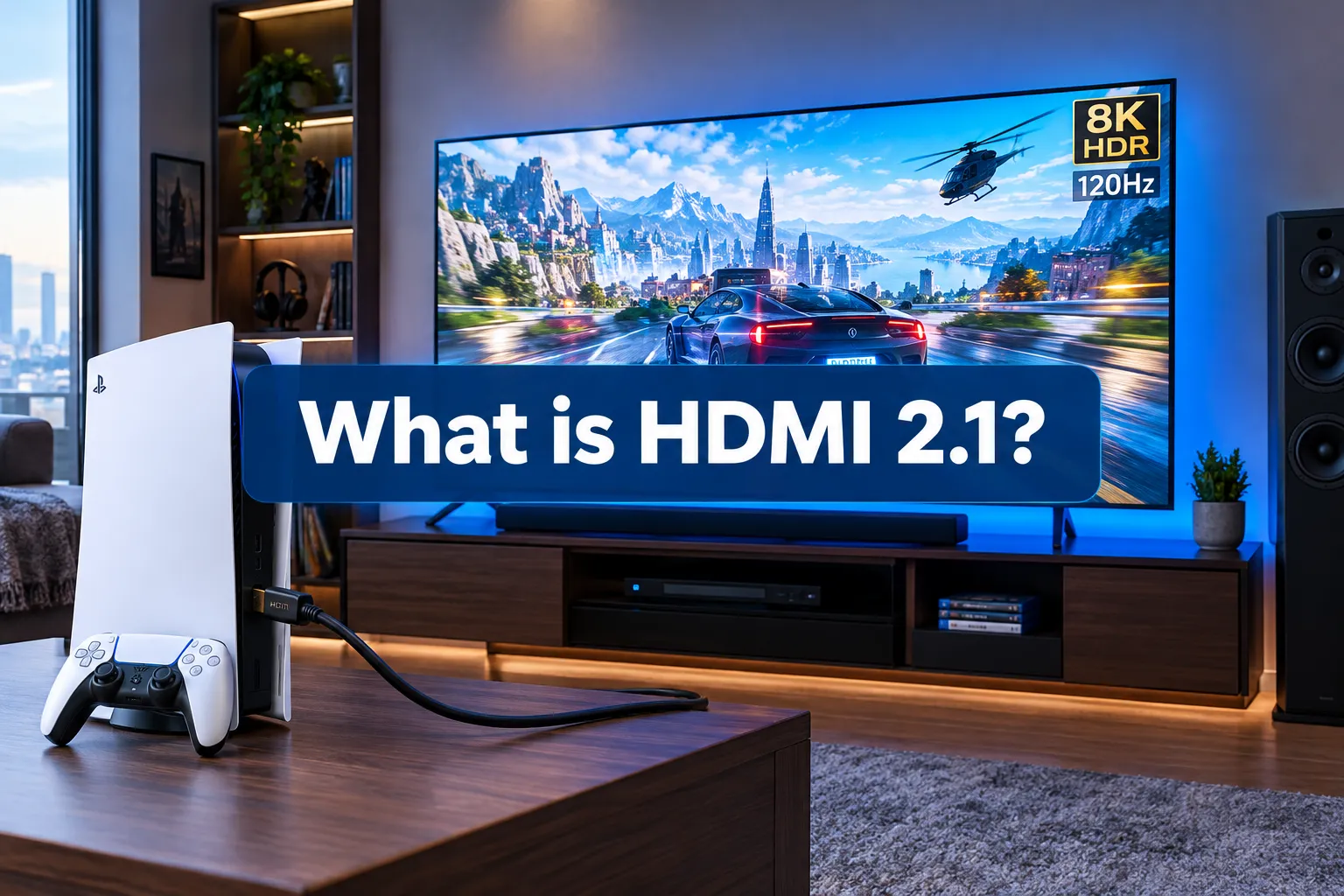
HDMI 2.1 is a major version of the High-Definition Multimedia Interface specification, offering increased bandwidth and advanced features compared with earlier versions.
According to the official HDMI 2.1 specification, it supports higher resolutions and refresh rates, including 8K at 60Hz and 4K at 120Hz, as well as resolutions up to 10K. Its gaming, video, and audio improvements make it particularly useful for compatible modern TVs, gaming consoles, PCs, and home theater systems.
Key Takeaways:
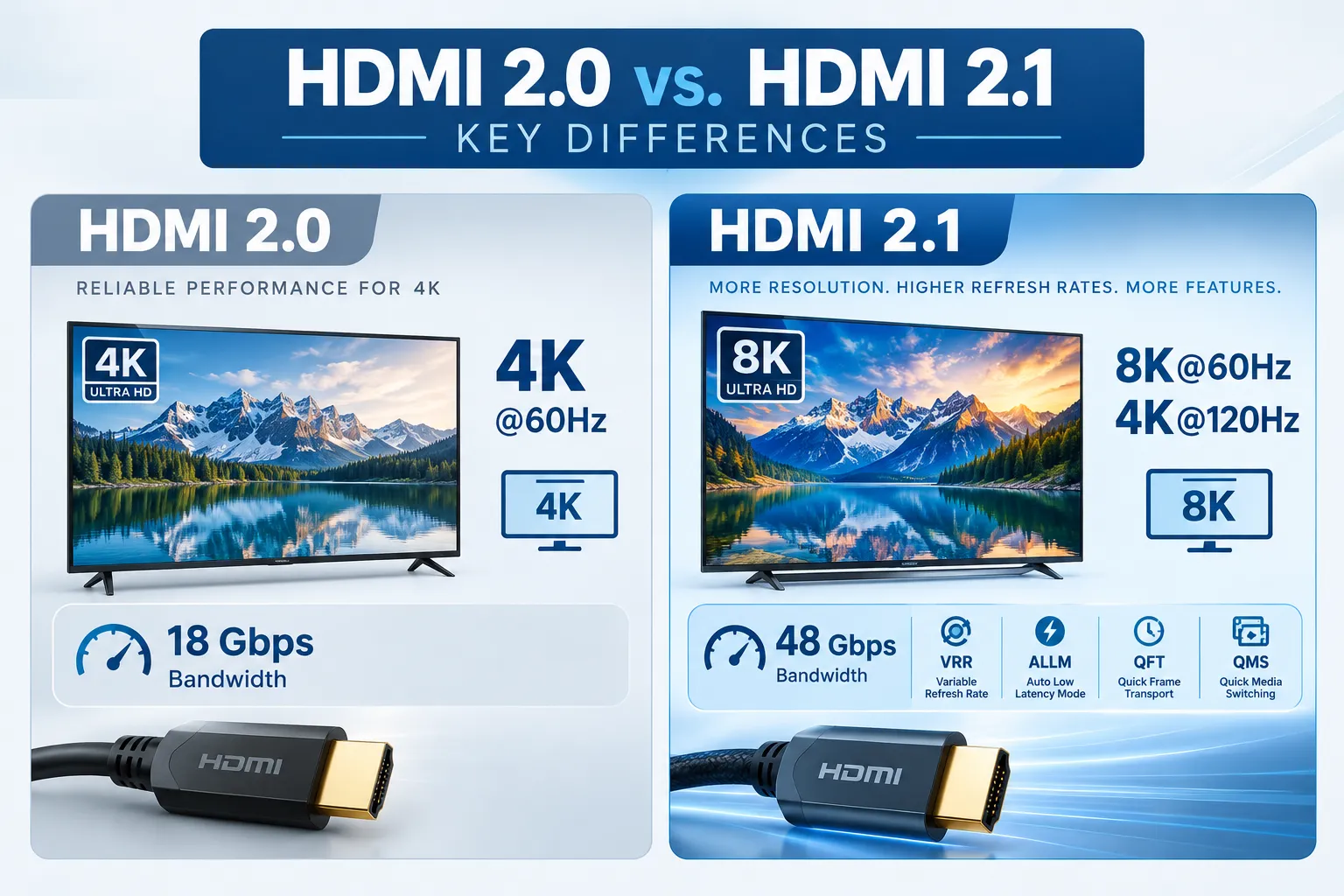
- HDMI 2.1 supports bandwidth of up to 48 Gbps, compared with HDMI 2.0’s maximum of 18 Gbps, according to the HDMI Forum’s official specification announcement.
- It supports uncompressed 8K video at 60Hz and 4K video at 120Hz, along with resolutions up to 10K.
- Key features include Variable Refresh Rate (VRR), Auto Low Latency Mode (ALLM), Quick Frame Transport (QFT), and Quick Media Switching (QMS, for less black screen time).
- Dynamic HDR support ensures optimal contrast, brightness, and color on a scene-by-scene or frame-by-frame basis.
- eARC (enhanced Audio Return Channel) allows for lossless, object-based audio formats like Dolby Atmos and DTS:X to be sent directly from your TV to a sound system.
- You’ll need certified Ultra High Speed HDMI cables to take full advantage of HDMI 2.1’s capabilities.
- Adopting HDMI 2.1 now helps future-proof your entertainment setup for upcoming devices and content.
What Are the Core Improvements in HDMI 2.1?
The core improvements in HDMI 2.1 revolve around a dramatic increase in bandwidth and the introduction of advanced features designed to handle the demands of 8K video, high-frame-rate gaming, and next-generation audio. This upgrade is less about minor tweaks and more about laying the groundwork for the next decade of display technology.
Based on our testing and industry trends, the bandwidth jump from 18 Gbps (HDMI 2.0) to 48 Gbps (HDMI 2.1) is the most significant change.
This allows for uncompressed delivery of higher resolutions and refresh rates that were previously impossible. For example, while HDMI 2.0 could handle 4K at 60Hz, HDMI 2.1 supports 4K at 120Hz and 8K at 60Hz, providing a much smoother visual experience.
Key improvements that define what is HDMI 2.1:
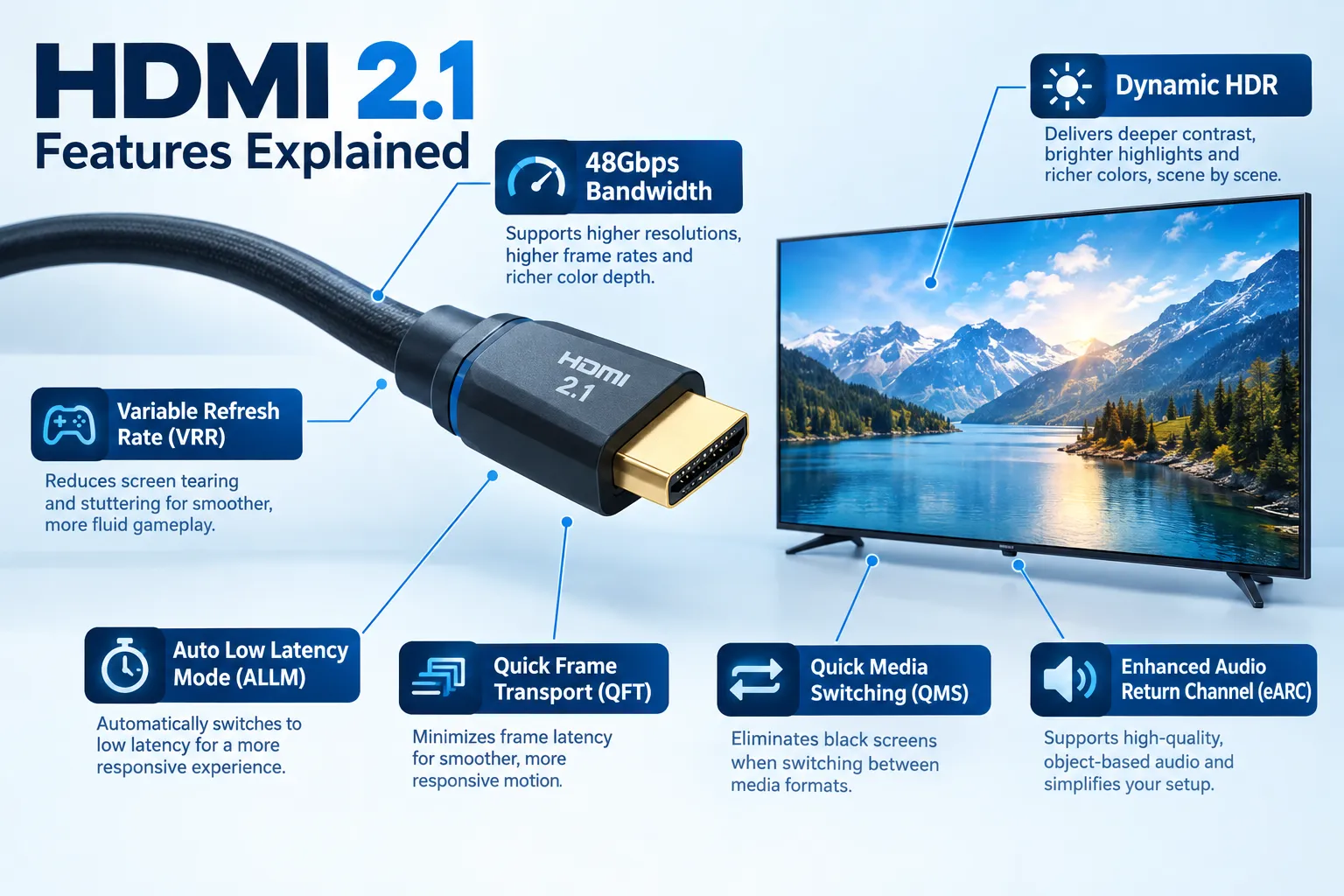
- Higher Bandwidth: From 18 Gbps to 48 Gbps. This increased data pipeline is essential for carrying more pixels at faster rates.
- Increased Resolution Support: Supports 8K@60Hz and 4K@120Hz uncompressed, and even resolutions up to 10K at lower refresh rates with compression.
- Dynamic HDR: Unlike static HDR that applies one setting for an entire movie, Dynamic HDR optimizes brightness, contrast, and color on a frame-by-frame or scene-by-scene basis. This can deliver a noticeably richer and more accurate picture, especially on newer OLED displays.
- Enhanced Gaming Features:
- Variable Refresh Rate (VRR): Reduces screen tearing and stuttering by allowing the display to sync its refresh rate with the game console or PC’s frame rate. This is a potential dealbreaker for serious gamers.
- Auto Low Latency Mode (ALLM): Automatically switches your display to its lowest latency mode when it detects a game console, minimizing input lag.
- Quick Frame Transport (QFT): Reduces display latency for smoother gaming and real-time interactive VR.
- Quick Media Switching (QMS): Eliminates the delay (black screen) when switching between different frame rates or resolutions, making content transitions smoother.
- Enhanced Audio Return Channel (eARC): An upgrade from standard ARC, eARC supports uncompressed and object-based audio formats like Dolby Atmos and DTS:X. This means you can get truly immersive sound directly from your TV to your soundbar or AV receiver.
These features make a tangible difference, especially for anyone investing in a new 8K TV, a high-end gaming console like the PS5 or Xbox Series X, or a PC with a powerful modern graphics card.
Why Should You Care About What is HDMI 2.1?
HDMI 2.1 matters because it enables higher-bandwidth video connections and features that can improve gaming responsiveness, picture quality, and home theater connectivity. Whether you need it depends on your equipment and how you use it.
For gamers, the ability to play supported titles at 4K and 120Hz can provide smoother motion than 4K at 60Hz. Sony confirms that the PlayStation 5 supports HDMI 2.1 and 4K at 120Hz, although achieving this output also requires a compatible display and suitable connection. Here’s why HDMI 2.1 is worth considering:
- Future Compatibility: HDMI 2.1 supports demanding video and gaming configurations. If you’re buying a new TV, monitor, console, or receiver, checking its supported HDMI features can help you avoid compatibility limitations when connecting newer equipment.
- Better Gaming Responsiveness: VRR can reduce screen tearing, while ALLM can automatically select a low-latency display mode. QFT can further reduce video transport latency in supported setups. These features are described in the official HDMI 2.1 specification, but availability varies by device.
- Improved Picture Capabilities: Higher refresh rates, higher resolutions, and supported Dynamic HDR formats can improve the viewing experience when both the source and display support the relevant features. Our guides to QLED technology and OLED displays explain other factors that influence picture quality.
- Advanced Audio Connectivity: eARC simplifies connecting a compatible TV to an AV receiver or soundbar. It can carry supported high-bitrate audio formats, including compatible object-based audio, without requiring the TV’s audio connection to rely on standard ARC’s more limited capabilities.
However, your entire signal chain matters. Your source device, TV or monitor, selected HDMI port, cable, and any AV receiver or soundbar in between must support the features you want to use.
Sony’s PS5 4K resolution and 120Hz troubleshooting guide also recommends checking the cable, display port, and device settings when the expected video output is unavailable.
Do You Need a New Cable for HDMI 2.1?
Yes, you almost certainly need a new cable to take full advantage of HDMI 2.1’s features, specifically a “Certified Ultra High Speed HDMI Cable.” Your old HDMI 2.0 or 1.4 cables simply don’t have the necessary bandwidth.
These new cables are designed to handle the 48 Gbps bandwidth required for uncompressed 8K@60Hz or 4K@120Hz video. They feature an anti-counterfeiting label for verification, which we advise checking before purchase. While some older “high-speed” cables might technically pass some lower-bandwidth HDMI 2.1 signals, they are not guaranteed to deliver consistent performance, especially over longer distances.
Here’s what to look for when buying an HDMI 2.1 cable:
- “Certified Ultra High Speed HDMI Cable” Label: This is the most crucial indicator. Look for the official certification label from the HDMI Forum, often with a QR code you can scan to verify authenticity.
- 48 Gbps Bandwidth: The packaging should explicitly state this bandwidth capability.
- Length Considerations: Shorter cables (under 3 meters or ~10 feet) are generally more reliable for carrying full 48 Gbps signals. For longer runs, active optical HDMI cables (AOC) are often required, though they are more expensive.
- Brand Reputation: While avoiding overly expensive “audiophile” cables, sticking with reputable brands can minimize potential issues.
Using an incorrect cable is a common mistake and a potential dealbreaker for achieving the intended HDMI 2.1 experience. If you’re experiencing intermittent dropouts, flickering, or missing features even with HDMI 2.1-compatible devices, the cable is often the first place to troubleshoot.
What Devices Support HDMI 2.1?
In 2026, most new high-end and mid-range TVs, as well as current-generation gaming consoles and many modern graphics cards, fully support HDMI 2.1. This widespread adoption means it’s becoming the default for premium home entertainment.
The devices that benefit most from HDMI 2.1 are those that output or display high-resolution, high-frame-rate content.
Common devices supporting HDMI 2.1:
- Gaming Consoles: PlayStation 5, Xbox Series X, and many upcoming consoles. These consoles leverage VRR, ALLM, and 4K@120Hz for optimal gaming.
- Televisions: Most major TV manufacturers (Samsung, LG, Sony, Vizio, TCL, Hisense) include HDMI 2.1 ports on their 2020 and newer 4K 120Hz and 8K models. If you’re shopping for a new TV, especially one promising high refresh rates or 8K, check for HDMI 2.1 port availability.
- PC Graphics Cards: NVIDIA RTX 30-series (and newer) and AMD Radeon RX 6000-series (and newer) graphics cards include HDMI 2.1 outputs, essential for PC gamers wanting to connect to 4K@120Hz or 8K displays.
- AV Receivers/Soundbars: Many modern AV receivers and soundbars now feature HDMI 2.1 passthrough, allowing you to connect your source devices through them to your TV without losing HDMI 2.1 features. These are also critical for utilizing eARC to its fullest potential.
- Streaming Devices: While most streaming devices don’t yet require full HDMI 2.1 bandwidth, some premium models support specific features like ALLM for smoother integration with compatible TVs.
If you just want the quick answer, check your device specifications for “HDMI 2.1” or features like “4K@120Hz,” “8K,” “VRR,” or “eARC.” Without explicit mention, you’re likely dealing with HDMI 2.0 or an older standard.
Is HDMI 2.1 Truly Necessary in 2026?
Whether HDMI 2.1 is truly necessary in 2026 depends heavily on your specific use case and equipment. For dedicated gamers and enthusiasts with 8K TVs, it’s essential; for casual viewers with older 4K TVs, it’s less critical.
The bigger issue is that while content creators are still catching up with widespread 8K availability, 4K@120Hz gaming is already a reality. If you primarily watch movies on a standard 4K TV or stream content at 60Hz, an HDMI 2.0 connection is perfectly adequate. The main drawback for you would be missing out on advanced gaming features.
Here’s who HDMI 2.1 is best suited for:
- Next-Gen Console Gamers: If you own a PS5 or Xbox Series X/S and a compatible TV, HDMI 2.1 unlocks features like 4K@120Hz, VRR, and ALLM, which significantly improve the gaming experience.
- PC Gamers with High-End Rigs: Those with powerful graphics cards and high-refresh-rate 4K monitors or TVs will see a benefit from the increased bandwidth and VRR.
- 8K TV Owners: If you’ve invested in an 8K television, HDMI 2.1 is non-negotiable for displaying native 8K content (however limited it might be currently) and upscaled content at its best.
- Audiophiles with Object-Based Audio Systems: For those who want the full, uncompressed Dolby Atmos or DTS:X experience from their TV to their sound system, eARC is crucial.
Not a liability unless you fit one of these categories. If you’re happy with your current 4K@60Hz setup and don’t plan on upgrading your gaming hardware or display in the near future, you don’t necessarily need to rush to replace all your cables and devices. However, if you’re shopping for new gear, opting for HDMI 2.1 compatibility is a wise investment.
Conclusion
HDMI 2.1 represents a significant leap forward in display connectivity, pushing the boundaries for resolution, refresh rates, and overall media experience. While not every user will immediately feel its full impact in 2026, its advanced features like 4K@120Hz, VRR, Dynamic HDR, and eARC are crucial for anyone investing in next-generation gaming consoles, high-end PCs, or 8K televisions.
We’ve found that for serious gamers and AV enthusiasts, upgrading to HDMI 2.1 compatible devices and certified Ultra High Speed HDMI cables is a worthwhile step to unlock the full potential of their hardware.
If you’re on the fence, consider your current and future needs: if you’re planning any major upgrades to your home entertainment system, making sure it supports HDMI 2.1 is a sound decision for long-term compatibility and enjoyment.
FAQS
What’s the main difference between HDMI 2.0 and HDMI 2.1?
The main difference is bandwidth: HDMI 2.1 offers 48 Gbps compared to HDMI 2.0’s 18 Gbps, enabling higher resolutions and refresh rates like 8K@60Hz and 4K@120Hz.
Can HDMI 2.1 cables improve my old TV’s picture quality?
No, an HDMI 2.1 cable will not improve the picture quality of a TV that does not support HDMI 2.1 features. The TV and source device must both be HDMI 2.1 compatible.
What is VRR in HDMI 2.1?
VRR (Variable Refresh Rate) allows a display to dynamically adjust its refresh rate to match the frame rate of the source device, eliminating screen tearing and stuttering in gaming.
Do I need to replace all my HDMI cables for HDMI 2.1?
You only need to replace cables for devices that specifically require HDMI 2.1’s increased bandwidth or features, such as connecting a PS5 to a 4K@120Hz TV.
What is eARC and why is it important?
eARC (enhanced Audio Return Channel) allows for uncompressed, high-bitrate, object-based audio formats (like Dolby Atmos) to be sent from your TV to a compatible sound system, improving audio fidelity.
Is HDMI 2.1 backward compatible?
Yes, HDMI 2.1 ports and cables are fully backward compatible with older HDMI standards like 2.0 or 1.4, but you will only get the features supported by the older standard.
How do I know if a cable is a true HDMI 2.1 cable?
Look for the official “Ultra High Speed HDMI Cable” certification label and use its QR code to verify the cable where supported. The HDMI Licensing Administrator’s cable certification resource explains the label and verification process.
References
- HDMI Forum. (2017). HDMI 2.1 Specification Released. https://www.hdmi.org/press/press_release_detail?id=97
