


ASUS is expanding its business-laptop portfolio with the ExpertBook A7, a 14-inch Windows laptop that combines a high-resolution OLED display with a relatively lightweight aluminum chassis and business-oriented security features.
The company announced US availability on October 14, 2026, with the entry configuration starting at $1,299.99. ASUS is positioning the laptop for professionals who want portability, a premium display, and features designed for working across offices, homes, and other locations.
The most interesting part of the announcement is not any single specification. It is the combination of display quality, portability, connectivity, and security at a price that places the machine firmly in the premium business-laptop category.
However, an attractive specification sheet does not establish that a laptop is worth buying.
A high-refresh-rate OLED display does not guarantee excellent battery life. A thin chassis does not prove that the processor can maintain high performance during demanding workloads. A security feature list does not guarantee that every business deployment will meet an organization’s requirements.
The right way to evaluate the ASUS ExpertBook A7 is to separate its documented hardware from the manufacturer’s claims, then identify what buyers should verify before spending their money.
Key Takeaways
- The ExpertBook A7 starts at $1,299.99 in the United States. Its announced Intel configuration combines a 14-inch 3K OLED display, a 120Hz refresh rate, 16GB of memory, and a 512GB SSD.
- ASUS’s 26-hour battery figure is a controlled video-playback claim. It should not be interpreted as a guarantee of 26 hours of everyday productivity.
- The specification sheet looks promising, but value remains unproven. Independent battery, thermal, performance, and display testing is needed before making a confident buying recommendation.
Table of Contents
- What ASUS Announced
- ASUS ExpertBook A7 Price and Configurations
- Why the OLED Display Matters
- Processor and Graphics Performance
- What the NPU Means for AI Features
- Battery Life: What ASUS’s Claim Actually Tells Us
- Ports, Connectivity, and Compatibility
- Security and Durability
- How the ExpertBook A7 Fits the Market
- Who Should Consider Buying It?
- What Independent Reviews Need to Test
- Conclusion
- Frequently Asked Questions
What ASUS Announced
ASUS announced the ExpertBook A7 as a new addition to its commercial laptop family. The company says the device is designed to combine mobility, a refined aluminum construction, an OLED display, and business-focused protection.
The US launch configuration is listed with an Intel Core 5 processor, 16GB of LPDDR5X memory, a 512GB PCIe 4.0 SSD, and a 65Wh battery. Higher-priced configurations use the Intel Core 7 processor, with Windows 11 Pro options also listed.
The laptop’s starting weight is approximately 2.82 pounds, according to ASUS’s US specification table. Its advertised dimensions are 12.25 × 8.46 × 0.46 inches. Those measurements place it in the portable 14-inch category rather than among heavier desktop-replacement systems.
For a professional who regularly moves between meetings, offices, or client locations, weight can matter as much as peak performance. A laptop that is easier to carry can be more convenient even if it does not offer the highest CPU or GPU performance in its price class.
The important distinction is that portability is only one part of the experience. Buyers still need to consider battery endurance, keyboard comfort, memory capacity, application compatibility, and warranty coverage.
ASUS has documented the product’s specifications and availability. Independent testing is still required to determine how well the machine performs in ordinary use.
ASUS ExpertBook A7 Price and Configurations
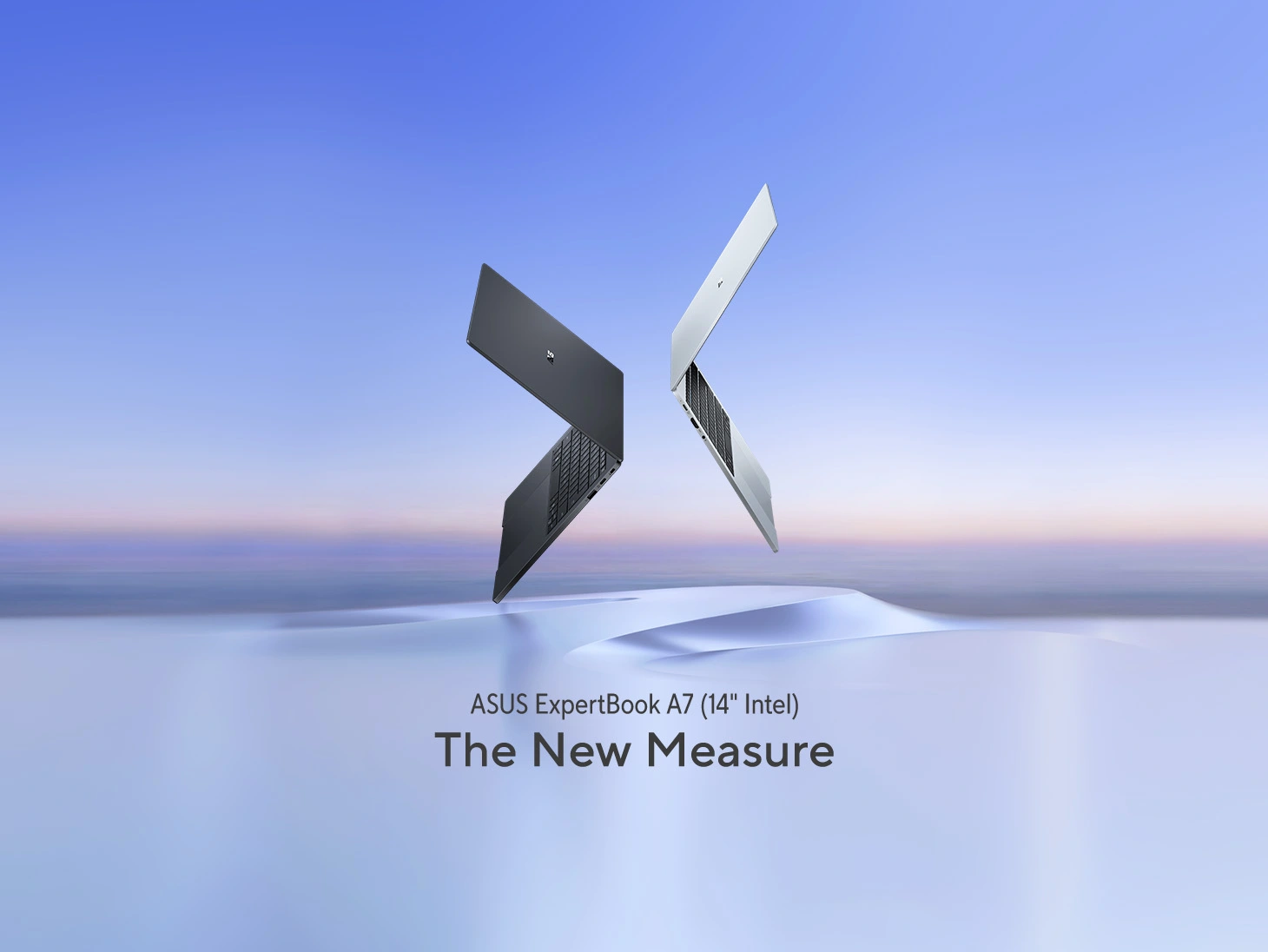
The advertised starting price for the US ExpertBook A7 is $1,299.99. ASUS also lists higher-priced configurations, with the Core 7 versions and Windows 11 Pro models carrying different prices.
The launch price matters because the laptop is not positioned as an inexpensive everyday notebook. It is a premium purchase, and consumers should evaluate it against alternatives that emphasize performance, battery life, display quality, or enterprise management.
What the entry configuration includes
The announced entry configuration includes:
| Component | Specification |
|---|---|
| Processor | Intel Core 5 320 |
| Graphics | Intel integrated graphics |
| Memory | 16GB LPDDR5X |
| Storage | 512GB PCIe 4.0 SSD |
| Display | 14-inch OLED, 2880 × 1800 |
| Refresh rate | 120Hz |
| Listed brightness | 500 nits |
| Battery | 65Wh |
| Wireless | Wi-Fi 6E and Bluetooth 5.4 |
| Weight | Approximately 2.82 pounds |
| Operating system | Windows 11 Home on listed entry configurations |
| Starting US price | $1,299.99 |
These details are based on ASUS’s published US configuration table. Buyers should verify the exact model number and available configuration when ordering because product-family specifications do not necessarily apply to every SKU.
The 16GB memory configuration is a reasonable starting point for many office workloads, including web browsing, document editing, presentations, and video meetings.
The 512GB SSD provides more room than a 256GB drive for applications, documents, and locally stored media. Whether it is enough depends on the user’s workload, particularly if they maintain large project files or work with video.
One potential limitation is the onboard memory. ASUS’s specification page lists memory as onboard rather than describing a conventional user-replaceable memory module. Buyers should not assume that the laptop can be upgraded to a higher memory capacity after purchase.
The lower future price needs context
ASUS says the wider ExpertBook A7 lineup will expand in January 2027 with configurations starting at $899.
That is a future announced price point. It does not mean the $899 configuration is already available as part of the October US launch.
For buyers who do not need the premium configuration immediately, waiting could be worthwhile. The important question will be which components are included in the lower-priced model.
A cheaper configuration may retain the same chassis but use a different processor, display, memory capacity, or storage configuration. Those differences can materially affect value.
Consumers should compare complete configurations rather than assuming that two laptops with the same family name offer equivalent experiences.
Why the OLED Display Matters
The ExpertBook A7’s display is one of its strongest advertised features.
ASUS lists a 14-inch OLED panel with a resolution of 2880 × 1800, a 16:10 aspect ratio, a 120Hz refresh rate, and 100% DCI-P3 color coverage. The specification table also lists 500-nit brightness and VESA DisplayHDR True Black 600 certification.
A higher-resolution workspace
The 2880 × 1800 resolution provides more pixels than a conventional Full HD display. That can be useful when working with spreadsheets, multiple windows, detailed documents, or creative applications.
The 16:10 aspect ratio also provides more vertical screen space than a traditional 16:9 display at a similar diagonal size. That can reduce scrolling in some productivity workflows.
The practical benefit depends on scaling and application layout. A higher resolution does not automatically make every application more productive, but it gives users additional display detail and workspace flexibility.
Why OLED matters
OLED panels can produce deep blacks because individual pixels can switch off when displaying black content. This can produce strong perceived contrast, which benefits photos, video, dark interfaces, and other visually rich content.
The display’s advertised 100% DCI-P3 color coverage is also relevant to users working with color-sensitive material. However, color gamut coverage is not the same as a complete color-accuracy measurement. A laptop can cover a wide color space without every color being reproduced perfectly.
Independent measurements would be needed to establish the panel’s actual brightness, color accuracy, uniformity, reflection handling, and behavior at different refresh rates.
What the 120Hz refresh rate changes
A 120Hz display can refresh up to 120 times per second, compared with 60 times per second on a conventional 60Hz panel.
That can make scrolling, window movement, and supported animations appear smoother. It can also improve perceived responsiveness when the graphics system can deliver the necessary frames.
But a 120Hz panel does not automatically improve CPU performance or make every application twice as fast.
The display also consumes power. Actual consumption depends on brightness, displayed content, refresh-rate settings, and the rest of the laptop’s hardware.
A certification is not the same as a brightness number
The US specification lists 500 nits and VESA DisplayHDR True Black 600 certification. These are different properties.
The article should not describe the Intel configuration as having 600-nit peak brightness simply because its display carries a True Black 600 certification.
ASUS’s separate AMD ExpertBook A7 materials contain different display specifications, so the Intel and AMD configurations must remain clearly distinguished.
This is a good example of why product-family announcements need to be checked against the exact model and configuration.
Processor and Graphics Performance
The Intel ExpertBook A7 is offered with Core 5 320 and Core 7 350 processor options.
ASUS lists the Core 5 320 with six cores and a maximum turbo frequency of 4.6GHz. The Core 7 350 is listed with six cores and a maximum turbo frequency of 4.8GHz. Intel’s official processor specifications confirm the Core 5 320’s six-core design and maximum turbo frequency.
These numbers describe aspects of the processor’s design. They do not establish how quickly the complete laptop will finish every task.
What everyday users can expect
For typical office workloads, the combination of a modern mobile processor, 16GB of memory, and an SSD should be suitable for tasks such as:
- Editing documents and presentations.
- Managing email and calendars.
- Participating in video conferences.
- Browsing multiple websites.
- Working with ordinary spreadsheets.
- Running business applications.
- Handling routine multitasking.
These are reasonable workload expectations, not independently measured performance results for the ExpertBook A7.
More demanding tasks require closer examination. Large software builds, advanced data analysis, professional video editing, and sustained rendering can depend on processor power limits, cooling, memory, storage performance, and application optimization.
The thin chassis may make portability a priority, but its effect on sustained performance cannot be determined from the exterior dimensions alone.
Integrated graphics have limits
The US configuration lists Intel integrated graphics rather than a dedicated high-performance graphics processor.
Integrated graphics share system resources and are generally suited to display output, everyday applications, video playback, and lighter graphics workloads.
That makes the ExpertBook A7 a different proposition from a gaming laptop with a dedicated GPU.
Casual gaming may be possible in suitable titles and settings, but buyers who regularly play demanding games, render complex 3D scenes, or rely on GPU-intensive creative software should compare it with dedicated-graphics alternatives.
For a deeper understanding of the hardware needed for demanding development workloads, TechOzea’s existing guide to laptop specifications for developers provides related context.
The key buying principle is simple: match the hardware to the applications you actually use rather than paying for a processor name that sounds impressive.
What the NPU Means for AI Features
The ExpertBook A7 includes an Intel AI Boost neural processing unit, or NPU, according to ASUS’s specifications.
An NPU is specialized hardware designed to accelerate certain machine-learning workloads. Depending on software support, it can help with tasks such as supported webcam effects, speech processing, and local AI inference.
The important qualification is that an NPU does not automatically make every application faster.
A program must be designed or updated to use the relevant AI acceleration hardware. Otherwise, the task may be handled by the CPU, GPU, or a remote service.
Why TOPS needs context
Intel lists the Core 5 320’s NPU at 16 TOPS. Microsoft’s published Copilot+ materials describe a 40+ TOPS NPU requirement for the Copilot+ PC category.
That distinction matters when consumers compare laptop marketing.
The Intel ExpertBook A7 announced for the US is not marketed as a Copilot+ PC in ASUS’s US launch announcement. The separate AMD ExpertBook A7 is advertised differently, so its AI capabilities should not be assumed to apply to the Intel configuration.
Even when a laptop meets a platform’s NPU requirements, that does not guarantee that every AI feature is available in every region, language, or configuration.
Consumers should check the exact software features they want, whether they run locally, and whether they require subscriptions or cloud connectivity.
For more background on the relationship between AI hardware and laptop branding, see TechOzea’s existing analysis of Microsoft’s Copilot+ branding changes.
Battery Life: What ASUS’s Claim Actually Tells Us
Battery life is one of the most important unknowns in the ExpertBook A7’s real-world value.
ASUS advertises up to 26 hours of battery life for the US Intel model. The company says its test used a Core 7 350 configuration with 16GB of RAM, a 512GB SSD, and a 65Wh battery. The display brightness and volume were set to 50%, and the test used local FHD video playback with wired earphones.
This information is useful because it identifies the conditions behind the claim.
It is not equivalent to a test involving simultaneous web browsing, video meetings, office applications, cloud synchronization, and background activity.
Why the test conditions matter
Different workloads place different demands on the processor, graphics hardware, display, and wireless system.
Local video playback may allow a laptop to use efficient hardware video decoding while performing relatively little additional work. A workday involving video calls, multiple applications, and constant wireless activity can create a different power profile.
Display brightness also matters. A laptop used at high brightness in a brightly lit environment may consume more power than one used in a dim room.
The 65Wh battery describes energy capacity, not a fixed number of operating hours.
What buyers should look for
Before deciding whether the ExpertBook A7 offers good battery endurance, buyers should look for independent tests that include:
- Continuous web browsing over Wi-Fi.
- Office productivity workloads.
- Video conferencing.
- Mixed-use work sessions.
- Video playback at documented settings.
- Battery performance at different display brightness levels.
The tests should identify the processor configuration, display settings, operating-system version, and workload.
Until such results are available, the responsible wording is that ASUS claims up to 26 hours under its specified local-video test.
It would be inaccurate to promise 26 hours of ordinary use.
Charging and battery health
ASUS advertises fast charging, including a claim that the laptop can regain up to 50% battery capacity in 30 minutes. That figure should also be treated as a manufacturer claim rather than a guarantee for every charging situation.
Actual charging behavior depends on the laptop’s temperature, battery state, power supply, and charging controls.
Buyers should also check whether the laptop offers battery-health settings that suit their habits. For a device that spends most of its time connected to a charger, appropriate battery-management settings may help with long-term battery care.
Ports, Connectivity, and Compatibility
The ExpertBook A7’s US configuration includes two USB-C ports, one USB-A port, HDMI 2.1 TMDS, and a 3.5mm audio jack. ASUS lists Wi-Fi 6E and Bluetooth 5.4.
This is a practical selection for business users who connect to monitors, wired accessories, conference-room displays, and audio equipment.
USB-C does not automatically mean USB4
One common source of confusion is the difference between a USB-C connector and the technology supported through it.
The USB Implementers Forum explains that USB Type-C is a connector specification, not a synonym for USB4 or USB 3.2. Manufacturers choose which data and power capabilities a particular port supports.
The ExpertBook A7’s US specification lists USB 3.2 Gen 2 Type-C ports with display-output and power-delivery support. The specification does not list Thunderbolt for this configuration.
Buyers who need high-speed external storage, a particular docking station, or a multi-monitor setup should check the detailed port capabilities rather than assuming that every USB-C port behaves identically.
Wi-Fi 6E and Bluetooth 5.4
Wi-Fi 6E can provide access to compatible 6GHz Wi-Fi networks where supported by the network equipment and local regulatory conditions.
It does not guarantee that every connection will be faster than Wi-Fi 6. Real-world throughput depends on the router, interference, signal strength, network congestion, and internet connection.
Bluetooth 5.4 is listed for wireless peripherals and compatible accessories. Buyers should verify support for any specific business headset, input device, or other peripheral they depend on.
The broader lesson is that compatibility should be checked against actual equipment and software, not inferred from a single connectivity label.
Security and Durability
ASUS positions the ExpertBook A7 as a business laptop with hardware-backed protections and firmware safeguards.
The US specification lists TPM 2.0, a fingerprint reader, BIOS protection features, and Microsoft Secured-core PC support. ASUS also advertises five years of BIOS and driver security updates.
These features are relevant to businesses that handle sensitive information and need predictable device-management practices.
Why firmware security matters
Firmware is low-level software that helps initialize and control hardware before the operating system is fully running.
If firmware is compromised, an attacker may gain a foothold that is harder to detect than a conventional application-level problem.
NIST’s Platform Firmware Resiliency Guidelines describes mechanisms for protecting firmware against unauthorized changes, detecting changes, and recovering from destructive attacks. The guidance provides a useful technical basis for evaluating firmware-security capabilities.
Microsoft’s explanation of Windows 11 hardware-backed security and Secured-core PCs describes how hardware and operating-system protections can work together to protect sensitive information.
However, the presence of these features does not guarantee that a device is immune to attacks. Security also depends on software updates, account protection, configuration, user behavior, and organizational policies.
Five years of BIOS and driver security updates
ASUS advertises five years of BIOS and driver security updates for the ExpertBook A7. This is an important purchasing consideration for businesses that expect to retain laptops for several years.
Before deployment, IT teams should confirm the applicable support terms, update-delivery process, warranty coverage, and device-management compatibility.
They should also distinguish between security-update commitments and broader operating-system support. They are related, but they are not identical promises.
Durability claims need context
ASUS says the ExpertBook A7 meets MIL-STD-810H military-grade standards and describes its own durability testing.
Those statements indicate that the manufacturer has subjected the product to specified testing. They do not mean the laptop is indestructible or suitable for every extreme environment.
ASUS itself notes that testing conditions and procedures vary by product.
For ordinary business users, the practical questions include hinge stability, chassis flex, keyboard wear, resistance to daily transport, repair options, and the terms of the warranty.
Those questions require longer-term testing and service information rather than a certification label alone.
How the ExpertBook A7 Fits the Market
The ExpertBook A7 enters a market where manufacturers increasingly combine premium displays, lightweight designs, and AI-capable processors.
But its value should be evaluated against the specific needs of its intended audience.
Compared with the HP OmniBook 5
HP’s OmniBook 5 14 has been announced with a starting price of $699.99 and OLED display options. That places it in a different price segment from the ExpertBook A7’s $1,299.99 starting configuration.
The two products should not be treated as direct equivalents.
The HP is positioned toward mainstream consumers, while the ExpertBook A7 emphasizes business-oriented features and support.
Buyers should compare exact configurations, warranty terms, memory, storage, display specifications, and independent battery tests before deciding whether the additional cost is justified.
Compared with the Microsoft Surface Laptop
Microsoft’s refreshed 13-inch Surface Laptop starts at $1,199 MSRP and uses the Snapdragon X2 Plus platform. Microsoft advertises up to 22.5 hours of battery life under its stated test conditions.
The Surface and ExpertBook A7 take different approaches.
The Surface uses an Arm-based Snapdragon platform, while the US Intel ExpertBook A7 uses an Intel Core processor. That difference can matter for specialized applications, drivers, and enterprise software.
The ExpertBook A7’s listed connectivity includes HDMI and USB-A, which may be convenient for users who regularly connect to existing workplace equipment.
The Surface’s advertised battery figure should not be directly compared with ASUS’s 26-hour claim without understanding the two companies’ testing methods.
Compared with older premium laptops
Some buyers may also consider discounted or refurbished premium laptops.
TechOzea’s existing Dell XPS 15 review discusses the trade-offs involved in buying an older premium laptop, including battery life, display options, and product availability.
That is a different buying decision from purchasing a new ExpertBook A7 with current warranty coverage.
Consumers should compare total ownership costs, condition, repairability, warranty protection, and expected software support rather than focusing only on the purchase price.
Who Should Consider Buying the ASUS ExpertBook A7?
The ExpertBook A7 could be a sensible candidate for several groups, provided independent testing confirms acceptable performance and battery endurance.
Mobile professionals
The combination of a 14-inch display, an aluminum chassis, and a starting weight of about 2.82 pounds makes portability a clear design priority.
Professionals who regularly move between meetings or work locations may appreciate that balance.
However, people who work away from power outlets for extended periods should wait for independent mixed-use battery tests.
Office workers and consultants
The listed processor, 16GB of memory, and 512GB SSD are a reasonable foundation for ordinary office work.
The security features may also be useful in organizations that need fingerprint sign-in, TPM 2.0, and firmware protections.
Businesses should still verify Windows edition, device-management requirements, support terms, and compatibility with their existing applications.
Users who value display quality
The 3K OLED display and 120Hz refresh rate may appeal to people who spend long hours reading documents, working with images, or viewing video.
The display’s actual brightness, reflection handling, and color accuracy should be independently measured before making a final recommendation.
Users who should look elsewhere
The ExpertBook A7 is not an obvious first choice for buyers whose primary workload requires a powerful dedicated GPU.
Gamers, 3D artists, and some video professionals should compare dedicated-graphics laptops with suitable cooling and memory configurations.
Likewise, buyers who need user-upgradeable memory should verify the exact configuration before purchase.
What Independent Reviews Need to Test
The ExpertBook A7’s specification sheet answers many questions about its hardware, but several important aspects of ownership remain unknown.
Battery endurance
Reviewers should test mixed-use battery life, web browsing, video conferencing, and video playback with documented settings.
This is particularly important because ASUS’s 26-hour figure comes from a local-video test rather than an ordinary workday.
Sustained performance and thermals
A laptop’s short benchmark result does not establish how it performs during prolonged CPU-heavy work.
Testing should measure sustained performance, fan noise, chassis temperature, and performance changes under extended loads.
Display measurements
Independent measurements should establish actual brightness, contrast, color accuracy, reflection handling, and refresh-rate behavior.
Keyboard and touchpad comfort
The haptic touchpad is a notable feature, but comfort and accuracy are partly subjective. Reviewers should evaluate the keyboard layout, key feel, touchpad surface, gesture support, and long-session usability.
Real-world value
Finally, reviewers should compare the exact US configuration with similarly priced alternatives.
The relevant question is not whether the ExpertBook A7 has premium features. It is whether its performance, portability, display, support, and build quality justify its price.
Conclusion
The ASUS ExpertBook A7 is a noteworthy addition to the US business-laptop market.
Its advertised combination of a 14-inch 3K OLED display, 120Hz refresh rate, lightweight aluminum construction, 16GB of memory, 512GB SSD, and business-oriented security features gives it a clear target audience.
The starting price of $1,299.99 puts it in a segment where buyers should expect a strong overall experience rather than merely an attractive design.
ASUS’s battery-life claim is worth noting, but it must remain attributed to the manufacturer’s specific video-playback test. The same applies to durability and charging claims.
For mobile professionals who value display quality and portability, the ExpertBook A7 deserves consideration.
For buyers who prioritize battery endurance, gaming performance, or the best possible value, independent testing and direct configuration comparisons are still necessary.
The editorial verdict: The ASUS ExpertBook A7 has a promising feature set, but its overall value remains unproven until independent reviews establish how it performs in everyday use.
Frequently Asked Questions
How much does the ASUS ExpertBook A7 cost in the United States?
ASUS announced a US starting price of $1,299.99 for the Intel Core 5 320 configuration on October 14, 2026. Higher-priced configurations are also listed.
What display does the ASUS ExpertBook A7 have?
The announced US Intel configuration has a 14-inch OLED display with a resolution of 2880 × 1800, a 120Hz refresh rate, and a listed brightness of 500 nits. ASUS also lists VESA DisplayHDR True Black 600 certification.
Does the ExpertBook A7 really last 26 hours?
ASUS claims up to 26 hours of battery life under its specified local FHD video-playback test. This is not an independently verified figure for ordinary productivity use.
Does the ASUS ExpertBook A7 have dedicated graphics?
The announced US Intel configuration uses Intel integrated graphics. Buyers who need high-end gaming or GPU-intensive creative performance should consider laptops with a suitable dedicated GPU.
Does the Intel ExpertBook A7 qualify as a Copilot+ PC?
ASUS does not market the announced US Intel configuration as a Copilot+ PC. Intel lists the Core 5 320’s NPU at 16 TOPS, while Microsoft’s published Copilot+ materials describe a 40+ TOPS NPU requirement. The separate AMD ExpertBook A7 should be evaluated independently.
How much memory and storage does the US launch configuration have?
ASUS lists 16GB of LPDDR5X memory and a 512GB PCIe 4.0 SSD for the announced entry configuration. Buyers should check the exact SKU before ordering.
Is the ASUS ExpertBook A7 suitable for business use?
Its advertised TPM 2.0, fingerprint reader, firmware protections, and BIOS and driver security-update commitment make it a candidate for business use. Organizations should still verify application compatibility, management requirements, and support terms before deploying it.
