




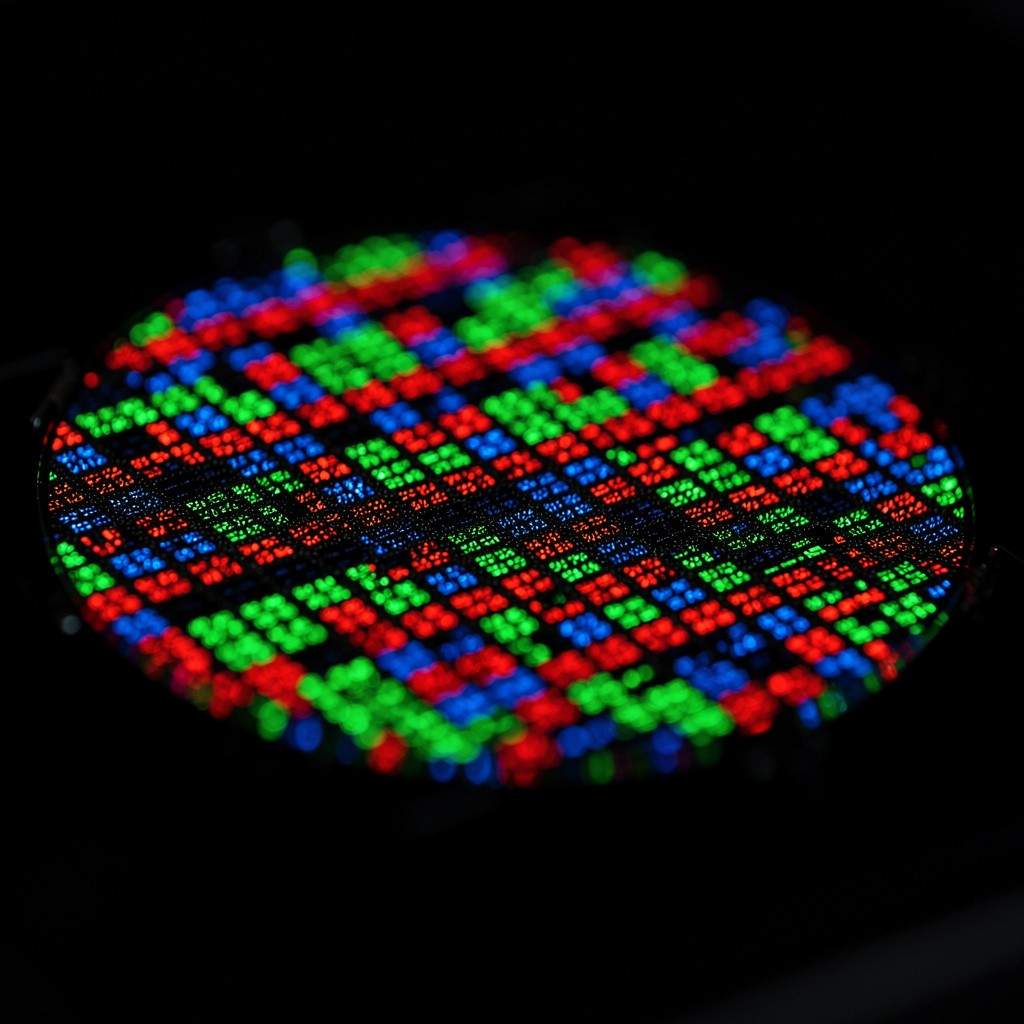
OLED, which stands for Organic Light-Emitting Diode, is a display technology that uses individual pixels that emit their own light when an electric current is applied. Unlike traditional LCDs, OLED screens don’t require a separate backlight, allowing for perfect blacks, vibrant colors, and incredibly thin designs. This self-emissive nature is what gives OLED its signature visual prowess.
Key Takeaways:
- OLED pixels generate their own light, eliminating the need for a backlight.
- This self-emission enables perfect black levels and infinite contrast ratios.
- OLED displays offer superior color accuracy and wider viewing angles compared to LCD.
- They are known for faster response times, making them excellent for gaming and fast-motion content.
- Burn-in is a potential, though often exaggerated, concern for OLED displays, especially with static images.
- OLED technology is found in high-end TVs, smartphones, smartwatches, and some laptops.
- WOLED is a common variant, particularly in larger displays, using white OLED subpixels with color filters.
- While often pricier, the visual benefits of OLED make it a strong contender for enthusiasts and demanding users.
What Does OLED Stand For?
OLED stands for Organic Light-Emitting Diode. It’s a mouthful, I know, but the “organic” part refers to the thin films of organic compounds that form the emissive and conductive layers within the display. These aren’t your garden-variety organics, of course; they’re specific carbon-based molecules that glow when electricity passes through them.
The “diode” aspect simply means it’s a semiconductor device that allows current to flow in one direction. Essentially, you’re looking at a screen where each tiny pixel is its own microscopic light source.
How Does OLED Work?
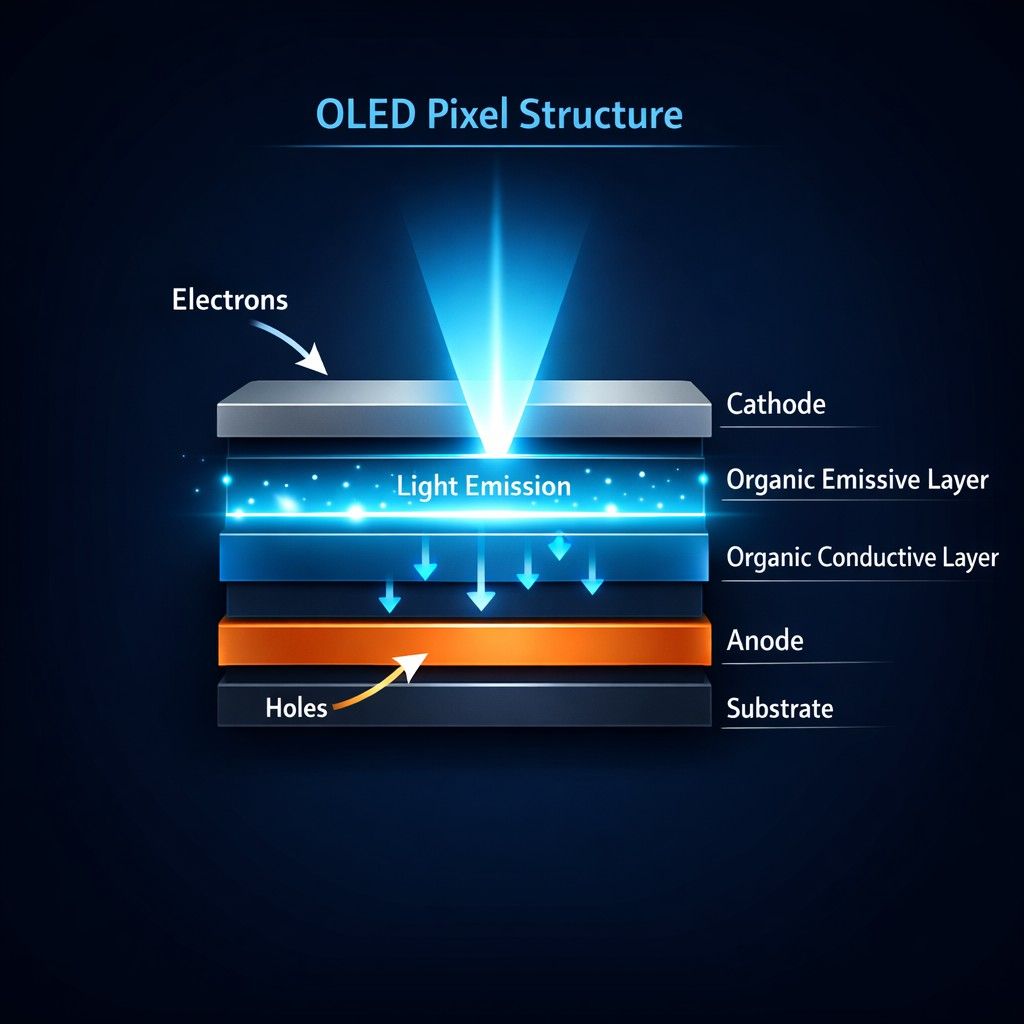
OLED technology operates on a fascinating principle: electroluminescence. Each pixel in an OLED display is made up of these organic materials, sandwiched between two electrodes. When an electric current flows from the cathode to the anode through these organic layers, they emit light.
Because each pixel can be individually turned on or off, or dimmed to various levels, an OLED panel can achieve true black. When a pixel is off, it’s completely black, with no light leakage whatsoever. This is fundamentally different from how LCDs function.
What is the Difference Between OLED and QLED
The main difference is how they make light. OLED pixels make their own light and turn completely off for true blacks. QLED uses a separate backlight with quantum dots to make the screen very bright and colorful.
How They Work
- OLED (Organic Light-Emitting Diode): Every tiny dot on the screen creates its own color and light. When a part of the video is dark, those dots shut off.
- QLED (Quantum Dot LED): This is an advanced type of LED/LCD screen. It uses an LED backlight that shines through a special layer of tiny crystals called quantum dots to boost color and light.
Key Performance Differences
- Contrast and Blacks: OLED wins here. It gives perfect, deep blacks and infinite contrast. QLED can look greyish in dark rooms during night scenes.
- Brightness: QLED wins here. It gets much brighter than OLED, which helps fight glare in sunny rooms.
- Viewing Angles: OLED looks great even if you sit far to the side. QLED can wash out or lose color if you look at it from an angle.
- Burn-in Risk: OLED has a small risk of image “burn-in” if a static logo stays on screen for thousands of hours. QLED is immune to this issue.
- Price and Size: QLED is usually cheaper, especially for massive screen sizes. OLED costs more but prices have dropped.
What’s the Difference Between OLED and LCD Displays?
The core distinction between OLED and LCD displays lies in how they produce light. LCD (Liquid Crystal Display) technology relies on a separate backlight, typically LEDs, to illuminate its pixels. Liquid crystals then twist and untwist to allow or block this light, creating the images you see.
OLED, as we’ve established, is self-emissive. Each pixel generates its own light. This single difference drives most of the performance variations. LCDs struggle with “true” black because some light from the backlight always leaks through the liquid crystal layers, even when they’re trying to block it entirely. Think of it like trying to block sunlight with a thin curtain, some light still gets through.
Is OLED Better Than QLED?
Whether OLED is “better” than QLED really depends on your priorities and viewing environment. QLED, or Quantum Dot LED, is essentially an enhanced LCD technology. It still uses a backlight, but it employs quantum dots, microscopic nanocrystals, to improve color and brightness. Samsung, for instance, has pushed QLED heavily in its TV lineup.
In terms of pure contrast and black levels, OLED wins hands down due to its self-emissive pixels. When an OLED pixel is off, it’s off, delivering perfect blacks. QLEDs, despite impressive local dimming zones, can still exhibit some blooming or light haloing around bright objects on a dark background. That said, modern QLEDs can achieve significantly higher peak brightness than many OLEDs, which is a major advantage in brightly lit rooms or for HDR content that benefits from intense highlights. If you’re watching in a sun-drenched living room, a high-end QLED like Samsung’s Neo QLED range might actually appear “punchier” than an OLED.
How Much Do OLED TVs Cost?
OLED TVs typically command a premium, though prices have come down substantially over the last few years. As of today, you can expect to pay anywhere from $800 to $1,500 for a mid-range 55-inch OLED TV from brands like LG or Sony during a good sale. High-end models, especially larger screen sizes (77 inches and above) or those with advanced panel technology like QD-OLED, can easily climb into the $2,500 to $4,000+ range.
Budget-conscious buyers might find entry-level 48-inch or 42-inch OLEDs for closer to $700, particularly around major shopping holidays. For comparison, a similarly sized, top-tier QLED or Mini-LED LCD might be a few hundred dollars less, but often not by a substantial whack to the price. It’s not a bad value for the visual quality you get, especially if you prioritize picture perfection.
What Are the Pros and Cons of OLED Displays?
OLED displays offer a compelling set of advantages, but they aren’t without their trade-offs. Knowing these helps in deciding if the technology is right for you.
Pros of OLED Displays:
- Perfect Blacks and Infinite Contrast: This is the big one. Pixels can turn off completely, resulting in unmatched contrast and depth.
- Vibrant, Accurate Colors: OLEDs typically display a wide color gamut with excellent accuracy, making images pop without oversaturation.
- Wide Viewing Angles: Colors and contrast remain consistent even when viewed from extreme angles, unlike many LCDs.
- Fast Response Times: Individual pixels can change state almost instantaneously, leading to incredibly smooth motion and minimal ghosting. This is a huge win for gaming.
- Thin and Flexible Designs: Without a bulky backlight, OLED panels can be extremely thin and even flexible, allowing for innovative form factors.
Cons of OLED Displays:
- Potential for Burn-in: Though less common with modern panels, static images displayed for very long periods can lead to permanent image retention.
- Lower Peak Brightness (Generally): While improving, OLEDs usually don’t reach the extreme peak brightness levels of high-end QLED or Mini-LED LCDs, which can impact HDR highlights in bright rooms.
- Higher Cost: OLED technology remains more expensive to manufacture than LCD, leading to higher retail prices.
- Lifespan Concerns: Early OLEDs had shorter lifespans, though modern panels are rated for tens of thousands of hours. The organic materials do degrade over time, but this is less of a practical concern for typical home use.
What is OLED Burn-in and How Can I Prevent It?
OLED burn-in, or permanent image retention, occurs when static images, like channel logos, news tickers, or HUD elements in games, are displayed for extended periods, causing the affected pixels to degrade unevenly compared to surrounding pixels. This results in a faint, persistent ghost image even when other content is displayed. I get the feeling that this issue is often overblown by those who haven’t owned an OLED, but it’s worth knowing about.
While it’s a real phenomenon, modern OLED TVs have a suite of features to mitigate burn-in:
- Pixel Shift: The image subtly shifts a few pixels periodically to avoid static pixel degradation.
- Screen Saver: If no input is detected for a while, a screen saver kicks in to prevent static images.
- Pixel Refresher/Compensation: These cycles run automatically (often when the TV is in standby) to detect and correct pixel degradation, usually through a small current applied to affected pixels.
- Logo Brightness Adjustment: Some TVs can detect static logos and dim the affected area slightly.
How to Prevent Burn-in (Best Practices):
- Vary Content: Don’t leave a static image on your screen for hours on end, day after day.
- Avoid Max Brightness with Static Content: If you’re playing a game with a persistent HUD, consider lowering the OLED Light setting slightly.
- Turn Off the TV: If you step away for a long time, turn the TV off instead of pausing content.
- Utilize TV Features: Ensure pixel shift and pixel refresher functions are enabled (they usually are by default).
For the most part, with normal mixed content viewing, burn-in is not a significant concern for the vast majority of users in 2026.
Which Brands Make OLED Televisions?
The market for OLED televisions is dominated by a few key players, but the panels themselves often come from one main source: LG Display. LG Display manufactures the vast majority of large-format OLED panels (specifically WOLED, which we’ll discuss).
Key Brands Offering OLED TVs:
- LG: The pioneer and market leader in OLED TVs, offering a wide range from entry-level B-series to high-end G-series and even rollable models.
- Sony: Utilizes LG Display’s panels but applies its own sophisticated image processing (like the Cognitive Processor XR), often resulting in a slightly different, refined picture.
- Samsung: While a long-time proponent of QLED, Samsung re-entered the OLED TV market with QD-OLED technology, which uses quantum dots to enhance the OLED panel itself, delivering incredibly vibrant colors and good brightness.
- Panasonic: Strong in European and Asian markets, known for excellent picture accuracy, especially with professional-grade color reproduction.
- Philips (TP Vision): Also prominent in Europe, often featuring Ambilight technology alongside OLED panels.
- Vizio: Offers more budget-friendly OLED options in North America.
So while many brands sell OLED TVs, it’s worth knowing that the underlying panel technology might originate from LG Display or Samsung Display.
Are OLED Screens Good for Gaming?
Absolutely. OLED screens are incredibly good for gaming, in fact, they’re often considered the gold standard by serious players. The combination of features makes them a strong choice, provided you’re mindful of potential burn-in with static HUDs.
Why OLED excels for gaming:
- Near-Instantaneous Response Times: We’re talking sub-1ms pixel response times, virtually eliminating motion blur and ghosting. This means crisper movement and a more immediate feel.
- Low Input Lag: Modern OLED TVs typically boast very low input lag, often under 10ms, which is crucial for competitive gaming.
- Perfect Blacks: Dark scenes in games gain immense depth and detail, making horror games genuinely terrifying and dark environments more immersive.
- Vibrant Colors: Games with rich, expansive worlds truly pop on an OLED.
- HDMI 2.1 Features: Most gaming-focused OLED TVs in 2026 support HDMI 2.1 features like 4K @ 120Hz, Variable Refresh Rate (VRR), and Auto Low Latency Mode (ALLM).
Compared to even the best gaming monitors, an OLED TV often brings a cinematic scale and picture quality that’s hard to beat.
What Devices Use OLED Technology?
OLED technology has moved far beyond just televisions. Its benefits, thinness, flexibility, perfect blacks, and vibrant colors, make it ideal for a wide array of devices.
Common Devices with OLED Screens:
- Smartphones: Most high-end smartphones from Apple (iPhone), Samsung (Galaxy), Google (Pixel), and others have been using OLED displays for years. Their compact size and power efficiency benefit greatly from the tech.
- Smartwatches: The small screens of smartwatches, like the Apple Watch or Samsung Galaxy Watch, are almost exclusively OLED. This allows for always-on displays with minimal battery drain for dark elements.
- Laptops: Increasingly, premium laptops from Dell (XPS series), HP, Lenovo, and Asus offer OLED screen options, particularly for content creators or those who demand superior visual fidelity.
- Tablets: High-end tablets, such as the iPad Pro and Samsung Galaxy Tab lines, have adopted OLED for their displays, offering a premium viewing experience.
- Portable Gaming Consoles: Devices like the Nintendo Switch OLED model utilize the technology for a more vibrant, high-contrast handheld gaming experience.
- VR/AR Headsets: OLED’s fast response times and deep blacks are beneficial for virtual reality headsets to reduce motion sickness and enhance immersion.
As the cost of manufacturing OLED panels continues to decrease, we’re likely to see it proliferate even further into mainstream devices.
Is OLED Worth the Extra Cost?
Whether OLED is worth the extra cost is a question I get constantly, and the answer, as always, is “it depends.” For a visual enthusiast, a cinephile, or a serious gamer who values picture quality above all else, yes, it’s absolutely worth the premium. The perfect blacks, infinite contrast, and instantaneous response times deliver a visual experience that LCDs, even advanced QLEDs, simply cannot match. If you prioritize deep immersion and a truly cinematic feel in your home theater, an OLED is not a bad bet.
However, if you mainly watch TV in a very bright room, aren’t overly concerned with absolute black levels, or are on a tighter budget, a high-quality QLED or Mini-LED LCD TV offers excellent performance for less money. They often get significantly brighter than OLEDs, which can be an advantage for daytime viewing. For most everyday users, a good LCD is perfectly adequate. For those who want the best picture quality money can buy, especially in a dimmer viewing environment, the OLED experience justifies the price.
What Are Common Problems with OLED Screens?
While OLED technology has matured considerably, a few common issues can still arise, though often they’re less prevalent with newer models.
- Image Retention/Burn-in: As discussed, this is the most notorious potential problem. While modern mitigation techniques make it rare with normal usage, it’s not entirely eliminated, especially for displays used in commercial settings with static content or for gamers who play a single game with a fixed HUD for hundreds of hours.
- Brightness Limitations: Compared to some high-end LCDs, OLEDs generally have lower peak brightness. This can make them appear less punchy in very bright rooms and can sometimes limit the impact of extreme HDR highlights.
- Near-Black Uniformity Issues: In very dark scenes, some older or cheaper OLED panels might exhibit slight uniformity issues, sometimes referred to as “vertical banding” or “dirty screen effect” (DSE). This is usually only visible in specific dark grey test patterns, not during normal content.
- Price: While not a “problem” with the technology itself, the higher cost compared to LCD remains a barrier for many consumers.
For the most part, these are minor considerations against the backdrop of OLED’s superior picture quality.
Who Should Buy an OLED TV?
An OLED TV is an excellent choice for a few specific types of users who prioritize certain aspects of their viewing experience.
You should buy an OLED TV if you are:
- A Movie Buff or Cinephile: If you watch a lot of movies and TV shows, especially in a dimly lit room, the perfect blacks and incredible contrast of OLED will provide a truly cinematic experience. Directors often master content on OLED-like displays, so you’re seeing it as intended.
- A Serious Gamer: With near-instant response times, low input lag, and support for the latest HDMI 2.1 features, OLED TVs offer a fantastic, immersive gaming experience. Just remember to vary your game choices or be mindful of static HUD elements.
- A Design Enthusiast: The slim profile and often minimalist design of OLED TVs can be very appealing, integrating beautifully into modern living spaces.
- Someone Who Values Picture Quality Above All Else: If you simply want the best possible image fidelity available in consumer displays, especially for dark room viewing, OLED is hard to beat.
- An Early Adopter with Budget to Spare: If you want cutting-edge technology and don’t mind paying a premium for it, especially with newer QD-OLED panels, then OLED is for you.
If you primarily watch news channels with persistent logos, or view content almost exclusively in a very bright, sun-drenched room, a high-end QLED or Mini-LED LCD might be a more practical, or at least brighter, alternative.
What is WOLED?
WOLED, which stands for White Organic Light-Emitting Diode, is the most common type of OLED panel technology found in large displays, particularly most LG and Sony OLED TVs. Unlike traditional RGB OLEDs where each pixel has discrete red, green, and blue subpixels that emit light directly, WOLED pixels use an additional white subpixel.
Here’s how it generally works: each pixel has blue, green, red, and a separate white subpixel. The white light is generated by the combined organic layers, and then color filters are used over the red, green, and blue subpixels to create the specific colors. The dedicated white subpixel helps to boost overall brightness. Though, sometimes, this can dilute color vibrancy at peak brightness, a trade-off for overall luminescence. Samsung’s QD-OLED, by contrast, uses blue OLED emitters with quantum dots to convert some of the blue light to red and green, foregoing the white subpixel and filters for potentially purer colors at higher brightness levels.
FAQs
What is the lifespan of an OLED TV?
Modern OLED TVs are generally rated for lifespans of around 100,000 hours to 30,000 hours before they dim to half brightness. This translates to many years of typical viewing.
Can OLED displays be curved?
Yes, OLED’s flexible organic materials allow for curved and even rollable display designs, though curved TVs have become less popular.
Do OLEDs consume more power than LCDs?
It varies. OLEDs can consume less power when displaying dark content (as pixels are off), but may consume more than an LCD when displaying bright, all-white content.
What is QD-OLED?
QD-OLED (Quantum Dot OLED) is a newer OLED panel technology from Samsung Display that combines blue OLED emitters with quantum dots to produce red and green light, aiming for higher color brightness and volume than traditional WOLED.
Are OLED displays suitable for professional color grading?
Yes, high-end OLED displays are often used for professional color grading due to their perfect blacks, wide color gamut, and excellent color accuracy.
Can I connect external speakers to an OLED TV?
Absolutely. Most OLED TVs come with a variety of audio outputs, including HDMI eARC, optical, and sometimes even headphone jacks, allowing you to connect soundbars, AV receivers, or external active speakers.
