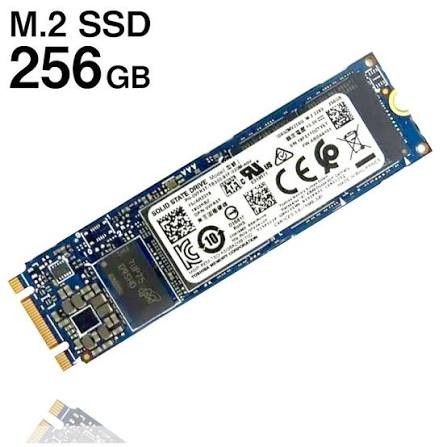
General Software Development Storage Requirements
A 256GB SSD provides approximately
170-190GB usable space after accounting for operating system overhead (Windows 11: 30-40GB, macOS: 20-30GB, Linux: 15-25GB). For general software development, you'll need storage for your
IDE (Visual Studio Code: 500MB,
IntelliJ IDEA: 2-3GB), version control systems (
Git: minimal), and project files.
Typical Storage Allocation (256GB SSD)
Operating System
25-40GB
Development Tools & IDEs
10-30GB
Programming Languages & Runtimes
5-15GB
Project Files & Dependencies
20-50GB
Database Systems (Local)
5-20GB
Documentation & Resources
5-10GB
Available for Active Work
70-120GB
💡 Recommendation:
256GB works if you practice aggressive storage management, use cloud repositories, and focus on a single development stack. However, 512GB provides significantly better workflow flexibility and is recommended for professional developers working on multiple projects simultaneously.
Web Development Storage Needs
For web developers, 256GB is generally workable but tight. Modern
Node.js projects with
node_modules directories can consume 200-500MB per project. If you work with
React,
Vue, or
Angular, expect each framework setup to require 300-800MB. Full-stack developers running
Docker containers for local databases (PostgreSQL, MongoDB) will need an additional 10-20GB for container images and volumes.
Web Development Storage Breakdown
Node.js & Package Managers
2-5GB
Frontend Frameworks (3-4 projects)
3-8GB
Docker + Container Images
10-20GB
Browser Dev Builds & Testing
5-10GB
Local Development Servers
3-7GB
✅ 256GB Verdict for Web Development:
Adequate for frontend-focused developers working on 2-3 active projects. Becomes restrictive if you need multiple Docker containers, run virtual machines, or work on large-scale full-stack applications. Consider using GitHub or GitLab for remote repository storage to save local space.
Mobile App Development Storage Requirements
Mobile development is notably storage-intensive.
Android Studio alone requires
8-10GB for installation, with Android SDK, emulators, and build tools adding another
25-35GB. iOS development with
Xcode demands 40-50GB for the IDE, simulators, and iOS SDKs. Cross-platform frameworks like
Flutter (2-3GB) or
React Native (3-5GB with dependencies) offer more compact alternatives but still require substantial space for mobile SDKs.
Mobile Development Storage Requirements
Android Studio + SDK
35-45GB
Xcode + iOS Simulators
40-50GB
Flutter Framework
2-4GB
Gradle Cache & Build Files
5-15GB
App Projects & Assets
10-30GB
⚠️ 256GB Verdict for Mobile Development:
Not recommended. Android-only development barely fits, but dual-platform (Android + iOS) development exceeds 256GB capacity. Mobile developers should target 512GB minimum, with 1TB preferred for comfortable workflows including multiple emulators and device testing configurations.
Data Science & Machine Learning Storage Needs
Data scientists face unique storage challenges.
Anaconda distribution with common libraries (
NumPy,
pandas,
scikit-learn) requires
5-8GB. Deep learning frameworks like
TensorFlow (2-4GB) or
PyTorch (3-5GB) add significant overhead. The real constraint is datasets:
image datasets (10-100GB), pre-trained models (ResNet-50: 100MB, BERT: 400MB+), and training checkpoints can rapidly consume available space. Working with video data or large CSV files further compounds storage limitations.
Data Science Storage Breakdown
Anaconda + Core Libraries
6-10GB
Deep Learning Frameworks
5-12GB
Jupyter Notebooks & IDEs
2-4GB
Datasets (Small-Medium Projects)
20-80GB
Pre-trained Models & Checkpoints
10-40GB
⚠️ 256GB Verdict for Data Science:
Insufficient for serious work. Suitable only for learning basic concepts with small datasets. Professional data scientists require 512GB-1TB, with cloud storage (AWS S3, Google Cloud Storage) for large datasets and model versioning essential for sustainable workflows.
Game Development Storage Requirements
Game development is among the most storage-demanding disciplines.
Unity requires
12-20GB for the editor plus modules, while
Unreal Engine demands
40-60GB+ for a full installation. Game assets (3D models, textures, audio files) for even modest projects consume 10-50GB. If you're building for multiple platforms (PC, mobile, console), each build configuration adds 5-20GB. High-resolution texture packs and cinematic assets can push individual projects beyond 100GB.
Game Development Storage Breakdown
Unity Editor + Modules
15-25GB
Unreal Engine Full Install
45-70GB
3D Modeling Tools (Blender/Maya)
5-15GB
Game Assets (Single Project)
20-100GB
Platform SDKs & Build Tools
15-30GB
❌ 256GB Verdict for Game Development:
Completely inadequate. Even Unity-only 2D game development struggles with 256GB. Unreal Engine developers absolutely require 1TB minimum. Consider external SSD storage for asset libraries or invest in a 1-2TB primary drive for professional game development workflows.
Enterprise Development & DevOps Storage
Enterprise developers managing microservices architectures face compound storage demands.
Docker Desktop with multiple container images (databases, message queues, caching layers) consumes 20-40GB. Virtual machines for testing (
VirtualBox or
VMware) require 20-40GB per VM instance.
Kubernetes local development environments like
Minikube add another 10-15GB. CI/CD pipelines, build artifacts, and multiple environment configurations rapidly exceed 256GB capacity.
Enterprise DevOps Storage Breakdown
Docker + Container Images
25-50GB
Virtual Machines (2-3 instances)
60-120GB
Kubernetes Local Cluster
10-20GB
Build Artifacts & Caches
15-35GB
Multiple IDE Instances
5-15GB
⚠️ 256GB Verdict for Enterprise Development:
Severely limiting. Workable only if you heavily leverage cloud-based development environments and remote containers. Enterprise developers typically need 512GB-1TB for local development with 2-3 VMs and complete Docker environments. Consider cloud-based container registries to offload image storage.
Beginner & Student Developer Storage Needs
For beginners learning programming fundamentals, 256GB is
perfectly adequate. Learning
Python (100-300MB), JavaScript with
VS Code (500MB), or basic web development requires minimal storage. Educational projects, coding exercises, and small applications typically consume 5-20GB total. Online development platforms like
Replit,
CodeSandbox, or
GitHub Codespaces further reduce local storage requirements by enabling browser-based development.
Beginner Developer Storage Breakdown
Lightweight IDE (VS Code)
500MB-1GB
Python + pip Packages
500MB-2GB
Node.js (for web basics)
200MB-1GB
Git & Version Control
100-300MB
Learning Projects & Exercises
5-15GB
Documentation & Tutorials
2-5GB
✅ 256GB Verdict for Beginners:
Excellent choice. Students and beginners learning their first programming language have plenty of space on a 256GB SSD. You can comfortably learn Python, JavaScript, HTML/CSS, and basic frameworks without storage concerns. As you advance to more specialized development (mobile, ML, game dev), you can upgrade storage when needed.