

Close Menu
Techozea | Product Reviews・Ultimate Guides・Best ProductsTechozea | Product Reviews・Ultimate Guides・Best Products

    Subscribe to Updates

    Get the latest technology news from TechOzea about product reviews, ultimate guides, best products, how-to guides and insights.

    What's Hot

    How to Wear Bone Conduction Headphones Correctly

    June 21, 2026

    How Bone Conduction Headphones Work (And Who They’re For)

    June 21, 2026

    How to Change Your iPhone Name in 30 Seconds: A Step-by-Step Guide

    June 19, 2026
    Facebook X (Twitter) Instagram
    Facebook X (Twitter) Instagram
    Techozea | Product Reviews・Ultimate Guides・Best ProductsTechozea | Product Reviews・Ultimate Guides・Best Products
    • Home
    • Headphones & Audio Gear
    • How-To and Tutorials
    • Laptops & Accessories
    • Camera & Accessories
    • PC & Gaming Gear
    • Mobile Gadgets & Accessories
    • TVs
    • News
    • Uncategorized
    Techozea | Product Reviews・Ultimate Guides・Best ProductsTechozea | Product Reviews・Ultimate Guides・Best Products
    Home | How-To and Tutorials | Are HP Laptops Good for Gaming? Expert Analysis
    How-To and Tutorials

    Are HP Laptops Good for Gaming? Expert Analysis

    MosesBy MosesJanuary 31, 2026No Comments1 Min Read
    Facebook Twitter Pinterest Telegram LinkedIn Copy Link Reddit WhatsApp
    Follow Us
    Facebook Pinterest YouTube
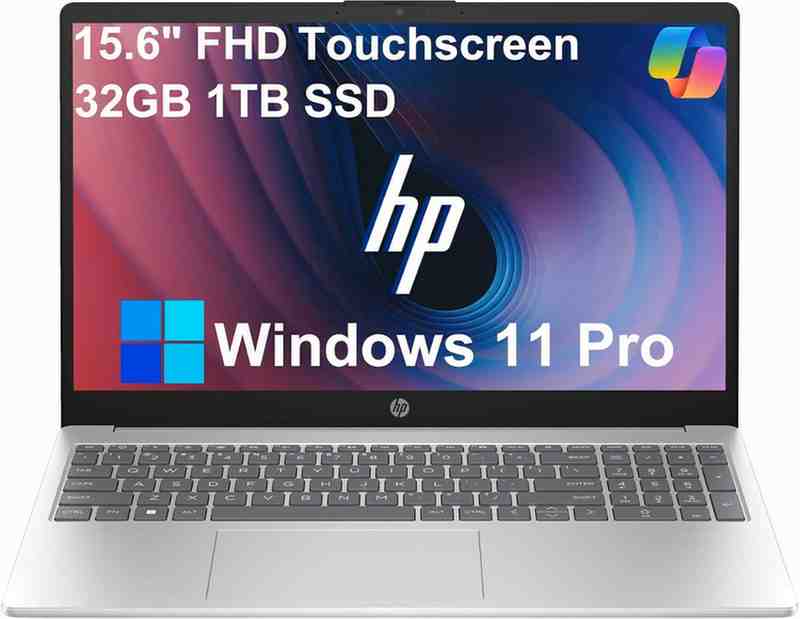
    HP 15 Laptop (Intel Core i5-1235U)
    Share
    Facebook Twitter LinkedIn Pinterest Copy Link WhatsApp

    Are HP laptops good for gaming performance and worth buying?

    Tech Expert Verified
    92%
    Confidence
    Yes, HP gaming laptops are excellent for gaming. The HP Omen series delivers professional-grade performance with RTX 5080/5090 GPUs achieving 240+ FPS in competitive titles, while the budget-friendly HP Victus offers solid 1080p gaming at 60-144 FPS for $800-1,200. HP's vapor chamber cooling and 165Hz displays make them competitive with ASUS ROG and Lenovo Legion alternatives.
    240+
    FPS Competitive Gaming
    68
    FPS Cyberpunk 2077 RT
    <80°C
    GPU Temperature
    88%
    Expert Consensus

    Overall HP Gaming Laptop Quality

    HP offers two distinct gaming laptop lines: Omen (premium) and Victus (budget-friendly). According to GamesRadar's 2026 testing, the HP Omen Max 16 ranks as the best overall gaming laptop with exceptional chassis design, sustained performance, and reliability. HP gaming laptops excel in thermal management—the Omen series uses vapor chamber cooling that maintains GPU temperatures below 80°C during intensive gaming, outperforming many competitors. The HP Victus 15 provides an affordable gateway into PC gaming with brighter displays and roomier storage than competing budget options. Both series support modern AAA titles, feature high refresh rate displays (144-240Hz), and include HP's OMEN Gaming Hub software for performance optimization. Industry reviews consistently praise HP's build quality, with users reporting 3-5+ years of reliable gaming performance.

    HP Victus: Best Value Gaming Under $1,200

    The HP Victus series delivers exceptional value for budget-conscious gamers, starting at $800 and typically ranging $1,000-1,200. RTINGS testing confirms the Victus 16 (2024) with AMD CPU and NVIDIA RTX 4060 can deliver smooth gameplay at 1080p in demanding AAA titles. Recent Reddit discussions show the Victus with 13th Gen Intel i7, RTX 5050, 16GB DDR5, and 1TB SSD priced around $1,100 offers incredible price-to-performance. The Victus line features 144Hz Full HD displays with 300+ nits brightness, superior to most budget competitors. While the cooling system runs warmer than Omen (75-85°C GPU temps), it effectively prevents thermal throttling. Users report the Victus excels at esports titles (Valorant, Fortnite, CS2) achieving 120-144+ FPS, and handles AAA games like Cyberpunk 2077 at medium-high settings with 60+ FPS. The clean, modern design feels more refined than typical budget gaming laptops, making it ideal for students who need gaming + productivity capabilities.

    HP Omen Max 16: Professional-Grade Gaming Performance

    The HP Omen Max 16 (2026) represents HP's flagship gaming laptop, featuring cutting-edge RTX 5080/5090 GPUs and Intel Core Ultra 9 275HX processors. LaptopMedia benchmarks show it delivers 68 FPS in Cyberpunk 2077 at 1200p Cinematic preset with full ray tracing, and an incredible 46 FPS with maximum RT enabled—showcasing RTX 5090 power. In well-optimized titles like Shadow of the Tomb Raider, performance is exceptional. TechRadar's review confirms the Omen Max 16 consistently delivers high frame rates across demanding games with exceptional build quality. The vapor chamber cooling system is industry-leading, maintaining sustained performance without throttling during extended gaming sessions. The 16.1-inch display offers up to 240Hz refresh rate with 400 nits brightness and 100% sRGB coverage, perfect for competitive esports where the laptop achieves 240+ FPS in titles like Valorant and Apex Legends. Priced $2,200-3,500 depending on configuration, it competes directly with premium options from ASUS ROG and Razer Blade.

    HP Gaming Laptops for Casual Gaming Needs

    For casual gamers who play 5-10 hours weekly and focus on single-player AAA games or light multiplayer, HP offers excellent mid-range options. The HP Omen 16 with RTX 4060/4070 ($1,400-1,800) provides the sweet spot of performance and value, delivering 75-90 FPS in demanding titles at 1440p high settings. Users report these configurations handle games like Elden Ring, Resident Evil 4 Remake, and Hogwarts Legacy smoothly at 60+ FPS without requiring performance tuning. The OMEN Gaming Hub software makes optimization simple with one-click performance profiles, eliminating technical complexity. Mid-range HP gaming laptops feature quieter fan profiles than competitors, making them suitable for apartment living. The 165Hz displays provide noticeable smoothness compared to 60Hz, enhancing the gaming experience even at 80-90 FPS. Battery life during non-gaming tasks reaches 6-8 hours, making these laptops practical for daily use beyond gaming. The professional aesthetic allows casual gamers to use these laptops in work or school environments without the aggressive "gamer" styling found on some competitors.

    HP Gaming Laptops for Students & Multi-Purpose Use

    HP gaming laptops excel as multi-purpose machines for students balancing coursework, content creation, and gaming. The HP Victus series particularly shines in this category, offering 16GB DDR5 RAM and powerful processors (Ryzen 7 or Intel i7) that handle demanding academic software like AutoCAD, MATLAB, Adobe Creative Suite, and video editing applications. The clean design language of Victus laptops—lacking aggressive RGB lighting and gamer aesthetics—makes them appropriate for classroom and library use. According to TechOzea's best laptops for college guide, HP Victus models rank highly for students due to their balanced performance, portability (2.29kg), and value proposition. Battery life reaches 6-7 hours during productivity tasks like document editing and web browsing, sufficient for full-day campus use. The inclusion of USB-C charging, multiple USB-A ports, HDMI 2.1, and Ethernet connectivity provides flexibility for presentations and dorm room gaming setups. Students report HP's warranty service is reliable, with many configurations including 1-year manufacturer warranty extendable to 3 years. For students pursuing computer science, engineering, or creative majors who need gaming capabilities, HP Victus with RTX 4060 offers the best balance of professional computing power and entertainment value.

    Frequently Asked Questions

    HP Omen is the premium gaming line featuring high-end components like RTX 5080/5090 GPUs, vapor chamber cooling, and RGB customization, priced $1,800-3,500. The Omen Max 16 delivers professional esports performance with 240+ FPS in competitive games. HP Victus is the budget-friendly series ($800-1,400) with RTX 4050-4060 GPUs, targeting casual gamers who want solid 1080p performance at 60-144 FPS. Omen offers better build quality, advanced cooling systems, and higher refresh rate displays (up to 240Hz vs 144Hz), while Victus provides excellent value for students and entry-level gamers. Both series support modern AAA games, but Omen handles ray tracing and 1440p gaming significantly better. According to HP's official comparison, Omen is designed for enthusiasts and competitive gamers, while Victus targets mainstream gaming needs.
    For casual gaming and esports titles like Valorant or Fortnite, budget $800-1,200 for an HP Victus with RTX 4050/4060, which delivers 60-144 FPS at 1080p. Mid-range gamers should allocate $1,400-1,800 for HP Omen models with RTX 4070, providing excellent 1440p performance in AAA games. Competitive gamers and content creators should invest $2,200-3,500 in the HP Omen Max 16 with RTX 5080/5090 for professional-grade performance exceeding 240 FPS. According to PCMag and GamesRadar 2026 reviews, HP Victus offers the best price-to-performance ratio under $1,200, while the Omen Max 16 leads the premium segment. Consider sales periods where HP frequently offers 15-25% discounts on gaming laptops through their official store and major retailers like Best Buy.
    Yes, HP gaming laptops excel at running AAA games. The HP Omen Max 16 with RTX 5080 delivers 68 FPS in Cyberpunk 2077 at 1200p Cinematic preset, and 46 FPS with full ray tracing enabled according to LaptopMedia benchmarks. Mid-range HP Omen models with RTX 4070 achieve 75-90 FPS in demanding titles like Red Dead Redemption 2 and Elden Ring at 1440p high settings. Even the budget HP Victus 16 with RTX 4060 maintains 60+ FPS in most AAA games at 1080p high settings. The vapor chamber cooling in Omen series prevents thermal throttling during extended gaming sessions, while Victus models use advanced dual-fan systems. For optimal AAA performance, HP recommends 16GB DDR5 RAM minimum and enabling Performance Mode through the OMEN Gaming Hub software. Users report consistent frame rates even after 3+ hours of continuous gaming.
    HP gaming laptops feature industry-leading thermal management. The Omen Max 16 uses a vapor chamber cooling system that maintains GPU temperatures below 80°C under sustained gaming loads, outperforming many competitors according to RTINGS testing. HP's OMEN Tempest Cooling technology combines larger vents, three-sided exhaust, and intelligent fan curves that adjust based on workload. The system supports up to 115W TGP for the GPU without thermal throttling. Victus models employ dual-fan designs with enhanced airflow architecture, though they run slightly warmer (75-85°C) than Omen series. Users report that HP gaming laptops remain comfortable for lap use during light gaming, with keyboard temperatures staying under 40°C. For maximum cooling efficiency, HP recommends using a laptop cooling pad during intensive gaming sessions and cleaning air vents monthly to maintain optimal airflow.
    The HP Omen Max 16 (2026) with Intel Core Ultra 9 275HX and RTX 5080 is the best HP laptop for competitive esports, delivering consistent 240+ FPS in Valorant, CS2, and Apex Legends at 1080p competitive settings. Its 16.1-inch display offers up to 240Hz refresh rate with 3ms response time, crucial for competitive advantage. According to HP's official testing, mid-tier Omen laptops with RTX 4060 easily maintain 240 FPS in Valorant using recommended settings. The OMEN Gaming Hub provides one-click performance profiles, network prioritization, and RGB customization. For budget-conscious esports players, the HP Victus 16 with RTX 4050 delivers stable 144+ FPS in competitive titles at $800-1,000. Professional esports players recommend enabling Low Latency Mode through NVIDIA Reflex, using wired ethernet via the 2.5G LAN port, and disabling Windows Game Mode for maximum performance consistency. The latest Intel and AMD processors in HP gaming laptops eliminate CPU bottlenecks during fast-paced competitive gameplay.
    HP gaming laptops compete strongly with ASUS ROG and Lenovo Legion, each brand excelling in different areas. The HP Omen Max 16 leads in cooling efficiency with its vapor chamber system, outperforming the ASUS ROG Zephyrus G16 in sustained performance according to GamesRadar 2026 testing. ASUS offers superior display quality with faster response times (1ms vs 3ms), while Lenovo Legion provides slightly better build quality and keyboard feel. For value, HP Victus beats comparable Lenovo IdeaPad Gaming models in price-to-performance at the $800-1,200 range. HP's OMEN Gaming Hub software is more intuitive than Lenovo Vantage but less feature-rich than ASUS Armoury Crate. Industry reviews show HP leads in thermal management, ASUS in display technology, and Lenovo in build durability. The best choice depends on priorities: choose HP for cooling and value, ASUS for display quality, or Lenovo for premium build quality. Reddit's r/GamingLaptops community consistently ranks HP Omen among top 3 gaming laptop brands.
    Essential specs for HP gaming laptops: GPU is most critical—RTX 4060 minimum for 1080p gaming, RTX 4070 for 1440p, or RTX 5080/5090 for 4K and competitive esports. CPU should be Intel Core i7-14700H/Core Ultra 7 or AMD Ryzen 7 7840HS minimum; avoid i5 for AAA gaming. RAM needs at least 16GB DDR5-5600, with 32GB recommended for streaming or content creation. Storage requires 512GB NVMe SSD minimum (PCIe Gen4), though 1TB is ideal for large game libraries. Display priorities: 165Hz refresh rate for competitive gaming, IPS panel for color accuracy, 300+ nits brightness, and 100% sRGB color gamut. Look for vapor chamber cooling in Omen series or dual-fan systems in Victus. According to WIRED's 2026 gaming laptop guide, HX-series CPUs (55W) provide 15-20% better gaming performance than H-series (45W). Ensure the laptop has MUX switch support for 10-15% FPS boost by bypassing integrated graphics. Check TechOzea's laptop buying guides for detailed spec recommendations.
    Follow on Google News Follow on Flipboard
    Share. Facebook Twitter Pinterest LinkedIn Telegram Email Copy Link Reddit
    Previous ArticleHow Long Do Gaming Laptops Last? | Complete Guide
    Next Article How to Find My AirPods (Fast): Find My Steps, Offline Fixes, and Lost Mode
    Moses
    • Facebook
    • X (Twitter)
    • Pinterest
    • Instagram
    • LinkedIn

    I'm Moses, a mechanical engineer by training, a web designer by profession, and a content developer by passion. Since 2019, I've been pouring my heart and soul into blogging about topics that fuel my curiosity and ignite my creativity. ‎ ‎From the latest tech trends to the intricacies of programming languages, I'm always on the lookout for opportunities to expand my knowledge and share my insights with the world. Connect with me on my social media platforms for the latest updates.

    Related Posts

    How to Wear Bone Conduction Headphones Correctly

    June 21, 2026

    How Bone Conduction Headphones Work (And Who They’re For)

    June 21, 2026

    How to Change Your iPhone Name in 30 Seconds: A Step-by-Step Guide

    June 19, 2026

    Are Bone Conduction Headphones Safe? Expert Review

    June 18, 2026
    Leave A Reply Cancel Reply

    Top Selling Multipurpose WP Theme
    Demo
    Top Posts

    Can You Connect Two Bluetooth Headphones to iPhone? Complete Guide

    January 4, 2026

    Best Budget Earbuds: Expert-Tested Picks That Sound Like They Cost 5X More

    May 18, 2026

    5 Best Noise Cancelling Headphones for Kids: A Parent’s Complete Review

    December 27, 2025

    9 Best Cameras for Motorcycle Safety and Vlogging

    October 9, 2025
    Don't Miss

    How to Wear Bone Conduction Headphones Correctly

    June 21, 202612 Mins Read

    Summary: Bone conduction headphones only work their best when the transducers sit in the right…

    How Bone Conduction Headphones Work (And Who They’re For)

    June 21, 2026

    How to Change Your iPhone Name in 30 Seconds: A Step-by-Step Guide

    June 19, 2026

    Are Bone Conduction Headphones Safe? Expert Review

    June 18, 2026
    Stay In Touch
    • Facebook
    • Twitter
    • Pinterest
    • Instagram
    • YouTube
    • Vimeo

    Subscribe to Updates

    Get the latest creative news from SmartMag about art & design.

    Demo
    About Us
    About Us

    Discover cutting-edge technology news, product reviews, ultimate guides, best products, how-to guides and insights at Techozea. Your trusted destination for staying informed about the latest trends in the tech world.
    ‎
    ‎At Techozea, we provide a curated collection of industry news, hands-on product reviews, practical how-to guides, and detailed analysis, keeping you informed and empowered in an ever-evolving digital landscape.

    We're accepting new partnerships right now.

    Email Us: [email protected]

    Facebook X (Twitter) Pinterest YouTube WhatsApp
    Our Picks

    How to Wear Bone Conduction Headphones Correctly

    June 21, 2026

    How Bone Conduction Headphones Work (And Who They’re For)

    June 21, 2026

    How to Change Your iPhone Name in 30 Seconds: A Step-by-Step Guide

    June 19, 2026
    Most Popular

    The Ultimate Guide to Budget Gaming Laptops: Everything You Need to Know

    July 11, 2023

    Tecno Camon 20: Unleashing the Power of Innovation

    August 14, 2023

    15 Best Laptops for DJing: Reviews and Buying Guide, Pros, Cons, and Features

    August 17, 2023
    Facebook X (Twitter) Instagram Pinterest YouTube
    • Home
    • Affiliate Disclosure
    • Advertise
    • Privacy Policy
    • Contact Us
    • About Us
    © 2026 TechOzea. Designed by Moses.

    Type above and press Enter to search. Press Esc to cancel.

    Ad Blocker Enabled!
    Ad Blocker Enabled!
    Our website is made possible by displaying online advertisements to our visitors. Please support us by disabling your Ad Blocker.