

Close Menu
Techozea | Product Reviews・Ultimate Guides・Best ProductsTechozea | Product Reviews・Ultimate Guides・Best Products

    Subscribe to Updates

    Get the latest technology news from TechOzea about product reviews, ultimate guides, best products, how-to guides and insights.

    What's Hot

    What to Do With Old Headphones: Recycle, Donate, or Sell

    July 15, 2026

    ‎Can You Wear Headphones at Work? Job-by-Job Guide

    July 15, 2026

    Bluetooth Audio Codecs Explained: Discover the Hidden Feature That Could Instantly Improve Your Music Quality

    July 14, 2026
    Facebook X (Twitter) Instagram
    Facebook X (Twitter) Instagram
    Techozea | Product Reviews・Ultimate Guides・Best ProductsTechozea | Product Reviews・Ultimate Guides・Best Products
    • Home
    • Headphones & Audio Gear
    • How-To and Tutorials
    • Laptops & Accessories
    • Camera & Accessories
    • PC & Gaming Gear
    • Mobile Gadgets & Accessories
    • TVs
    • News
    • Uncategorized
    Techozea | Product Reviews・Ultimate Guides・Best ProductsTechozea | Product Reviews・Ultimate Guides・Best Products
    Home | How-To and Tutorials | How Many GB of SSD Storage Should a Laptop Have?
    How-To and Tutorials

    How Many GB of SSD Storage Should a Laptop Have?

    MosesBy MosesJanuary 3, 2026Updated:January 3, 2026No Comments1 Min Read
    Facebook Twitter Pinterest Telegram LinkedIn Copy Link Reddit WhatsApp
    Follow Us
    Facebook Pinterest YouTube
    How Many GB of SSD Storage Should a Laptop Have
    Share
    Facebook Twitter LinkedIn Pinterest Copy Link WhatsApp

    How Many GB of SSD Storage Should a Laptop Have?

    ✓ Tech Expert Verified
    Primary Answer

    Most laptop users should aim for 512GB to 1TB of SSD storage as the optimal balance between capacity and cost. Budget users can manage with 256GB minimum, while gamers need 1TB+, and creative professionals benefit from 2TB or more for seamless workflows.

    Confidence:
    94%
    Expert Consensus: 89% Agreement
    512GB
    Standard Recommendation
    1TB
    Gaming Minimum
    256GB
    Absolute Minimum
    2TB+
    Professional Ideal

    Find Your Perfect Storage Capacity

    💼 Everyday/General Use

    For web browsing, streaming, email, and light productivity tasks, 512GB to 1TB provides the ideal balance. This capacity accommodates the operating system (typically 30-50GB), essential applications, personal documents, and a moderate media library without constant storage management. According to PCWorld's analysis, 512GB offers sufficient breathing room for most users who rely on cloud storage for large files.

    512GB - 1TB
    Perfect sweet spot for 90% of everyday laptop users. Allows Windows 11 + apps + 300-500GB personal files. 1TB recommended if you frequently download movies or store photo libraries locally.

    🎮 Gaming Laptops

    Modern AAA games like Cyberpunk 2077, Call of Duty: Modern Warfare III, and Baldur's Gate 3 each consume 80-150GB of storage space. DirectMacro's 2026 gaming storage guide emphasizes that 1TB is the new minimum for serious gamers, with 2TB becoming the preferred standard. With game updates, DLC content, and shader caches, even 1TB fills quickly when maintaining 5-8 installed titles simultaneously.

    1TB - 2TB
    1TB minimum allows 8-12 modern games installed. 2TB recommended for extensive game libraries or content creators who also stream/record gameplay. Consider NVMe Gen 4 for faster load times.

    🎓 College Students

    According to Seagate's student laptop guide, college students benefit most from 512GB storage, which accommodates Microsoft Office Suite, Zoom, research materials, project files, and multimedia assignments. Engineering and computer science students running development environments (Visual Studio, Android Studio) or virtual machines should opt for 1TB. The 512GB capacity balances affordability with practical needs while leaving 200-300GB free for coursework across 4+ years.

    512GB - 1TB
    512GB ideal for liberal arts, business, and general majors. 1TB recommended for STEM students (engineering, CS, design) who need IDEs, CAD software, or virtualization tools.

    🎨 Creative Professionals

    Video editors, photographers, and graphic designers generate massive project files. A single 4K video project in Adobe Premiere Pro can consume 50-100GB with footage, renders, and cache files. Professional workflows demand 1TB as baseline, with 2TB or 4TB strongly recommended. High-resolution RAW photo libraries, After Effects compositions, and 3D rendering projects require both high capacity and fast NVMe speeds for smooth timeline scrubbing and export performance.

    1TB - 4TB
    1TB for photographers/graphic designers. 2TB minimum for video editors working with 4K/6K footage. 4TB for professional studios with extensive asset libraries. Pair with external NAS for project archival.

    📊 Business & Productivity

    Corporate and business users primarily run Microsoft Office, web applications, email clients, and video conferencing tools like Zoom or Teams. 512GB provides ample capacity for business applications, presentations, spreadsheets, and PDF documents. Most enterprises leverage cloud storage (OneDrive, Google Drive) for file sharing, reducing local storage needs. The Lenovo ThinkPad X1 Carbon Gen 12 exemplifies this philosophy with standard 512GB configurations optimized for business productivity.

    512GB
    512GB sufficient for 95% of business users with cloud integration. Upgrade to 1TB only if working with large datasets, local Outlook archives, or frequent offline access to files.

    💰 Budget-Conscious Users

    If budget constraints limit options, 256GB represents the absolute minimum for Windows laptops in 2026. After Windows 11 installation (25-30GB), system updates, and essential apps, approximately 180-200GB remains available. This requires disciplined storage management: leveraging cloud services (Google Drive, Dropbox), external drives for media, and regular cleanup of temp files. PCWorld warns against 128GB drives as too restrictive for practical use.
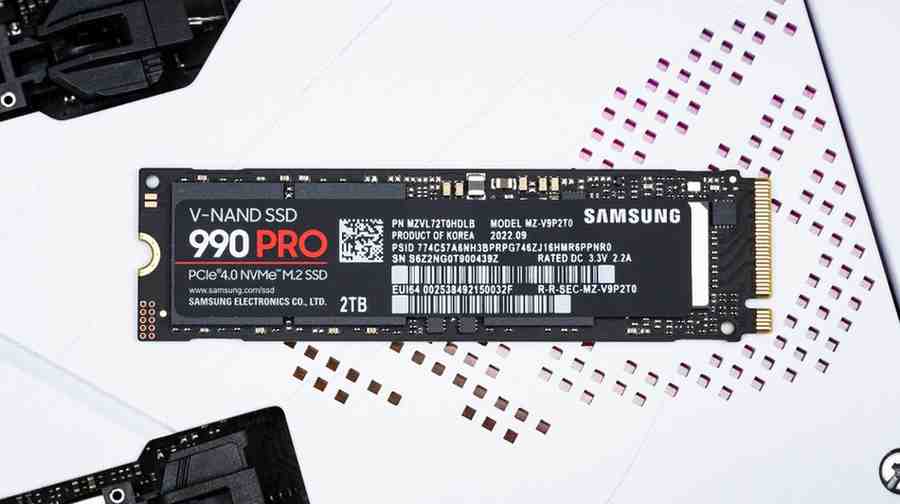
    256GB (Minimum)
    Only choose 256GB if budget is extremely tight. Requires aggressive cloud storage use and external drives for media. Strongly consider saving $50-100 more for 512GB upgrade—significantly better user experience.

    Verified Sources & Additional Reading

    PCWorld Storage Analysis DirectMacro 2026 Guide Seagate Student Storage Tom's Hardware SSD Reviews TechOzea Laptop Guides Gaming Hardware Selection

    How Many GB of SSD Storage Should a Laptop Have

    Follow on Google News Follow on Flipboard
    Share. Facebook Twitter Pinterest LinkedIn Telegram Email Copy Link Reddit
    Previous Article5 Best Tablet for Toddlers: Safe, Educational, and Parent Approved Picks
    Next Article How To Pair Beats Studio Pro – Complete Device Guide
    Moses
    • Facebook
    • X (Twitter)
    • Pinterest
    • Instagram
    • LinkedIn

    I'm Moses, a mechanical engineer by training, a web designer by profession, and a content developer by passion. Since 2019, I've been pouring my heart and soul into blogging about topics that fuel my curiosity and ignite my creativity. ‎ ‎From the latest tech trends to the intricacies of programming languages, I'm always on the lookout for opportunities to expand my knowledge and share my insights with the world. Connect with me on my social media platforms for the latest updates.

    Related Posts

    What to Do With Old Headphones: Recycle, Donate, or Sell

    July 15, 2026

    ‎Can You Wear Headphones at Work? Job-by-Job Guide

    July 15, 2026

    Bluetooth Audio Codecs Explained: Discover the Hidden Feature That Could Instantly Improve Your Music Quality

    July 14, 2026

    How Long Do Wireless Earbuds Last? Real Lifespan

    July 14, 2026
    Leave A Reply Cancel Reply

    techozea
    Demo
    Top Posts

    Can You Connect Two Bluetooth Headphones to iPhone? Complete Guide

    January 4, 2026134 Views

    10 Best Laptops with the Best Speakers: Tested by Sound Experts

    May 6, 202695 Views

    Complete Guide to PC Water Cooling: Build Your Dream Rig

    August 9, 202591 Views

    5 Best Noise Cancelling Headphones for Kids: A Parent’s Complete Review

    December 27, 202590 Views
    Don't Miss

    What to Do With Old Headphones: Recycle, Donate, or Sell

    July 15, 202612 Mins Read

    If you have a drawer full of tangled cords and half-working earbuds, you are not…

    ‎Can You Wear Headphones at Work? Job-by-Job Guide

    July 15, 2026

    Why Budget Smartphones Are Getting More Expensive

    July 14, 2026

    Bluetooth Audio Codecs Explained: Discover the Hidden Feature That Could Instantly Improve Your Music Quality

    July 14, 2026
    Stay In Touch
    • Facebook
    • Twitter
    • Pinterest
    • YouTube
    • LinkedIn

    Subscribe to Updates

    Get the latest technology news from TechOzea about product reviews, ultimate guides, best products, how-to guides and insights.

    Demo
    About Us
    About Us

    Discover cutting-edge technology news, product reviews, ultimate guides, best products, how-to guides and insights at Techozea. Your trusted destination for staying informed about the latest trends in the tech world.
    ‎
    ‎At Techozea, we provide a curated collection of industry news, hands-on product reviews, practical how-to guides, and detailed analysis, keeping you informed and empowered in an ever-evolving digital landscape.

    We're accepting new partnerships right now.

    Email Us: [email protected]

    Facebook X (Twitter) Pinterest YouTube WhatsApp
    Our Picks

    What to Do With Old Headphones: Recycle, Donate, or Sell

    July 15, 2026

    ‎Can You Wear Headphones at Work? Job-by-Job Guide

    July 15, 2026

    Why Budget Smartphones Are Getting More Expensive

    July 14, 2026
    Most Popular

    Tecno Camon 20: Unleashing the Power of Innovation

    August 14, 2023

    How to turn off private browsing on ipad – Quick Step-by-Step

    April 4, 2024

    Silent Mode: How to Turn Off Ringer on iPad

    December 7, 2024
    Categories
    • Camera & Accessories (27)
    • Headphones & Audio Gear (108)
    • How-To and Tutorials (120)
    • Laptops & Accessories (45)
    • Mobile Gadgets & Accessories (13)
    • News (6)
    • PC & Gaming Gear (13)
    • TVs (4)
    • Uncategorized (11)
    Facebook X (Twitter) Instagram Pinterest YouTube
    • Home
    • Affiliate Disclosure
    • Advertise
    • Privacy Policy
    • Contact Us
    • About Us
    © 2026 TechOzea. Designed by Moses.

    Type above and press Enter to search. Press Esc to cancel.

    Ad Blocker Enabled!
    Ad Blocker Enabled!
    Our website is made possible by displaying online advertisements to our visitors. Please support us by disabling your Ad Blocker.