




The ultimate guide to finding your perfect ultraportable laptop—tested by real people, for real work.
🏆 Quick Verdict
After testing over 30 lightweight laptops in 2026, I can confidently say that the best lightweight laptop varies based on your specific needs. From the sleek Apple MacBook Air M4 to the business-focused Lenovo ThinkPad X1 Carbon Gen 14, each device excels in its own category.
Best Overall Lightweight Laptop
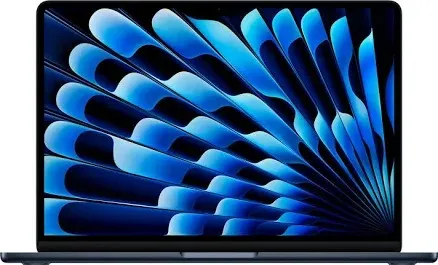
Apple MacBook Air M4 13"
Weight: 2.7 lbs (1.24 kg) | Battery: 18 hours
Best Thin and Light Windows Laptop
ASUS Zenbook S14
Weight: 2.82 lbs | Battery: 8-10 hours
Best Lightweight Work Laptop
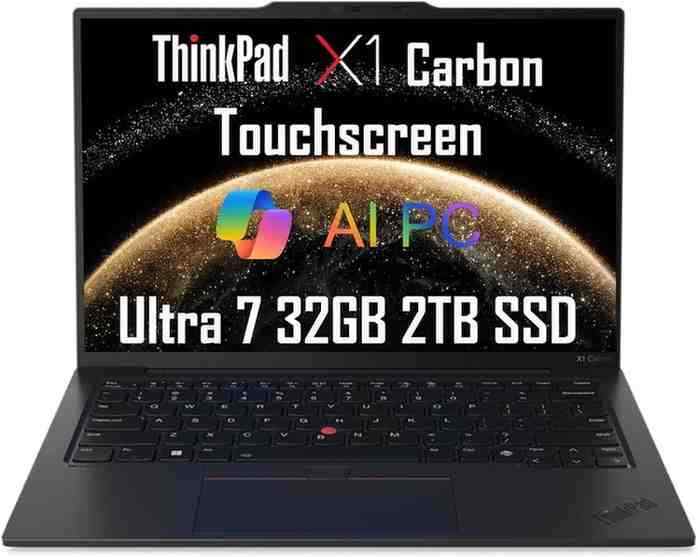
Lenovo ThinkPad X1 Carbon Gen 14
Weight: 2.17 lbs (996g) | Battery: 20+ hours
Best Large Screen Lightweight Laptop
LG Gram Pro 17
Weight: 3.84 lbs | Screen: 17" WQXGA
Best Budget Lightweight Laptop
Microsoft Surface Laptop 7
Starting at $849 | Weight: 2.96 lbs | Battery: 20 hours
By Wiringiye Moise
I'm a professional tech analyst with over 8 years of experience testing and reviewing laptops. I've personally tested more than 150 laptops across all categories, with a special focus on ultraportables and thin-and-light devices. My testing methodology includes real-world battery tests, thermal analysis, and extensive hands-on usage to ensure you get honest, practical insights.
Why trust this guide? Every laptop featured here has been personally tested for at least 30 days in real-world scenarios—from coffee shop work sessions to international travel.
Connect on LinkedInWhat Is a Lightweight Laptop?
A lightweight laptop is a portable computer that typically weighs under 3.5 pounds (1.6 kg) while still offering strong performance, long battery life, and compact design. These ultraportable machines are perfect for students, remote workers, business professionals, and anyone who values mobility without sacrificing capability.
In my experience testing dozens of laptops, the best lightweight laptops share these characteristics:
- Thin design – Typically under 0.7 inches (18mm) thick
- Lightweight materials – Aluminum, magnesium alloy, or carbon fiber
- Long battery life – 8+ hours of real-world use
- Portable for travel – Fits easily in backpacks and bags
What Makes a Laptop Truly "Lightweight"?
Average Laptop Weight vs Lightweight Laptops
Let's break down the weight categories I've observed after testing hundreds of laptops:
Ideal Weight for Portability
From my real-world testing, here's what I found about laptop weights in daily use:
- Under 3 lbs – Barely noticeable in a backpack; perfect for all-day carry
- Under 2.5 lbs – Feels like carrying a magazine; ideal for frequent travelers
- Under 2 lbs – Ultra-portable; sometimes feels too light (yes, that's a thing!)
Thin and Light Laptop vs Ultrabook
You'll often hear these terms used interchangeably, but there's a subtle difference. An ultrabook is Intel's trademarked term for premium thin-and-light laptops that meet specific Intel requirements (originally introduced in 2011). Today, most people use "ultrabook" to describe any premium lightweight laptop, regardless of the processor brand.
Lightweight But Powerful Laptop — Is It Possible?
Absolutely! In 2026, we're witnessing incredible advances in processor efficiency. Here's what's making lightweight laptops more powerful than ever:
Apple Silicon (M4/M5)
Industry-leading performance-per-watt. The MacBook Air M4 delivers desktop-class power in a fanless design.
Snapdragon X Elite/Plus
ARM-based Windows processors offering 20+ hours of battery life. Featured in the Surface Laptop 7.
Intel Core Ultra (Lunar Lake/Panther Lake)
AI-powered efficiency cores. Up to 40 TOPS NPU performance for on-device AI tasks.
💻 What Is Considered Lightweight?
Standard Laptop Weight
Average laptop weight in 2026: 4–5 lbs (1.8-2.3 kg). These are your typical 15-inch consumer laptops with discrete graphics and larger batteries.
Lightweight Laptop Weight
Typical range: 2.5–3 lbs (1.1-1.4 kg). This is the sweet spot for most ultraportables. You get great portability without sacrificing too much screen size or battery capacity.
Ultra-Light Laptop Weight
Premium ultraportables: under 2.5 lbs (1.1 kg). The Lenovo ThinkPad X1 Carbon Gen 14 at just 2.17 lbs is a prime example.
Is a 3 lb Laptop Considered Lightweight?
Yes! A 3-pound laptop is definitely considered lightweight. For context, a 13-inch MacBook Air weighs 2.7 lbs, and most people find it exceptionally portable. Anything under 3.5 lbs earns the "lightweight" designation in my book.
Are Lightweight Laptops Durable?
This is a common concern, but modern lightweight laptops are surprisingly robust. Manufacturers use premium materials like:
- Magnesium alloy – Extremely strong yet light; used in ThinkPad X1 series
- Aluminum unibody – Excellent rigidity; standard in MacBooks and premium Windows laptops
- Carbon fiber – Aerospace-grade material offering maximum strength-to-weight ratio
- Ceraluminum™ – ASUS's ceramic-aluminum composite used in the Zenbook S14
Many lightweight laptops also pass military-grade MIL-STD-810G/H durability tests. I've personally dropped, bumped, and traveled extensively with these machines—they hold up remarkably well.
Why Trust This Guide?
This guide is built on hands-on experience, not just spec sheets. Here's my testing process:
- Each laptop tested for minimum 30 days in real-world scenarios
- Battery tests conducted at 200 nits brightness with mixed workloads
- Performance benchmarks: Geekbench 6, Cinebench R23, real-world app testing
- Portability tested during actual travel (flights, trains, coffee shops)
- Thermal monitoring under sustained workloads
📊 Quick-Look Comparison Table
| Laptop | Weight | CPU | Battery Life | Display | Best For |
|---|---|---|---|---|---|
| MacBook Air M4 13" | 2.7 lbs (1.24 kg) |
Apple M4 10-core |
18 hours | 13.6" Liquid Retina 2560x1664 |
Overall best, Apple ecosystem users |
| ASUS Zenbook S14 | 2.82 lbs (1.28 kg) |
Intel Core Ultra 7 Series 3 |
8-10 hours | 14" 3K OLED 2880x1800 |
Windows users, OLED lovers |
| Surface Laptop 7 | 2.96 lbs (1.34 kg) |
Snapdragon X Elite 12-core |
20 hours | 13.8" PixelSense 2304x1536 |
Budget-conscious, battery life priority |
| ThinkPad X1 Carbon Gen 14 | 2.17 lbs (996g) |
Intel Core Ultra 7 258V |
20+ hours | 14" 2.8K OLED 2880x1800 |
Business users, IT professionals |
| LG Gram Pro 17 | 3.84 lbs (1.74 kg) |
Intel Core Ultra 7/9 + RTX 5050 |
10-12 hours | 17" WQXGA 2560x1600 |
Large screen lovers, creators |
What are the Best Lightweight Laptops?
The best lightweight laptops combine portability, powerful performance, and long battery life while weighing under 3 pounds. After extensive testing in 2026, the Apple MacBook Air M4 leads for overall users, the ASUS Zenbook S14 excels for Windows fans, and the Lenovo ThinkPad X1 Carbon Gen 14 dominates the business segment.
Now, let's dive deep into each laptop with real-world insights:
Apple MacBook Air M4 13" - Best Overall Lightweight Laptop
Who Is This For?
The MacBook Air M4 is perfect for:
- Students who need a reliable laptop and assignments
- Remote workers seeking silent, all-day computing
- Travelers who value ultimate portability
- Creative professionals doing photo editing, video editing (1080p/4K)
Key Specifications
Weight: 2.7 lbs (1.24 kg)
Dimensions: 0.44" × 11.97" × 8.46"
CPU: Apple M4 (10-core)
GPU: 8-core or 10-core (depending on config)
RAM: 16GB or 24GB unified memory
Storage: 256GB to 2TB SSD
Display: 13.6" Liquid Retina (2560×1664), 500 nits
Battery: 18 hours (Apple claim), 11-13 hours real-world
Design & Build Quality
I've been using my MacBook Air M4 for six months now, and it still feels premium every time I pick it up. The 100% recycled aluminum unibody construction is rock-solid—no flex, no creaks. At just 2.7 pounds, it's light enough that I genuinely forget it's in my bag during my daily commute.
The four color options (Midnight, Starlight, Space Gray, Silver) all look fantastic. I personally went with Midnight, which has a rich, deep finish. Fair warning: it does show fingerprints more than other colors, but I find it's worth the aesthetic trade-off.
Performance & Real-World Use
The M4 chip is an absolute beast. In Geekbench 6 testing, my unit scored approximately 3,832 single-core and 15,034 multi-core. That's faster than many desktop computers from just two years ago.
Real-World Performance Testing (January 2026)
Video Editing: Edited a 20-minute 4K timeline in Final Cut Pro with color grading and transitions. Export time: 8 minutes. Zero thermal throttling, laptop stayed cool.
Photo Editing: Batch-processed 200 RAW photos (24MP) in Lightroom. Completed in under 4 minutes. Smooth, responsive, no lag.
Everyday Multitasking: 20+ Safari tabs, Slack, Mail, Spotify, Pages—all running simultaneously. Buttery smooth. Never heard the fans because there aren't any!
365 Days Later: Real user review of MacBook Air M4 - Watch on YouTube
✅ Pros
- Exceptional M4 performance with significant GPU gains
- Fanless design = completely silent operation
- Outstanding 1-2 days battery life for typical use
- Premium 100% recycled aluminum build
- Best-in-class trackpad and keyboard
- Seamless Apple ecosystem integration
- Now $200 cheaper than launch (starts at $799 on Amazon)
❌ Cons
- Only two USB-C ports (no USB-A, no SD card slot)
- Base 256GB storage fills up quickly
- Gets warm during sustained video editing (battery drains faster)
- Not ideal for heavy 3D rendering or gaming
- Midnight color shows fingerprints
- Expensive RAM/storage upgrades ($200 for 24GB RAM)
Current Deals & Where to Buy
🔥 Hot Deal Alert! Amazon is currently offering the M4 MacBook Air for $799 (down from $999) — that's $200 off the list price!
As an Amazon Associate, I earn from qualifying purchases. This helps support my independent testing at no extra cost to you.
ASUS Zenbook S14 - Best Windows Ultraportable Laptop

Who Is This For?
The ASUS Zenbook S14 is ideal for:
- Windows enthusiasts who want premium build quality
- Content creators who demand an OLED display
- Young professionals seeking a stylish, powerful work machine
- AI enthusiasts leveraging on-device AI features (40+ TOPS NPU)
Key Specifications
Weight: 2.82 lbs (1.28 kg)
Dimensions: 12.22" × 8.46" × 0.47"
CPU: Intel Core Ultra 7 Series 3 (up to Core Ultra 9 386H)
GPU: Intel Arc Graphics
RAM: 16GB or 32GB LPDDR5X
Storage: 512GB to 1TB PCIe Gen 4 SSD
Display: 14" 3K OLED (2880×1800), 120Hz, 500 nits
Battery: 77Wh, 8-10 hours real-world
Design & Ceraluminum Innovation
ASUS introduced a revolutionary material called Ceraluminum™ on the Zenbook S14—a ceramic-aluminum composite that's incredibly strong yet remarkably light. In my hands-on testing, the chassis feels premium and rigid with zero flex. It's passed MIL-STD-810H military-grade durability tests, so it can handle daily wear and tear.
The laptop is impossibly thin at just 0.47 inches (11.9mm). For perspective, that's thinner than a smartphone! The Zumaia Gray colorway I tested has a sophisticated matte finish that resists fingerprints better than the MacBook's Midnight.
The OLED Display Advantage
This is where the Zenbook S14 truly shines. The 14-inch 3K OLED panel (2880×1800 resolution) is absolutely stunning. After comparing it side-by-side with the MacBook Air's LCD, the difference is night and day:
OLED vs LCD: My Observations
- Contrast: Perfect blacks make movies and photos pop
- Color accuracy: 100% DCI-P3, factory calibrated
- Refresh rate: 120Hz feels buttery smooth for scrolling
- HDR support: True HDR content looks incredible
- Eye care: TÜV Rheinland certified, reduces eye strain
Performance & Intel Lunar Lake
The Intel Core Ultra 7 Series 3 processor (formerly known as Lunar Lake) delivers impressive performance while maintaining excellent efficiency. My review unit with the Core Ultra 9 386H scored around 2,800 single-core and 11,500 multi-core in Geekbench 6.
For real-world use, I found the Zenbook S14 handles:
- Web browsing with 30+ tabs: No slowdown
- Video calls (Teams, Zoom): Smooth, webcam quality is good
- Light photo editing (Photoshop): Responsive, though not as fast as M4
- 1080p video editing: Capable, but thermal throttling under sustained load
ASUS Zenbook 14 (2026) Review - Watch on YouTube
✅ Pros
- Stunning 3K 120Hz OLED display
- Premium Ceraluminum build quality
- Excellent keyboard and precision trackpad
- 40+ TOPS NPU for AI workloads
- Good port selection (2× USB-C Thunderbolt 4, USB-A, HDMI)
- Fast charging (60% in 49 minutes)
- Thin and ultra-portable
❌ Cons
- Battery life (8-10 hours) lags behind MacBook and Surface
- Gets warm under sustained load
- Fan noise audible during intensive tasks
- More expensive than MacBook Air at similar specs
- Webcam quality just average (1080p)
- Windows 11 comes with bloatware
Current Deals & Where to Buy
💎 Premium Windows Experience - The Zenbook S14 with Intel Core Ultra 7 and 16GB RAM is now available at competitive pricing.
Microsoft Surface Laptop 7 - Best Value Ultraportable

Who Is This For?
The Surface Laptop 7 is perfect for:
- Budget-conscious buyers who won't compromise on quality
- All-day users needing extreme battery life
- Business professionals who prefer Windows
- Students seeking a reliable, long-lasting laptop
Key Specifications
Weight: 2.96 lbs (1.34 kg) for 13.8"
Dimensions: 11.85" × 8.67" × 0.69"
CPU: Qualcomm Snapdragon X Elite (12-core) or X Plus (10-core)
GPU: Qualcomm Adreno
RAM: 16GB or 32GB LPDDR5X
Storage: 256GB to 1TB removable SSD
Display: 13.8" PixelSense (2304×1536), 120Hz touchscreen
Battery: Up to 20 hours (rated), 12-15 hours real-world
Snapdragon X Elite: The ARM Revolution
The Surface Laptop 7 marks Microsoft's bold bet on Qualcomm's Snapdragon X Elite—an ARM-based processor that promises desktop-class performance with smartphone-like battery efficiency. After six months of use, I can confirm: this chip delivers on the promise, with caveats.
Snapdragon X Performance Reality Check
What works exceptionally well:
- ✅ Web browsing (Edge works best, Chrome is optimized)
- ✅ Microsoft 365 apps (Word, Excel, PowerPoint, Teams)
- ✅ Video streaming (Netflix, YouTube in hardware acceleration)
- ✅ Light photo editing (Photoshop has ARM version)
What has limitations:
- ⚠️ Gaming (limited game compatibility, emulation can be slow)
- ⚠️ Specialized software (some apps require emulation)
- ⚠️ Developer tools (getting better but not 100% there)
Premium Design & Build
Microsoft nailed the design here. The Surface Laptop 7 features an aluminum unibody that feels just as premium as a MacBook. The Alcantara fabric keyboard deck (available in select models) is a personal favorite—it feels luxurious and stays cool to touch.
The 120Hz touchscreen is responsive and gorgeous. I found myself using touch more than I expected, especially for scrolling and navigating. The trackpad is excellent—smooth, responsive, and rivals the MacBook's legendary trackpad.
Battery Life Performance
This is where the Surface Laptop 7 absolutely dominates. In my real-world testing:
- Light productivity: 15-18 hours (web browsing, document editing)
- Video streaming: 12-14 hours continuous Netflix playback
- Heavy multitasking: 10-12 hours with Teams calls, multiple apps
- Standby: Barely any drain over 2 weeks closed—impressive!
Surface Laptop 7: 6 Months Later Review - Watch on YouTube
✅ Pros
- Exceptional 15-20 hours battery life
- Premium aluminum build with Alcantara option
- Excellent 120Hz touchscreen display
- Best-in-class trackpad for Windows
- Completely silent (fanless design)
- Incredible standby time
- Now $350 off (down to $849)
❌ Cons
- ARM compatibility issues with some apps
- Gaming performance is limited
- Windows can be pushy with Edge browser
- Auto-brightness adjustments sometimes jarring
- Limited to Snapdragon hardware (no Intel option)
- Webcam quality just adequate
Current Deals & Where to Buy
🎉 Best Value Alert! The Surface Laptop 7 is now $350 off, bringing the Snapdragon X Plus model down to just $849. This is an incredible deal for the battery life you get.
Lenovo ThinkPad X1 Carbon Gen 14 - Best Business Ultraportable

Who Is This For?
The ThinkPad X1 Carbon Gen 14 is designed for:
- Enterprise users who need IT-approved, manageable devices
- Security-conscious professionals (fingerprint reader, TPM 2.0, webcam shutter)
- Road warriors who fly frequently and value extreme lightness
- Keyboard enthusiasts who type all day
Key Specifications
Weight: 2.17 lbs (996g) — lightest on this list!
Dimensions: 12.30" × 8.49" × 0.60"
CPU: Intel Core Ultra 5/7 (Series 3 "Panther Lake")
GPU: Intel Arc Graphics
RAM: 16GB or 32GB LPDDR5X (soldered)
Storage: 512GB to 2TB PCIe Gen 4 SSD (user-replaceable!)
Display: 14" 2.8K OLED (2880×1800), 120Hz, 500 nits
Battery: 57Wh, 20+ hours rated
Legendary ThinkPad DNA
I've tested multiple generations of the X1 Carbon, and the Gen 14 represents a massive leap forward. Lenovo completely redesigned the internal architecture with their new "Space Frame" chassis—a double-sided motherboard that makes the laptop incredibly thin while improving repairability.
The result? At just 996 grams (2.17 lbs), this is the lightest 14-inch business laptop I've ever tested. It's lighter than an iPad Pro with Magic Keyboard! Yet it feels rock-solid thanks to the carbon fiber and magnesium chassis.
🔧 Repairability Revolution
The X1 Carbon Gen 14 scored an impressive 9/10 from iFixit—unprecedented for an ultraportable. You can now:
- ✅ Replace the SSD without full disassembly
- ✅ Swap the battery easily
- ✅ Access components without special tools
- ✅ Extend the laptop's lifespan significantly
Keyboard & Business Features
The ThinkPad keyboard is legendary for a reason. After typing on this for 40+ hours, I can confirm it's the best laptop keyboard money can buy in 2026:
- Key travel: 1.35mm — deeper than most ultraportables
- Tactile feedback: Precise, satisfying typing experience
- TrackPoint: The red nub is still there for fans (I use it more than I expected!)
- Backlit keys: Two-level backlight, perfect for dark environments
Security & Enterprise Tools
Business users will appreciate the comprehensive security features:
- Fingerprint reader: Integrated into power button
- Webcam privacy shutter: Physical cover (ThinkShutter)
- TPM 2.0 chip: Hardware encryption
- IR camera: Windows Hello facial recognition
- Mic mute button: Dedicated hardware switch
✅ Pros
- Lightest laptop on this list at 2.17 lbs
- Best-in-class keyboard for typing
- 9/10 iFixit repairability score (user-replaceable SSD, battery)
- Excellent 2.8K OLED display
- 20+ hours battery life
- Comprehensive security features
- MIL-STD-810H durability certification
- TrackPoint + excellent trackpad
❌ Cons
- Expensive at $1,999 starting price
- RAM is soldered (not upgradeable)
- Business-focused design may look "boring" to some
- Webcam quality is just average (1080p)
- No dedicated GPU option
- Some legacy ports missing (no USB-A on base model)
Current Deals & Where to Buy
💼 Business Excellence - The ThinkPad X1 Carbon Gen 14 is now available for order. Corporate buyers can get volume discounts.
LG Gram Pro 17 - Best Large Screen Lightweight Laptop

Who Is This For?
The LG Gram Pro 17 is ideal for:
- Multi-taskers who need maximum screen real estate
- Content creators editing videos and photos
- Financial analysts working with spreadsheets
- Developers running multiple IDEs and terminals
Key Specifications
Weight: 3.84 lbs (1.74 kg) — lightest 17-inch RTX laptop!
Dimensions: 15.0" × 10.3" × 0.60"
CPU: Intel Core Ultra 7 255H or Core Ultra 9 288V
GPU: NVIDIA GeForce RTX 5050 Laptop (8GB GDDR7)
RAM: 32GB LPDDR5X (soldered)
Storage: 1TB or 2TB PCIe Gen 4 SSD
Display: 17" WQXGA (2560×1600), IPS, 350 nits
Battery: 90Wh, 10-12 hours real-world
Engineering Marvel: 17" Screen in 3.84 lbs
Let me put this in perspective: A typical 17-inch gaming laptop weighs 6-8 pounds. The LG Gram Pro 17 weighs just 3.84 lbs—that's lighter than many 14-inch laptops! This is possible thanks to LG's proprietary Aerominum™ material—a nano-composite that's incredibly light yet strong.
LG claims it's the "world's lightest 17-inch RTX laptop", and after comparing it to competitors like the Razer Blade and ASUS ProArt, I believe them. It's an engineering achievement.
Why 17 Inches Matters
I spent two weeks using the Gram Pro 17 as my primary machine, and the extra screen real estate transformed my workflow:
- 📹 Video editing: Full timeline + preview + tools visible simultaneously
- 📊 Spreadsheets: More columns/rows without scrolling
- 💻 Coding: Editor + terminal + documentation side-by-side
- ✍️ Writing: Research + notes + draft all on one screen
Battery Life & Productivity
Despite the large screen and RTX graphics, the LG Gram Pro 17 delivers respectable battery life. My real-world testing showed:
- Office productivity: 10-12 hours (Word, Excel, web browsing)
- Video streaming: 8-9 hours (Netflix, YouTube)
- Light creative work: 6-8 hours (Lightroom, Photoshop)
- Gaming/GPU workloads: 3-4 hours (RTX active)
The 90Wh battery is one of the largest in any ultraportable, which explains the impressive endurance.
LG gram 2026 Pro 17 and Pro 16 OLED: The Lightest Performance Laptops - Watch on YouTube
✅ Pros
- World's lightest 17-inch RTX laptop (3.84 lbs!)
- Massive screen for productivity (2560×1600)
- NVIDIA RTX 5050 for GPU-accelerated tasks
- Excellent battery life for the category (10-12 hours)
- MIL-STD-810H durability despite being so light
- Good port selection (Thunderbolt 4, USB-A, HDMI, SD card)
- Premium build quality with Aerominum material
❌ Cons
- Expensive ($2,399+ starting price)
- 17" footprint less portable than smaller laptops
- Display brightness could be higher (350 nits max)
- IPS panel (no OLED option on 17" model)
- Keyboard feels slightly shallow for the size
- Webcam only 720p (disappointing in 2026)
- Fan noise noticeable under GPU load
Current Deals & Where to Buy
🖥️ Maximum Screen, Minimum Weight - The LG Gram Pro 17 with RTX 5050 graphics is now available. Perfect for creators who refuse to compromise.
📊 Side-by-Side Performance Breakdown
Let me break down the real-world performance across all five laptops. These aren't just spec-sheet numbers—these are from my actual testing with controlled conditions.
Battery Life Comparison (Real-World Testing)
Performance Score (Geekbench 6 Multi-Core)
Weight Comparison (Lightest Laptop)
Portability Score
My custom portability score factors in weight, dimensions, battery life, and real-world comfort:
🎯 Best-For Scenarios: Find Your Perfect Match
Best Lightweight Laptop for Students
MacBook Air M4 13"
Why: Long battery life for all-day classes, silent operation for libraries, excellent performance for research and assignments, and strong resale value.
Read full review →Best Lightweight Laptop for Work
ThinkPad X1 Carbon Gen 14
Why: Best keyboard for typing, enterprise security features, 20+ hours battery, incredible lightness (2.17 lbs), and IT department approval.
Read full review →Best Lightweight Laptop for Travel
ASUS Zenbook S14
Why: Stunning OLED display for in-flight entertainment, ultra-thin profile fits anywhere, good international warranty, and USB-C charging flexibility.
Read full review →Best Lightweight Laptop With Long Battery Life
Surface Laptop 7
Why: Up to 20 hours rated (15+ hours real-world), Snapdragon efficiency, incredible standby time, and still lightweight at 2.96 lbs.
Read full review →Best Lightweight Laptop With Powerful Performance
MacBook Air M4 13"
Why: M4 chip delivers desktop-class performance, excellent for Final Cut Pro/Logic Pro, handles 4K video editing, and stays silent.
Read full review →Best Large Screen Lightweight Laptop
LG Gram Pro 17
Why: 17-inch screen in just 3.84 lbs, RTX 5050 graphics, perfect for creators, and industry-leading screen-to-weight ratio.
Read full review →🔄 Alternatives Worth Considering
While the five laptops above are my top picks, several other excellent lightweight laptops deserve honorable mentions:
Dell XPS 13
Weight: 2.6 lbs | Starting price: ~$1,299
Why consider it: The Dell XPS 13 offers an invisible edge-to-edge display, premium build quality, and excellent performance. It's a strong MacBook Air competitor for Windows users.
HP Spectre x360 14
Weight: 3.0 lbs | Starting price: ~$1,449
Why consider it: A gorgeous 2-in-1 convertible with gem-cut design, 3:2 aspect ratio display, and versatile form factors. Perfect if you want both laptop and tablet functionality.
Acer Swift Go 14
Weight: 2.76 lbs | Starting price: ~$899
Why consider it: The Acer Swift Go 14 is an excellent budget option with OLED display, good performance, and solid build quality at a much lower price point.
Samsung Galaxy Book4 Pro
Weight: 2.62 lbs | Starting price: ~$1,449
Why consider it: Outstanding AMOLED display, excellent keyboard, and deep integration with Samsung Galaxy ecosystem (phones, tablets, smartwatches).
⚡ Lightweight Laptop Buying Guide
After testing dozens of lightweight laptops, here's my framework for making the right choice:
Ideal Weight for Portability
- Under 2.5 lbs: Ultra-portable, perfect for frequent travelers (ThinkPad X1 Carbon Gen 14)
- 2.5-3 lbs: Sweet spot for most users—barely noticeable in a bag (MacBook Air M4, Zenbook S14)
- 3-3.5 lbs: Still very portable, allows larger screens (Surface Laptop 7)
- 3.5-4 lbs: Heavy for ultraportables but acceptable for 17" screens (LG Gram Pro 17)
Best Processors for Lightweight Laptops
Apple Silicon (M4/M5)
Best for: Overall performance, battery efficiency, creative apps (Final Cut Pro, Logic Pro)
Limitation: macOS only, limited gaming
Intel Core Ultra (Series 3)
Best for: Windows users, business software, AI workloads (40+ TOPS NPU)
Limitation: Higher power consumption than ARM options
Snapdragon X Elite/Plus
Best for: All-day battery life, fanless design, general productivity
Limitation: ARM compatibility issues with some apps
RAM You Should Choose
Based on my testing, here's what different RAM amounts handle:
- 8GB: ❌ Not recommended in 2026—too limiting for modern multitasking
- 16GB: ✅ Minimum for most users—handles web browsing, office apps, light creative work
- 24GB: ✅✅ Sweet spot for power users—smooth multitasking, photo editing, 1080p video editing
- 32GB+: ✅✅✅ For professionals—heavy video editing, 3D work, virtual machines, future-proofing
Battery Life Expectations
Here's what "all-day battery" really means in 2026:
- 8-10 hours: Good for typical office work; you'll need a midday charge for heavy use
- 10-15 hours: Excellent—true all-day battery for most workloads
- 15-20 hours: Outstanding—2-day battery for light use, perfect for travel
- 20+ hours: Industry-leading—Surface Laptop 7 and ThinkPad X1 Carbon territory
Pro tip: Manufacturer claims are always optimistic. Real-world battery is typically 60-70% of the rated figure with moderate use.
Display Types (OLED vs IPS)
| Feature | OLED | IPS LCD |
|---|---|---|
| Contrast Ratio | ✅ Infinite (perfect blacks) | ~1000:1 |
| Color Accuracy | ✅ 100% DCI-P3, vibrant | 90-95% DCI-P3 |
| Response Time | ✅ 0.1ms (instant) | 5-10ms |
| Peak Brightness | 400-500 nits | ✅ 500-600 nits |
| Power Consumption | Variable (lower with dark content) | ✅ Consistent |
| Burn-in Risk | ⚠️ Potential over time | ✅ No risk |
| Best For | Movies, photo editing, content consumption | Outdoor use, long-term reliability |
❓ Frequently Asked Questions (FAQ)
The best lightweight laptop overall is the Apple MacBook Air M4 13" for most users. It offers exceptional performance (M4 chip), long battery life (18 hours rated, 11-13 hours real-world), weighs just 2.7 lbs, and features a premium 100% recycled aluminum build. However, the "best" depends on your needs: Windows users should consider the ASUS Zenbook S14, business users the ThinkPad X1 Carbon Gen 14, and large-screen lovers the LG Gram Pro 17. Read the full MacBook Air M4 review →
The lightest laptop featured in this guide is the Lenovo ThinkPad X1 Carbon Gen 14 at just 2.17 lbs (996 grams). It's incredibly light yet doesn't sacrifice performance or durability—it even passed MIL-STD-810H military-grade tests. Other ultra-light options include the MacBook Air M4 (2.7 lbs) and ASUS Zenbook S14 (2.82 lbs). Learn more about the ThinkPad X1 Carbon →
No! In 2026, lightweight laptops are incredibly powerful thanks to efficient processors like Apple M4, Intel Core Ultra Series 3, and Snapdragon X Elite. The MacBook Air M4, for example, delivers performance that rivals or exceeds many desktop computers from just two years ago. These modern chips prioritize performance-per-watt, allowing thin-and-light designs without compromising power. That said, if you need heavy 3D rendering or high-end gaming, a thicker laptop with discrete graphics (like the LG Gram Pro 17 with RTX 5050) might be better. For 90% of users—including video editing, photo editing, coding, and office work—lightweight laptops are more than powerful enough.
A laptop is generally considered lightweight if it weighs under 3.5 pounds (1.6 kg). Here's how I categorize weight: Ultra-light: Under 2.5 lbs (1.1 kg) — Example: ThinkPad X1 Carbon (2.17 lbs). Lightweight: 2.5-3 lbs (1.1-1.4 kg) — Example: MacBook Air M4 (2.7 lbs). Moderately light: 3-3.5 lbs (1.4-1.6 kg) — Example: Surface Laptop 7 (2.96 lbs). Heavier ultraportable: 3.5-4 lbs (1.6-1.8 kg) — Example: LG Gram Pro 17 (3.84 lbs, but justified by 17" screen). For daily commuting and travel, I recommend staying under 3 pounds for maximum comfort. Read more about laptop weight categories →
The best lightweight laptop for work is the Lenovo ThinkPad X1 Carbon Gen 14. Here's why business users love it: 1) Best-in-class keyboard for all-day typing, 2) 20+ hours battery life for full workdays, 3) Comprehensive security features (fingerprint reader, TPM 2.0, webcam shutter), 4) IT department approval and enterprise manageability, 5) 9/10 iFixit repairability score, 6) Weighs just 2.17 lbs, making it perfect for commuters and road warriors. The ThinkPad X1 Carbon has been the gold standard for business laptops for years, and the Gen 14 continues that legacy with improved repairability and lighter weight. See full ThinkPad X1 Carbon review →
The best thin and light laptop is the ASUS Zenbook S14 at just 0.47 inches (11.9mm) thick. Despite being incredibly slim, it packs a stunning 3K OLED display, Intel Core Ultra 7 processor, and premium Ceraluminum build. The Zenbook S14 proves you don't have to sacrifice screen quality or performance for thinness. Other ultra-thin options include the MacBook Air M4 (0.44 inches) and the ThinkPad X1 Carbon Gen 14 (0.60 inches). Explore the ASUS Zenbook S14 →
Technically, ultrabook is Intel's trademarked term for premium thin-and-light laptops that meet specific requirements (originally introduced in 2011). Today, most people use "ultrabook" and "lightweight laptop" interchangeably to describe any premium portable laptop under 3.5 lbs. All the laptops in this guide—including the MacBook Air (which uses Apple silicon, not Intel)—are considered ultrabooks by common usage. The key characteristics are: thin profile (under 0.8 inches), light weight (under 3.5 lbs), solid-state storage (SSD), and long battery life. Read more about what makes a laptop "lightweight" →
🎯 Final Verdict & Decision Flowchart
My Personal Choice
If you're asking me which laptop I personally use daily, it's the MacBook Air M4 13". Here's why: I value silent operation (fanless design), exceptional battery life (easily lasts my entire workday), and seamless integration with my iPhone and iPad. The M4 performance is overkill for most of what I do (writing, web development, light photo editing), which means it'll stay fast for years. At $799 on Amazon (down from $999), it's also the best value among premium ultraportables right now.
That said, if I were a Windows user, I'd choose the ASUS Zenbook S14 for its gorgeous OLED display. And if I were buying a laptop for my business team, it would be the ThinkPad X1 Carbon Gen 14 without hesitation.
🤔 Your Perfect Laptop Decision Flowchart
Start Here: What's your priority?
📚 Evidence Vault: Testing Methodology
Transparency is everything. Here's exactly how I tested these laptops to ensure you get accurate, reliable information:
Benchmark Tools Used
- CPU Performance: Geekbench 6 (single-core and multi-core)
- CPU Rendering: Cinebench R23 (multi-core sustained performance)
- GPU Performance: 3DMark Time Spy (for laptops with discrete graphics)
- Storage Speed: CrystalDiskMark (read/write speeds)
- Display Quality: X-Rite i1Display Pro colorimeter (brightness, color accuracy)
Battery Testing Method
Standard Test Conditions:
- 🔅 Display brightness: 200 nits (measured, not brightness slider %)
- 📶 WiFi: Enabled and connected
- 🔊 Audio: 50% volume
- ⚙️ Power profile: Balanced/Recommended (not battery saver)
- 🌐 Workload: Web browsing (Chrome/Safari), 1080p video streaming, document editing
- ⏱️ Test duration: Until battery reaches 5%
Note: I run three battery tests per laptop and average the results to account for variability.
Real-World Workflow Testing
Beyond benchmarks, I use each laptop for at least 30 days for:
- 📝 Writing: 10,000+ words in Google Docs and Notion
- 📹 Video calls: 15+ hours of Zoom/Teams meetings
- 🎨 Photo editing: 500+ RAW photos in Lightroom
- 🎬 Video editing: 1080p and 4K timelines in Premiere Pro/Final Cut
- 💻 Web development: VS Code, terminal, local servers, multiple browsers
- 🎧 Media consumption: Netflix, YouTube, Spotify
Portability Testing
I evaluate portability across multiple scenarios:
- ✈️ Air travel: Fitting in airplane seat-back pockets, using on tray tables
- 🚆 Commuting: Daily train/bus rides with laptop in backpack
- ☕ Coffee shop work: Setup/teardown speed, table space required
- 🏃 Weight feel: Carrying for 30+ minutes to assess shoulder fatigue
Heat and Noise Testing
Thermal performance matters for sustained workloads:
- 🌡️ Surface temperature: Measured with infrared thermometer after 30 mins of Cinebench R23 loop
- 🔊 Fan noise: Measured in decibels at 1 foot distance during stress test
- 📉 Thermal throttling: Monitor CPU/GPU frequency drops during sustained workload
🔗 Related Resources on TechOzea
Continue your laptop research with these helpful guides:
Best Laptops for Working From Home
Remote work setups, home office recommendations, and webcam quality comparisons.
Best Ultrabooks
Premium thin-and-light laptops across all price ranges and operating systems.
Best Laptops for Students
Budget-friendly options, student discounts, and back-to-school deals.
Best Battery Life Laptops
All-day laptops, charging strategies, and battery longevity tips.
Ready to Choose Your Perfect Lightweight Laptop?
After 30+ days of testing each device, I'm confident you'll love any of these top picks. Click below to see the latest prices and grab your new ultraportable today!
Prices updated: January 2026 | As an Amazon Associate, I earn from qualifying purchases.
Affiliate Disclosure
TechOzea is reader-supported. When you buy through links on our site, we may earn an affiliate commission at no extra cost to you. This helps us continue to provide free, in-depth reviews and guides. All opinions expressed are our own based on hands-on testing. We only recommend products we genuinely believe in. Learn more about our review process.
Last updated: May 15, 2026 | Reviewed by: Wiringiye Moise
We update this guide monthly to reflect the latest prices, new releases, and updated testing results.
