




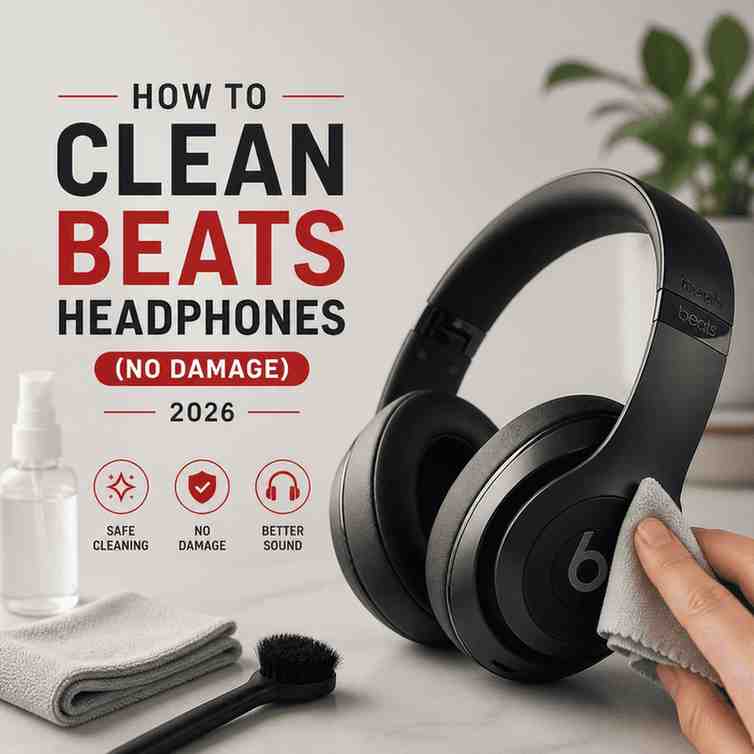
This guide shows exactly how to clean Beats headphones safely without damaging cushions, mesh, or charging ports. We cover the best tools and safe cleaning products, plus step-by-step methods for ear pads, headbands, earwax, and sweat stains. You’ll also get model-specific tips for Solo, Studio, and Beats earbuds like Fit Pro and Powerbeats.
Cleaning Beats headphones is simple, but only if you treat them like electronics, not gym gear. We’re going to walk you through a safe, no-drama routine you can do in 5 to 15 minutes, plus deeper cleaning for sweat, earwax, and stained ear cushions. The goal is the same in every case: remove grime while keeping moisture away from speaker mesh, microphones, and charging ports.
What should I clean my Beats headphones with?
If you want the short answer that prevents 90% of cleaning damage, here it is: a dry microfiber cloth first, and a slightly damp microfiber cloth only when you need it.
Here’s what we actually keep on the table when we clean Beats at home:
Safe basics (recommended)
- Dry microfiber cloth (the “daily wipe” tool)
- Cotton swabs (for seams, creases, and around grills)
- Soft-bristle brush (clean, dry toothbrush works) for dust and lint
- Warm water (not hot)
- Mild hand soap or dish soap (one tiny drop diluted in water)
For tougher grime (use carefully)
- 70% isopropyl alcohol (sparingly, on synthetic leather only, never soaking)
- Disinfecting wipes that are not dripping and are safe for electronics (avoid bleach)
What to avoid (these ruin finishes)
- Bleach, hydrogen peroxide, ammonia-based cleaners
- Window cleaner, acetone/nail polish remover
- Aerosol sprays directly on headphones
- Paper towels (they can scratch and shed fibers)
- Compressed air into speaker mesh (it can push debris deeper)
Clear opinion: Microfiber and minimal moisture win.
Practical reason: Beats pads, mesh, adhesives, and mic ports don’t forgive “just a little extra” liquid.
Buyer context: If you’re trying to keep your Beats looking new for resale or warranty peace of mind, gentle beats aggressive.
Safe cleaning products for Beats headphones
“Safe” usually means two things: it won’t damage the synthetic leather, and it won’t seep into electronics.
Here’s the practical shortlist:
- Microfiber cloth + water: safest, works for most dirt.
- Water + a drop of mild dish soap: best for skin oils and gym residue on plastics and headbands.
- 70% isopropyl alcohol: best for stubborn stains on synthetic leather earpads and for light disinfection, used sparingly.
That said, alcohol is where people get sloppy. If your cloth feels wet, you’re already overdoing it. We aim for “barely damp,” then follow with a dry cloth.
Step-by-Step Cleaning Guide
Before you touch anything: power off your headphones and disconnect cables. If they’re wired, unplug. If they’re charging, stop charging.
What you’ll do in this routine
- Wipe exterior surfaces safely
- Clean headband cushions and sliders
- Clean ear cups and ear pads without soaking
- Detail clean seams, vents, and grills
- Dry fully before use
1) Headband cushions and sliders
Wipe down the plastic, metal, and cushioned bands using a soft, lint-free cloth lightly dampened with warm water and a tiny drop of mild hand or dish soap.
- Make sure the cloth is only damp, not dripping.
- Wipe slowly along the headband and around slider joints.
- Use a dry cotton swab for the slider seams if you see gunk.
However: don’t “scrub” the stitching or edges. That’s how peeling starts.
2) Ear cups (earpads)
For most daily buildup, gently wipe the ear pads with a dry or very lightly dampened microfiber cloth.
Important:
- Do not use a damp cloth directly on the inside speaker mesh or driver area.
- Do not let moisture run down into the cup seam.
If you have stubborn stains on synthetic leather earpads (like Beats Studio Pro/Studio3-style pads), use a small amount of 70% isopropyl alcohol on a cloth (not on the pad directly), then wipe gently. Follow immediately with a dry cloth.
Clear opinion: Less liquid is always better.
Practical reason: Earpads trap moisture, and the driver mesh is right there.
Buyer context: If you commute or work out in these, you want clean pads without weakening the adhesive or foam.
3) Speaker mesh and mic areas
This is where people accidentally kill headphones.
- Use a dry soft brush to lift lint and dust.
- Use a dry cotton swab around the edge of the mesh.
- If debris is stuck, repeat with patience. Don’t add water.
Though it’s tempting, avoid poking anything sharp through mesh. You’re not cleaning at that point, you’re doing surgery.
4) Charging ports and buttons
- Keep ports dry.
- Use a dry cotton swab around the port edge.
- If lint is visible, use a soft brush lightly.
Do not drip alcohol or water into a charging port. If you suspect sweat got inside, power off and let it air dry completely before charging.
5) Dry time
Let everything sit for at least 30 minutes before wearing again, longer if you used any damp cloth.
How to remove sweat stains from Beats headphones?
Sweat stains are mostly salt + skin oil. The trick is dissolving the salt without soaking the pad.
For headband and plastic
- Use a microfiber cloth dampened with warm water + a tiny drop of dish soap.
- Wipe, then wipe again with a cloth dampened with plain water.
- Dry immediately.
- If your headphones have sticky rubber parts, consider following this guide on how to clean sticky rubber for best results.
For synthetic leather ear cushions
- Start dry (microfiber).
- If stains remain, use a cloth with a small amount of 70% isopropyl alcohol and wipe gently.
- Dry right away and let them air out.
Still: if your cushions are already cracking or peeling, aggressive cleaning will make it worse. In that case, replacement pads are often the smarter move than “one more scrub.”
How to clean ear wax out of Beats?
Earwax is common on Beats earbuds and also shows up on over-ear mesh if you share headphones or store them in a pocket or bag.
For earbuds
- Remove any silicone tip if your model has it.
- Use a dry soft brush to loosen wax.
- Use a dry cotton swab to lift it away.
- For stubborn wax on plastic surfaces only, use a swab barely dampened with water. Keep moisture away from openings.
For over-ear headphone mesh
- Dry brush only.
- Tilt the headphone so debris falls outward as you brush.
That said: never rinse parts under water. Even “water resistant” earbuds are not “faucet safe.”
For more detailed instructions, you can refer to this guide on cleaning earbuds and headphones.
Cleaning Beats Solo Studio ear cushions (what works, what doesn’t)
Cleaning Beats Solo Studio ear cushions is mostly about preserving the coating. These cushions look tough, but the finish can wear down fast if you use harsh cleaners.
What works best:
- Dry microfiber wipe after each sweaty session.
- Weekly: damp microfiber with water + tiny soap drop, then dry.
- Spot cleaning: minimal 70% isopropyl alcohol on a cloth for stains, then dry.
What doesn’t:
- Soaking the cushion.
- Scrubbing with textured cloths or paper towels.
- Using bleach-based wipes.
While some people try “leather conditioner,” most Beats pads are synthetic and can react unpredictably. We skip it.
Can you remove Beats ear pads?
Can you remove Beats ear pads? On many over-ear Beats models, yes, the ear cushions can be removed and replaced, but the method varies by model (and some use clips while others rely on adhesive rings).
Here’s our rule:
- If your pads are replaceable, replacing them is often better than trying to deep-clean years of sweat.
- If you’re not sure, don’t pry with metal tools. That’s how clips snap and housings get scarred.
If you do remove pads:
- Work slowly with a plastic pry tool or your fingers.
- Don’t pull on the mesh underneath.
- Avoid liquids near the exposed driver area.
Buyer context: If your Beats are 2 to 4 years old and you use them at the gym, pad replacement can feel like getting a brand-new pair for a fraction of the cost.
How to clean Beats headphones official guide Apple
If you search how to clean beats headphones official guide apple, the advice is consistent with what we recommend:
- Power off and unplug.
- Use a soft, dry cloth first.
- If needed, lightly dampen the cloth with water.
- Keep moisture away from openings, speaker mesh, ports.
- Don’t use aerosol sprays or harsh cleaners.
Where people go wrong is not the guide. It’s the “yeah, but I’ll just use a little more water” moment. That’s the one that causes muffled sound, crackling, or permanent mic issues. In fact, some users have reported that their headphones still work after accidentally being put in the washing machine, which highlights how resilient these devices can be if handled correctly.
How to clean Beats Fit Pro Powerbeats earbuds
The search phrase is a mouthful, but it matters: how to clean beats fit pro powerbeats earbuds is not the same as cleaning over-ears. Earbuds have more exposed mesh, tighter vents, and they live in pockets and cases.
What we do for Fit Pro / Powerbeats style earbuds
- Power off and remove from the case.
- Wipe the exterior with a dry microfiber cloth.
- Brush the mesh gently with a dry soft brush.
- Use a dry cotton swab around creases and the nozzle edge.
- Clean the case: dry cloth inside, cotton swab around hinge and rim.
About silicone tips (if your model uses them)
- Remove tips and wash them separately with warm water and mild soap.
- Rinse thoroughly, then air dry completely before reinstalling.
However: do not run the earbuds themselves under water, and don’t drip anything into the speaker opening. Even if a model has sweat resistance, the mesh and adhesives can still suffer.
Quick maintenance routine (the one that keeps them looking new)
If you want Beats that stay clean without “deep cleaning days,” do this:
- After workouts: dry microfiber wipe on pads and headband (30 seconds).
- Weekly: damp cloth with water + tiny soap drop on exterior surfaces, then dry.
- Monthly: detail brush around seams, grills, and case edges.
Not only does this keep them looking good, it also cuts down on odor and peeling because sweat doesn’t sit there for weeks.
Common cleaning mistakes we see (and how to avoid them)
1) Spraying cleaner directly on the headphones
Spray the cloth, not the product.
2) Using too much alcohol
Alcohol is a spot tool, not a bath.
3) Getting the inside mesh wet
Even if everything “seems fine,” moisture can linger and cause sound issues later.
4) Cleaning while charging
It’s just not worth the risk.
Conclusion: How to clean Beats headphones safely
To clean Beats headphones without damage, keep it simple: power them off, wipe with a dry microfiber cloth, and only use a lightly damp cloth with a tiny drop of mild soap when you need extra cleaning. Treat speaker mesh, ports, and mic openings like “no liquid zones,” and use a dry brush or cotton swab for detail work. If you stay consistent with quick maintenance, your Beats will look better, smell better, and last longer.
FAQs (Frequently Asked Questions)
What are the safest tools and products to clean Beats headphones without causing damage?
The safest cleaning tools for Beats headphones include a dry microfiber cloth for daily wiping, cotton swabs for seams and crevices, a soft-bristle brush like a clean dry toothbrush for dust, warm water with a tiny drop of mild hand or dish soap for gentle cleaning, and 70% isopropyl alcohol sparingly on synthetic leather earpads. Avoid soaking or using harsh chemicals to prevent damage.
How do I clean the ear pads and ear cups of my Beats headphones safely?
To clean ear pads and ear cups, gently wipe them with a dry or very lightly dampened microfiber cloth. Avoid using moisture directly on the speaker mesh or letting liquid seep into seams. For stubborn stains on synthetic leather earpads, use a small amount of 70% isopropyl alcohol applied to the cloth (not directly on the pad), then wipe gently followed immediately by a dry cloth to prevent damage.
What cleaning products should I avoid when maintaining my Beats headphones?
Avoid using bleach, hydrogen peroxide, ammonia-based cleaners, window cleaner, acetone or nail polish remover, aerosol sprays directly on headphones, paper towels which can scratch surfaces, and compressed air into speaker mesh as it may push debris deeper. These substances and methods can ruin finishes or damage sensitive components.
Can I use disinfecting wipes to clean my Beats headphones?
Yes, you can use disinfecting wipes that are safe for electronics and not dripping wet. Ensure the wipes do not contain bleach and are used sparingly to avoid excess moisture. Always follow up with a dry microfiber cloth to remove any residual dampness.
What is the recommended step-by-step routine for cleaning Beats headphones safely?
First, power off your headphones and disconnect any cables or charging. Then: 1) Wipe exterior surfaces including headband cushions and sliders with a soft lint-free cloth lightly dampened with warm water and mild soap; 2) Clean ear cups and ear pads gently without soaking; 3) Use cotton swabs for seams, vents, and grills; 4) Avoid moisture near speaker mesh and mic ports; 5) Dry fully before use to prevent damage.
Why is it important to avoid excess moisture when cleaning Beats headphones?
Excess moisture can seep into speaker mesh, microphones, charging ports, adhesives, and foam padding causing damage like weakening adhesives, corrosion of electronics, or deterioration of materials such as synthetic leather. Keeping moisture minimal ensures longevity of your Beats while effectively removing grime without risking internal damage.
