




The ASUS ROG Zephyrus G16 (2026) GU606 is one of the most interesting premium gaming laptops available right now. It combines serious hardware with a slim chassis, a 16-inch OLED display, and enough performance for gaming, creative work, and demanding everyday tasks.
But there is one important problem: the Zephyrus G16 is not a single laptop experience.
The 2026 GU606 is available with several graphics options, including NVIDIA RTX 50-series Laptop GPUs. That means performance, value, and long-term usefulness can vary dramatically depending on the configuration you choose.
Key Takeaways
- The 2026 GU606 model features Intel Core Ultra 9 386H processors based on the Panther Lake platform and NVIDIA RTX 50-series GPUs, offering a performance bump over previous generations.
- Its OLED display, often 2.5K with 240Hz refresh rate, is a standout feature for both gaming and content creation.
- Battery life for everyday tasks is strong, but expect a significant drop during intense gaming.
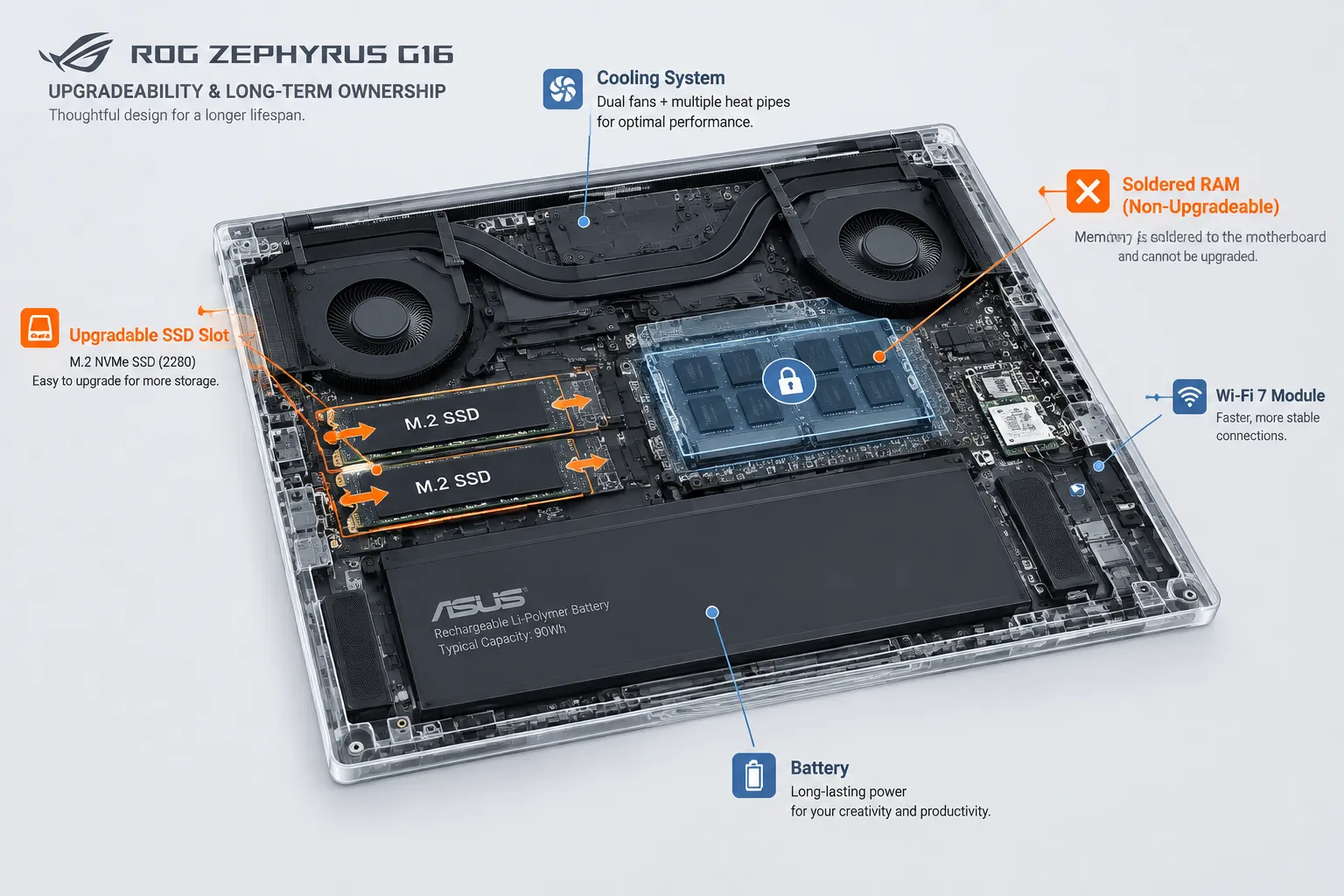
- RAM is often soldered in these slim designs, limiting future memory upgrades, which is a critical long-term ownership consideration.
- The premium price point means older Zephyrus G16 models (2024 GU605 and 2025 GU605) can offer better value for budget-conscious gamers.
- Thermals are managed well for a thin chassis, but fan noise can be noticeable under heavy loads.
- The lack of a dedicated Ethernet port might be a drawback for competitive online gamers.
- For the best value in 2026, carefully compare the RTX 5070 Ti and RTX 5080 configurations, as the RTX 5090’s premium often doesn’t translate to proportionate real-world gains in this chassis.
ASUS ROG Zephyrus G16 (2026) GU606 Review: Quick Verdict
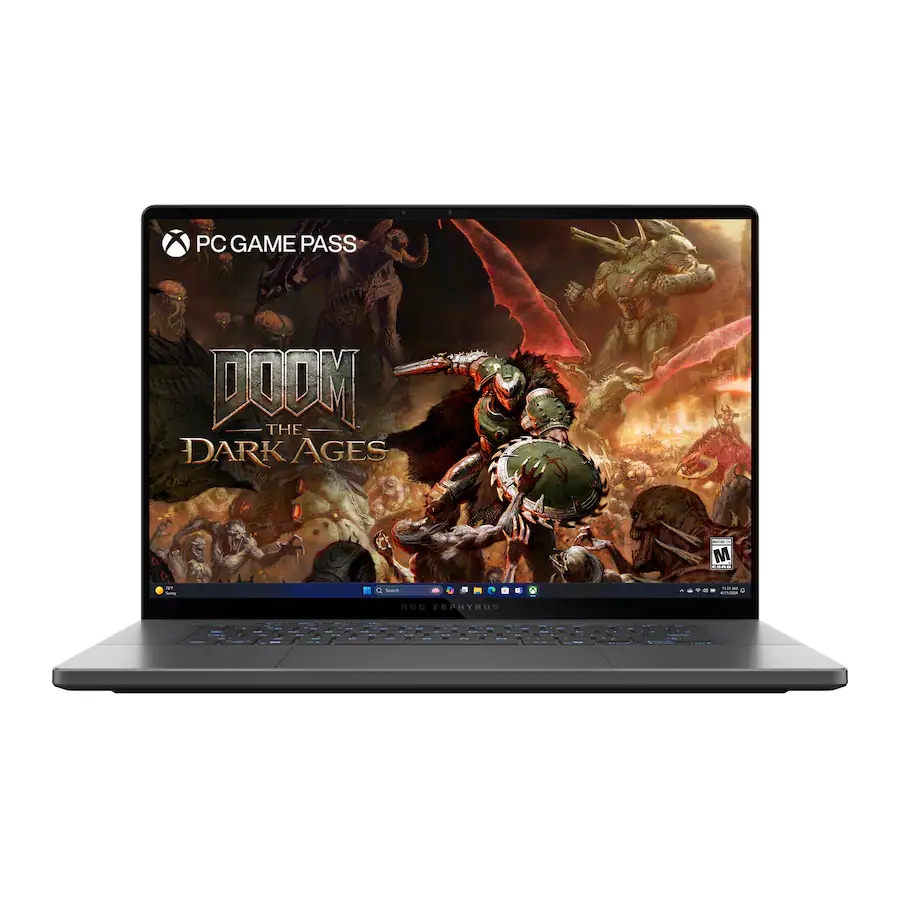 The ASUS ROG Zephyrus G16 (2026) GU606 is an excellent premium laptop for people who want powerful hardware without carrying a heavy gaming machine.
Its OLED display is a major strength. The aluminum chassis feels premium, the speakers are impressive, and the laptop offers serious performance for its relatively portable design.
However, the G16 is expensive. The highest-end configurations can also face the same challenge affecting many thin gaming laptops: powerful components cannot always perform like they would inside a much thicker machine.
Ultrabookreview’s 2026 GU606 review praised its design, display, efficiency, speakers, and overall performance. However, it also criticized its high price, limited display angle, weak webcam, and increased heat and noise in higher-power modes.
TechOzea Verdict
Buy the Zephyrus G16 if: You want a premium laptop that can handle work during the day and demanding games later.
Skip it if: You want the maximum possible gaming performance for your money and do not care about portability.
ASUS ROG Zephyrus G16 (2026) GU606 Pros and Cons
Pros
- Premium and relatively portable aluminum design
- Excellent 16-inch OLED display
- 240Hz refresh rate
- Strong performance options
- RTX 50-series GPU configurations
- Excellent speakers
- 90Wh battery
- Strong productivity and creative potential
- More discreet design than many gaming laptops
Cons
- Premium pricing
- Performance varies significantly by configuration
- Soldered memory limits future upgrades
- High-power modes can increase fan noise and heat
- Webcam remains a weakness
- The most expensive GPU configurations may offer weaker value than thicker competitors
- Requires a dongle for wired internet, which can be inconvenient for competitive online gaming
Which ASUS ROG Zephyrus G16 Model Are We Reviewing?
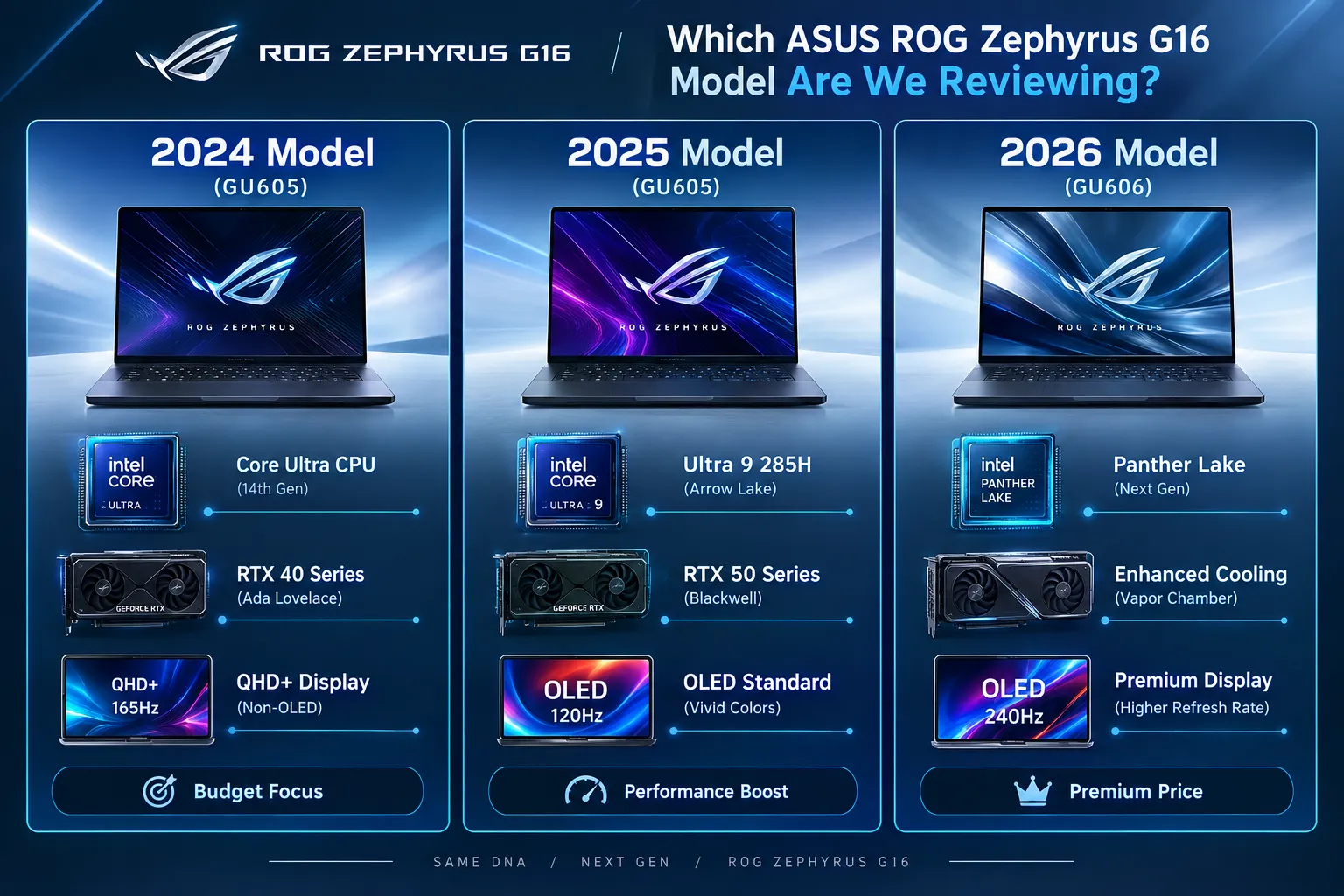
This review focuses on the ASUS ROG Zephyrus G16 (2026) GU606, featuring Intel’s latest mobile platform and NVIDIA RTX 50-series Laptop GPUs.
It’s crucial to understand that the “Zephyrus G16” name has been used across several generations, each with distinct hardware and performance profiles. A review of one year’s model does not automatically apply to another.
2024 vs. 2025 vs. 2026 Zephyrus G16 Models
The Zephyrus G16 line evolves quickly, making it easy to get confused. The 2024 models (often GU605 variants) typically featured Intel Core Ultra (e.g., Core Ultra 7 155H) and NVIDIA RTX 40-series GPUs like the RTX 4060. These are now often found at a discount.
The 2025 models (also GU605) upgraded to more powerful Intel Core Ultra 9 285H processors and the newer RTX 50-series GPUs (RTX 5070 Ti, RTX 5080, or RTX 5090).
For 2026, the GU606 iteration brings the Intel Panther Lake platform, further refining performance and efficiency with the same RTX 50-series GPU options. Always confirm the exact model year and specifications before buying.
Understanding the GU605 and GU606 Model Numbers
ASUS uses these internal designations to differentiate major generational changes. The GU605 refers to the chassis design and internal layout introduced in 2024 and carried into 2025, which saw an internal hardware refresh.
The GU606 for 2026 signifies a new internal platform (Intel Panther Lake) and potentially further refinements to the cooling system and display, even if the exterior design looks similar. Knowing this number helps identify the precise generation you are evaluating.
Why Your CPU and GPU Configuration Matters
Choosing the right CPU and GPU configuration is paramount, especially with the Zephyrus G16. A Core Ultra 7 with an RTX 4060 will deliver vastly different gaming performance and creative workload capabilities compared to an Intel Panther Lake with an RTX 5090.
The NVIDIA RTX 50-series Laptop GPU lineup includes the RTX 5060, RTX 5070, RTX 5070 Ti, RTX 5080, and RTX 5090. These GPUs also operate across different power ranges depending on the laptop design.
Given the premium price of the G16, buyers should consider the entire system rather than choosing a configuration based solely on the GPU name.
ASUS ROG Zephyrus G16 (2026) GU606 Specifications
The most important thing to understand before buying this laptop is that GU606 specifications vary by configuration.
According to the official ASUS ROG Zephyrus G16 GU606 specifications, listed versions include NVIDIA RTX 5060, RTX 5070, RTX 5070 Ti, RTX 5080, and RTX 5090 Laptop GPUs.
ASUS also lists a 16-inch 2560 × 1600 OLED display with a 240Hz refresh rate, G-Sync, and NVIDIA Advanced Optimus support for applicable configurations.
| Feature | ASUS ROG Zephyrus G16 GU606 |
|---|---|
| Display | 16-inch OLED |
| Resolution | 2560 × 1600 |
| Aspect ratio | 16:10 |
| Refresh rate | 240Hz |
| CPU | Intel Core Ultra 9 386H in listed configurations |
| GPU options | RTX 5060 to RTX 5090 Laptop GPU |
| Memory | Configuration dependent |
| Maximum listed RAM | Up to 64GB |
| Storage | PCIe 4.0 NVMe SSD |
| Battery | 90Wh |
| Graphics switching | MUX Switch and NVIDIA Advanced Optimus |
Important: Always check the official ASUS specifications for the exact model you plan to purchase. Graphics, memory, and regional configurations can differ.
What Is New With the 2026 Zephyrus G16?
The 2026 G16 does not completely reinvent the Zephyrus formula.
Instead, ASUS has refined an existing idea: put high-end hardware inside a premium laptop that remains relatively easy to carry.
The biggest changes center on the new hardware platform, GPU options, display improvements, cooling, and efficiency.
Ultrabookreview describes the 2026 GU606 as an evolution rather than a radical redesign. Its review identifies the updated OLED panel, cooling system, and Intel platform efficiency as some of the major improvements.
That is probably the right way to view this machine.
The 2026 Zephyrus G16 is not designed to become the fastest gaming laptop in every benchmark. Instead, ASUS is trying to create a more balanced high-end machine.
Design and Portability
Gaming laptops often force buyers to choose between power and portability.
The Zephyrus G16 tries to reduce that compromise.
The laptop has maintained the premium, minimalist direction established by previous generations. Independent reviews consistently describe the Zephyrus chassis as one of its strongest features.
TechSpot’s review of an RTX 5080 configuration described the G16 as an exceptionally sleek machine, measuring about 0.59 inches thick and weighing approximately 4.3 pounds for the reviewed model.
Those numbers matter.
A larger gaming laptop might deliver more raw performance, but it can become inconvenient to carry every day. The Zephyrus G16 is designed for people who want one machine for multiple environments.
You could realistically use it:
- At a desk
- In a university lecture
- At an office
- During travel
- For photo and video editing
- For gaming at home
That versatility remains one of the strongest reasons to choose it.
The OLED Display Is a Major Selling Point
The 16-inch OLED display is one of the best reasons to consider the Zephyrus G16.
ASUS lists a 2560 × 1600 resolution, 240Hz refresh rate, 16:10 aspect ratio, G-Sync, and 100% DCI-P3 coverage for applicable configurations.
For gaming, the 240Hz refresh rate helps deliver smooth motion.
For work, the 16:10 aspect ratio provides more vertical space than a traditional 16:9 laptop screen.
For creative users, OLED technology offers deep blacks and strong contrast.
This combination makes the G16 different from many traditional gaming laptops.
A typical gaming machine may prioritize the GPU above everything else. The Zephyrus G16 places more emphasis on the complete experience.
That includes the screen you will use for work, movies, browsing, editing, and gaming.
Keyboard, Trackpad, and Everyday Usability
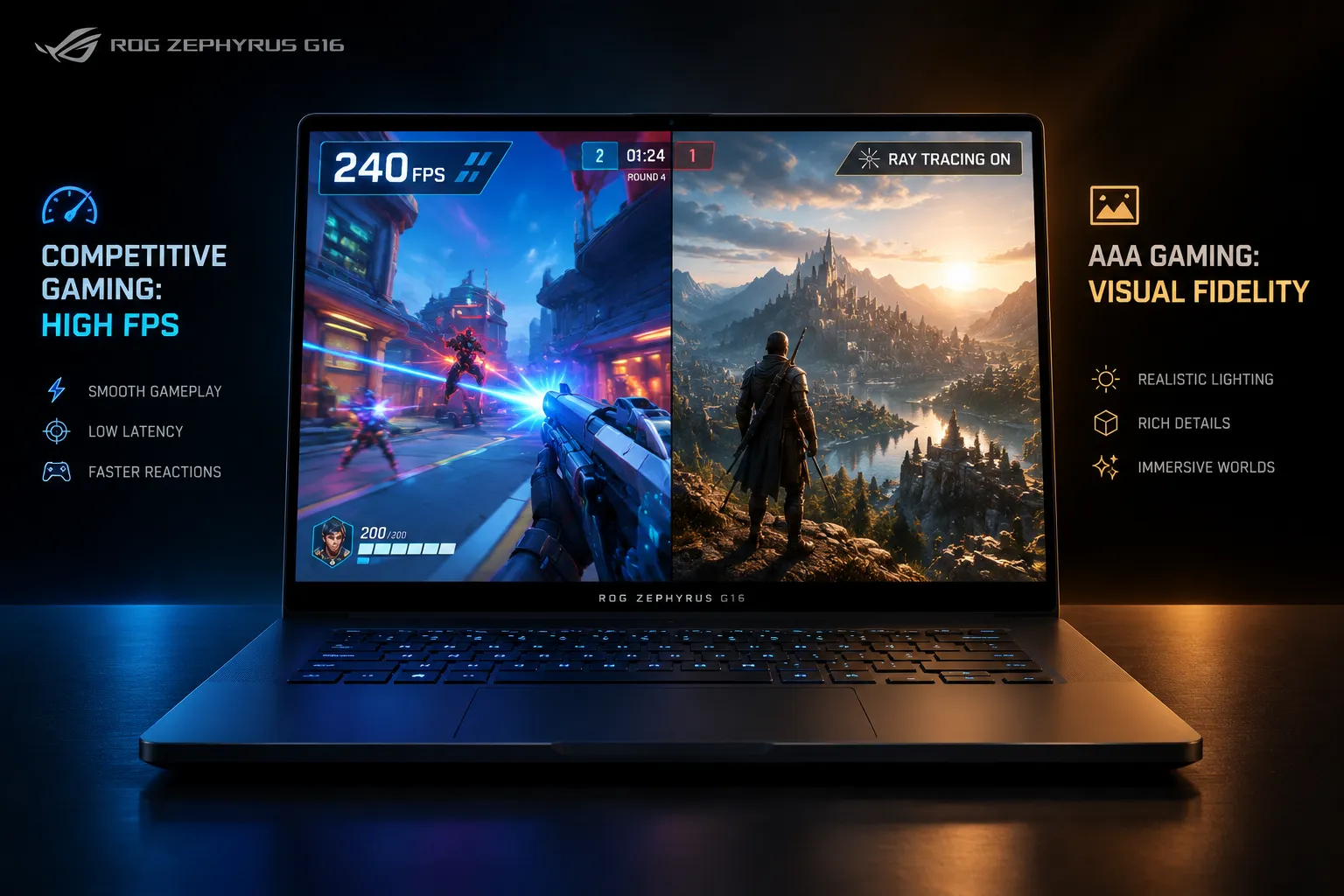 A powerful laptop can have excellent benchmark results and still become frustrating to use every day.
Fortunately, previous Zephyrus generations have generally received positive feedback for their input devices.
Notebookcheck praised the input devices of the 2025 G16, while also identifying some design and hardware limitations elsewhere in the machine.
The large trackpad is especially important.
Many gaming laptops include small or compromised trackpads because the manufacturer expects users to connect an external mouse. The Zephyrus G16 is intended to function as a complete laptop when you are away from your desk.
The keyboard follows the same philosophy.
It is designed for typing as well as gaming.
However, buyers who require a full-size keyboard or number pad should consider this before purchasing.
Ports and Connectivity
The Zephyrus G16 offers the type of connectivity expected from a premium Windows laptop.
However, port requirements differ significantly between users.
A gamer might need:
- USB connections for peripherals
- HDMI for an external display
- Ethernet through an adapter or dock
A content creator might prioritize:
- High-speed USB connections
- External storage support
- Display output
- SD card connectivity
The most important advice is simple: check the exact GU606 configuration and regional specification page before buying.
Laptop specifications sometimes change between regions.
Performance
This is where buyers need to slow down.
The name “ROG Zephyrus G16” does not tell you enough about performance.
ASUS offers the 2026 model with GPUs ranging from the RTX 5060 to the RTX 5090 Laptop GPU. The official NVIDIA specifications show that these GPUs have significantly different specifications and power ranges.
There is also another factor: GPU power.
A thinner laptop has less room for cooling. Therefore, a high-end GPU inside a slim machine may operate with different power limits from the same GPU inside a much larger gaming laptop.
This does not make the G16 a poor performer.
It simply means buyers should not purchase the laptop based on the GPU name alone.
The chassis, cooling system, power limits, processor, and memory configuration all matter.
Gaming Performance
The Zephyrus G16 is capable of serious gaming.
However, the best experience depends on your configuration.
RTX 5060: Best for Buyers Who Want the Zephyrus Experience
An RTX 5060 configuration should appeal to buyers who value the G16’s design and display but do not need maximum performance.
The RTX 5060 Laptop GPU is a part of GeForce RTX 50-series Laptop GPU family.
This version makes the most sense for:
- Competitive games
- Modern games at sensible settings
- Everyday productivity
- Students
- General creative work
The major question is price.
If the RTX 5060 configuration costs too close to a more powerful gaming laptop, the value equation becomes difficult.
RTX 5070: The Potential Sweet Spot
The RTX 5070 may offer a better balance for many buyers.
It provides stronger graphics performance while maintaining the portability that makes the Zephyrus series appealing.
This configuration should suit:
- Serious gamers
- Content creators
- Students in demanding technical fields
- Users who want one laptop for work and entertainment
The exact value will depend heavily on U.S. pricing.
RTX 5070 Ti: For Enthusiasts Who Want More Headroom
The RTX 5070 Ti configuration targets users who need additional graphics performance.
This may be the more sensible option for buyers who want the laptop to remain capable for several years.
However, you should still compare it with competing laptops at the same price.
A thicker laptop with similar hardware may offer higher sustained performance.
RTX 5080: Premium Performance Without a Huge Chassis
The RTX 5080 is where the G16 becomes a serious enthusiast machine.
TechSpot reviewed a Zephyrus G16 equipped with an RTX 5080 and praised the laptop’s premium design and portability while examining its gaming and synthetic performance.
However, this configuration enters an extremely competitive price range.
At this level, buyers should compare:
- Razer Blade 16
- High-performance 16-inch gaming laptops
- Desktop replacement machines
- Premium creator laptops
You are paying for more than raw frames per second.
You are also paying for portability, design, display quality, and versatility.
RTX 5090: The Configuration That Requires the Most Thought
The RTX 5090 version sounds like the obvious choice for buyers who want maximum power.
But it is also the configuration where value deserves the closest examination.
Notebookcheck’s 2025 review of the RTX 5090 Zephyrus G16 concluded that the laptop offered strong performance, excellent speakers, a premium design, and a great OLED display. However, it also noted that the slim design prevented the GPU from reaching the same potential available in more powerful chassis designs.
That creates an important buying question:
Are you paying for the RTX 5090 name, or do you actually need the complete performance potential of an RTX 5090?
If maximum gaming performance matters most, a thicker machine could offer better value.
If you need powerful hardware in a portable package, the G16 becomes easier to justify.
The Thin-and-Light Compromise: Heat and Noise
You cannot completely escape physics.
Powerful components generate heat.
A thin chassis provides less space for large cooling hardware.
The 2026 G16’s updated cooling system aims to improve the balance between performance, temperatures, and noise. However, Ultrabookreview still reported that the laptop could become hot and noisy when running in high-power Turbo or Manual modes.
This is not unusual for a high-performance laptop.
The important point is understanding your priorities.
If you want:
- Maximum sustained performance
- Lower temperatures
- Larger cooling systems
A traditional gaming laptop may be the better choice.
If you want:
- Portability
- Premium construction
- Strong performance
- A better all-around laptop experience
The Zephyrus G16 makes more sense.
Battery Life
The Zephyrus G16 includes a 90Wh battery.
That is a large battery for a relatively slim laptop.
However, battery life depends heavily on how you use the machine.
Gaming on battery will still drain it quickly. No powerful gaming laptop changes that reality.
The better question is how the laptop performs during everyday use.
Web browsing, writing, video playback, and office work should benefit from the platform’s improved efficiency and graphics switching technologies.
Ultrabookreview identified improved efficiency and longer runtimes as advantages of the 2026 platform.
For a buyer who needs one laptop for both work and gaming, this is important.
Speakers
Laptop speakers rarely receive much attention.
They should.
The Zephyrus G16 has consistently been praised for its speaker quality across multiple generations.
Ultrabookreview describes the 2026 model’s speakers as punchy, while Notebookcheck also praised the speaker system of the previous generation.
This improves the G16’s appeal as an everyday laptop.
You may still want headphones for gaming or private listening, but the built-in speakers are less of an afterthought than they are on many competing gaming machines.
The Webcam Is Still a Weak Point
This is one area where the G16 appears less impressive.
Ultrabookreview specifically criticized the webcam in its 2026 GU606 review.
That is disappointing for a laptop designed to serve multiple purposes.
People increasingly use their laptops for:
- Video meetings
- Online classes
- Remote work
- Streaming
- Content creation
If webcam quality is important, an external webcam may provide a better experience.
Which ASUS ROG Zephyrus G16 Configuration Should You Buy?
This is the section most buyers should read before making a decision.
Choose the RTX 5060 if:
- You prioritize design and portability
- You play competitive games
- You do not need maximum graphics performance
- The price is significantly lower than more powerful versions
Choose the RTX 5070 if:
- You want a balanced configuration
- You game regularly
- You also use demanding productivity applications
- You want stronger long-term performance
Choose the RTX 5070 Ti if:
- You are an enthusiast
- You want more graphics performance
- You plan to use demanding creative software
- The price difference is reasonable
Choose the RTX 5080 if:
- You want high-end gaming performance
- You value portability
- You use GPU-intensive creative applications
- You understand that a thin laptop may not maximize GPU performance
Choose the RTX 5090 if:
- Budget is not your primary concern
- You need maximum specifications
- You value portability more than absolute performance-per-dollar
For most buyers, the middle configurations may provide the most sensible balance.
Zephyrus G16 vs Razer Blade 16
The Razer Blade 16 is one of the most obvious alternatives.
Both laptops target buyers who want premium materials, powerful hardware, and a relatively portable design.
The decision comes down to priorities.
Choose the Zephyrus G16 if:
- You prefer ASUS’s configuration options
- You want the specific G16 display and design
- You value the balance between gaming and everyday use
Consider the Razer Blade 16 if:
- You prefer its design
- You find a better hardware configuration for the price
- Its performance characteristics better suit your workload
The exact comparison depends on the configurations available when you buy.
Zephyrus G16 vs a Traditional Gaming Laptop
This comparison is simpler.
A larger gaming laptop will often provide:
- More cooling capacity
- Higher sustained power
- Better performance per dollar
- More upgrade options
The Zephyrus G16 provides:
- Better portability
- A more premium everyday design
- An excellent OLED display
- Strong performance in a compact package
The G16 is the better choice if you actually plan to carry your laptop frequently.
If the machine will remain on a desk most of the time, a larger laptop may provide better value.
Is the ASUS ROG Zephyrus G16 (2026) Worth the Price?
This is the G16’s biggest challenge.
The laptop offers an impressive collection of features, but it is not inexpensive.
Ultrabookreview reviewed a high-end 2026 configuration priced at $4,499 and described the overall platform as expensive.
That does not mean every GU606 configuration costs the same.
It does mean buyers should carefully compare exact configurations.
Before buying, ask:
- What GPU am I getting?
- How much memory does it have?
- Is the RAM upgradeable?
- How much storage is included?
- What are the GPU power limits?
- Is a competing laptop faster at the same price?
- Will I actually benefit from the G16’s portability?
The final question matters more than most people realize.
If you rarely travel with your laptop, you may not benefit enough from the G16’s slim design to justify its premium.
Who Should Buy the ASUS ROG Zephyrus G16?
The Zephyrus G16 is an excellent choice for:
The traveling gamer
You want a powerful laptop without carrying a huge gaming machine.
The creative professional
You need a high-quality OLED display and strong GPU performance for demanding applications.
NVIDIA also positions its RTX 50-series Laptop GPUs for creative workloads, including video editing, 3D rendering, and graphic design.
The student who needs one powerful computer
You need a laptop for work, entertainment, and gaming.
The enthusiast who values design
You care about build quality, portability, display quality, and performance.
Who Should Skip the Zephyrus G16?
You may want a different laptop if:
You want maximum performance per dollar
A thicker gaming laptop could offer more performance.
You need upgradeable RAM
The soldered memory is an important long-term limitation.
You need an excellent built-in webcam
This remains a weak point according to current independent testing.
You rarely travel
A heavier machine may provide better value if portability does not matter.
Final Verdict
The ASUS ROG Zephyrus G16 (2026) GU606 is an excellent example of what a modern premium gaming laptop can be.
It is powerful, attractive, relatively portable, and equipped with an excellent OLED display. It can also handle far more than gaming.
However, the G16’s greatest strength is also the reason you need to shop carefully.
ASUS offers multiple configurations, and the performance difference between them can be substantial. The RTX 5090 model may look like the ultimate choice on paper, but a more balanced configuration could offer better value.
My recommendation is to choose the Zephyrus G16 based on your actual workload rather than simply buying the most expensive GPU configuration you can afford.
For buyers who want a laptop that works equally well as a gaming machine, creative workstation, and premium everyday computer, the 2026 Zephyrus G16 is one of the most compelling options in its category.
FAQs schema-ready questions and answers
Is the ASUS ROG Zephyrus G16 2026 good for gaming?
Yes. The 2026 Zephyrus G16 offers several RTX 50-series Laptop GPU configurations. Gaming performance depends heavily on the specific GPU and power configuration you choose.
Does the ASUS ROG Zephyrus G16 2026 have an OLED screen?
ASUS lists a 16-inch 2560 × 1600 OLED display with a 240Hz refresh rate for the GU606 product line. Buyers should confirm the exact specifications of their selected configuration.
Which Zephyrus G16 configuration should I buy?
The best configuration depends on your workload and budget. Midrange GPU options may offer the best balance, while high-end RTX 5080 and RTX 5090 configurations target demanding enthusiasts.
Is the Zephyrus G16 good for creators?
The laptop can be a strong choice for creators because it combines powerful hardware with a high-resolution OLED display and a portable design. The best configuration depends on the software you use.
Can you upgrade the RAM in the Zephyrus G16?
Memory upgrade options depend on the specific model. ASUS lists onboard LPDDR5X memory for the GU606, so buyers should carefully select the memory capacity they need before purchasing.
