




Engineering students and professionals navigate a digital landscape filled with demanding software, complex calculations, and resource-intensive applications. The right laptop isn’t just a convenience—it’s essential equipment that can make or break productivity, efficiency, and success.
In this comprehensive guide, I’ll walk you through the 15 best laptops for engineering, spanning different price points, capabilities, and specializations. I’ve researched the latest specifications, analyzed performance benchmarks, and considered the unique needs of various engineering disciplines to help you make an informed decision.
Whether you’re designing in CAD, running fluid dynamics simulations, coding complex systems, or managing electrical engineering projects, there’s a perfect laptop waiting for you. Let’s dive in and find your ideal engineering companion.
Understanding Engineering Laptop Requirements
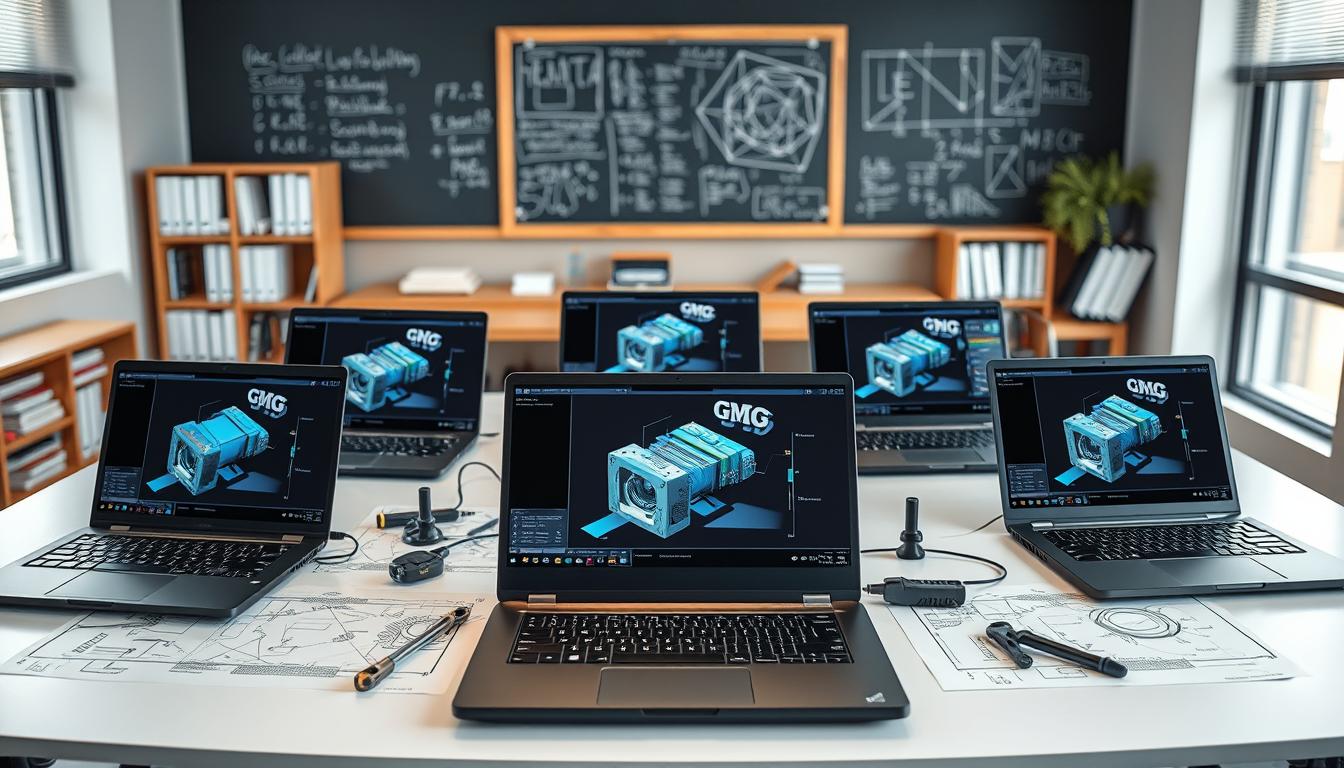
Engineering isn’t a one-size-fits-all discipline, and neither are laptop requirements. Different engineering specializations demand different capabilities from your hardware.
Why Specialized Laptops Matter for Engineering
Engineering software is among the most demanding applications you can run on a laptop. From 3D modeling to finite element analysis to complex simulations, these programs push even high-end hardware to its limits.
Using an underpowered machine doesn’t just mean waiting longer for results—it can lead to crashes, lost work, and frustration.
Engineering students and professionals typically need to run software like:
- AutoCAD, SolidWorks, or Revit for design work
- ANSYS or MATLAB for simulations and calculations
- Adobe Creative Suite for documentation and presentations
- Programming environments for coding and development
Each of these applications has different system requirements, but they all benefit from powerful processors, ample RAM, and dedicated graphics capabilities.
How Engineering Laptops Differ from Regular Laptops

While any laptop can handle basic web browsing and document editing, engineering laptops need to go further:
- Processing Power: Engineering tasks often involve complex calculations that benefit from multi-core processors with high clock speeds.
- Graphics Capabilities: Many engineering applications rely heavily on GPU acceleration for rendering and visualization.
- Memory Requirements: Running multiple resource-intensive applications simultaneously requires significant RAM.
- Storage Considerations: Engineering projects generate substantial data, requiring fast and spacious storage solutions.
- Display Quality: Accurate color reproduction and high resolution are crucial for design work.
- Build Quality: Durability becomes important when you’re carrying your laptop between classes, labs, or job sites.
With these factors in mind, let’s explore the key specifications you should consider when choosing an engineering laptop.
Key Specifications for Engineering Laptops
Processors: The Brain of Your Engineering Laptop
The processor (CPU) is arguably the most critical component of an engineering laptop. It handles calculations, simulations, and overall system performance.
Recommended Specifications:
- Intel Options: Core i7, Core i9, or Core Ultra series (12th gen or newer)
- AMD Options: Ryzen 7, Ryzen 9 (6000 series or newer)
- Apple Options: M3, M4, or M4 Pro/Max chips
Why It Matters: Many engineering applications benefit significantly from high single-core performance for general operations, but also leverage multi-core capabilities for simulations and rendering tasks. The latest CPUs offer a balance of both.
Real-world Impact: A powerful CPU can reduce rendering times from hours to minutes and make complex simulations feasible on a portable device.
Graphics: Visualizing Your Engineering Projects
While not all engineering tasks require a powerful discrete GPU, many CAD, modeling, and simulation applications benefit greatly from dedicated graphics hardware.
Recommended Specifications:
- Entry-Level: NVIDIA RTX 3050, Intel Arc Graphics
- Mid-Range: NVIDIA RTX 4050/4060, AMD Radeon RX 6700S
- High-End: NVIDIA RTX 4070/4080/4090
Why It Matters: GPUs accelerate rendering, physics simulations, and some computational tasks. They’re essential for 3D modeling, fluid dynamics, and increasingly for general simulation work.
Real-world Impact: A capable GPU can make the difference between smooth, real-time 3D model manipulation and frustrating lag when rotating or modifying complex designs.
Memory (RAM): Room to Work
RAM provides the workspace for your active applications. Too little RAM forces your system to use slower disk-based virtual memory, dramatically reducing performance.
Recommended Specifications:
- Minimum: 16GB
- Recommended: 32GB
- Ideal for Heavy Workloads: 64GB
Why It Matters: Engineering software is notoriously memory-hungry. Running multiple applications simultaneously (like a CAD program alongside analysis tools and reference materials) quickly consumes available RAM.
Real-world Impact: Sufficient RAM allows you to work with larger assemblies, more complex models, and multiple engineering tools without performance degradation.
Storage: Fast and Spacious
Engineering work generates large files, and accessing those files quickly improves productivity.
Recommended Specifications:
- Minimum: 512GB SSD
- Recommended: 1TB SSD
- Ideal Setup: 1-2TB NVMe SSD for primary storage with external storage for archives
Why It Matters: SSDs dramatically outperform traditional hard drives, reducing load times for large project files and improving overall system responsiveness.
Real-world Impact: Fast storage reduces time spent waiting for files to open or save, and provides space for software installations, project files, and reference materials.
Display: Your Window to Engineering Work
Engineers spend hours staring at screens, so display quality directly impacts productivity and comfort.
Recommended Specifications:
- Resolution: At least 1920 x 1080 (Full HD), preferably 2560 x 1440 (QHD) or higher
- Size: 14″ to 16″ balances portability with usability
- Panel Type: IPS or OLED for better color accuracy and viewing angles
- Refresh Rate: 60Hz minimum, 120Hz+ preferable for smooth operation
- Color Accuracy: 100% sRGB coverage for accurate design work
Why It Matters: Engineering work involves precise details that benefit from higher resolution displays, while color accuracy is important for design work.
Real-world Impact: A quality display reduces eye strain during long work sessions and ensures what you see on screen matches what appears in final products or prints.
Battery Life: Freedom to Work Anywhere
While engineering tasks often demand power that drains batteries quickly, decent battery life remains important for working in classrooms, libraries, or field locations.
Recommended Specifications:
- Minimum: 6 hours
- Recommended: 8+ hours
- Ideal: 10+ hours under normal workloads
Why It Matters: Engineering students often move between classes, study spaces, and labs throughout the day, while professionals may need to work at client sites or in the field.
Real-world Impact: Good battery life means less time hunting for outlets and more flexibility in where you can work productively.
Ports and Connectivity: Connecting Your Engineering Tools
Engineers often need to connect to various peripherals, from external monitors to specialized equipment.
Recommended Specifications:
- USB-A: At least 2 ports for legacy devices
- USB-C/Thunderbolt: At least 1-2 ports for high-speed data transfer and docking
- HDMI/DisplayPort: For connecting to external displays
- Ethernet: Either built-in or via adapter for stable network connections
- SD Card Reader: Useful for transferring data from devices or cameras
Why It Matters: Engineering work often involves connecting to specialized equipment, using external storage, or setting up multi-monitor workstations.
Real-world Impact: Having the right ports available saves you from carrying adapters and ensures compatibility with lab equipment and presentation systems.
15 Best Laptops for Engineering
Based on the specifications outlined above, here are the 15 best laptops for engineering, each excelling in different areas to meet various needs and budgets.
1. Dell XPS 16 – Best Overall
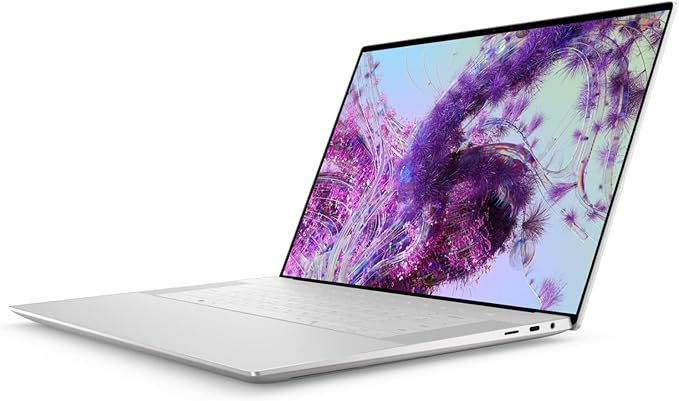
The Dell XPS 16 strikes an ideal balance of power, portability, and build quality, making it our top overall pick for engineering students and professionals.
Key Specifications:
- Processor: Intel Core Ultra 7 155H (16 cores)
- Graphics: NVIDIA GeForce RTX 4070 (8GB GDDR6)
- RAM: 32GB DDR5 (upgradable to 64GB)
- Storage: 1TB PCIe NVMe SSD
- Display: 16.3″ 4K+ (3840 x 2400) OLED touch display, 100% DCI-P3 color gamut
- Battery Life: Up to 11 hours
- Weight: 4.7 pounds
- Ports: 3x Thunderbolt 4, 1x USB-C, SD card reader, 3.5mm headphone jack
- Price Range: $2,499 – $3,499
Why It’s Great for Engineering
The XPS 16 combines exceptional CPU performance with RTX 4070 graphics, making it capable of handling any engineering software from CAD to simulation tools. The stunning 4K+ OLED display provides outstanding clarity and color accuracy for detailed design work, while the aluminum and carbon fiber construction ensures durability. Despite its power, it maintains a relatively slim profile and offers excellent battery life for its class.
Performance Highlights
In Geekbench 6 benchmarks, the XPS 16 achieved a single-core score of 1,751 and multi-core score of 13,199, demonstrating strong performance for both single-threaded tasks and parallel workloads. Its RTX 4070 GPU easily handles demanding graphics tasks in applications like SolidWorks and ANSYS.
Who Should Buy It
The Dell XPS 16 is ideal for engineering students and professionals who need a premium, high-performance laptop that can handle any engineering task while remaining portable enough for daily use. Its combination of processing power, graphics capability, and excellent display makes it suitable for mechanical, civil, electrical, and software engineering work. If budget allows, this is the best all-around engineering laptop available.
2. Lenovo ThinkPad X1 Carbon Gen 12 – Best for Professionals
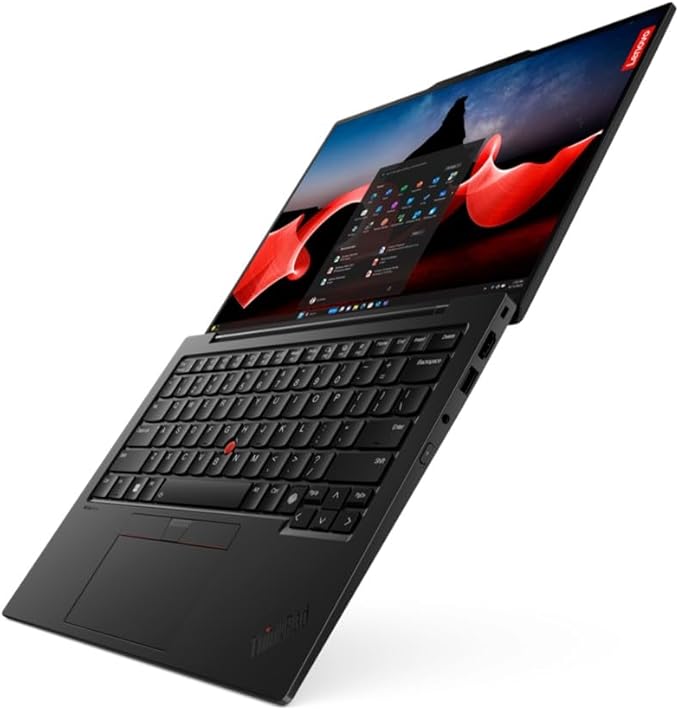
The Lenovo ThinkPad X1 Carbon Gen 12 offers exceptional build quality, security features, and performance in an ultraportable package.
Key Specifications:
- Processor: Intel Core Ultra 7 165H
- Graphics: Intel Arc Graphics
- RAM: Up to 64GB LPDDR5x
- Storage: Up to 2TB PCIe Gen4 SSD
- Display: 14″ WUXGA (1920 x 1200) IPS, optional WQUXGA (3840 x 2400)
- Battery Life: Up to 14 hours
- Weight: 2.42 pounds
- Ports: 2x Thunderbolt 4, 2x USB-A 3.2, HDMI 2.1, 3.5mm headphone jack
- Price Range: $1,699 – $2,899
Why It’s Great for Engineering
The ThinkPad X1 Carbon balances performance with exceptional portability. Its Intel Core Ultra processor offers excellent single-core performance for CAD applications, and while it lacks a discrete GPU, the integrated Intel Arc Graphics provide better performance than previous integrated solutions. The legendary ThinkPad keyboard makes long coding or documentation sessions comfortable, and the MIL-STD-810G tested durability ensures it can withstand the rigors of field use.
Performance Highlights
The X1 Carbon’s Intel Core Ultra processor delivers responsive performance for most engineering applications, though it may struggle with the most demanding 3D rendering tasks due to the integrated graphics. Its 14-hour battery life leads the premium ultraportable category, making it perfect for full workdays without charging.
Who Should Buy It
This laptop is ideal for engineering professionals who prioritize portability, durability, and battery life over raw graphical power. It’s particularly well-suited for electrical engineers, software engineers, and project managers who travel frequently or work in the field. The professional look and enterprise security features make it a favorite for corporate environments.
3. MSI Cyborg 15 – Best Value

The MSI Cyborg 15 offers performance that rivals much more expensive laptops at a surprisingly accessible price point.
Key Specifications:
- Processor: Intel Core i7-13620H
- Graphics: NVIDIA GeForce RTX 4050 (6GB GDDR6)
- RAM: 16GB DDR5 (upgradable to 64GB)
- Storage: 512GB NVMe SSD (expandable)
- Display: 15.6″ Full HD (1920 x 1080) IPS, 144Hz
- Battery Life: 5 hours
- Weight: 4.63 pounds
- Ports: 1x USB-C, 2x USB-A 3.2, 1x HDMI, 1x Ethernet, 3.5mm headphone jack
- Price Range: $999 – $1,299
Why It’s Great for Engineering
The Cyborg 15 delivers exceptional performance-per-dollar with its combination of a powerful Intel Core i7 processor and RTX 4050 graphics card. This hardware configuration is capable of handling demanding engineering software like SolidWorks, AutoCAD, and ANSYS at a significantly lower price point than competing models with similar specifications. The translucent design elements give it a distinctive engineering-appropriate aesthetic.
Performance Highlights
In benchmarks, the MSI Cyborg 15 achieved a Geekbench 6 single-core score of 1,837 and multi-core score of 10,614, demonstrating solid performance for engineering applications. The RTX 4050 GPU, while entry-level in NVIDIA’s RTX lineup, still provides sufficient graphics performance for most CAD and 3D modeling tasks.
Who Should Buy It
The MSI Cyborg 15 is perfect for engineering students and early-career professionals who need capable performance without breaking the bank. Its price-to-performance ratio makes it an excellent choice for those who require GPU acceleration for CAD and simulation applications but have budget constraints. The main trade-offs are battery life (only about 5 hours) and a less premium build quality compared to higher-end options.
4. Asus ROG Zephyrus G14 – Best Portable Powerhouse
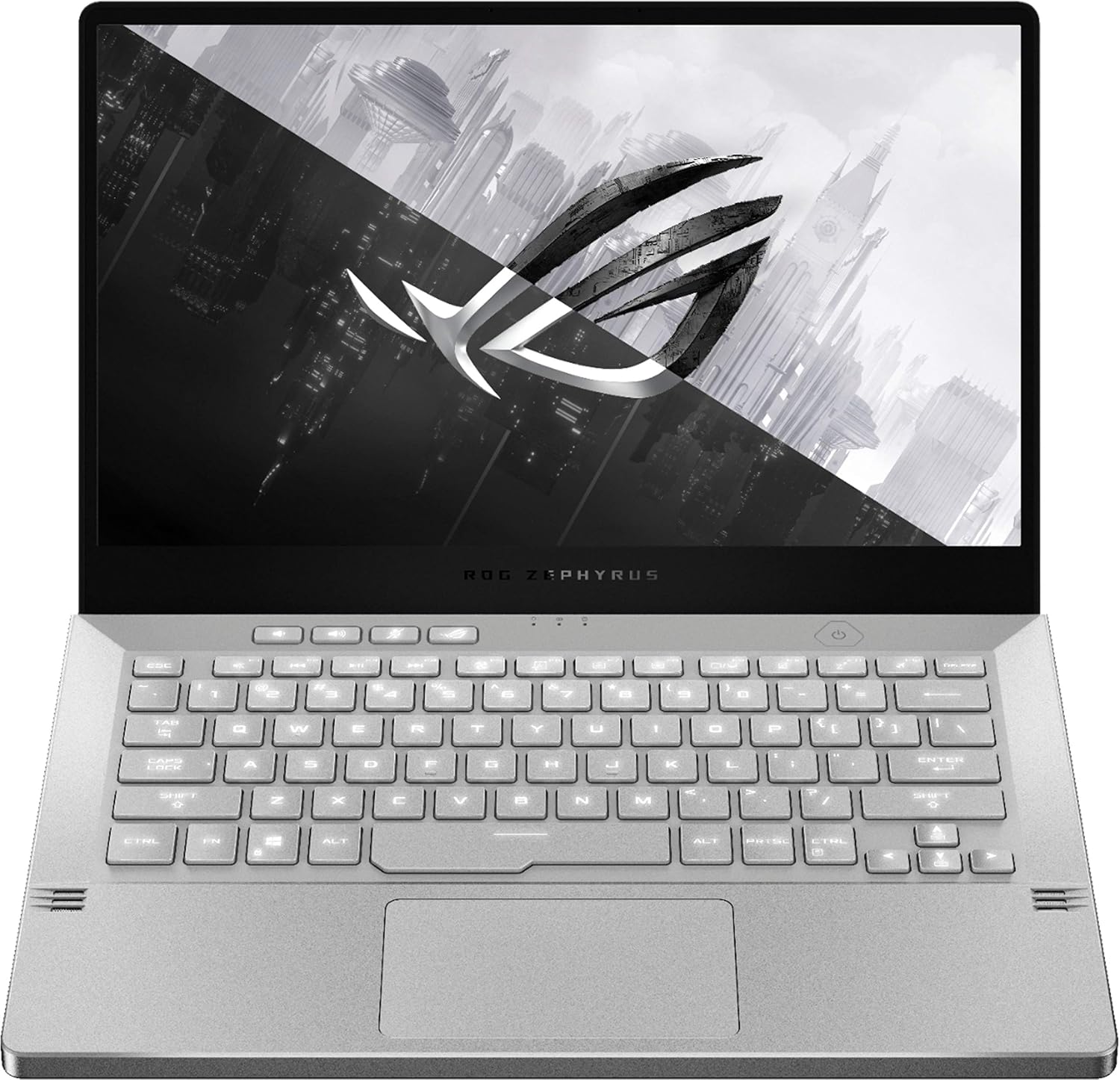
The Asus ROG Zephyrus G14 packs remarkable performance into a compact 14-inch form factor, making it ideal for engineers on the move.
Key Specifications:
- Processor: AMD Ryzen 9 8945HS
- Graphics: NVIDIA GeForce RTX 4060 (8GB GDDR6)
- RAM: 16GB DDR5 (upgradable to 32GB)
- Storage: 1TB PCIe 4.0 NVMe SSD
- Display: 14″ QHD+ (2560 x 1600) IPS, 165Hz, 100% DCI-P3
- Battery Life: Up to 10 hours
- Weight: 3.79 pounds
- Ports: 2x USB-C, 2x USB-A, 1x HDMI 2.1, microSD card reader, 3.5mm headphone jack
- Price Range: $1,599 – $1,999
Why It’s Great for Engineering
The Zephyrus G14 defies expectations by fitting desktop-class performance into a remarkably portable 14-inch chassis. The combination of the AMD Ryzen 9 processor and RTX 4060 GPU provides enough horsepower for CAD work, simulations, and computational tasks. Unlike many powerful laptops, it also delivers impressive battery life, making it practical for all-day use in classes or meetings.
Performance Highlights
In Geekbench 6 testing, the Zephyrus G14 scored 2,614 in single-core and 12,246 in multi-core performance. Battery life tests show it can last nearly 7 hours under mixed-use conditions—exceptional for a gaming-class laptop with this level of performance.
Who Should Buy It
The Zephyrus G14 is perfect for engineering students and professionals who need serious computing power but don’t want to lug around a large, heavy laptop. Its balanced combination of performance, portability, and battery life makes it suitable for a wide range of engineering disciplines. Civil engineers who need to work on construction sites, aerospace engineers traveling between facilities, or any engineer who values mobility will appreciate this compact powerhouse.
5. MacBook Pro M4 – Best for Cross-Platform Engineering

The latest MacBook Pro with the M4 chip offers exceptional performance, build quality, and battery life in a sleek package.
Key Specifications:
- Processor: Apple M4 Pro (12-core CPU)
- Graphics: 16-core integrated GPU
- RAM: 18GB unified memory (configurable up to 64GB)
- Storage: 512GB SSD (configurable up to 8TB)
- Display: 14.2″ Liquid Retina XDR (3024 x 1964), 120Hz ProMotion, 1000 nits brightness
- Battery Life: Up to 14 hours
- Weight: 3.4 pounds
- Ports: 3x Thunderbolt 5, HDMI, SD card reader, 3.5mm headphone jack, MagSafe charging
- Price Range: $1,999 – $3,999
Why It’s Great for Engineering
The MacBook Pro M4 represents Apple’s most impressive engineering laptop to date. The M4 Pro chip delivers exceptional CPU performance for computational tasks, simulations, and programming, while its integrated GPU provides surprisingly strong graphics performance for CAD and 3D modeling. The Liquid Retina XDR display offers unmatched color accuracy and brightness for detailed design work, and the exceptional battery life means you can work all day without searching for power outlets.
Performance Highlights
The M4 Pro chip delivers up to 20% faster CPU performance and 30% faster GPU performance compared to the M3 generation. Benchmarks show it outperforming many laptops with dedicated GPUs in tasks like video encoding and computational workloads, though Windows-exclusive engineering software remains a limitation.
Who Should Buy It
The MacBook Pro is ideal for software engineers, web developers, and engineers who work in cross-platform environments or with macOS-compatible engineering tools. It’s also excellent for engineering students who need a laptop for both engineering applications and general productivity. Engineers who use MATLAB, software development tools, or web-based engineering applications will find the MacBook Pro’s performance, battery life, and build quality hard to beat.
Note: Before purchasing a MacBook for engineering work, verify compatibility with your required software. Some specialized engineering applications are Windows-only, though options like virtualization or dual-booting (using Boot Camp on Intel-based Macs) can address this limitation.
6. HP Victus 15 – Best Budget Option

The HP Victus 15 delivers surprising performance at an entry-level price point, making engineering software accessible to budget-conscious students.
Key Specifications:
- Processor: Intel Core i5-12500H / AMD Ryzen 5 6600H
- Graphics: NVIDIA GeForce RTX 3050 (4GB GDDR6)
- RAM: 8GB DDR4 (upgradable to 16GB)
- Storage: 512GB NVMe SSD
- Display: 15.6″ Full HD (1920 x 1080) IPS, 144Hz
- Battery Life: 4.5 hours
- Weight: 5.06 pounds
- Ports: 1x USB-C, 3x USB-A, 1x HDMI, 1x Ethernet, 3.5mm headphone jack, SD card reader
- Price Range: $599 – $899
Why It’s Great for Engineering
The Victus 15 brings engineering-capable hardware down to an impressively low price point. The combination of a 12th-gen Intel Core i5 (or AMD Ryzen equivalent) and NVIDIA RTX 3050 graphics provides enough power to run AutoCAD, SolidWorks, MATLAB, and other engineering applications that would struggle on typical budget laptops. The 144Hz display is a nice bonus that provides smooth visuals when working with 3D models or simulations.
Performance Highlights
Despite its budget positioning, the Victus 15 delivers solid performance for entry-level engineering tasks. The RTX 3050, while not the most powerful GPU, still provides hardware acceleration for CAD applications and can handle moderate 3D modeling tasks.
Who Should Buy It
The HP Victus 15 is ideal for first and second-year engineering students on tight budgets who still need to run resource-intensive engineering software. It’s also a good option for hobbyists or those just getting started with engineering software. The main compromises are battery life, build quality, and longevity—but at this price point, it delivers exceptional value for engineering applications.
7. Microsoft Surface Laptop Studio 2 – Best 2-in-1

The Surface Laptop Studio 2 offers a unique convertible form factor with powerful hardware that’s perfect for engineering and design work.
Key Specifications:
- Processor: Intel Core i7-13700H
- Graphics: NVIDIA GeForce RTX 4050/4060 (6GB GDDR6)
- RAM: 16GB/32GB LPDDR5x
- Storage: 512GB/1TB/2TB removable SSD
- Display: 14.4″ PixelSense Flow (2400 x 1600) touch display, 120Hz, 3:2 aspect ratio
- Battery Life: Up to 9.5 hours
- Weight: 4.0 pounds
- Ports: 2x USB 4.0/Thunderbolt 4, 1x Surface Connect, 3.5mm headphone jack
- Price Range: $1,899 – $3,099
Why It’s Great for Engineering
The Surface Laptop Studio 2’s unique design allows it to transform between laptop, stage, and studio modes, making it incredibly versatile for different engineering tasks. In laptop mode, it’s great for CAD work and programming; in stage mode, it’s perfect for reviewing designs or presentations; and in studio mode, it becomes a digital drafting table ideal for detailed design work. The excellent Surface Slim Pen 2 (sold separately) provides pressure sensitivity and haptic feedback that simulates the feel of drawing on paper.
Performance Highlights
Benchmarks show solid performance with Geekbench 6 scores of 1,862 (single-core) and 12,760 (multi-core). The RTX 4050/4060 GPU options provide enough graphics power for most engineering applications, though they’re not quite as powerful as the higher-tier RTX cards in some competing laptops.
Who Should Buy It
The Surface Laptop Studio 2 is perfect for engineers who need the flexibility of both a traditional laptop and a tablet. It’s especially well-suited for civil engineers, architectural engineers, and industrial designers who benefit from pen input for sketching and annotation. The premium build quality and integration with the Microsoft ecosystem make it an excellent choice for professionals who want a versatile machine that can adapt to different work environments.
8. Dell Inspiron Plus 14 – Best Mid-Range

The Dell Inspiron Plus 14 offers an exceptional balance of performance, display quality, and battery life at a mid-range price point.
Key Specifications:
- Processor: Intel Core Ultra 7 155H
- Graphics: Intel Arc Graphics
- RAM: 16GB LPDDR5x (soldered, not upgradable)
- Storage: 1TB PCIe NVMe SSD
- Display: 14″ 2.2K (2240 x 1400) IPS, 60Hz, 100% sRGB
- Battery Life: Up to 17 hours
- Weight: 3.49 pounds
- Ports: 2x Thunderbolt 4, 1x USB-A 3.2, 1x HDMI, 1x 3.5mm headphone jack, microSD card reader
- Price Range: $899 – $1,199
Why It’s Great for Engineering
The Inspiron Plus 14 delivers impressive performance for its price segment. The Intel Core Ultra processor handles demanding engineering applications with ease, while the high-resolution display offers excellent clarity for detailed CAD work and coding. The standout feature is the exceptional battery life—up to 17 hours—which means you can work through a full day of classes or meetings without worrying about finding a power outlet.
Performance Highlights
In PCMark 10 testing, the Inspiron Plus 14 scored an impressive 7,061, outperforming many laptops in higher price brackets. The Intel Arc Graphics, while not as powerful as dedicated NVIDIA options, provides enough graphical performance for most 2D engineering applications and light 3D modeling.
Who Should Buy It
The Dell Inspiron Plus 14 is perfect for engineering students who need a capable, reliable laptop without breaking the bank. It’s also ideal for engineering professionals who primarily work with less graphically intensive software like MATLAB, programming environments, or 2D CAD. The combination of strong CPU performance, excellent battery life, and high-quality display makes it a versatile choice for a wide range of engineering disciplines.
9. Alienware m18 R2 – Best for Heavy Workloads
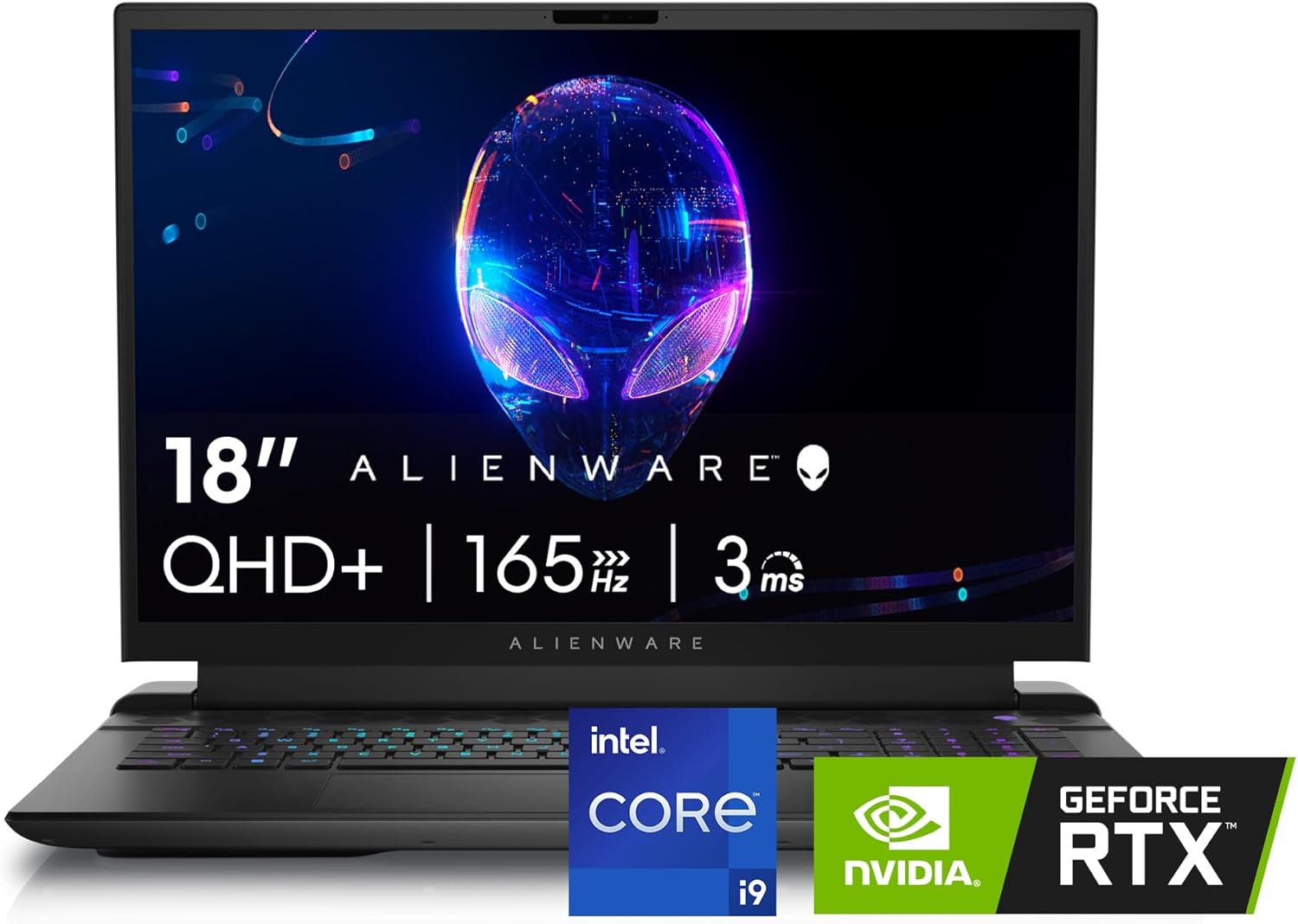
The Alienware m18 R2 brings desktop-class performance to a (technically) portable form factor, making it ideal for the most demanding engineering applications.
Key Specifications:
- Processor: Intel Core i9-14900HX
- Graphics: NVIDIA GeForce RTX 4090 (16GB GDDR6)
- RAM: 32GB DDR5 (upgradable to 64GB)
- Storage: 2TB PCIe NVMe SSD (dual drive support)
- Display: 18″ QHD+ (2560 x 1600) IPS, 165Hz, 100% DCI-P3
- Battery Life: 3.75 hours
- Weight: 9.32 pounds
- Ports: 3x USB-A, 2x USB-C/Thunderbolt 4, 1x HDMI 2.1, 1x DisplayPort, 1x Ethernet, microSD card reader, 3.5mm headphone jack
- Price Range: $3,099 – $4,499
Why It’s Great for Engineering
The Alienware m18 R2 is effectively a desktop replacement that offers uncompromising performance for the most demanding engineering workloads. The combination of Intel’s flagship mobile CPU and NVIDIA’s top-tier RTX 4090 GPU can handle complex fluid dynamics simulations, large architectural renderings, and massive engineering assemblies that would bring less powerful laptops to their knees. The 18-inch QHD+ display provides ample screen real estate for detailed work.
Performance Highlights
Benchmark results are exceptional, with Geekbench 6 scores of 2,868 (single-core) and 18,035 (multi-core)—the highest in our lineup. The RTX 4090 GPU delivers desktop-level graphics performance, making real-time visualization of complex 3D models smooth and responsive.
Who Should Buy It
The Alienware m18 R2 is ideal for engineers working with the most demanding applications, such as computational fluid dynamics, finite element analysis, or complex architectural visualization. It’s also perfect for engineers who want a single machine for both work and high-end gaming. The main drawbacks are its size, weight, and poor battery life—this is a laptop that will spend most of its time on a desk, not in a backpack.
10. Framework Laptop 16 – Most Customizable
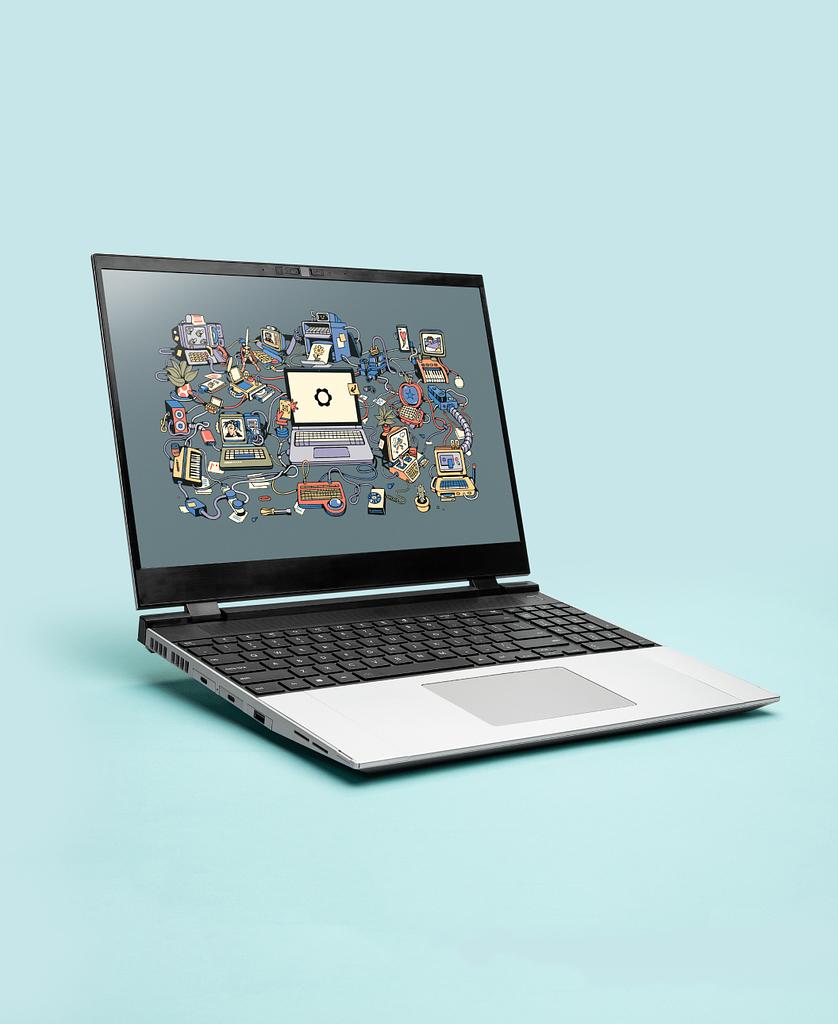
The Framework Laptop 16 brings unprecedented modularity and repairability to the engineering laptop market.
Key Specifications:
- Processor: AMD Ryzen 7 7840HS
- Graphics: Integrated AMD Radeon 780M or optional discrete GPU module
- RAM: 16GB DDR5 (upgradable to 64GB)
- Storage: 512GB NVMe SSD (upgradable with multiple slots)
- Display: 16″ QHD+ (2560 x 1600) IPS, 165Hz
- Battery Life: Up to 8.5 hours
- Weight: 4.63 pounds
- Ports: Modular expansion card system with 6 slots (mix and match USB-A, USB-C, HDMI, DisplayPort, Ethernet, etc.)
- Price Range: $1,699 – $2,699
Why It’s Great for Engineering
The Framework Laptop 16 embodies the engineering mindset with its modular, user-serviceable design. Almost every component can be upgraded or replaced, from the CPU and GPU modules to the RAM, storage, and even the port selection. The modular expansion card system lets you configure exactly the ports you need for your specific engineering applications and equipment. This approach not only allows for customization but also extends the laptop’s useful life through upgrades rather than replacement.
Performance Highlights
The Ryzen 7 processor delivers strong performance with Geekbench 6 scores of 1,782 (single-core) and 11,983 (multi-core). The optional discrete GPU module adds significant graphics power when needed for CAD or rendering work.
Who Should Buy It
The Framework Laptop 16 is perfect for engineers who value sustainability, repairability, and customization. It’s ideal for those who want a laptop that can evolve with their needs over time, rather than becoming obsolete. The modular approach appeals to the engineering mindset and makes it a great choice for engineering students and professionals across disciplines who appreciate being able to tailor their machine to specific projects or applications.
11. Acer Aspire Go 15 – Best Ultra-Budget

The Acer Aspire Go 15 delivers basic engineering capabilities at an extremely affordable price point.
Key Specifications:
- Processor: AMD Ryzen 5 7520U
- Graphics: Integrated AMD Radeon Graphics
- RAM: 8GB LPDDR5 (upgradable to 16GB)
- Storage: 256GB NVMe SSD
- Display: 15.6″ Full HD (1920 x 1080) IPS
- Battery Life: Up to 8 hours
- Weight: 3.9 pounds
- Ports: 1x USB-C, 2x USB-A, 1x HDMI, 3.5mm headphone jack
- Price Range: $299 – $499
Why It’s Great for Engineering
The Acer Aspire Go 15 brings entry-level engineering capabilities to an incredibly accessible price point. While it won’t handle advanced 3D modeling or complex simulations, it provides enough power for programming, basic CAD work, and engineering coursework for introductory classes. The solid construction and surprisingly good display quality make it a capable companion for budget-conscious engineering students.
Performance Highlights
The Ryzen 5 processor provides decent performance for basic engineering tasks, though the integrated graphics limit 3D capabilities. Battery life is respectable at around 8 hours of mixed use.
Who Should Buy It
The Acer Aspire Go 15 is ideal for first-year engineering students on an extremely tight budget, high school students exploring engineering, or as a secondary machine for engineers who need basic functionality while traveling. It’s best suited for software engineering, electrical engineering, or other disciplines that don’t require intensive 3D graphics performance.
12. Razer Blade 15 – Best Premium Design

The Razer Blade 15 combines high-end gaming performance with a sleek, professional design that doesn’t scream “gaming laptop.”
Key Specifications
- Processor: Intel Core i7-13800H
- Graphics: NVIDIA GeForce RTX 4070 (8GB GDDR6)
- RAM: 16GB DDR5 (upgradable to 64GB)
- Storage: 1TB PCIe Gen4 NVMe SSD
- Display: 15.6″ QHD (2560 x 1440) IPS, 240Hz, 100% DCI-P3
- Battery Life: Up to 6 hours
- Weight: 4.4 pounds
- Ports: 2x USB-C/Thunderbolt 4, 3x USB-A 3.2, 1x HDMI 2.1, 3.5mm headphone jack, SD card reader
- Price Range: $2,399 – $2,999
Why It’s Great for Engineering
The Razer Blade 15 combines the power of a gaming laptop with the understated, professional design of a premium business machine. The CNC-machined aluminum chassis provides exceptional durability while maintaining a slim profile, and the per-key RGB keyboard can be set to a subtle professional appearance for work environments. The powerful hardware configuration handles demanding engineering applications with ease, while the QHD display provides sharp visuals with excellent color accuracy.
Performance Highlights
The combination of Intel Core i7 and RTX 4070 delivers strong performance across a wide range of engineering applications. The 240Hz display provides smooth visuals even when working with complex 3D models or simulations.
Who Should Buy It
The Razer Blade 15 is perfect for engineers who want high performance in a sleek, premium package that’s appropriate for professional environments. It’s ideal for engineers who also enjoy gaming in their off hours, or who need to make presentations to clients and want a laptop that makes a statement about attention to design and quality. The main drawbacks are the premium price and middling battery life.
13. Samsung Galaxy Book4 Ultra – Best OLED Display

The Samsung Galaxy Book4 Ultra combines impressive performance with one of the best displays available on any laptop.
Key Specifications:
- Processor: Intel Core Ultra 7 155H
- Graphics: NVIDIA GeForce RTX 4050 (6GB GDDR6)
- RAM: 16GB LPDDR5 (upgradable to 32GB)
- Storage: 1TB PCIe NVMe SSD
- Display: 16″ 3K (2880 x 1800) AMOLED, 120Hz, 100% DCI-P3
- Battery Life: Up to 13 hours
- Weight: 4.0 pounds
- Ports: 2x Thunderbolt 4, 1x USB-A, 1x HDMI, microSD card reader, 3.5mm headphone jack
- Price Range: $1,999 – $2,699
Why It’s Great for Engineering
The Galaxy Book4 Ultra delivers a stunning visual experience with its 3K AMOLED display, offering perfect blacks, vibrant colors, and exceptional brightness. This makes it ideal for detail-oriented engineering work that benefits from visual clarity, such as circuit design or architectural drafting. The Core Ultra processor and RTX 4050 GPU provide plenty of power for most engineering applications, while the impressive battery life ensures you can work all day without reaching for a charger.
Performance Highlights
Benchmark tests show solid performance with Geekbench 6 scores of 2,426 (single-core) and 13,061 (multi-core). Battery life is exceptional at over 13 hours in standardized tests, among the best in this performance class.
Who Should Buy It
The Samsung Galaxy Book4 Ultra is perfect for engineers who prioritize display quality, such as those working in fields where visual precision matters. It’s particularly well-suited for electrical engineers designing circuits, architects reviewing detailed plans, or any engineer who spends long hours staring at complex schematics or designs. The combination of performance, display quality, and battery life makes it a versatile choice for both office and field work.
14. Asus TUF Gaming A16 – Best Affordable Gaming/Engineering Hybrid
The Asus TUF Gaming A16 offers excellent performance at a mid-range price point with the durability to withstand daily use.
Key Specifications:
- Processor: AMD Ryzen 7 7735HS
- Graphics: NVIDIA GeForce RTX 4060 (8GB GDDR6)
- RAM: 16GB DDR5 (upgradable to 32GB)
- Storage: 512GB PCIe NVMe SSD (upgradable)
- Display: 16″ Full HD (1920 x 1200) IPS, 165Hz
- Battery Life: Up to 8 hours
- Weight: 5.07 pounds
- Ports: 1x USB-C, 2x USB-A, 1x HDMI 2.1, 1x Ethernet, 3.5mm headphone jack
- Price Range: $999 – $1,399
Why It’s Great for Engineering
The TUF Gaming A16 delivers excellent price-to-performance value with hardware capable of handling demanding engineering applications. The combination of Ryzen 7 processor and RTX 4060 GPU provides enough power for CAD work, simulations, and computational tasks at a much lower price point than comparable systems. True to the TUF name, it also features military-grade durability certification (MIL-STD-810H), making it robust enough for workshop or fieldwork environments.
Performance Highlights
The Ryzen 7 processor and RTX 4060 GPU deliver strong performance for both engineering applications and gaming. The 165Hz display provides smooth visuals when working with 3D models or simulations.
Who Should Buy It
The Asus TUF Gaming A16 is perfect for engineering students who want a laptop that can handle both their coursework and gaming, without breaking the bank. It’s also well-suited for engineers working in environments where durability is important. The military-grade certification and affordable price make it a practical choice for those who need performance but don’t want to worry about babying an expensive laptop.
Check the Price on Amazon
15. Lenovo Yoga Pro 9i – Best Premium All-Around
The Lenovo Yoga Pro 9i combines premium build quality with exceptional performance in a versatile convertible form factor.
Key Specifications:
- Processor: Intel Core i9-13905H
- Graphics: NVIDIA GeForce RTX 4070 (8GB GDDR6)
- RAM: 32GB LPDDR5x (soldered, not upgradable)
- Storage: 1TB PCIe Gen4 SSD
- Display: 16″ 3.2K (3200 x 2000) OLED, 120Hz, 100% DCI-P3
- Battery Life: Up to 8 hours
- Weight: 4.74 pounds
- Ports: 2x Thunderbolt 4, 1x USB-C, 1x USB-A, 1x HDMI, 1x SD card reader, 3.5mm headphone jack
- Price Range: $1,999 – $2,699
Why It’s Great for Engineering
The Yoga Pro 9i offers the premium performance and features of the Dell XPS 16 or Razer Blade 15, but in a more versatile convertible form factor. The gorgeous 3.2K OLED display provides exceptional visual clarity for detailed engineering work, while the powerful i9 processor and RTX 4070 GPU handle demanding applications with ease. The 2-in-1 design allows it to function as both a traditional laptop and a tablet, making it ideal for taking notes or reviewing designs in tablet mode.
Performance Highlights
The Intel Core i9 and RTX 4070 combination delivers excellent performance across a wide range of engineering applications. The OLED display provides perfect blacks and vibrant colors with 100% DCI-P3 coverage for precise color work.
Who Should Buy It
The Lenovo Yoga Pro 9i is ideal for engineering professionals who want a premium, versatile machine that can adapt to different work situations. It’s particularly well-suited for engineers who need to present to clients or colleagues, as the convertible form factor allows for easy sharing of designs or ideas. The combination of high-end performance, build quality, and flexibility makes it a worthy investment for serious engineering work across all disciplines.
Laptop Requirements by Engineering Discipline
Different engineering disciplines have unique computing requirements. Here’s a breakdown of what to prioritize based on your specific field:
Mechanical Engineering
Mechanical engineers work extensively with 3D modeling software like SolidWorks, AutoCAD, and simulation tools.
Key Requirements:
- Strong CPU: Multi-core performance for simulations
- Powerful GPU: For rendering complex assemblies
- Ample RAM: 16GB minimum, 32GB recommended for large assemblies
- Display: High resolution and color accuracy for design work
Recommended Laptops:
- High-End: Dell XPS 16, Alienware m18 R2
- Mid-Range: Asus ROG Zephyrus G14, Razer Blade 15
- Budget: MSI Cyborg 15, HP Victus 15
Civil Engineering
Civil engineers use CAD software, structural analysis tools, and often need portability for field work.
Key Requirements:
- Balanced Performance: Good CPU and GPU for CAD and analysis
- Durability: For field work and construction sites
- Battery Life: For working away from power sources
- Connectivity: Multiple ports for connecting to instruments and displays
Recommended Laptops:
- High-End: Microsoft Surface Laptop Studio 2, Lenovo ThinkPad X1 Carbon Gen 12
- Mid-Range: Dell Inspiron Plus 14, Framework Laptop 16
- Budget: Asus TUF Gaming A16, HP Victus 15
Electrical Engineering
Electrical engineers use circuit design software, simulation tools, and often programming environments.
Key Requirements:
- Strong CPU: For simulation and analysis
- Decent GPU: For circuit visualization
- Display Quality: For detailed schematic work
- Portability: For lab work and testing
Recommended Laptops:
- High-End: Samsung Galaxy Book4 Ultra, MacBook Pro M4
- Mid-Range: Lenovo ThinkPad X1 Carbon Gen 12, Dell Inspiron Plus 14
- Budget: MSI Cyborg 15, Acer Aspire Go 15
Software Engineering
Software engineers focus on programming, testing, and running development environments.
Key Requirements:
- Strong CPU: For compilation and virtualization
- RAM: 16GB minimum for running multiple environments
- Storage: Fast SSD for development environments
- Keyboard Quality: For extended coding sessions
Recommended Laptops:
- High-End: MacBook Pro M4, Lenovo ThinkPad X1 Carbon Gen 12
- Mid-Range: Dell Inspiron Plus 14, Framework Laptop 16
- Budget: Acer Aspire Go 15
Aerospace Engineering
Aerospace engineers use sophisticated CFD (Computational Fluid Dynamics) software and complex simulation tools.
Key Requirements:
- Maximum CPU Performance: For complex simulations
- High-End GPU: For fluid dynamics visualization
- Massive RAM: 32GB minimum, 64GB ideal
- Large, High-Quality Display: For detailed design work
Recommended Laptops:
- High-End: Alienware m18 R2, Dell XPS 16
- Mid-Range: Asus ROG Zephyrus G14, Razer Blade 15
- Budget: MSI Cyborg 15
Biomedical Engineering
Biomedical engineers require a mix of modeling, analysis, and data processing capabilities.
Key Requirements:
- Balanced Performance: Good CPU and GPU
- RAM: For handling large datasets
- Display Quality: For detailed visualization
- Portability: For lab and clinical settings
Recommended Laptops:
- High-End: Dell XPS 16, Samsung Galaxy Book4 Ultra
- Mid-Range: Microsoft Surface Laptop Studio 2, Lenovo Yoga Pro 9i
- Budget: Dell Inspiron Plus 14
Understanding Engineering Software Requirements
Let’s look at the system requirements for popular engineering software to help you choose a laptop that can handle your specific applications.
AutoCAD 2025
Minimum Requirements:
- OS: Windows 10/11 (64-bit)
- Processor: 2.5 GHz processor
- Memory: 8GB RAM
- GPU: 2GB GPU with 29 GB/s bandwidth and DirectX 11 support
- Storage: 10GB free disk space
- Display: 1920 x 1080 resolution
Recommended Requirements:
- Processor: 3 GHz or faster multi-core processor
- Memory: 16GB RAM or more
- GPU: 8GB GPU with 106 GB/s bandwidth and DirectX 12 support
- Storage: SSD storage
- Display: 4K or high-resolution display
Our Take: Most of our recommended laptops will run AutoCAD adequately, but for complex projects, aim for at least 16GB RAM and a dedicated GPU with 6GB+ VRAM like the RTX 4050 or better.
SOLIDWORKS 2025
Minimum Requirements:
- OS: Windows 10/11 (64-bit)
- Processor: Intel or AMD x86-64 processor
- Memory: 16GB RAM
- GPU: Certified cards (mostly NVIDIA Quadro or GeForce RTX)
- Storage: 20GB+ free disk space
- Display: 1920 x 1080 resolution
Recommended Requirements:
- Processor: 3.3 GHz or faster processor
- Memory: 32GB RAM
- GPU: NVIDIA RTX series with 6GB+ VRAM
- Storage: SSD storage
- Display: High-resolution display
Our Take: SOLIDWORKS is demanding on both CPU and GPU. For serious work, consider laptops with at least an RTX 4060 or 4070, 32GB RAM, and a high-performance CPU. The Dell XPS 16, Alienware m18 R2, and Razer Blade 15 are strong choices.
MATLAB
Minimum Requirements:
- OS: Windows 10/11, macOS, or Linux
- Processor: Any Intel or AMD x86-64 processor
- Memory: 8GB RAM
- GPU: No specific requirement for basic use
- Storage: 4-8GB free disk space
- Display: No specific requirement
Recommended Requirements:
- Processor: Multi-core Intel or AMD processor with AVX2 support
- Memory: 16GB+ RAM
- GPU: NVIDIA GPU for GPU Coder and parallel computing
- Storage: SSD storage
- Display: High-resolution display
Our Take: MATLAB runs well on most modern laptops, but performance scales with available cores and RAM. For complex simulations, prioritize multi-core performance and RAM. The MacBook Pro M4, Dell Inspiron Plus 14, or Lenovo ThinkPad X1 Carbon Gen 12 are excellent choices.
ANSYS
Minimum Requirements:
- OS: Windows 10/11 (64-bit)
- Processor: 64-bit Intel or AMD processor
- Memory: 8GB RAM
- GPU: Dedicated graphics card with latest drivers
- Storage: 25GB+ free disk space
- Display: 1280 x 1024 resolution
Recommended Requirements:
- Processor: Intel Core i7/i9 or AMD Ryzen 7/9
- Memory: 32GB+ RAM
- GPU: NVIDIA RTX series with 8GB+ VRAM
- Storage: SSD storage
- Display: High-resolution display
Our Take: ANSYS is extremely demanding for complex simulations. For serious work, the Alienware m18 R2, Dell XPS 16, or Asus ROG Zephyrus G14 provide the necessary computational power.
Revit 2025
Minimum Requirements:
- OS: Windows 10/11 (64-bit)
- Processor: Intel or AMD multi-core processor
- Memory: 16GB RAM
- GPU: 4GB DirectX 11 capable GPU
- Storage: 30GB+ free disk space
- Display: 1920 x 1080 resolution
Recommended Requirements:
- Processor: 3+ GHz multi-core processor
- Memory: 32GB RAM
- GPU: NVIDIA RTX series with 8GB+ VRAM
- Storage: SSD storage
- Display: High-resolution display
Our Take: Revit benefits significantly from a powerful GPU, especially for rendering. The Dell XPS 16, Razer Blade 15, or Samsung Galaxy Book4 Ultra would handle Revit projects smoothly.
Adobe Creative Cloud
Minimum Requirements:
- OS: Windows 10/11 or macOS
- Processor: Multi-core Intel or AMD processor, Apple M-series
- Memory: 8GB RAM
- GPU: 2GB GPU RAM
- Storage: 2GB+ free disk space per application
- Display: 1280 x 800 resolution
Recommended Requirements:
- Processor: Fast multi-core processor
- Memory: 16GB+ RAM
- GPU: 4GB+ dedicated GPU
- Storage: SSD storage
- Display: High-resolution, color-accurate display
Our Take: Most of our recommended laptops will run Creative Cloud applications well. For video editing or 3D work in After Effects, prioritize GPU performance and RAM. The MacBook Pro M4, Samsung Galaxy Book4 Ultra, or Dell XPS 16 are excellent choices for creative work.
Future-Proofing Your Engineering Laptop
Engineering software continues to grow more demanding with each release. Here are strategies to ensure your laptop remains capable throughout your academic or professional journey:
Prioritize Upgradeability
Where possible, choose laptops that allow component upgrades:
- RAM: Prioritize laptops with upgradeable memory slots
- Storage: Look for multiple M.2 slots or upgradeable drives
- External GPU Support: Thunderbolt ports allow for external GPU enclosures
- Modular Design: Consider laptops like the Framework that are designed for component replacement
Best for Upgradeability: Framework Laptop 16, Lenovo ThinkPad X1 Carbon Gen 12, Dell XPS 16
Invest in Higher Specs Initially
Sometimes spending more upfront means longer useful life:
- CPU: Choose current-generation processors with higher core counts
- RAM: 32GB provides headroom for future software updates
- GPU: Higher-tier GPUs tend to remain capable longer
- Storage: SSDs with higher endurance ratings last longer under heavy workloads
Consider Port Selection and Expandability
Future-proof connectivity ensures compatibility with new peripherals:
- Thunderbolt/USB4: Provides high-speed connectivity and expansion options
- USB-C: The standard continues to expand in capabilities
- Display Outputs: Multiple options for connecting external monitors
- SD Card Readers: Useful for transferring data from devices
Battery Replacements
Even the best batteries degrade over time:
- User-Replaceable Batteries: Increasingly rare but valuable
- Battery Health Management: Features that extend battery lifespan
- Service Options: Check manufacturer policies on battery replacement
Accessories for Engineering Laptops
The right accessories can significantly enhance your engineering workflow. Here are essential add-ons to consider:
External Displays
Additional screen real estate dramatically improves productivity for engineering work:
- Ultrawide Monitors: Provide expansive workspace for CAD and programming
- High-Resolution Displays: 4K or higher for detailed design work
- Color-Accurate Monitors: For design work requiring precise color reproduction
- Portable Monitors: For mobile workstations when traveling
Recommendations: Dell UltraSharp U2723QE (27″ 4K), LG 34WN80C-B (34″ Ultrawide), ASUS ProArt PA278QV (27″ Color-Accurate)
Input Devices
Engineering work often benefits from specialized input devices:
- 3D Mouse: Devices like the 3Dconnexion SpaceMouse for CAD work
- Graphics Tablets: For sketching and detailed input
- Ergonomic Mouse: Reduces strain during long work sessions
- Mechanical Keyboard: Improved typing experience for programming
Recommendations: 3Dconnexion SpaceMouse Compact, Wacom Intuos Pro, Logitech MX Master 3S, Keychron K3
Docking Stations
Quickly connect multiple peripherals with a single cable:
- Thunderbolt Docks: Highest performance for multiple peripherals
- USB-C Docks: More affordable alternative with good connectivity
- Vertical Laptop Stands: Save desk space when using external monitors
Recommendations: CalDigit TS4 (Thunderbolt 4), Anker 777 Thunderbolt Docking Station, Dell WD19TBS
External Storage
Engineering projects can quickly fill internal storage:
- External SSDs: For fast access to active projects
- External HDDs: Economical for archiving completed projects
- NAS Systems: For team projects and backup
- Cloud Storage: For collaboration and backup
Recommendations: Samsung T7 Shield (portable SSD), WD My Passport (external HDD), Synology DS220+ (NAS)
Cooling Solutions
Prevent thermal throttling during intensive engineering tasks:
- Laptop Cooling Pads: Improve airflow under the laptop
- Laptop Stands: Elevate the laptop for better air circulation
- External Fans: Direct additional airflow to hot spots
Recommendations: KLIM Cyclone, Cooler Master NotePal X3, IETS GT500
Cooling and Thermal Considerations
Engineering applications push laptops to their thermal limits. Understanding and managing heat is crucial for maintaining performance and extending your laptop’s lifespan.
Understanding Thermal Throttling
Modern laptops reduce performance to prevent overheating:
- CPU Throttling: Reduces clock speeds when temperature thresholds are reached
- GPU Throttling: Lowers graphics performance to manage heat
- Performance Impact: Can significantly reduce processing capabilities during sustained workloads
Laptop Cooling Technologies
Different cooling solutions offer varying levels of thermal performance:
- Heat Pipes: Passive cooling using liquid-filled copper tubes
- Vapor Chambers: More efficient evolution of heat pipe technology
- Multiple Fans: Increased airflow for better cooling
- Liquid Metal: Advanced thermal interface material for better heat transfer
Best Cooling Systems: Alienware m18 R2 (Cryo-Tech cooling), Asus ROG Zephyrus G14 (Intelligent Cooling)
Optimizing Thermal Performance
Strategies to maximize cooling efficiency:
- Clean Air Vents: Regularly remove dust from intake and exhaust vents
- Elevated Position: Use stands to improve airflow underneath
- Work Environment: Operate in cooler environments when possible
- Power Plans: Use balanced power plans for better thermal management
Thermal Management Software
Software tools to monitor and manage thermal performance:
- Manufacturer Utilities: Dell Power Manager, Lenovo Vantage, etc.
- Third-Party Options: HWiNFO, ThrottleStop, MSI Afterburner
- Temperature Monitoring: Keep track of CPU and GPU temperatures during intensive tasks
Security Features for Engineering Work
Engineering data often includes sensitive intellectual property or proprietary designs that require protection.
Hardware Security Features
Physical security measures built into engineering laptops:
- Fingerprint Readers: Biometric authentication for quick, secure login
- IR Cameras: Facial recognition for Windows Hello
- TPM Chips: Trusted Platform Module for encryption and secure boot
- Kensington Lock Slots: Physical security to prevent theft
Best for Security Features: Lenovo ThinkPad X1 Carbon Gen 12, Dell XPS 16, Microsoft Surface Laptop Studio 2
Software Security Measures
Software protections for engineering data:
- Disk Encryption: BitLocker (Windows), FileVault (macOS)
- VPN Services: Secure connections when working remotely
- Password Managers: Generate and store complex passwords
- Multi-Factor Authentication: Additional security layer beyond passwords
Security Considerations for Different Engineering Fields
Different disciplines may have specific security requirements:
- Defense/Aerospace: May require enhanced security measures or clearance-compliant hardware
- Medical/Biomedical: HIPAA compliance for patient data
- Corporate Engineering: Data loss prevention for proprietary designs
Maximizing Battery Life
For engineers who need mobility, maximizing battery life is crucial.
Battery Life Comparison
Based on standardized tests, here’s how our recommended laptops compare:
| Laptop | Battery Life (Mixed Use) | Battery Life (Heavy Workload) |
|---|---|---|
| Dell XPS 16 | 11 hours | 5 hours |
| Lenovo ThinkPad X1 Carbon Gen 12 | 14 hours | 7 hours |
| MSI Cyborg 15 | 5 hours | 2 hours |
| Asus ROG Zephyrus G14 | 7 hours | 3 hours |
| MacBook Pro M4 | 14 hours | 7 hours |
| HP Victus 15 | 4.5 hours | 2 hours |
| Microsoft Surface Laptop Studio 2 | 9.5 hours | 4 hours |
| Dell Inspiron Plus 14 | 17 hours | 8 hours |
| Alienware m18 R2 | 3.75 hours | 1.5 hours |
| Framework Laptop 16 | 8.5 hours | 3.5 hours |
| Acer Aspire Go 15 | 8 hours | 4 hours |
| Razer Blade 15 | 6 hours | 2.5 hours |
| Samsung Galaxy Book4 Ultra | 13 hours | 6 hours |
| Asus TUF Gaming A16 | 8 hours | 3 hours |
| Lenovo Yoga Pro 9i | 8 hours | 3.5 hours |
Battery Optimization Techniques
Strategies to extend battery life during engineering work:
- Display Brightness: Reduce brightness to save power
- Background Applications: Close unnecessary applications
- Power Modes: Use balanced or power saver modes when on battery
- Disconnect Peripherals: Unplug unnecessary external devices
- Wireless Connections: Disable Wi-Fi and Bluetooth when not needed
Battery Health Maintenance
Practices to preserve long-term battery health:
- Avoid Full Discharges: Try to keep battery levels between 20-80%
- Temperature Management: Avoid exposing your laptop to extreme temperatures
- Battery Calibration: Occasionally run full discharge cycles to recalibrate the battery meter
- Power Management Software: Use manufacturer tools to optimize battery health
Making Your Final Decision
With so many options available, here’s a framework to help you make the best choice for your specific needs.
Decision Matrix for Engineering Laptops
Consider weighing these factors based on your priorities:
| Factor | Weight | Questions to Ask |
|---|---|---|
| Performance | High | Can it run my specific engineering software smoothly? |
| Portability | Medium | How often will I carry it between locations? |
| Display Quality | Medium | Will I be doing detailed design work? |
| Battery Life | Medium | How long will I need to work away from power? |
| Build Quality | Medium | Will it be exposed to challenging environments? |
| Upgradeability | Low-Medium | How long do I expect to use this laptop? |
| Price | Variable | What’s my budget, and what’s the return on investment? |
Finding the Sweet Spot
The perfect engineering laptop balances:
- Performance: Enough power for your specific applications
- Price: Within your budget constraints
- Portability: Light enough for your mobility needs
- Longevity: Durable and future-proof for your expected usage period
Final Recommendations by Budget
Based on all factors considered:
Premium Tier ($1,800+)
- Best Overall: Dell XPS 16
- Best for Professionals: Lenovo ThinkPad X1 Carbon Gen 12
- Best for Maximum Performance: Alienware m18 R2
- Best for Apple Ecosystem: MacBook Pro M4
Mid-Range ($1,000-$1,800)
- Best Value: MSI Cyborg 15
- Best Portable Option: Asus ROG Zephyrus G14
- Best for Battery Life: Dell Inspiron Plus 14
- Best 2-in-1: Microsoft Surface Laptop Studio 2
Budget (Under $1,000)
- Best Budget Option: HP Victus 15
- Best Ultra-Budget: Acer Aspire Go 15
- Best Durable Budget Option: Asus TUF Gaming A16
FAQS About Best Laptops for Engineering
Can I use a gaming laptop for engineering work?
Yes, gaming laptops are often excellent for engineering applications. They typically feature powerful processors, dedicated graphics cards, and ample RAM—all beneficial for engineering software. The main trade-offs are typically battery life, weight, and sometimes a less professional appearance.
How much RAM do I really need for engineering applications?
For most engineering students, 16GB RAM is the practical minimum. For professionals working with large assemblies, complex simulations, or multiple applications simultaneously, 32GB is recommended. Specialized fields like CFD or FEA simulations might benefit from 64GB or more.
Is a dedicated GPU necessary for engineering work?
It depends on your discipline. For mechanical, civil, or aerospace engineering involving 3D modeling or simulation, a dedicated GPU is highly beneficial. For electrical engineering or software development, integrated graphics may be sufficient. When in doubt, a dedicated GPU with at least 4GB VRAM provides valuable flexibility.
How important is color accuracy for engineering displays?
For mechanical design, industrial design, architecture, or any field where visual precision matters, good color accuracy (100% sRGB coverage) is important. For fields focused on computation, simulation, or programming, color accuracy is less crucial than resolution and overall display quality.
Should I choose Windows or MacOS for engineering?
Windows offers the greatest software compatibility for engineering applications, with many specialized programs only available on Windows. However, MacOS is viable for software development, web development, and disciplines that use cross-platform applications like MATLAB. Check the requirements of your specific software before choosing.
How long should an engineering laptop last?
With proper care, a well-spec’d engineering laptop should remain useful for 4-5 years. Higher-end models with upgradeability features may extend this timeline. Software requirements tend to increase over time, so purchasing above your current needs can extend the laptop’s useful life.
Is an SSD worth the investment for engineering work?
Absolutely. An SSD dramatically improves loading times for large project files, simulation datasets, and engineering applications. The performance difference between SSD and HDD is significant enough to impact daily productivity, making it one of the most worthwhile investments for engineering laptops.
How do I balance performance and battery life?
For the best balance, look for laptops with efficient processors (Intel Core Ultra or AMD Ryzen 7000 series), switchable graphics (that can disable the dedicated GPU when not needed), and battery optimization features. The Dell XPS 16, Asus ROG Zephyrus G14, and MacBook Pro M4 all offer good performance-to-battery-life ratios.
Are thermal considerations more important for engineering laptops?
Yes, engineering workloads tend to push CPU and GPU utilization for extended periods during rendering, simulation, or compilation tasks. This makes thermal management particularly important. Look for laptops with robust cooling systems, and consider using a cooling pad for sustained intensive work.
Do you need a special laptop for engineering?
Yes, engineering students or professionals need laptops with high processing power, ample RAM, dedicated graphics, and sufficient storage to run CAD, simulation, and programming software smoothly.
Is 16GB RAM enough for engineering?
Yes, 16GB RAM is generally sufficient for most engineering tasks, including CAD, MATLAB, and simulation software. However, for intensive simulations, 3D rendering, or large datasets, 32GB or more is recommended for smoother performance and multitasking.
Which is best for engineering students laptop or tablet?
A laptop is best for engineering students due to its processing power, software compatibility, and multitasking capabilities essential for running CAD, simulation, and programming tools.
What warranty options should I consider for an engineering laptop?
Given the investment and critical nature of engineering work, extended warranties with accidental damage protection are worth considering. For students carrying laptops between classes or professionals working in various environments, this additional coverage can provide valuable peace of mind.
Engineering is a demanding field that requires powerful, reliable computing tools. The right laptop can enhance your productivity, enable more complex projects, and provide the flexibility to work wherever inspiration strikes. By carefully considering your specific needs, budget constraints, and the unique requirements of your engineering discipline, you can find the perfect laptop to support your engineering journey.
Remember that the best laptop isn’t always the most expensive one—it’s the one that best meets your particular needs while providing reliable performance for your engineering applications.
