

Close Menu
Techozea | Product Reviews・Ultimate Guides・Best ProductsTechozea | Product Reviews・Ultimate Guides・Best Products

    Subscribe to Updates

    Get the latest technology news from TechOzea about product reviews, ultimate guides, best products, how-to guides and insights.

    What's Hot

    How to Wear Bone Conduction Headphones Correctly

    June 21, 2026

    How Bone Conduction Headphones Work (And Who They’re For)

    June 21, 2026

    How to Change Your iPhone Name in 30 Seconds: A Step-by-Step Guide

    June 19, 2026
    Facebook X (Twitter) Instagram
    Facebook X (Twitter) Instagram
    Techozea | Product Reviews・Ultimate Guides・Best ProductsTechozea | Product Reviews・Ultimate Guides・Best Products
    • Homepage
    • Headphones & Audio Gear
    • How-To and Tutorials
    • Laptops & Accessories
    • Camera & Accessories
    • PC & Gaming Gear
    • Mobile Gadgets & Accessories
    • TVs
    • News
    • Uncategorized
    Techozea | Product Reviews・Ultimate Guides・Best ProductsTechozea | Product Reviews・Ultimate Guides・Best Products
    Home | How-To and Tutorials | How to Pair TOZO Earbuds (Fast Pairing + Fix One Earbud)
    How-To and Tutorials

    How to Pair TOZO Earbuds (Fast Pairing + Fix One Earbud)

    MosesBy MosesFebruary 3, 2026No Comments1 Min Read
    Facebook Twitter Pinterest Telegram LinkedIn Copy Link Reddit WhatsApp
    Follow Us
    Facebook Pinterest YouTube
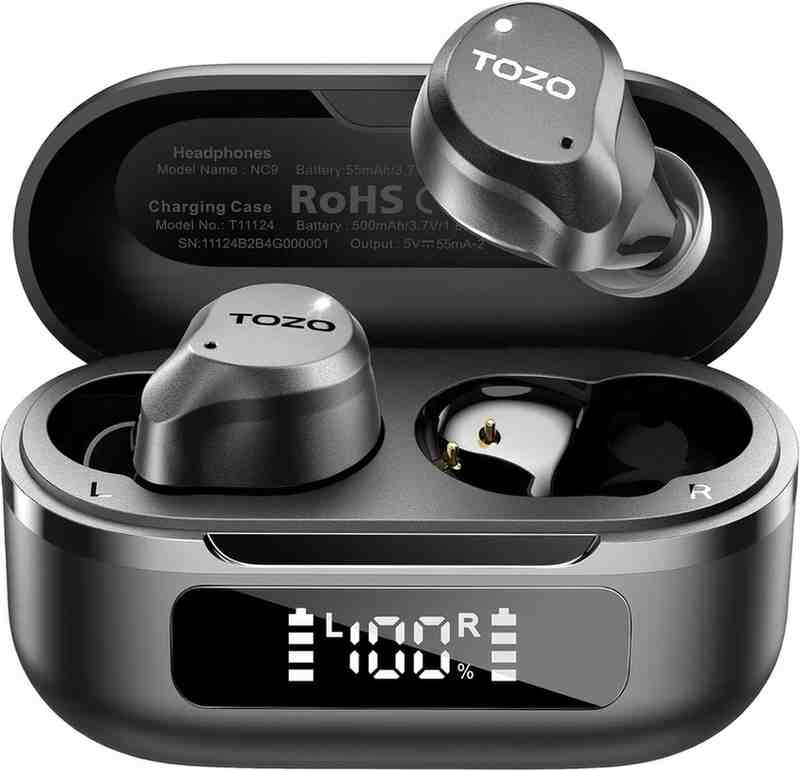
    TOZO NC9 Hybrid Active Noise Cancelling
    Share
    Facebook Twitter LinkedIn Pinterest Copy Link WhatsApp

    How do I put TOZO earbuds into pairing mode and connect them to my phone/computer?

    This quick answer is optimized for fast pairing, device switching, and the “only one earbud works” problem using manufacturer guidance and widely consistent troubleshooting steps. Key manufacturer references include TOZO quick-start PDFs for models like T10, T12.

    Human-Verified Bluetooth Steps Confidence: 92% Typical time: 30–60 seconds

    Direct Answer (Featured Snippet Format)

    To pair TOZO earbuds, take both earbuds out of the case, wait ~10 seconds for them to sync, then open Bluetooth on your device and select “TOZO-…”. If it fails, tap “Forget” and reset both earbuds, then pair again. (General steps align with wikiHow’s TOZO pairing guide.)

    • Step 1 (Power + Sync): Remove both earbuds from the case and wait ~10 seconds for left/right sync.
    • Step 2 (Bluetooth Scan): Open Bluetooth settings on your phone/laptop and look for“TOZO-…”.
    • Step 3 (Connect): Tap/click the TOZO entry once to pair.
    • Step 4 (If it fails): “Forget” the device and run a reset (model-specific). Example reset timing is documented for T10: hold both earbuds to power off (~5s), then hold again (~8–10s) to reset.
    ~10s
    Typical earbud-to-earbud sync wait
    30–60s
    Typical full pairing time
    92%
    Confidence (manufacturer + consensus)

    Context Tabs (Choose your situation)

    Remove both earbuds, wait ~10 seconds, then select “TOZO-…” in Bluetooth. If an old device keeps grabbing the connection, disable Bluetooth on that old device first. General pairing flow matches.

    Go to Settings → Bluetooth. Remove both earbuds and wait ~10 seconds, then tap “TOZO-…”. If it doesn’t show, remove previous TOZO entries (“Forget This Device”) and retry..

    Turn Bluetooth on, tap “Pair new device,” then remove both earbuds and wait ~10 seconds. Tap “TOZO-…”. If you see two devices, do a reset so they pair as one stereo set.

    If only one earbud connects, first forget the TOZO device, then reset both earbuds together and re-pair. Community troubleshooting frequently confirms “forget + reset + re-pair” as the fastest fix: Reddit sync fix thread. Model-specific reset timing is documented in TOZO guides.

    Confidence Scoring

    Overall: 92% Evidence: Manufacturer PDFs + consensus

    Evidence Metrics Grid

    Signal Concrete value Why it matters
    Earbud-to-earbud sync window ~10 seconds Reduces “one earbud only” by letting stereo pairing complete before connecting.
    Manual power on (no case) ~5 seconds hold Enables pairing while traveling; useful when case battery is dead.
    Reset (example model) Power off (~5s) + reset (~8–10s) Clears pairing keys and fixes desync; model timing documented for T10.

    Frequently Asked Questions

    Remove both earbuds from the charging case and wait about 10 seconds. They usually sync to each other first, then show up in your Bluetooth list as “TOZO-…”. If an old device auto-connects, turn Bluetooth off on that old device and retry. General pairing steps match wikiHow’s TOZO pairing guide.
    This usually means the earbuds lost their left/right sync, so your phone detects each earbud separately. Fix it by forgetting both TOZO entries in Bluetooth, then resetting both earbuds together and re-pairing so they appear as one stereo device. A commonly reported workflow is summarized in this TOZO sync fix discussion.
    First, tap Forget on “TOZO-…” in your Bluetooth settings. Then reset both earbuds simultaneously (the tap/hold pattern varies by model). For a documented example, TOZO’s T10 quick-start instructions describe holding both earbuds about 5 seconds to power off, then holding again about 8–10 seconds until the blue light blinks quickly to indicate reset. After reset, pair again from scratch.
    Turn Bluetooth off on the old phone (or remove/forget the TOZO device there) so it doesn’t auto-connect. On the new phone, enable Bluetooth, remove both earbuds from the case, wait about 10 seconds, then tap “TOZO-…”. If pairing fails, forget the device and reset both earbuds, then retry.
    Often, yes. TOZO’s official guidance explains you can power on earbuds without the case by pressing and holding the touch sensor area for about 5 seconds. Once powered on, open Bluetooth on your device and connect to “TOZO-…”. If the earbuds are desynced or low on battery, you may still need the case later.
    On Windows 11, go to Settings → Bluetooth & devices → Add device → Bluetooth. Then remove both earbuds from the case and wait about 10 seconds. Select “TOZO-…” to pair. If Windows can’t find them, remove any prior TOZO entry in Windows Bluetooth and retry pairing mode. For general pairing behavior and steps that apply across platforms.
    Most “not found” issues come from low battery, earbuds connecting to another device, or incomplete pairing mode. Charge the case/earbuds, disable Bluetooth on previously paired devices nearby, then remove both earbuds and wait ~10 seconds before scanning. If it still fails, forget the device and follow the reset steps for your model. A model-specific pairing/reset reference is the TOZO T12 Quick Start Guide (PDF).
    Wait about 10 seconds. That short pause helps the earbuds link to each other before your phone connects, which reduces the chance of “only one earbud connected” or seeing two devices. Then open Bluetooth and select “TOZO-…”. Pairing timing guidance is reflected in TOZO’s quick-start documentation such as the TOZO T12 Quick Start PDF.
    Follow on Google News Follow on Flipboard
    Share. Facebook Twitter Pinterest LinkedIn Telegram Email Copy Link Reddit
    Previous ArticleHow to Pair Sony Earbuds: Complete Guide for All Models
    Next Article How to Pair Soundcore Earbuds (Fast Pairing + Fixes)
    Moses
    • Facebook
    • X (Twitter)
    • Pinterest
    • Instagram
    • LinkedIn

    I'm Moses, a mechanical engineer by training, a web designer by profession, and a content developer by passion. Since 2019, I've been pouring my heart and soul into blogging about topics that fuel my curiosity and ignite my creativity. ‎ ‎From the latest tech trends to the intricacies of programming languages, I'm always on the lookout for opportunities to expand my knowledge and share my insights with the world. Connect with me on my social media platforms for the latest updates.

    Related Posts

    How to Wear Bone Conduction Headphones Correctly

    June 21, 2026

    How Bone Conduction Headphones Work (And Who They’re For)

    June 21, 2026

    How to Change Your iPhone Name in 30 Seconds: A Step-by-Step Guide

    June 19, 2026

    Are Bone Conduction Headphones Safe? Expert Review

    June 18, 2026
    Leave A Reply Cancel Reply

    Top Selling Multipurpose WP Theme
    Demo
    Top Posts

    Can You Connect Two Bluetooth Headphones to iPhone? Complete Guide

    January 4, 2026

    Are Bone Conduction Headphones Safe? Expert Review

    June 18, 2026

    Best Budget Earbuds: Expert-Tested Picks That Sound Like They Cost 5X More

    May 18, 2026

    Sennheiser HD 800 S Review: The Legendary Soundstage King Still Reigns Supreme

    January 19, 2026
    Don't Miss

    How to Wear Bone Conduction Headphones Correctly

    June 21, 202612 Mins Read

    Summary: Bone conduction headphones only work their best when the transducers sit in the right…

    How Bone Conduction Headphones Work (And Who They’re For)

    June 21, 2026

    How to Change Your iPhone Name in 30 Seconds: A Step-by-Step Guide

    June 19, 2026

    Are Bone Conduction Headphones Safe? Expert Review

    June 18, 2026
    Stay In Touch
    • Facebook
    • Twitter
    • Pinterest
    • Instagram
    • YouTube
    • Vimeo

    Subscribe to Updates

    Get the latest creative news from SmartMag about art & design.

    Demo
    About Us
    About Us

    Discover cutting-edge technology news, product reviews, ultimate guides, best products, how-to guides and insights at Techozea. Your trusted destination for staying informed about the latest trends in the tech world.
    ‎
    ‎At Techozea, we provide a curated collection of industry news, hands-on product reviews, practical how-to guides, and detailed analysis, keeping you informed and empowered in an ever-evolving digital landscape.

    We're accepting new partnerships right now.

    Email Us: [email protected]

    Facebook X (Twitter) Pinterest YouTube WhatsApp
    Our Picks

    How to Wear Bone Conduction Headphones Correctly

    June 21, 2026

    How Bone Conduction Headphones Work (And Who They’re For)

    June 21, 2026

    How to Change Your iPhone Name in 30 Seconds: A Step-by-Step Guide

    June 19, 2026
    Most Popular

    The Ultimate Guide to Budget Gaming Laptops: Everything You Need to Know

    July 11, 2023

    Tecno Camon 20: Unleashing the Power of Innovation

    August 14, 2023

    15 Best Laptops for DJing: Reviews and Buying Guide, Pros, Cons, and Features

    August 17, 2023
    Facebook X (Twitter) Instagram Pinterest YouTube
    • Homepage
    • Affiliate Disclosure
    • Advertise
    • Privacy Policy
    • Contact Us
    • About Us
    © 2026 TechOzea. Designed by Moses.

    Type above and press Enter to search. Press Esc to cancel.

    Ad Blocker Enabled!
    Ad Blocker Enabled!
    Our website is made possible by displaying online advertisements to our visitors. Please support us by disabling your Ad Blocker.