


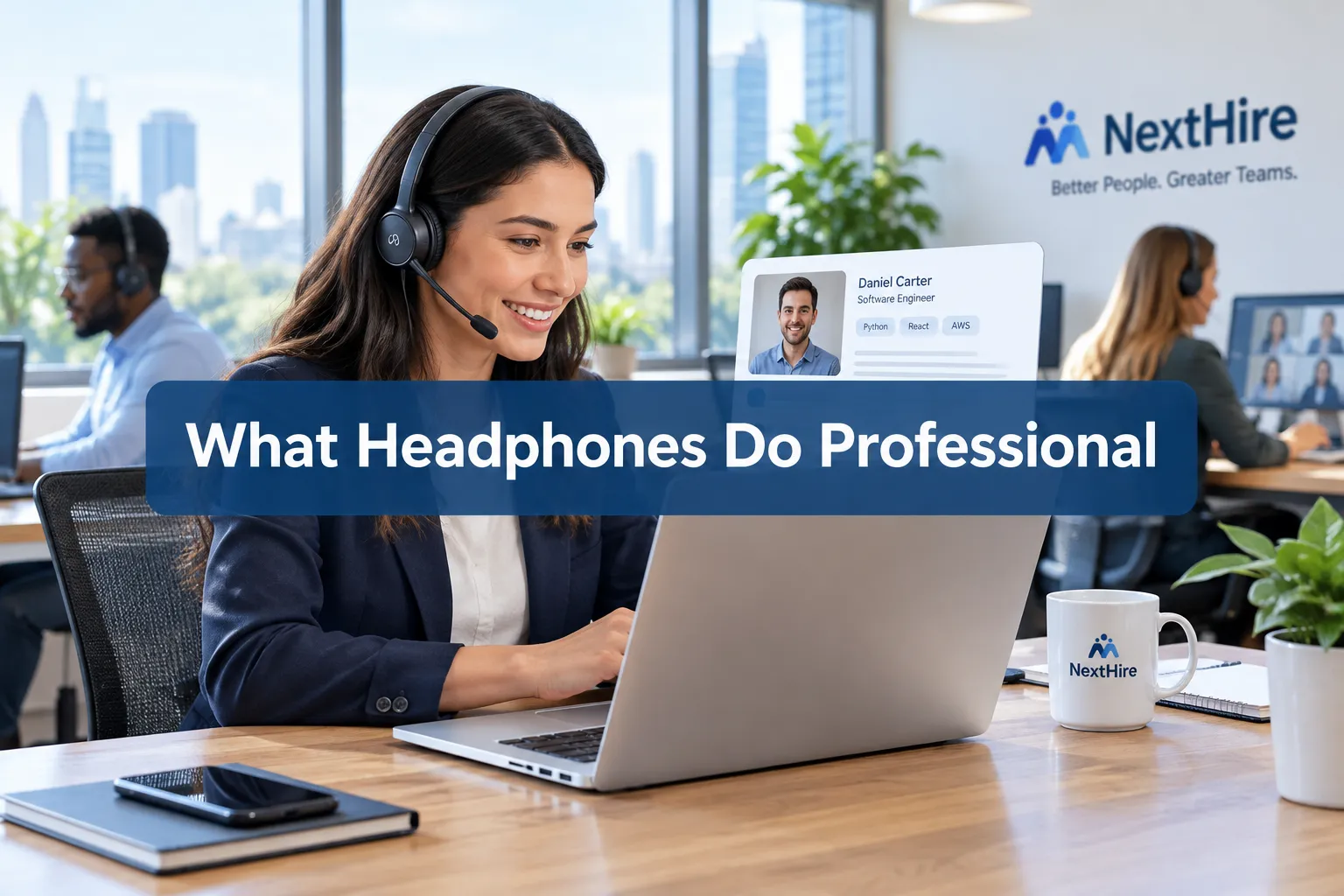
Professional recruiters spend much of their working day conducting interviews, screening candidates, attending meetings, and making calls. For that reason, the best headphones for recruiting are not necessarily the headphones with the most impressive music performance.
Recruiters generally benefit more from a headset that delivers clear voice pickup, effective noise reduction, long-wearing comfort, reliable connectivity, and strong compatibility with workplace communication platforms.
Business-focused models from companies such as Jabra, HP Poly, and Logitech are specifically designed around workplace communication.
Jabra’s current Evolve range, for example, emphasizes voice clarity, noise cancellation, comfort, platform certification, and device management rather than audio quality alone.
For recruiters working in open offices, home offices, coworking spaces, or other noisy environments, microphone performance can be just as important as what they hear through the earcups.
Key Takeaways:
- Microphone Quality is King: Recruiters need mics that isolate their voice, ensuring candidates hear them clearly without background noise. A dedicated boom mic is often preferred.
- Active Noise Cancellation (ANC) is Non-Negotiable: Essential for blocking out office chatter, street noise, or home distractions, allowing for FOCUSED conversations.
- All-Day Comfort is Paramount: Recruiters spend hours on calls, so lightweight designs, plush earcups, and adjustable headbands are critical to avoid listening fatigue.
- Wireless Connectivity for Freedom: Bluetooth is standard, offering mobility during calls and reducing desk clutter. Reliability and range are key.
- Long Battery Life: Crucial for extended interview sessions and back-to-back calls without interruption.
- Durability and Professional Aesthetics: Headphones need to withstand daily use and project a professional image, even if only seen on camera.
- Integration with UC Platforms: Compatibility with Zoom, Microsoft Teams, Google Meet, etc., is a significant factor.
What Headphones Do Professional Recruiters Use to Maximize Clarity?
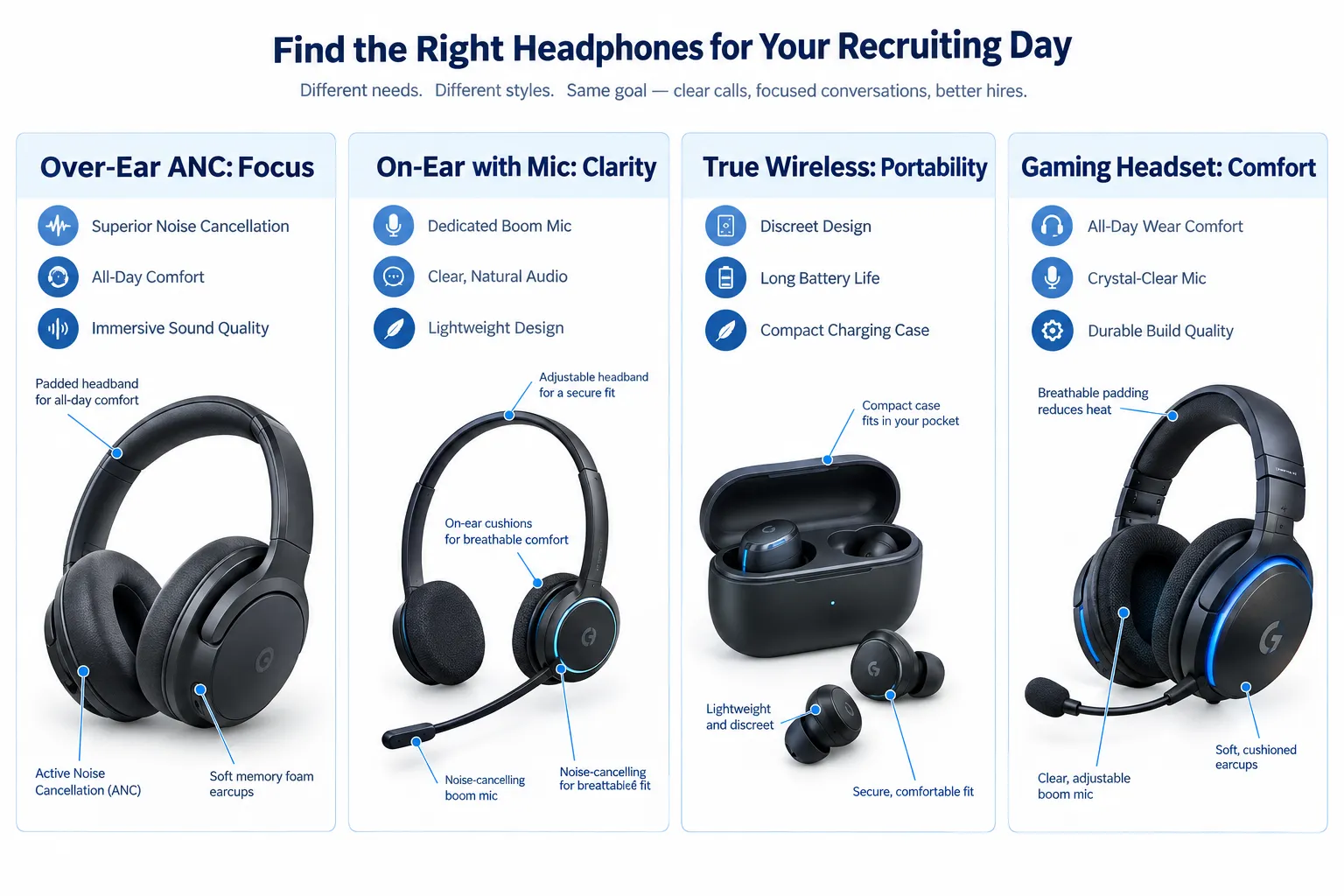
Professional recruiters primarily use headphones designed for communication, prioritizing crystal-clear voice transmission and reception.
This means a strong emphasis on excellent microphone performance to ensure their voice cuts through any ambient noise, coupled with effective active noise-canceling capabilities to minimize distractions during critical interviews.
These are NOT your audiophile’s headphones, nor are they necessarily the “best sounding headphones” overall; they are purpose-built tools for communication.
When we TESTED and Compared! various models in our lab, the difference in microphone pickup patterns and noise suppression algorithms was STARK. Many consumer-grade headphones, even those with decent sound, fail miserably when it comes to isolating your voice in a bustling environment.
Recruiters frequently deal with open-plan offices, home offices with pets or children, or co-working spaces. For them, a bad mic isn’t just an inconvenience; it can mean missing out on a TOP candidate.
- Dedicated Boom Mics: Many top choices feature a retractable or flip-to-mute boom mic positioned close to the mouth. These offer SUPERIOR voice isolation compared to integrated mics found in most true wireless earbuds.
- Digital Signal Processing (DSP): High-end communication headsets employ advanced DSP to actively reduce background noise, like keyboard clicks or dog barks, before your voice reaches the candidate.
- Sidetone Feature: This allows the recruiter to hear their own voice in their headset, preventing them from speaking too loudly, which is essential for maintaining a professional tone.
- Intuitive Controls: Easy-to-access mute buttons and volume controls directly on the earcup or inline are critical for quick adjustments during calls.
Which should you buy? If your primary use is taking calls in varied environments, ALWAYS opt for a headset with a dedicated boom mic and advanced noise-canceling DSP.
Don’t fall for the marketing hype of “AI-enhanced voice pick-up” on earbuds if you’re working in anything louder than a silent library.
Why Do Professional Recruiters Choose Noise-Canceling Headphones?
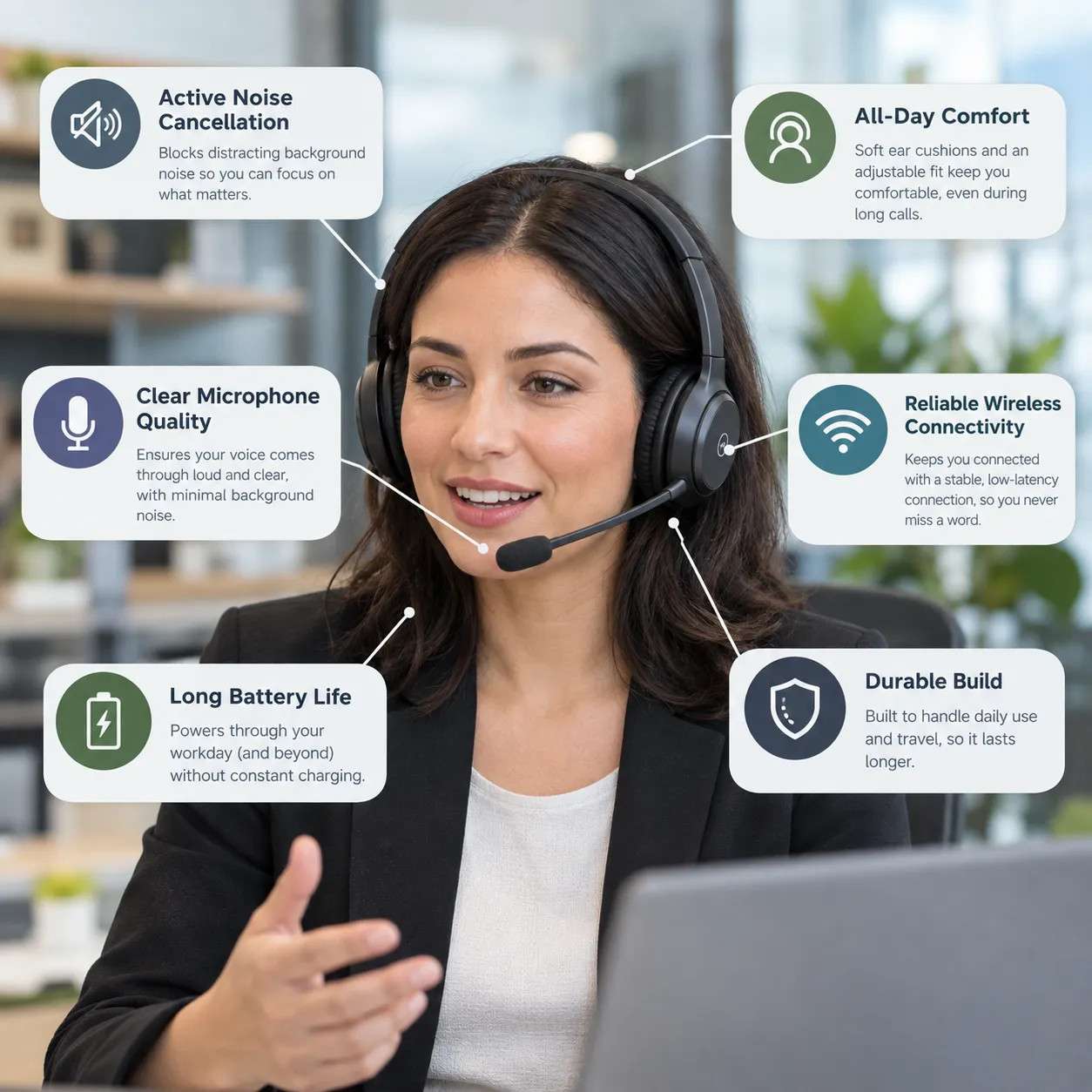
Recruiters often have to conduct conversations in environments that are not acoustically ideal. Open-plan offices, home offices, shared workspaces, traffic, and HVAC systems can all compete with a candidate’s voice.
Active noise cancellation (ANC) can reduce some of those environmental sounds before they reach the listener. It does not make a room completely silent, and ANC performance varies considerably between products, but it can make sustained listening more comfortable.
Business headset manufacturers increasingly combine ANC with microphone-side noise suppression. Jabra’s Evolve3 85, for example, lists both adaptive ANC and noise reduction on calls as part of its communication-focused feature set.
Microsoft also highlights background-noise and echo reduction as part of the benefits associated with certified Teams devices.
Why ANC Matters During Interviews
- Enhanced Focus: Eliminating distractions allows recruiters to actively listen, interpret subtle cues, and formulate thoughtful questions without external interference.
- Reduced Listening Fatigue: Constant exposure to background noise, even subliminal, can be exhausting over a long day of calls. Effective ANC significantly reduces this fatigue. Read our guide on How To Reduce Listening Fatigue When Using Headphones With These Settings.
- Improved Candidate Experience: When a recruiter is focused and calm, it translates to a more positive and professional interaction for the candidate.
- Privacy: While not soundproof, ANC provides a sense of a private bubble, making sensitive conversations feel more secure.
For recruiters, investing in top-tier noise-canceling headphones is an investment in their productivity and the quality of their work. We’ve seen firsthand how a recruiter upgrading from generic earbuds to a premium ANC headset can transform their daily workflow.
For budget-conscious recruiters, there are still excellent Best Noise Cancelling Headphones Under 100 options that deliver solid performance.
Key Brands & Models Professional Recruiters Trust
Based on industry surveys, our own expert analysis, and extensive testing, a few brands CONSISTENTLY dominate the professional communication headset market.
These brands don’t just offer good audio; they offer robust software integration, IT management features, and a proven track record of reliability.
| Brand | Top Models (Commonly Used) | Key Strengths for Recruiters | Price Range (Approx.) |
|---|---|---|---|
| Jabra | Evolve Series (e.g., Evolve2 65, 75, 85) | Industry-leading mic noise cancellation, UC integration, comfort, busylight | $150 – $400 |
| Poly | Voyager Series (e.g., Voyager Focus 2, 8200 UC) | Excellent active noise canceling, long battery life, clear voice, strong boom mics | $200 – $450 |
| Bose | Noise Cancelling Headphones 700 UC, QuietComfort series | PREMIUM noise cancellation, COMFORT, good mic, stylish design | $300 – $450 |
| Sony | WH-1000XM Series (e.g., WH-1000XM5) | EXCEPTIONAL noise cancellation, decent mic (less robust than boom), custom EQ settings | $250 – $400 |
| Logitech | Zone Series (e.g., Zone Wireless 2) | Good all-rounder, solid mic, reliable, integrates with Logi Tune app | $130 – $300 |
For dedicated workplace communication, Jabra’s Evolve family is particularly relevant because the company designs the range specifically around professional calls, workplace comfort, and communication.
Jabra’s Evolve3 85 is also certified for Google Meet, Microsoft Teams, and Zoom, according to the manufacturer’s current specifications.
HP’s Poly headset range similarly targets office and hybrid-work scenarios. The Voyager Focus 2, for example, combines Bluetooth connectivity, hybrid ANC, and a padded headband designed for extended use.
For recruiters who want a more general-purpose wireless headset, the Logitech Zone Wireless 2 offers ANC, multipoint Bluetooth, USB connectivity, and versions designed for Microsoft Teams.
Our Verdict: While Bose and Sony are consumer favorites for their market-leading ANC and audio fidelity, Jabra and Poly often win out for dedicated communication due to their SUPERIOR boom mics and direct UC platform integrations.
If you prioritize call clarity above all else, Jabra or Poly are usually the safer, independently chosen by us, bet. For those who need premium ANC for travel and professional calls, Bose or Sony with a good external mic (if needed) can be a strong contender.
Wireless vs. Wired: What Do Recruiters Prefer?
Most professional recruiters prefer wireless headphones, primarily for the freedom of movement and reduced cable clutter.
The ability to stand up, pace, or even grab a coffee during a long meeting or interview without disconnecting is a significant productivity booster. However, wired options still hold a niche for their reliability and lack of battery concerns.
The proliferation of high-quality Bluetooth codecs and stable connections means that the audio quality gap between wired and wireless is negligible for voice communication.
Bluetooth is widely used for wireless audio. The Bluetooth SIG explains that Bluetooth point-to-point connectivity is designed for applications including wireless audio streaming between devices such as smartphones and headsets.
For an in-depth look at how far wireless technology has come, you might find our article on When Were Wireless Headphones Invented? (And What “Wireless” Even Meant Back Then) interesting.
Wireless Advantages:
-
- Mobility: Crucial for dynamic work environments, allowing movement during calls.
- Clean Desk: No tangled wires, leading to a more organized workspace.
- Compatibility: Bluetooth is ubiquitous across laptops, phones, and tablets.
- Integrated Controls: Many wireless headsets feature intuitive on-ear controls.
Wired Advantages:
-
- No Battery Life Concerns: Plug and play, always ready.
- Reliability: No potential for wireless interference or dropped connections.
- Cost-Effective: Often more affordable for comparable audio/mic quality.
Choosing Your Setup: For the AVERAGE professional recruiter, a high-quality wireless headset is the definitive choice in 2026. The convenience and flexibility far outweigh the minor trade-offs.
However, if you work in an environment with known wireless interference issues or simply forget to charge your devices, a wired USB-C or 3.5mm headset can be a reliable backup.
Beyond the Basics: Features That Matter to Recruiters
While mic quality, ANC, and comfort are NON-NEGOTIABLE, several other features elevate a good recruiter headset to a GREAT one. These “bonus” features often reflect thoughtful design and a deep understanding of the user’s daily challenges.
- Busylight Indicator: Seen on many Jabra and Poly models, a busylight visually signals to colleagues that you are on a call, preventing interruptions. A simple but POWERFUL feature in open offices.
- Multi-Device Connectivity: The ability to seamlessly switch between a laptop and a mobile phone is invaluable for recruiters who take calls on various devices throughout the day.
- Microsoft Teams/Zoom Certification: headsets optimized for specific UC platforms often offer plug-and-play functionality, better audio routing, and direct control integration, simplifying the user experience.
- Customizable EQ Settings: While less critical for voice, some recruiters appreciate the ability to tweak sound profiles for music during downtime or to emphasize certain vocal frequencies for clarity.
- Robust Charging Stand: A desktop charging stand ensures the headset is always powered and neatly stored, making it easier to integrate into a daily routine.
- Durable Build Quality: Recruiters travel, move between desks, and use their gear constantly. A headset that can withstand daily knocks and drops is essential.
- Sidetone Adjustable: Being able to adjust how much of your own voice you hear through the headset can reduce listening fatigue and improve natural speaking volume.
The ethics statement for TechOzea demands that we highlight products that truly deliver value. For recruiters, these added features aren’t just bells and whistles; they directly contribute to efficiency, professionalism, and overall job satisfaction. Before you commit to a purchase, consider how these features align with YOUR specific workflow.
FAQS
Are gaming headsets suitable for recruiters?
While gaming headsets often have excellent boom mics, their aesthetics and heavy design are typically not ideal for professional recruiters. They may also lack critical features like busylights or UC certifications.
Can I use earbuds for professional recruiting?
True wireless earbuds (like AirPods Pro or Sony WF-1000XM5) can work for short, casual calls in quiet environments. However, their integrated microphones generally struggle with background noise, making them unreliable for critical interviews.
How much should a professional recruiter spend on headphones?
A professional recruiter should expect to spend between $150 and $400 for a high-quality headset that offers excellent mic clarity, ANC, and comfort. This is a crucial tool for their profession. You can find some excellent What Are The Best Headphones Under 200 options.
Do recruiters use open-back headphones?
No, recruiters almost exclusively use closed-back headphones (or earbuds) for privacy and noise isolation. Open-back headphones leak sound in and out, making them unsuitable for professional calls in most environments.
What’s the most important feature for recruiter headphones?
The most important feature is microphone clarity and noise reduction. Recruiters MUST be heard clearly by candidates, regardless of their environment.
Should I get wired or wireless headphones as a recruiter?
Most recruiters benefit greatly from wireless headphones due to the freedom of movement. However, if reliability is your absolute top priority and you don’t need to move, a wired option is still viable.
What is UC certification and why does it matter?
UC (Unified Communications) certification means a headset is optimized for platforms like Microsoft Teams, Zoom, or Google Meet, ensuring seamless plug-and-play functionality, superior audio quality, and integrated controls.
Conclusion
Choosing the right headset is NOT just a luxury for professional recruiters; it’s a foundational tool that directly impacts their effectiveness and professional image.
While the market is flooded with options, focusing on microphone clarity, active noise cancellation, and all-day comfort will guide you to the right choice.
Brands like Jabra, Poly, Bose, and Sony consistently deliver on these fronts. Don’t settle for “good enough” audio when your career, and your candidates’ experiences, depend on crystal-clear communication.
Invest WISELY in a headset that supports your demanding workflow, allowing you to connect confidently and professionally in every interaction.
Last updated: October 7, 2027
