




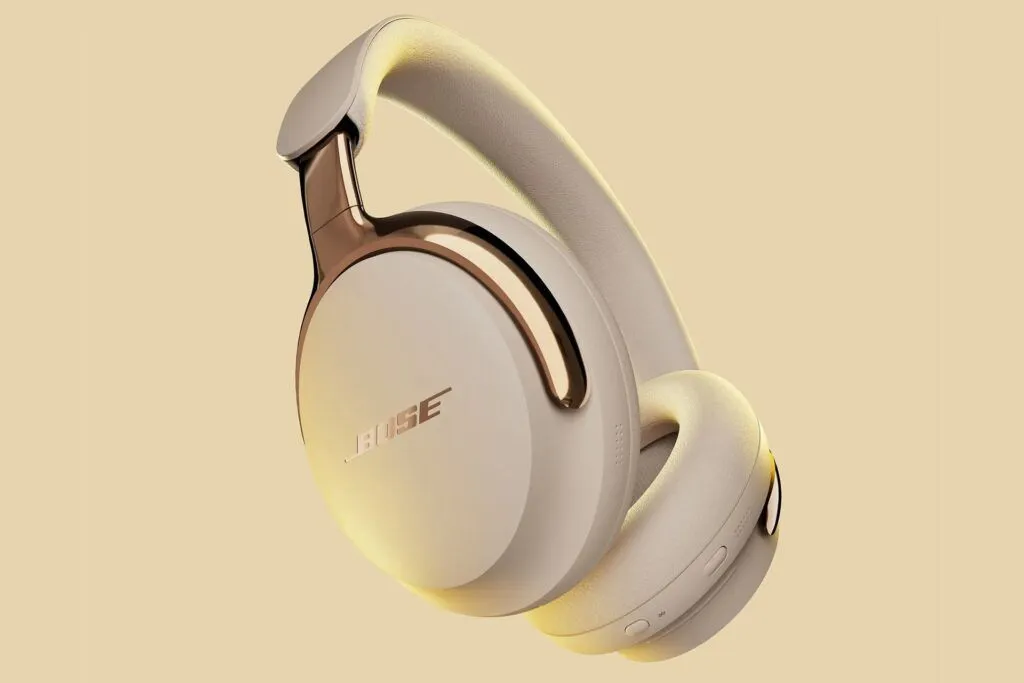
Bose has started rolling out a firmware update that could change how some people use wireless headphones.
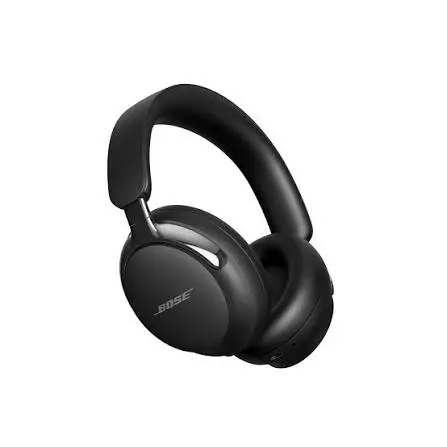
Firmware version 10.12.12 adds beta support for Bluetooth LE Audio and Auracast to the $449 Bose QuietComfort Ultra Headphones Gen 2. The update also improves wired USB audio, gaming voice-chat balance, and compatibility with web-conferencing apps.
Auracast is different from ordinary Bluetooth pairing. Instead of sending audio from one phone to one pair of headphones, it can broadcast one stream to many compatible headphones or speakers.
That could help in airports, classrooms, theaters, gyms, offices, and homes. A family could listen to the same television without raising the volume. Travelers could receive an airport announcement directly through compatible headphones.
The technology is still developing. Bose’s support is currently labeled beta, and compatible public transmitters remain uncommon. Still, the firmware update matters because it brings Auracast to a major premium headphone brand.
Table of Contents
- What Bose Changed
- What Auracast Is
- Auracast vs. Normal Bluetooth
- Auracast vs. Bluetooth Multipoint
- Practical Use Cases
- What Bose Owners Need
- Benefits for Travel and Accessibility
- Limits and Compatibility Risks
- What Happens Next
- Who Should Care
- Conclusion
- FAQ
What Bose changed
Bose has begun rolling out firmware version 10.12.12 for the QuietComfort Ultra Headphones Gen 2. The update adds beta support for Bluetooth LE Audio and Auracast.
The QuietComfort Ultra Headphones Gen 2 launched at $449 in the United States. The model already focuses on premium noise cancellation, comfort, spatial audio, and wired USB-C listening.
The firmware update adds a new capability without changing the physical design. That is important because it shows how software can extend the useful life of headphones.
Bose also improved several existing functions. The update adds better wired USB audio support, a balance between game audio and voice chat, and improved compatibility with web-conferencing apps.
These changes may help even owners who never use Auracast. USB audio can help laptop users, while better game and chat balance benefits people who use the headphones with a computer or console.
Bose says the QuietComfort Headphones Gen 2 should receive similar beta support later. The company has not provided a firm rollout date for that model.
What Auracast is
Auracast is a Bluetooth technology that broadcasts audio to multiple compatible receivers.
A simple example is a television. With ordinary Bluetooth, the TV usually sends audio to one headset or a limited number of paired devices. Auracast allows the TV to create a broadcast that several compatible headphones can join.
The same idea can work in public spaces. An airport could broadcast gate announcements to nearby passengers. A museum could send an audio guide directly to visitors’ headphones. A classroom could send a teacher’s voice to students who need clearer audio.
The listener may select a broadcast from a menu on a compatible phone or headphone. The experience should become easier as more devices support the standard.
Auracast depends on Bluetooth LE Audio. LE Audio is designed to improve efficiency and add new capabilities beyond traditional Bluetooth audio.
The most important point is that Auracast is not simply a higher-quality codec. It changes how audio can be shared.
Auracast versus normal Bluetooth
Normal Bluetooth audio usually follows a one-to-one model. A phone connects to a pair of headphones, speaker, or car system.
That model works well for personal listening. It keeps the connection simple and lets users control their own audio.
Auracast introduces a broadcast model. One source can transmit to many receivers at the same time.
This makes the technology useful for shared audio. It also creates new setup questions.
A user may need to:
- Find the broadcast.
- Confirm the correct source.
- Join the stream.
- Adjust personal volume.
- Leave the broadcast when finished.
Public venues will need clear names and interfaces. A traveler should know whether they are joining “Gate A12,” “Airport News,” or another nearby stream.
Security also matters. Public broadcasts should be open when intended, but private home or workplace broadcasts may need passwords or access controls.
Auracast versus Bluetooth multipoint
Bluetooth multipoint and Auracast solve different problems.
Multipoint allows one pair of headphones to connect to two devices. For example, a user could connect to a laptop and phone at the same time.
If a phone call arrives, the headphones can switch from the laptop to the phone. This is useful for office work and daily multitasking.
Auracast allows one audio source to broadcast to multiple compatible receivers. It is useful when several people need the same audio.
Multipoint is about switching between personal devices. Auracast is about sharing one stream with several listeners.
A user may eventually use both features. For example, a person could keep a phone connected through multipoint while joining an Auracast broadcast at an airport.
The distinction matters because some buyers may assume that multipoint already provides the same function. It does not.
Practical use cases
Auracast is most valuable when one audio source serves many people.
Airports and transit
Airports could broadcast gate changes directly to compatible headphones. This could reduce dependence on overhead speakers and help travelers in noisy terminals.
A traveler might open a phone or headphone menu, select the correct gate broadcast, and hear announcements at a personal volume.
This system could also help in train stations, bus terminals, and ferry ports.
The main challenge is infrastructure. Airports would need compatible transmitters, clear broadcast naming, and reliable coverage.
Classrooms and lectures
Schools and universities could broadcast a teacher’s voice to student headphones. This may help students with hearing difficulties or those sitting far from the front.
A lecture hall could provide one audio stream to many listeners without requiring separate wireless systems.
Auracast may also support language interpretation. One broadcast could carry the original speech, while another could carry a translated audio track.
Theaters and museums
A theater could provide audio description or translated dialogue through Auracast. Museums could send exhibit information to visitors without requiring a dedicated rental device.
These uses could improve accessibility and reduce the need for specialized equipment.
Home television
Families often disagree about television volume. Auracast could let multiple people listen through their own headphones while the TV remains quiet.
One person could use over-ear headphones, while another uses earbuds. Each listener controls personal volume.
This could help households with different hearing needs. It may also allow one person to watch late-night television without disturbing others.
Gaming and shared entertainment
A gaming room could broadcast audio to multiple headsets. Friends might hear the same game audio without using a complex mixer.
A family could watch a movie together while everyone uses personal headphones.
The experience will depend on latency. Broadcasters must keep the sound synchronized with the video and reduce noticeable delay.
What Bose owners need
Current Bose users should first confirm the exact model. The update described by The Verge applies to the QuietComfort Ultra Headphones Gen 2. It does not automatically apply to every Bose headphone.
Owners should update through the Bose app when the firmware becomes available. Beta features may appear gradually, depending on region, account, and rollout stage.
Users should also check the release notes. A beta feature may behave differently from a final release.
Auracast requires a compatible transmitter. The headphones cannot create public broadcasts on their own.
A phone, television, laptop, or venue system must support Auracast transmission. That support may arrive through new hardware, firmware, operating-system updates, or dedicated transmitters.
This is why buyers should not purchase a headphone solely for Auracast today. The feature has long-term potential, but immediate use remains limited.
Benefits for travel and accessibility
Auracast could offer important benefits for people who struggle to hear public announcements.
Traditional airport speakers spread sound across a large area. Noise, distance, and echoes can make announcements difficult to understand.
A direct broadcast can deliver the same information to a personal device. Users can control the volume and potentially reduce the effect of background noise.
The technology could also support hearing-accessibility services. Public venues may broadcast assistive audio without requiring users to borrow special receivers.
This could make accessibility more convenient and less visible. Users would use their own compatible headphones rather than identify themselves at a service desk.
However, accessibility depends on implementation. Venues must provide reliable coverage, clear instructions, and accurate information.
Auracast cannot replace staff support or visual displays. It should become another way to receive information, not the only way.
Limits and compatibility risks
The biggest limitation is ecosystem adoption.
Auracast requires compatible hardware on both sides. A headphone may support the feature, but the airport, TV, school, or phone may not.
Consumers may also encounter different levels of support. Some devices may receive Auracast broadcasts but not create them. Others may support LE Audio without exposing every Auracast function.
Firmware support can also vary by model. Bose has confirmed a future rollout for its QuietComfort Headphones Gen 2, but has not given a date.
Beta software creates another risk. A feature may contain bugs, connection problems, or confusing menus.
Battery use may also change. LE Audio can improve efficiency in some situations, but actual battery performance depends on the transmitter, codec, signal strength, and headphone software.
Public broadcasting raises security questions. Users need confidence that a broadcast is genuine and that private streams cannot be accessed by strangers.
What happens next
The next step is broader hardware support.
Bose has joined other major brands that have begun adopting Auracast or related Bluetooth LE Audio features. The Verge lists Sony, JBL, Samsung, and Sennheiser among companies connected to the wider ecosystem.
More headphones may gain support through firmware. New phones, televisions, laptops, and transmitters may also add broadcasting functions.
Public venues will determine whether consumers notice the technology. If airports, stadiums, classrooms, and theaters install Auracast transmitters, adoption could grow quickly.
The user experience will matter as much as the technical standard. People need simple menus, clear broadcast names, reliable connections, and easy volume control.
Manufacturers should also explain compatibility clearly. Consumers should not need to understand Bluetooth profiles to know whether a headphone works with an airport announcement or television broadcast.
Who should care about Auracast today?
Auracast is worth watching if you:
- Travel through large airports
- Use headphones with a television
- Need clearer public announcements
- Work in classrooms or conference spaces
- Want shared audio at home
- Use accessibility audio services
- Plan to keep headphones for several years
You do not need to replace a working headphone immediately. The technology is still developing, and public infrastructure remains limited.
When buying new headphones, however, Auracast can become a future-proofing factor. It should not outrank sound quality, comfort, ANC, battery life, or fit, but it may influence a close comparison.
TechOzea’s guide on how to choose headphones recommends starting with the main use case, form factor, comfort, wireless needs, and noise-control requirements. Auracast should fit into that broader decision rather than replace it.
Conclusion
Bose’s Auracast update is more important than a normal bug-fix firmware release.
Version 10.12.12 adds beta Bluetooth LE Audio and Auracast support to the QuietComfort Ultra Headphones Gen 2. It also improves USB audio, gaming chat balance, and web-conferencing compatibility.
Auracast could eventually change how people hear airport announcements, classroom audio, television sound, and accessibility broadcasts.
The technology is not ready to transform every headphone purchase today. Compatible transmitters remain limited, and Bose’s support is still in beta.
For current Bose owners, the update adds useful future potential. For new buyers, Auracast is a feature worth watching but not the only reason to choose a headphone.
The bigger story is that wireless audio is moving beyond one-to-one listening. Headphones may soon become personal receivers for a shared world of public and private broadcasts.
FAQS
What is Auracast?
Auracast is a Bluetooth broadcast technology that lets one audio source send a stream to many compatible headphones or speakers.
Does every Bluetooth headphone support Auracast?
No. A headphone needs compatible Bluetooth LE Audio and Auracast hardware and software.
Which Bose headphones support Auracast?
Bose has started adding beta Auracast support to the QuietComfort Ultra Headphones Gen 2 through firmware 10.12.12. The QuietComfort Headphones Gen 2 is expected to receive support later.
Can Auracast help at airports?
Yes, if the airport installs compatible transmitters. Travelers could receive gate announcements directly through supported headphones.
Is Auracast better than Bluetooth multipoint?
They solve different problems. Multipoint connects one headphone to multiple personal devices. Auracast broadcasts one stream to multiple receivers.
Does Auracast improve sound quality?
Not automatically. Its main benefit is broadcast sharing. Sound quality depends on the source, transmitter, codec, headphones, and environment.
Is Bose’s Auracast update stable?
Bose support is currently described as beta. Users should expect possible changes or compatibility issues while the feature develops.
Should I buy headphones just for Auracast?
Usually not. Consider comfort, sound, ANC, battery, fit, and device compatibility first. Auracast is a useful future-facing feature.
