




Microsoft has refreshed two of its most portable Windows systems with Qualcomm’s Snapdragon X2 Plus processor, adding a new layer to the company’s strategy for thin, efficient, AI-capable laptops.
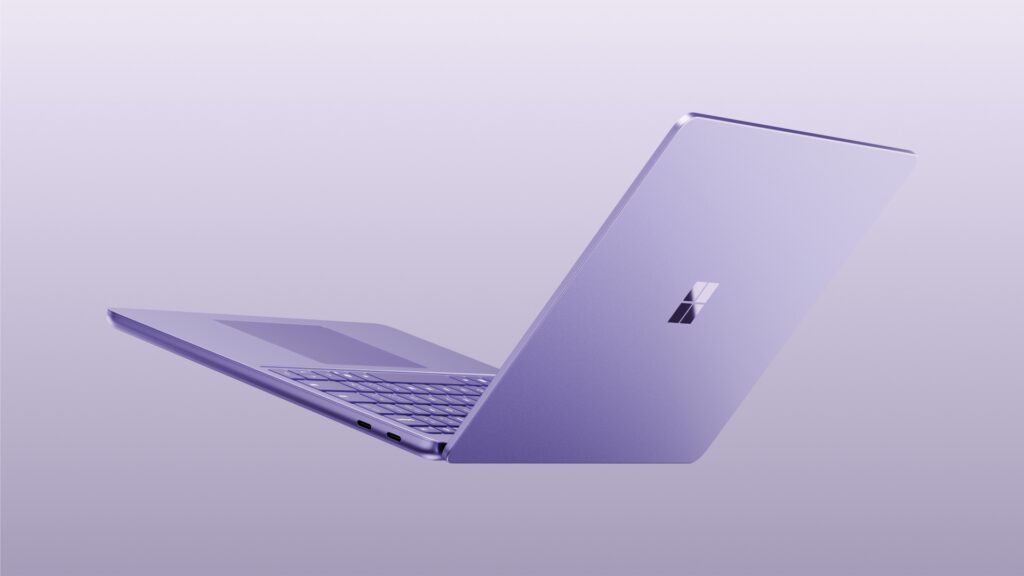
The updated Surface Pro 12-inch and Surface Laptop 13-inch were announced on September 23, 2026. Microsoft says the new models deliver up to 18% better battery efficiency, more than 60% faster graphics, and 95% faster on-device AI performance compared with the previous generation. Selected models also support 5G connectivity.
Those numbers are attention-grabbing, but they need context. They are Microsoft’s own comparison claims, not independent benchmark results. The real value of the refresh will depend on what buyers notice in daily use: longer battery life, smoother graphics, better video calls, faster AI features, and fewer compromises when working away from a charger.
There is also a second story inside the launch. Microsoft appears to be changing how it talks about AI PCs. The new systems use dedicated AI hardware, but the company is not presenting them as conventional Copilot+ PCs in the same way earlier systems were marketed.
That could mean Microsoft is trying to move the conversation away from a confusing badge and toward specific features instead.
For U.S. buyers, the new Surface models are promising, but the decision remains practical. Buyers need to understand the difference between the Surface Pro and Surface Laptop, the limitations of Windows on ARM, the value of optional 5G, and the difference between theoretical AI performance and real productivity.
What Microsoft announced
Microsoft announced new Snapdragon X2 Plus versions of the Surface Pro 12-inch and Surface Laptop 13-inch on September 23, 2026. The company describes the systems as lightweight PCs designed for performance, battery life, and advanced on-device AI workloads.
The announcement sits within a larger Surface lineup that includes:
- Surface Pro 12-inch
- Surface Pro 13-inch
- Surface Laptop 13-inch
- Surface Laptop 13.8-inch
- Surface Laptop 15-inch
The new Snapdragon X2 Plus models are positioned as compact and portable systems rather than high-performance workstation replacements.
Microsoft says the updated devices keep the same lightweight design while improving efficiency, graphics, and on-device AI. It also highlights optional 5G, which is particularly relevant for professionals who work from cafés, airports, vehicles, or temporary field locations.
The refresh is not just about a faster chip. It is about making an ARM-based Windows laptop feel more complete.
What Snapdragon X2 Plus changes
Snapdragon X2 Plus is an ARM-based laptop processor platform from Qualcomm. ARM processors are designed around a different instruction-set architecture from the x86 processors traditionally used by Intel and AMD.
That difference matters because Windows applications may need to run in one of three ways:
- Native ARM software, compiled specifically for the platform.
- Translated x86 software, using Windows compatibility technology.
- Unsupported or partially supported software, especially where drivers, plug-ins, or older components are involved.
The benefit of ARM is that it can deliver strong efficiency, integrated connectivity, and lower power consumption in thin designs. The challenge is that software compatibility is more complicated.
Microsoft and Qualcomm have improved Windows-on-ARM support substantially, but buyers should still check the applications they rely on most.
Snapdragon X2 Plus also includes a dedicated NPU for on-device AI tasks. Microsoft says the new systems deliver up to 95% faster on-device AI than the previous generation.
That may improve features such as:
- Background blur
- Voice isolation
- Live captions
- Image effects
- Local text processing
- AI-powered search
- Video-call framing
- Other Windows experiences that use the NPU
However, a faster NPU does not automatically make every application faster. The application must support the hardware, and the task must be suitable for local acceleration.
Microsoft’s performance claims need careful reading
The headline figures are:
- Up to 18% more efficient battery performance
- More than 60% faster graphics
- 95% faster on-device AI
These are company claims. Microsoft has not presented them as universal results across every workload or configuration. ([Windows Blog][1])
“Up to” figures describe a best-case or selected test scenario. They do not mean every user will experience the same percentage increase.
Real-world performance depends on:
- The exact Snapdragon X2 Plus configuration
- RAM capacity
- Storage type and capacity
- Display resolution
- Brightness
- Power mode
- Cooling design
- Application support
- External monitor use
- Wireless activity
- Background tasks
A user performing light web browsing may notice better battery life but little difference in responsiveness. A user running graphics-heavy applications may benefit more from the improved GPU. A user who never uses local AI tools may notice almost no difference in NPU performance.
This is why independent testing matters. Benchmarks and mixed-use tests should be used to determine whether the refresh delivers meaningful advantages over the previous Surface generation and competing Windows laptops.
Surface Pro 12-inch: tablet flexibility with laptop compromises
Microsoft lists the Surface Pro 12-inch with a 12-inch PixelSense LCD touchscreen, a 2880 × 1920 resolution, and a 90Hz refresh rate. The company lists a weight of approximately 1.5 pounds for the tablet itself.
Its main advantage is flexibility. The Surface Pro can be used as:
- A tablet for reading
- A laptop with the detachable keyboard
- A digital notebook with a stylus
- A portable presentation device
- A second screen or remote-work system
That makes it attractive to students, field professionals, designers, and users who value touch and pen input.
The trade-off is that the keyboard is an accessory rather than part of the base tablet. Buyers need to include the cost of the keyboard when comparing the Surface Pro with a conventional laptop.
The 12-inch model also uses a smaller display than many standard productivity laptops. That improves portability, but users working with large spreadsheets, timelines, or multiple windows may prefer a larger Surface Laptop or a conventional 14-inch machine.
Microsoft lists two USB-C/USB 3.2 ports for the 12-inch model, while the business specification sheet lists Wi-Fi 7 and Bluetooth 5.4.
That port selection is workable for mobile use, but it may require a dock for users connecting several peripherals, monitors, storage drives, or wired networking.
Surface Laptop 13-inch: a more traditional option
The Surface Laptop 13-inch is aimed at buyers who want a conventional clamshell laptop rather than a tablet-first 2-in-1.
That means:
- A fixed keyboard
- A built-in trackpad
- Less accessory dependence
- More stable use on a lap
- A simpler everyday workflow
For many users, the Surface Laptop is the more practical choice. The Surface Pro offers more flexibility, but the Surface Laptop is likely to be better for long writing sessions, office work, and continuous keyboard use.
The two devices also target different ownership styles.
Choose the Surface Pro if you value:
- Pen input
- Tablet mode
- Detachable design
- Compact travel
- Touch-first interaction
- Flexible positioning
Choose the Surface Laptop if you value:
- Traditional typing
- A built-in keyboard
- Stable lap use
- Simpler setup
- Less accessory cost
- Conventional laptop ergonomics
The underlying Snapdragon X2 Plus platform may be similar, but the user experience can be very different.
Battery life and the value of 5G
Battery life is likely to be the most important practical benefit of Snapdragon X2 Plus.
Microsoft lists up to 16 hours of local video playback and up to 12 hours of active web use for the Surface Pro 12-inch. These are Microsoft test figures and should not be treated as independent mixed-use results.
Actual battery life depends on:
- Display brightness
- Wireless connectivity
- Browser and application use
- Video calls
- External displays
- Background updates
- AI workloads
- Cellular activity
- Power mode
- Battery health
5G can increase convenience but may also affect battery usage depending on signal strength and network activity.
For a mobile professional, the ability to open a laptop and work without finding Wi-Fi may be worth the added cost. For a home or office user who is almost always connected to Wi-Fi, 5G may not justify the premium.
Buyers also need to account for the cost of a carrier data plan. A 5G laptop is not automatically connected for free. It usually requires an activated cellular plan, and the monthly cost can become significant over several years.
Windows on ARM compatibility remains decisive
The most important question for many buyers is not whether Snapdragon X2 Plus is fast. It is whether the laptop runs the software they need.
Native ARM support has improved, but compatibility can still vary for:
- Adobe plug-ins
- Engineering tools
- Older accounting software
- VPN clients
- Specialized printer drivers
- Enterprise security utilities
- Virtual machines
- Audio interfaces
- Games with anti-cheat systems
- Hardware-monitoring tools
Web applications are generally easier. Chrome, Edge, Microsoft 365 web apps, Google Workspace, and many cloud services can work well.
The risk increases when software depends on low-level drivers or older system components.
Before buying, users should check the application developer’s support page. They should also search for real-world reports from users of the exact software, not just general statements that “Windows apps work on ARM.”
What the NPU actually does
An NPU is designed to accelerate neural-network workloads. It is not a replacement for the CPU or GPU.
The NPU may be used for:
- Speech recognition
- Image processing
- Background effects
- Voice isolation
- Object recognition
- Text classification
- Local assistant features
- Some generative AI workloads
The advantage is efficiency. A suitable AI task can run on the NPU using less power than running the same task on the CPU or GPU.
But not every AI application uses the NPU. Some applications may use the GPU, some may use the CPU, and others may send work to the cloud.
That is why NPU numbers should be treated as capability indicators rather than complete performance ratings.
A laptop with a lower TOPS figure may still feel better if its software is better optimized. A laptop with a higher TOPS figure may not deliver noticeable benefits if the user’s applications do not support local acceleration.
What the Copilot+ branding change may mean
Windows Central reports that Microsoft’s new Surface Pro 12-inch and Surface Laptop 13-inch are not being promoted as Copilot+ PCs in the same way earlier systems were.
This is notable because Copilot+ became Microsoft’s main consumer label for PCs with a sufficiently capable NPU and access to certain AI features.
The apparent shift could reflect several possibilities:
- Microsoft may be reducing the prominence of the Copilot+ label.
- The company may be separating hardware requirements from software branding.
- Microsoft may be concerned that consumers do not understand the difference between Copilot, Copilot+ features, and ordinary Windows AI functions.
- The new Surface systems may support AI features without being marketed through the same badge.
Consumers should not assume that the absence of the label means the laptop lacks on-device AI.
The more useful approach is to inspect the actual feature list. Buyers should ask whether the laptop supports the specific features they care about, such as live captions, voice isolation, image generation, search, or local assistants.
Pricing and value
Microsoft lists the Surface Pro 12-inch at a starting price of $1,049.99 on its U.S. product page. The Surface Pro 13-inch begins at $1,499.99.
The Surface Pro 12-inch price does not necessarily include every accessory. The keyboard and pen may cost extra depending on the bundle.
That changes the comparison.
A Surface Pro 12-inch plus keyboard can approach the price of a conventional premium laptop. The buyer is paying for flexibility, not necessarily for more raw performance.
The Surface Laptop 13-inch may provide better value for a user who does not need tablet mode or pen input. The Surface Pro may be better value for someone who would otherwise buy a laptop and a separate tablet.
The correct question is not “Which is cheaper?” It is “Which combination replaces more of the devices I already need?”
Who benefits most from the refresh
The new Snapdragon X2 Plus Surface systems are most likely to benefit:
- Frequent travelers
- Mobile professionals
- Students
- People who work in locations without reliable Wi-Fi
- Users who want a lightweight Windows system
- Buyers who value silent or efficient operation
- Android users who prefer phone-like connectivity
- People who use cloud and web applications
A user who spends most of the day in Chrome, Microsoft 365, email, video calls, and cloud services may appreciate the lower weight and battery efficiency.
Who may not benefit
The refresh may be less attractive to:
- Gamers who need native Windows game compatibility
- Engineers using specialized applications
- Creators using plug-ins that lack ARM support
- Users who need many physical ports
- Buyers who want upgradeable RAM or storage
- People who rarely travel
- Buyers who do not want a cellular data plan
- Existing Surface owners satisfied with their current battery life
An upgrade is harder to justify if the current device already handles the buyer’s workload well. A newer NPU alone is not a strong reason to replace a working laptop.
What existing Surface owners should consider
Current Surface owners should evaluate the upgrade based on their actual limitation.
Upgrade may make sense if the current system has:
- Insufficient battery life
- Weak performance in local AI features
- No cellular connectivity
- A heavy chassis
- Poor graphics performance
- Software support concerns
- An aging battery
Upgrade may not be necessary if the existing Surface already handles:
- Web work
- Office applications
- Video calls
- Note-taking
- Streaming
- Cloud storage
- Basic creative tasks
The difference between generations may be most visible in battery and graphics rather than ordinary typing or browsing.
What independent reviewers should test
The strongest reviews of the Snapdragon X2 Plus Surface systems should measure:
- Mixed-use battery life
- Web browsing at realistic brightness
- Video-call endurance
- Battery impact of 5G
- External monitor support
- Fan noise
- Thermal throttling
- Native ARM application performance
- Emulated x86 application performance
- Graphics benchmarks
- AI tasks that use the NPU
- Webcam quality
- Keyboard and trackpad comfort
- Port bandwidth
- Storage performance
- Repairability
- Accessory cost
Reviewers should also test the specific applications used by professionals rather than only general benchmarks.
A laptop can score well in synthetic testing and still create problems in a user’s daily workflow if a required plug-in or driver is unavailable.
What could happen next
The Surface refresh will likely increase pressure on laptop manufacturers to deliver more efficient ARM systems with stronger AI capabilities.
Qualcomm will need to prove that Snapdragon X2 Plus can compete not just in battery life but also in application compatibility and sustained performance. Microsoft will need to clarify its AI branding and make the feature requirements easier for consumers to understand.
The market may also move toward more cellular-connected laptops. If 5G models become easier to activate and more affordable, they could become more attractive to mobile workers.
At the same time, Intel and AMD will continue improving efficiency and local AI. Buyers are likely to see more competition between x86 and ARM systems rather than a simple replacement of one architecture by another.
Conclusion
Microsoft’s Snapdragon X2 Plus refresh is an important step for lightweight Windows laptops, but its success will depend on practical details rather than launch percentages.
The Surface Pro 12-inch and Surface Laptop 13-inch offer a combination of portability, cellular connectivity, and on-device AI capability that may appeal to mobile professionals and Android-oriented users. Microsoft’s battery and performance claims are encouraging, but they remain company claims until independent testing confirms them.
The biggest buying issue is still Windows-on-ARM compatibility. Users who rely on web applications, Microsoft 365, Google Workspace, and mainstream productivity software may have a smooth experience. Users who rely on older drivers, specialized tools, or certain games should verify support carefully.
The apparent reduction in Copilot+ branding is also worth watching. Microsoft may be moving toward a world where AI is a standard part of Windows rather than a separate badge.
For most buyers, the best reason to choose the new Surface systems is likely to be the combination of low weight, battery efficiency, and optional 5G. The NPU and AI features matter, but they should support the buying decision rather than replace it.
FAQS
What processor do the new Surface Pro 12-inch and Surface Laptop 13-inch use?
Microsoft announced updated versions using Qualcomm’s Snapdragon X2 Plus processor.
How long does the Surface Pro 12-inch battery last?
Microsoft lists up to 16 hours of local video playback and up to 12 hours of active web usage for the 12-inch model. These are manufacturer test figures, not independent mixed-use results.
Does the new Surface Pro support 5G?
Selected configurations support 5G, according to Microsoft and launch coverage. Availability may vary by model and market.
Is the Surface Pro 12-inch a Copilot+ PC?
Microsoft’s latest announcement emphasizes on-device AI but does not present the new model in the same Copilot+ branding framework used for earlier devices. Buyers should check the exact feature list rather than relying on the badge alone.
Will Windows applications work on Snapdragon X2 Plus?
Many mainstream applications work through native ARM versions or translation, but compatibility is not universal. Specialized drivers, utilities, plug-ins, games, and older software require individual verification.
Is the Surface Pro 12-inch better than the Surface Laptop 13-inch?
Neither is universally better. The Surface Pro offers tablet, pen, and detachable-keyboard flexibility. The Surface Laptop offers a more conventional typing and trackpad experience.
Is Snapdragon X2 Plus faster than Intel or AMD?
Microsoft has published percentage improvements compared with the previous generation, but there are not yet enough independent, standardized comparisons to make a universal claim against all Intel and AMD laptop systems.
