


Key Takeaways
-
ASUS says some budget and mid-range laptops may move from 16GB to 8GB RAM because memory costs are increasing.
-
Microsoft has improved Windows 11 memory management, but its own documentation still recommends 16GB or more for demanding workloads.
-
Buyers who want longer-lasting laptops should generally prioritize 16GB RAM, especially when memory cannot be upgraded later.
Buying a budget laptop is becoming more complicated. A computer advertised as affordable might look attractive because of its processor, display and storage capacity, but one important specification could determine whether it remains useful over the next few years: RAM.
ASUS has now indicated that some of its future lower-priced and mid-range computers could ship with 8GB of RAM instead of the 16GB configurations that have become increasingly common.
The reason is rising memory costs.
The development comes as manufacturers face pressure from more expensive memory components, changing demand for personal computers and growing investment in artificial intelligence infrastructure.
At the same time, Microsoft is trying to make Windows 11 more efficient on computers with limited memory.
Its latest improvements are designed to reduce unnecessary memory consumption, keep applications responsive and make multitasking more efficient.
That sounds positive for consumers.
However, there is an important distinction between making 8GB RAM more usable and making it equivalent to 16GB.
These are not the same thing.
For someone who mainly browses the internet, writes documents and watches videos, an 8GB laptop may provide an acceptable experience.
For students managing several applications, professionals using spreadsheets, developers, gamers and content creators, 16GB or more can provide considerably more flexibility.
ASUS’s comments therefore raise a bigger question: are manufacturers finding smarter ways to make affordable computers, or are consumers about to receive less hardware for their money?
Let’s examine what happened, what the Windows improvements actually deliver and what buyers should consider before purchasing a new laptop.
What ASUS Actually Said
The discussion started during ASUS’s Q3 2026 investor conference on November 12.
During a question-and-answer session, an analyst asked whether ASUS could continue passing increasing component costs on to customers if the PC market weakened.
ASUS co-CEO S.Y. Hsu explained that memory prices had increased significantly over previous quarters.
He said the company had previously made strategic memory purchases, helping it manage component costs. However, as that inventory was used, the increased prices began affecting its purchasing costs.
The company also recognized that consumers were becoming less willing to accept higher laptop prices.
Hsu explained that manufacturers could respond differently depending on the market segment.
For higher-priced products, customers might accept additional costs if the product offered enough performance and functionality.
Lower-priced products were different.
According to Hsu, ASUS could adjust memory configurations in mid-range and budget computers.
He specifically discussed the possibility of moving machines that previously shipped with 16GB of RAM to 8GB.
He also referenced Microsoft’s Windows improvements, saying the operating system had become more efficient on 8GB computers.
The ASUS investor conference calendar lists the November 12, 2026 Q3 investor conference. The discussion is documented in the Q3 2026 earnings call transcript.
Has ASUS officially announced new 8GB laptops?
No.
This distinction is important.
ASUS has discussed a possible configuration strategy. It has not provided a confirmed list of affected laptops, their prices, US availability or launch dates.
Consumers should therefore avoid assuming that every upcoming ASUS laptop will ship with less memory.
The company is discussing a possible response to increasing production costs, not announcing a universal product policy.
The final configurations will likely depend on the product category, target price and intended customer.
Why this statement matters
Laptop specifications are often adjusted to protect a manufacturer’s target retail price.
For example, a manufacturer facing higher component costs has several options:
-
Increase the laptop’s retail price.
-
Reduce its profit margin.
-
Change the processor or other components.
-
Reduce RAM capacity.
-
Offer different configurations at different prices.
Reducing memory can be particularly attractive because it allows manufacturers to maintain a familiar starting price while changing the internal specifications.
However, consumers need to understand what that change means before purchasing.
An inexpensive laptop with 8GB of RAM might still be a reasonable purchase, but it should not automatically be treated as equivalent to a 16GB alternative.
Why Laptop Manufacturers Are Facing Memory Pressure
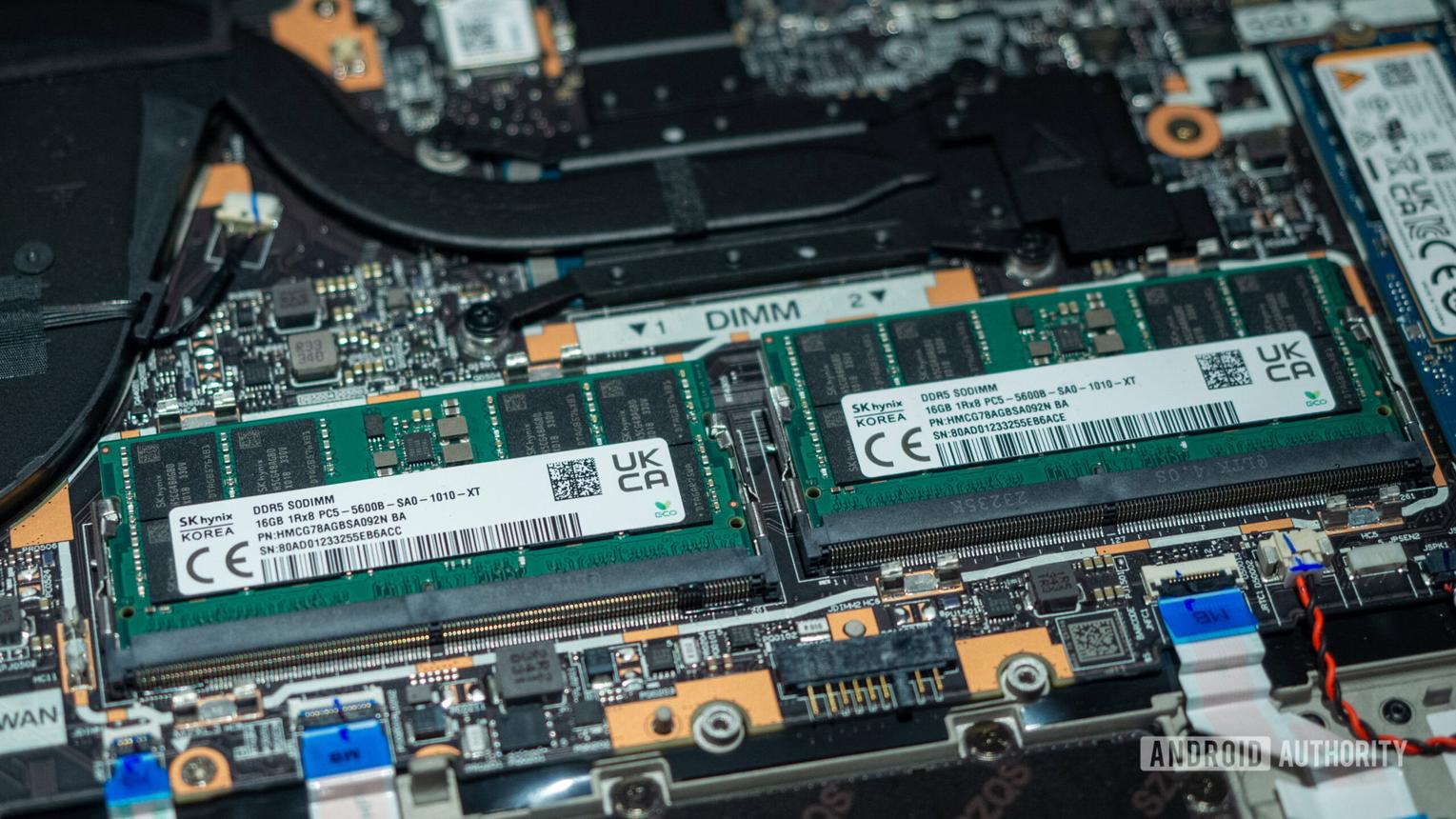
The ASUS comments are part of a wider hardware industry issue.
Memory manufacturers supply components used in laptops, desktops, smartphones, servers and other electronic devices.
Demand across these categories is changing, particularly as companies invest in artificial intelligence infrastructure.
AI data centers require substantial quantities of memory and storage.
This includes conventional DRAM, high-bandwidth memory and NAND-based storage.
Although these technologies serve different purposes, they share parts of the wider semiconductor manufacturing ecosystem.
As manufacturers allocate more capacity to higher-value products, PC makers can face changes in supply availability and purchasing costs.
AI infrastructure is changing memory priorities
Companies building large AI systems need enormous amounts of fast memory.
Graphics accelerators and servers depend on memory bandwidth and capacity to process large AI workloads.
This creates opportunities for memory manufacturers to supply higher-value products.
However, it can also change the supply conditions faced by consumer electronics manufacturers.
TrendForce’s November 11 memory industry analysis reported that strong AI-related demand was influencing memory manufacturers’ supply planning.
The research firm forecast that PC DRAM contract prices would increase 13–18% quarter over quarter in Q4 2026.
It also reported that some PC manufacturers were reconsidering their 2027 memory procurement plans.
These are industry forecasts, not guaranteed increases in the prices consumers will pay at retailers.
The distinction matters because memory contract prices, finished laptop production costs and retail prices are separate measurements.
Laptop manufacturers cannot always increase prices
The second problem is consumer affordability.
Laptop manufacturers operate across different price categories.
A customer purchasing a premium workstation may be willing to pay more for additional memory, a powerful GPU or a professional display.
A buyer looking for a $400–$700 laptop may have a much stricter budget.
Increasing the price by even a relatively small amount can make a laptop less competitive.
ASUS’s comments suggest that the company believes lower-priced buyers may resist further price increases.
This creates pressure to preserve the advertised starting price while reducing certain hardware specifications.
The result could be more products with different RAM configurations.
For example, a manufacturer might offer:
-
An entry-level version with 8GB.
-
A slightly more expensive version with 16GB.
-
A premium configuration with 32GB.
The important question is whether the price difference between those configurations will be reasonable.
If the 16GB version costs significantly more, buyers may be pushed toward a less capable model simply because it fits their budget.
How Microsoft Is Making Windows 11 More Efficient
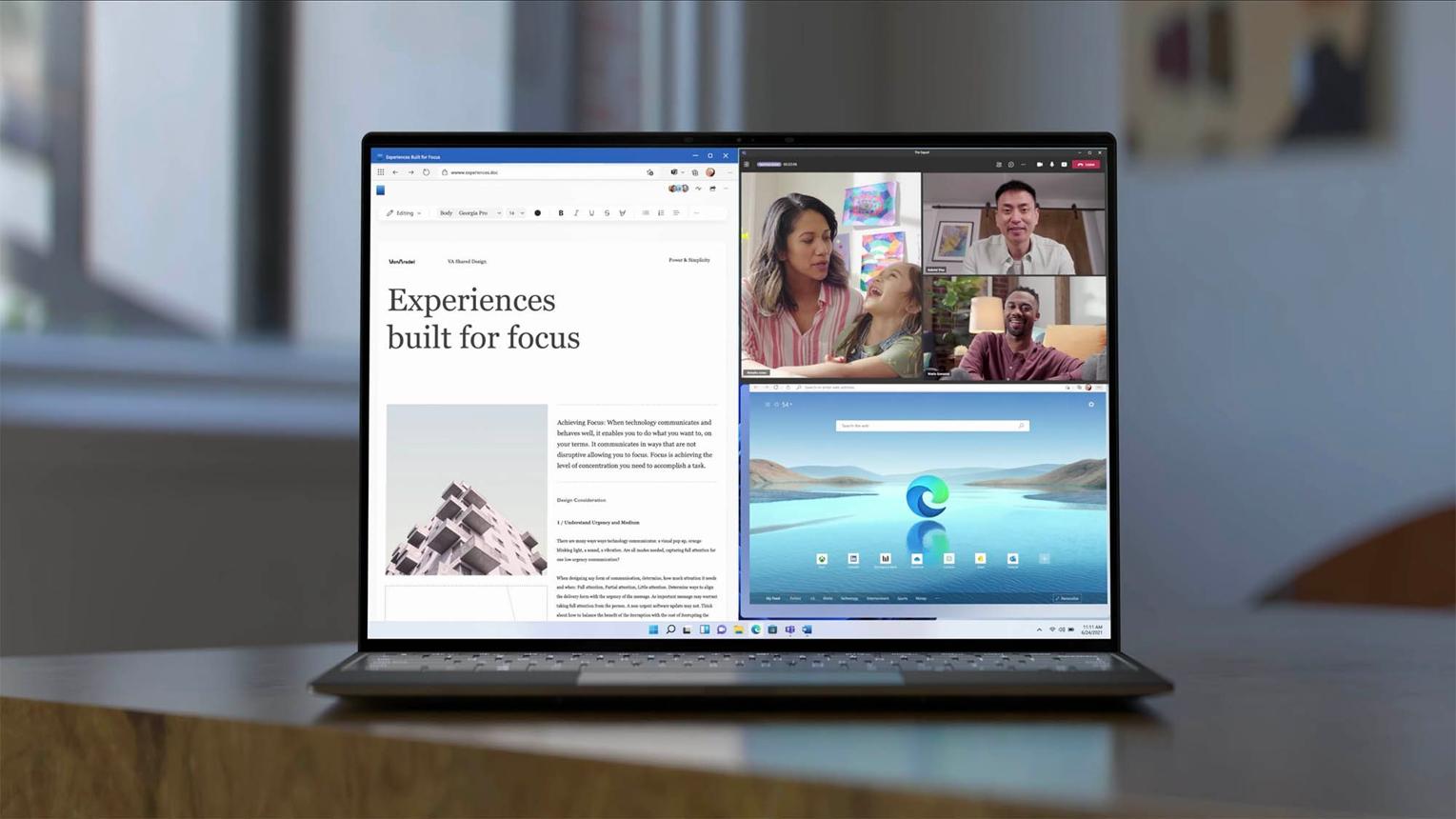
Microsoft has a direct interest in making Windows work well across computers with different hardware configurations.
Its latest memory improvements are particularly relevant to ASUS’s comments.
On November 3, 2026, Microsoft published an article explaining how it is improving Windows 11 performance on 8GB systems.
The company says the improvements focus on memory management, responsiveness and application efficiency.
Its goal is to make better use of the memory already available rather than requiring every user to purchase a computer with more RAM.
1. Better memory compression
Windows uses memory compression to reduce the amount of physical RAM required by certain data.
Think of RAM as a desk.
The more applications and documents you have open, the more space you need.
When that desk becomes crowded, Windows may compress less-active information or move data to storage so that active applications can continue working.
Microsoft says it has adjusted how Windows decides when to compress memory and when to move information to slower storage.
According to its November 3 announcement, these changes can allow an 8GB PC to retain up to 2GB more active data in memory rather than moving it to storage.
This can reduce unnecessary application and browser-tab reloads.
However, it does not create additional physical RAM.
The computer still has 8GB available.
2. Faster everyday interactions
Microsoft also says it has improved how Windows prioritizes activities that users are actively performing.
Examples include:
-
Opening the Start menu.
-
Launching File Explorer.
-
Searching for applications.
-
Opening Settings.
-
Using Snipping Tool.
The company reports that some of these interactions respond up to 20% faster compared with its January 2026 baseline.
This is a Microsoft-reported result from its own testing, not a guarantee for every laptop.
3. Improved application memory efficiency
Microsoft also identified improvements across Microsoft Edge and Microsoft 365 applications.
Its testing reports reduced committed-memory growth during multitasking.
The company also described improvements to how inactive browser tabs and Windows Widgets use memory.
These changes can help computers with limited RAM.
For someone using a laptop primarily for browsing, office documents and video calls, this could improve everyday responsiveness.
4. More efficient multitasking
One of Microsoft’s most interesting claims concerns multitasking.
The company tested an 8GB PC using:
-
20 Microsoft Edge tabs.
-
A 4K video.
-
Large Word documents.
-
PowerPoint presentations.
-
Excel files.
-
Outlook.
-
File Explorer.
Microsoft reported that this workflow completed up to 40% faster than with the January 2026 builds.
This is useful evidence that software optimization can improve performance.
But it needs context.
The result came from a particular laboratory test on a specific hardware configuration.
It does not prove that every 8GB laptop will outperform every previous 16GB laptop.
Nor does it establish that 8GB is sufficient for professional workloads.
Microsoft itself acknowledges that demanding activities benefit from 16GB or more.
8GB vs 16GB RAM: What Is the Real Difference?
The most important question for buyers is whether 8GB is enough for their daily computing needs.
The answer depends on what they do.
RAM is temporary working memory.
When you open a browser, start an application or edit a document, the computer uses RAM to keep the information needed for immediate access.
More memory gives the operating system greater room to manage multiple applications and active tasks.
What happens when 8GB becomes insufficient?
Suppose you are working with several browser tabs, a spreadsheet, a video call and a document.
Each application requires memory.
When the available physical RAM becomes insufficient, Windows can compress memory and use storage as part of its virtual memory system.
This helps the computer continue functioning.
However, SSD storage is not a direct replacement for RAM.
Even a fast NVMe SSD has different performance characteristics from system memory.
Moving information between RAM and storage introduces additional overhead.
You might notice:
-
Browser tabs reloading.
-
Applications taking longer to return to the foreground.
-
Delays when switching between programs.
-
Reduced responsiveness during multitasking.
-
Longer waiting times when handling large files.
A computer with 16GB provides more physical working space before these constraints become significant.
Practical comparison
| Activity | 8GB RAM | 16GB RAM |
|---|---|---|
| Basic web browsing | Suitable | Very comfortable |
| Email and documents | Suitable | Very comfortable |
| Video streaming | Suitable | Very comfortable |
| Several browser tabs | More limited | Better flexibility |
| Video conferencing | Suitable for light use | Better multitasking |
| Large spreadsheets | Can become constrained | Better |
| Programming | Basic projects | More suitable |
| Photo editing | Limited by project size | Better |
| Video editing | Restrictive | Better starting point |
| Modern gaming | Often restrictive | Better starting point |
| Virtual machines | Limited | More practical |
These are practical recommendations, not guaranteed benchmark results. Actual performance also depends on the processor, graphics architecture, software and memory bandwidth.
What Can You Actually Do With an 8GB Laptop?
An 8GB laptop is not automatically a bad computer.
The problem is buying one without understanding its limitations.
Everyday browsing
For someone who mainly uses a browser, checks email and visits a few websites, 8GB can be sufficient.
Microsoft’s Windows improvements should make these activities more responsive on supported systems.
However, browser usage can become demanding.
Modern websites frequently use scripts, advertisements, media and background processes.
Opening many tabs simultaneously can consume more memory than expected.
If you regularly keep dozens of tabs open, 16GB is the safer option.
School and university work
Students often need to work with several applications.
A typical study session might involve:
-
Researching information online.
-
Writing assignments.
-
Opening PDF documents.
-
Attending online classes.
-
Creating presentations.
-
Using cloud-based learning platforms.
An 8GB laptop can handle basic study activities.
But students who frequently switch between multiple applications may benefit from 16GB.
It is particularly important when using large research documents or specialist software.
Office productivity
For simple office work, 8GB can be acceptable.
Email, word processing, basic spreadsheets and web applications do not always require large amounts of memory.
However, professionals using large Excel workbooks, multiple browser windows, collaboration applications and video conferencing software should prioritize 16GB.
This is especially relevant for remote workers.
A computer that performs well when opening one application might become less responsive when several demanding applications run simultaneously.
For business-oriented options, TechOzea’s best business laptops guide provides a starting point for comparing computers intended for professional use.
Gaming
Gaming is one area where reducing system RAM can create noticeable limitations.
Modern games use system memory for background assets, game processes and other tasks.
A dedicated graphics card also has its own video memory, but that does not eliminate the need for system RAM.
A gaming laptop with 8GB can struggle when running a demanding game alongside voice chat, a browser and other applications.
For most new gaming laptop purchases, 16GB should be treated as a sensible baseline.
More memory can be useful for demanding games, streaming and heavier creative workloads.
You can compare practical gaming laptop configurations in TechOzea’s HP Victus 15 review.
Content creation
Content creation requires a more careful approach.
Basic photo editing might work on 8GB, depending on the application and image size.
However, larger projects can quickly consume available memory.
Video editing is more demanding.
Editing multiple video tracks, working with high-resolution footage, applying effects and keeping several applications open can create substantial memory requirements.
For these users, 16GB is a more appropriate starting point, while 32GB can make sense for heavier workflows.
Why 16GB Is Still the Better Choice for Many Buyers
Microsoft’s improvements make 8GB computers more usable.
That is a positive development.
However, there are several reasons why 16GB remains a better long-term purchase for many people.
More room for future applications
Software changes over time.
Applications gain features, operating systems receive updates and websites become more complex.
A laptop purchased today should ideally remain useful for several years.
Having additional RAM provides more flexibility as software requirements change.
This does not mean that every application will become dramatically more demanding every year.
It means buyers should consider the possibility that their computing needs will increase.
Better multitasking flexibility
One of the biggest benefits of additional memory is being able to keep more applications active.
For example, you might want to:
-
Attend a video meeting.
-
Keep a browser open.
-
Work on a presentation.
-
Edit a spreadsheet.
-
Listen to music.
-
Run a messaging application.
With 16GB, the computer has more physical memory available for these tasks.
More suitable for professional work
People using programming tools, virtual machines, photo-editing software and creative applications often benefit from additional RAM.
A laptop is also an investment in productivity.
Saving a small amount at purchase may not be worthwhile if the resulting configuration becomes restrictive during daily work.
Better purchasing flexibility
A 16GB laptop may also provide a better resale proposition than an otherwise comparable 8GB configuration, although resale values depend on the complete device, its condition and market demand.
The important point is that memory should be considered alongside the processor, SSD, screen and build quality.
For most buyers, the best decision is not simply to purchase the cheapest laptop available.
It is to purchase the least expensive configuration that will comfortably handle their actual workload.
The Problem With Soldered Laptop Memory
Another issue deserves attention: upgradeability.
Not every laptop allows users to increase RAM after purchase.
Some manufacturers solder memory directly onto the motherboard.
This means that if you purchase an 8GB model, you may be unable to upgrade it to 16GB later.
Other laptops use removable SO-DIMM memory modules, allowing supported upgrades.
Some systems combine soldered memory with an additional memory slot.
These designs offer different levels of flexibility.
How to check whether laptop RAM is upgradeable
Before buying a laptop:
-
Find the complete model number.
-
Visit the manufacturer’s official support page.
-
Open the technical specifications.
-
Check whether RAM is soldered or removable.
-
Look for the maximum supported memory capacity.
-
Confirm whether an additional memory slot is available.
ASUS’s own memory and storage upgradeability guide explains how to check the supported memory configuration for an individual model. It also demonstrates that onboard memory may not be replaceable.
This is particularly important for budget laptops.
An 8GB laptop with an available upgrade slot may be a reasonable purchase if the upgrade cost is acceptable.
An 8GB laptop with fully soldered memory is a more restrictive investment.
Why manufacturers prefer soldered memory
Soldered memory can support thinner motherboard layouts and compact laptop designs.
It can also simplify certain hardware configurations.
However, it reduces the user’s ability to upgrade the machine.
This creates a trade-off between portability, design and long-term flexibility.
For buyers who want a laptop to last several years, upgradeability deserves serious consideration.
TechOzea’s best lightweight laptops guide can help readers compare portability and hardware trade-offs.
How AI Demand Is Reshaping the Laptop Market
ASUS’s comments become more interesting when viewed alongside the broader PC industry.
Artificial intelligence is changing how companies allocate computing resources.
Large AI systems need substantial processing capacity, high-bandwidth memory and large storage systems.
These infrastructure requirements influence semiconductor demand.
HP’s latest results provide additional evidence
HP reported fiscal 2026 fourth-quarter revenue of $16 billion.
Its Personal Systems division generated $11.8 billion, up 14% year over year.
HP also said AI PCs represented nearly 60% of its shipments.
At the same time, HP identified increasing memory and storage costs as pressures affecting its business outlook. Consumer Personal Systems revenue was down 7%.
This suggests that AI PCs are becoming increasingly important to HP’s product mix.
However, the shipment percentage should not be interpreted as proof that nearly 60% of HP customers actively use local AI applications.
It is a manufacturer-reported shipment classification.
Dell’s business is changing too
Dell’s Q3 FY2027 financial results offer another example.
Its AI-optimized server business generated $22 billion in quarterly revenue, up 291% year over year.
Its Client Solutions Group generated $12.9 billion, up 3%.
The results show that Dell’s AI infrastructure business is growing much faster than its client PC business.
That does not mean Dell is abandoning laptops.
It does show how much commercial attention and revenue growth are shifting toward AI computing infrastructure.
Why this matters to laptop buyers
AI infrastructure demand can influence the semiconductor supply chain.
But the effect is not identical for every component.
DRAM, high-bandwidth memory and NAND flash have different manufacturing requirements, pricing mechanisms and demand patterns.
This is why consumers should not assume that every memory component will continue becoming more expensive at the same rate.
What This Means for Laptop Prices in 2027
The memory market remains complicated.
TrendForce’s November 25 analysis is particularly important because it separates DRAM from NAND.
The research firm expects DRAM to remain relatively tight throughout 2027, although quarterly price increases could become smaller.
It also expects expanding NAND supply to create downward price pressure in 2027.
This means manufacturers could face different cost conditions for RAM and SSD storage.
For buyers, several outcomes are possible.
Scenario 1: Laptop prices increase
Manufacturers could increase retail prices if component costs rise and they cannot absorb the additional expenses.
This would particularly affect lower-priced computers where profit margins are already limited.
Scenario 2: Manufacturers reduce specifications
ASUS’s comments demonstrate this possibility.
Manufacturers might reduce RAM capacity, SSD capacity or other components to preserve their advertised starting prices.
The laptop may still look affordable, but the actual hardware configuration could be less attractive.
Scenario 3: Different configurations become more common
Manufacturers could offer more entry-level configurations and charge additional amounts for higher-memory versions.
This gives consumers more choice, but only if the pricing differences are reasonable.
Scenario 4: SSD configurations change independently of RAM
TrendForce’s NAND outlook suggests that SSD pricing could move differently from DRAM pricing.
Manufacturers may therefore adjust RAM and storage separately.
For consumers, the lesson is straightforward: compare the complete specifications rather than assuming every laptop component follows the same pricing trend.
What Buyers Should Check Before Purchasing
The current news arrives during the US Black Friday shopping period.
Buyers should compare more than the advertised discount.
A laptop listed at a lower price is not necessarily a better purchase if its memory, storage or processor configuration is inadequate.
Here is a practical checklist.
1. Prioritize 16GB when possible
For a new Windows laptop intended for several years of everyday use, 16GB is a sensible baseline.
An 8GB model can still make sense for simple workloads, especially when the price is substantially lower.
However, buyers should understand the limitations before choosing it.
2. Check whether RAM can be upgraded
Do not assume that all laptops have removable memory.
Some models have fully soldered RAM.
If you cannot upgrade the device, choose the capacity you expect to need throughout its useful life.
3. Check SSD capacity separately
RAM and storage are not interchangeable.
A laptop with 16GB RAM and a 256GB SSD may still be inconvenient if you store many large files.
For many everyday buyers, 512GB is a useful starting point.
Our laptop SSD storage guide provides additional guidance on choosing storage capacity.
4. Compare the processor
An 8GB laptop with a modern processor can feel responsive during basic tasks.
However, processor performance does not eliminate memory limitations.
Compare the processor generation, core configuration and graphics capabilities alongside RAM.
5. Check the operating system
Windows 11’s memory optimizations are relevant to Windows computers.
They should not be assumed to deliver identical benefits on macOS or ChromeOS.
Each operating system has its own memory-management behavior and hardware requirements.
6. Consider your expected workload
A student who mainly writes documents has different requirements from someone editing videos or running virtual machines.
Choose specifications based on the software you actually use.
7. Check the complete price
A discounted 8GB laptop might initially appear cheaper.
But if it requires a memory upgrade, external storage or other accessories, the final cost may approach that of a better-equipped alternative.
Compare the complete purchase rather than just the advertised starting price.
What to Watch Next
Several developments will determine whether ASUS’s proposed memory changes become a wider industry trend.
First, watch for actual product announcements.
ASUS has not yet confirmed which models will receive 8GB configurations.
Second, monitor memory pricing and availability.
TrendForce’s forecasts will help indicate whether the market is stabilizing or whether PC manufacturers continue facing component pressure.
Third, watch Microsoft’s future Windows improvements.
Further memory optimization could improve the experience on lower-specification machines.
However, software efficiency should complement hardware capacity rather than become a reason to ignore users’ actual computing requirements.
Finally, compare upcoming laptop configurations across ASUS, HP, Dell, Lenovo and other major manufacturers.
If several manufacturers begin reducing entry-level RAM, the issue will become more important for consumers planning 2027 purchases.
Conclusion
ASUS’s comments about potentially returning to 8GB RAM in some budget laptops highlight a growing challenge for the PC industry.
Manufacturers are trying to manage increasing component costs while keeping affordable computers accessible.
Microsoft’s Windows 11 memory improvements are a positive development, particularly for people who use their computers for basic everyday activities.
But there is a difference between making 8GB more efficient and making it equal to 16GB.
For buyers, 8GB can still be acceptable for light browsing, email, document editing and streaming.
For multitasking, professional applications, gaming and long-term flexibility, 16GB remains the safer choice for many Windows laptop purchases.
Our recommendation is simple: prioritize the configuration that matches your actual workload, check whether memory is upgradeable and compare the complete laptop price before buying.
An affordable laptop should remain useful after the initial purchase, not just look attractive on a retailer’s product page.
Frequently Asked Questions
1. Is ASUS bringing back 8GB RAM laptops?
ASUS has discussed the possibility of moving some mid-range and budget computers from 16GB to 8GB because of increasing memory costs. The company has not confirmed specific models or launch dates.
2. Is 8GB RAM enough for Windows 11?
Yes, 8GB can be sufficient for basic computing, including browsing, email, documents and streaming. Microsoft has also improved memory management on 8GB systems. However, demanding applications and heavy multitasking benefit from more memory.
3. Is 16GB RAM better than 8GB?
For most buyers who want a versatile Windows laptop, 16GB is the better choice. It provides more room for multitasking, larger applications and future software requirements.
4. Does Windows 11 use less RAM now?
Microsoft has introduced improvements to memory compression, application efficiency and background resource management. The company reports improved responsiveness and multitasking performance on 8GB PCs, although results vary by device and workload.
5. Can I upgrade an 8GB laptop to 16GB?
It depends on the laptop. Some computers have removable RAM modules, while others use soldered memory that cannot be replaced. Always check the manufacturer’s specifications before purchasing.
6. Will laptop prices increase in 2027?
Higher memory costs could put upward pressure on laptop prices. However, actual retail prices will depend on component supply, manufacturer decisions, competition, inventories and consumer demand. Price increases are not guaranteed for every laptop category.
7. Should I buy an 8GB laptop during Black Friday?
An 8GB laptop can be reasonable if you only perform basic tasks and receive a meaningful price reduction. If you need multitasking, gaming, creative applications or longer-term flexibility, prioritize 16GB.
8. Does more RAM improve laptop battery life?
Not necessarily. RAM capacity alone does not determine battery life. Processor efficiency, display power consumption, workload, battery capacity and background applications are also important. Do not purchase an 8GB laptop solely because you expect better battery performance.
