


Microsoft’s Surface Laptop Ultra is an unusual Windows laptop. It combines a premium notebook design with NVIDIA’s RTX Spark platform, a large unified memory pool, powerful graphics hardware, and an emphasis on running AI models directly on the computer.
That combination is exciting for developers, video editors, 3D designers, and people experimenting with local AI. It also raises a practical question for anyone spending thousands of dollars on a new computer: Does the Surface Laptop Ultra deliver enough real-world value to justify its price?
This is an important distinction. A laptop can have powerful specifications and still be a poor choice for someone who primarily browses the web, writes documents, watches videos, or attends online meetings.
Key Takeaways
-
RTX Spark is most valuable for local AI, graphics, development, and creative work. Everyday laptop tasks do not justify the platform’s premium cost.
-
128GB of unified memory is a major advantage for running large AI models, but it is shared between CPU and GPU. It is not the same as having 128GB of dedicated graphics memory.
-
The Surface Laptop Ultra has meaningful compromises. Independent testing raises concerns about battery performance, heat, fan noise, and display behavior, so buyers should look beyond Microsoft’s performance claims.
What the Surface Laptop Ultra review reveals
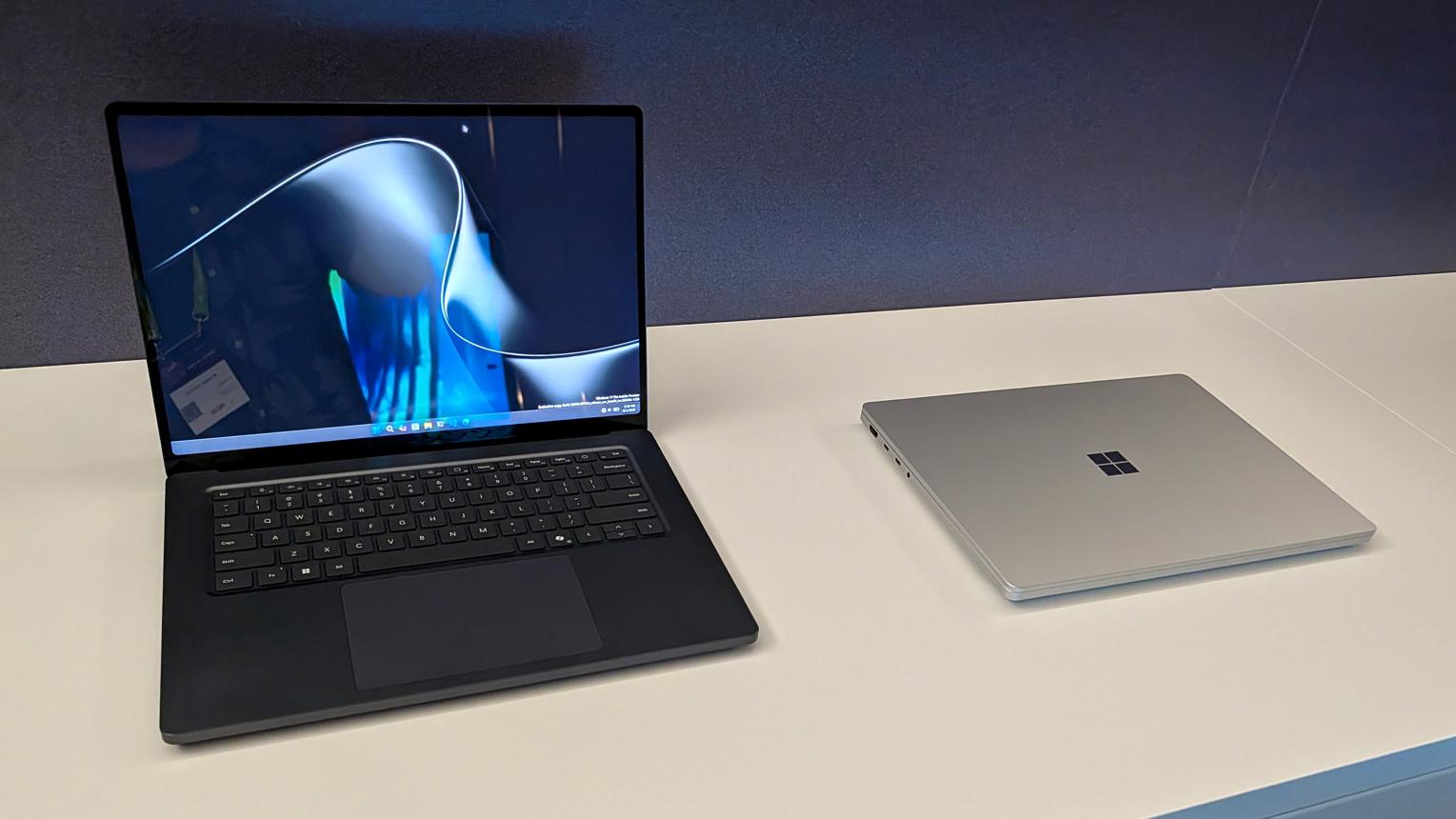
The most important takeaway from the latest review is that the Surface Laptop Ultra is not a conventional premium laptop.
Its central purpose is to deliver graphics and AI computing power in a portable Windows computer. Microsoft is targeting people who regularly use applications that can benefit from accelerated processing, including AI model development, 3D rendering, content creation, and demanding technical workflows.
TechRadar’s November 21 review found the system capable and impressive in graphics and local AI tasks, but difficult to recommend to most buyers because of its high cost and specialized focus.
The reviewer also reported loud fans and significant heat around the upper keyboard area during demanding workloads. These are important observations because performance does not happen in isolation. A laptop must manage its processor, graphics hardware, cooling system, battery, and chassis together.
The findings should not be interpreted as proof that every Surface Laptop Ultra behaves identically. The review reflects the tested unit, software, workload, power settings, and test environment.
The real question is not whether the computer is powerful. It is whether its particular type of power solves a problem that a less expensive laptop cannot handle.
What Microsoft and NVIDIA actually launched
Microsoft’s Surface Laptop Ultra uses NVIDIA’s RTX Spark platform instead of following the more familiar Intel, AMD, or Qualcomm laptop processor approach.
The system is built around a combination of CPU, graphics, and AI acceleration technologies. The platform is designed to support tasks that traditionally require separate processor and graphics components, with the memory architecture also playing an important role.
Microsoft’s official Surface announcement describes the device as a high-performance laptop designed for creative, technical, and AI workloads.
The company’s published configurations include:
-
Up to 20 CPU cores
-
Up to 6,144 NVIDIA Blackwell RTX GPU cores
-
Up to 128GB of unified memory
-
A 15-inch touchscreen
-
Up to 2,000 nits of peak HDR brightness
-
USB-C with USB4 connectivity
-
HDMI and USB-A
-
SD card reader
-
3.5mm headphone jack
-
Removable SSD storage
Microsoft also says the laptop’s chassis is less than 18mm thick and weighs under 4.5 pounds.
These specifications place the device closer to a portable workstation than an ordinary productivity notebook.
The laptop starts at $2,599.99, while higher configurations cost considerably more. The Microsoft product page should be checked for current configuration, availability, and pricing before purchasing.
What NVIDIA RTX Spark is
RTX Spark is a new type of laptop computing platform built around NVIDIA’s AI and graphics ecosystem.
Traditional Windows laptops generally use one of several configurations:
-
Intel or AMD CPU with integrated graphics
-
Intel or AMD CPU with a separate NVIDIA GPU
-
Qualcomm Snapdragon processor with integrated GPU and NPU
RTX Spark takes another approach by combining an Arm CPU with NVIDIA Blackwell RTX graphics technology in a system-on-chip platform.
NVIDIA describes the system as combining:
-
NVIDIA Blackwell graphics
-
An NVIDIA Grace CPU
-
CUDA acceleration
-
AI processing
-
Unified memory
-
RTX gaming technologies
Its official RTX Spark announcement explains how NVIDIA wants these laptops to handle creative software, local AI agents, gaming, and demanding graphical applications.
This matters because laptop buyers have traditionally faced a choice.
A thin-and-light laptop usually prioritizes portability, low power consumption, and battery life. A gaming or workstation laptop prioritizes CPU and GPU performance, often at the expense of weight, heat, and power consumption.
RTX Spark attempts to bridge some of that gap.
It brings graphics acceleration and AI capabilities into a portable computer without relying on a conventional separate graphics card architecture.
However, combining the components does not eliminate engineering limitations. Heat still needs to be removed, power still needs to be supplied, and performance still depends on the workload.
The platform is a new direction for Windows laptops, not a guarantee that every application will become faster.
Why unified memory matters
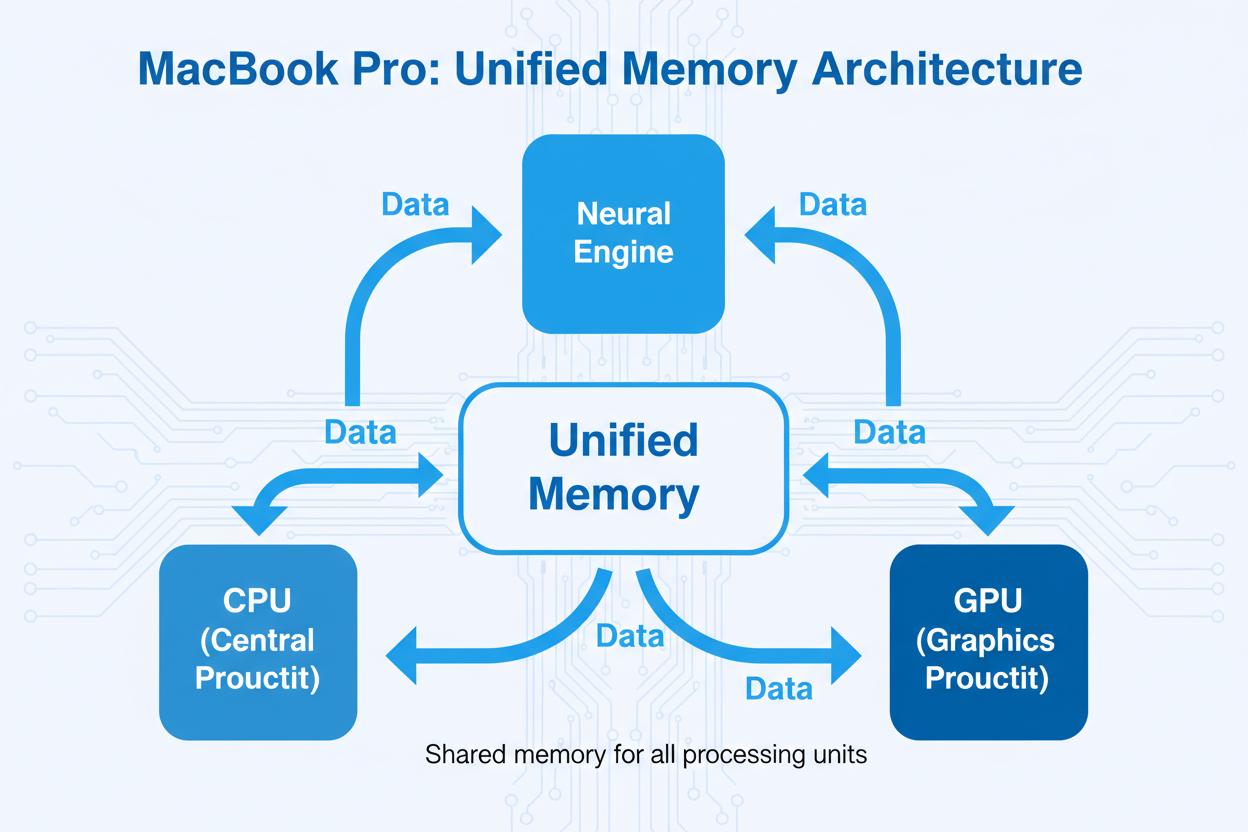
One of the most important specifications on the Surface Laptop Ultra is its unified memory.
Most conventional laptops have system memory used by the CPU and separate dedicated graphics memory used by a discrete GPU.
This division can create limitations for workloads that require a large amount of memory, particularly local AI models, large 3D scenes, and complex creative applications.
RTX Spark uses unified memory.
The CPU and GPU share a memory pool instead of being restricted to separate RAM and VRAM pools.
How shared memory works
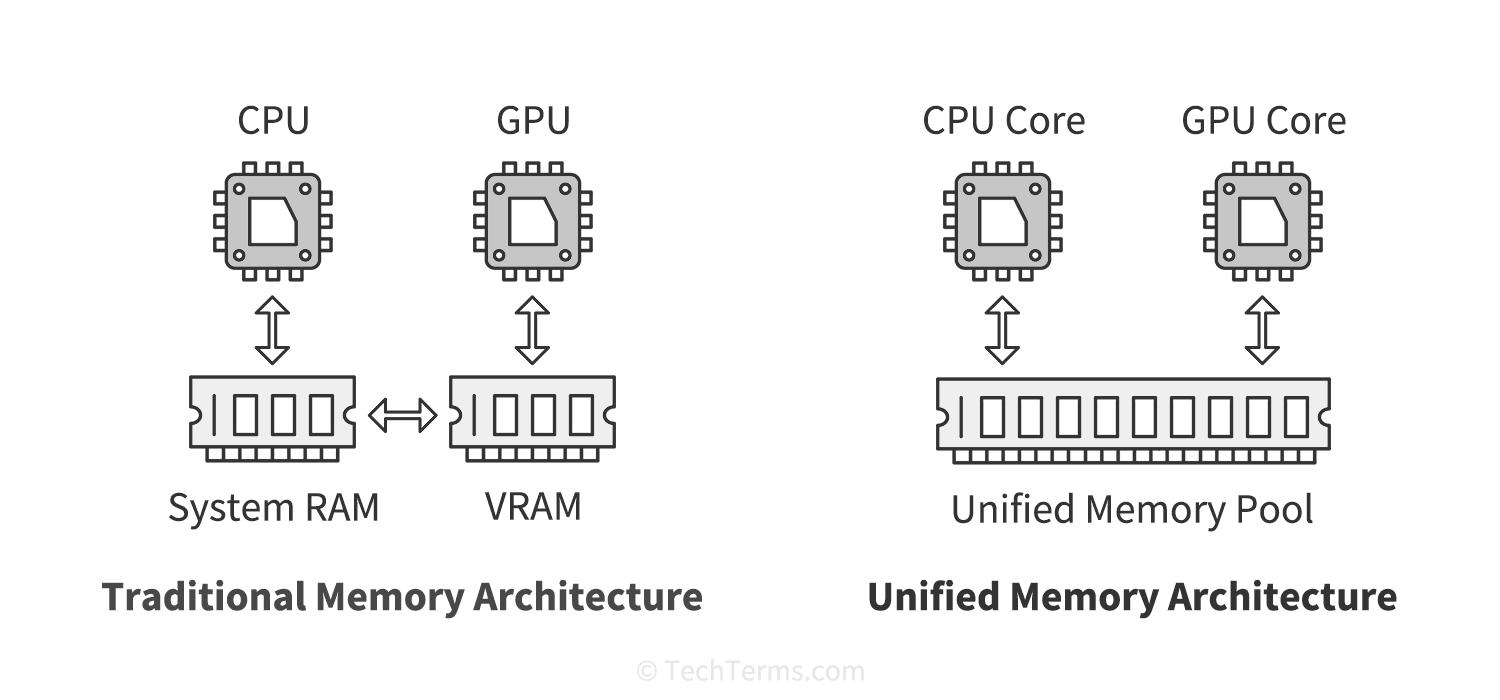
Imagine a computer with 32GB of RAM and a separate GPU with 8GB of graphics memory.
The operating system, applications, browser tabs, and other tasks use system memory. The graphics card uses its own memory.
A local AI model might require more GPU memory than the graphics card has available. Even if the laptop has plenty of system RAM, the model may not fit comfortably into dedicated graphics memory.
Unified memory changes the arrangement.
Instead of separating memory into two pools, the system uses one shared pool that can be dynamically allocated between CPU and GPU workloads.
This can help:
-
Run larger AI models
-
Handle more complex graphics projects
-
Keep multiple workloads active
-
Reduce unnecessary movement of data between memory pools
-
Support larger creative files
Microsoft advertises configurations up to 128GB of unified memory.
That is useful for AI developers who need memory capacity for model weights, intermediate processing, context, and application workloads.
However, shared memory also has limitations.
The GPU cannot necessarily use every gigabyte installed in the laptop. Microsoft explicitly notes that the amount available to the GPU depends on the configuration and workload and is lower than the total unified memory capacity.
The system also needs memory for Windows, applications, and CPU operations.
For that reason, a 128GB configuration should not be described as having 128GB of dedicated VRAM.
It is a large shared memory pool, and the amount available to an individual workload varies.
Local AI: the biggest reason to consider it
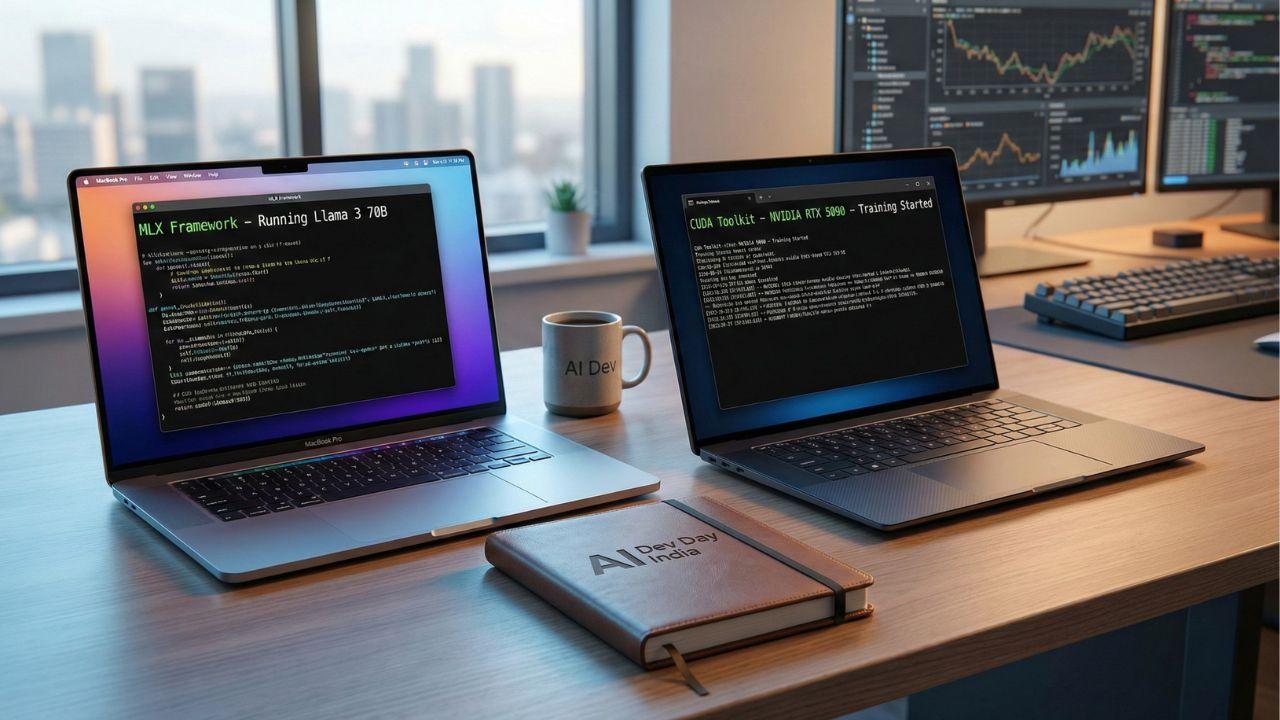
Local AI is the strongest reason to consider an RTX Spark laptop.
Many AI tools rely on remote servers. You send a prompt or upload information, the cloud processes it, and the result returns to your computer.
This arrangement is convenient, but it can introduce:
-
Internet dependency
-
Subscription costs
-
API usage fees
-
Latency
-
Privacy considerations
-
Limits on model access
Local AI changes where the computation happens.
Instead of sending every prompt to a remote service, users can run supported AI models directly on their computers.
That can be especially useful for:
-
Developers testing AI applications
-
Researchers experimenting with open-weight models
-
Businesses working with sensitive documents
-
Writers analyzing private research
-
Users running coding assistants
-
Creative professionals generating or editing assets
The Surface Laptop Ultra’s unified memory and NVIDIA acceleration are designed to support these workflows.
Microsoft and NVIDIA advertise support for large local AI models, including models exceeding 120 billion parameters under appropriate conditions. That is a manufacturer capability claim, not a guarantee that every model at that size will run quickly, fit in memory, or provide a smooth interactive experience.
Model size is only one factor.
AI performance also depends on:
-
Quantization
-
Model architecture
-
Context length
-
Software framework
-
GPU acceleration
-
Memory bandwidth
-
Model loading time
-
Prompt complexity
-
Token generation speed
A model that loads successfully may still be too slow for practical daily use.
Local AI versus cloud AI
| Local AI | Cloud AI |
|---|---|
| Processing occurs on the local device | Processing occurs on remote infrastructure |
| Can reduce dependence on cloud usage fees | May require a subscription or usage charges |
| Can keep prompts and files on-device when the application is genuinely local | Data is sent to the cloud service |
| Performance depends on laptop hardware | Performance depends on network and server capacity |
| Users manage models and software | Provider manages most model infrastructure |
| Limited by local memory and power | Can access larger server resources |
Local AI is not automatically more private in every situation. The user must still examine the application, its telemetry, permissions, network behavior, and whether it sends data to external services.
A local AI model does not guarantee that the rest of the software environment is private.
Graphics performance and gaming
NVIDIA’s RTX Spark platform has a strong graphics component.
The Blackwell RTX GPU supports modern graphics technologies, including ray tracing and NVIDIA’s AI-assisted graphics features. The system also supports NVIDIA software and tools designed for accelerated computing.
That makes the Surface Laptop Ultra relevant to more than AI model developers.
It may be useful for:
-
3D artists
-
Game developers
-
CAD users
-
Video editors
-
Photographers using GPU-accelerated tools
-
People running AI-assisted graphics applications
TechRadar’s testing includes Cyberpunk 2077 results under different graphics settings. Its reported performance is a reminder that frame rates change considerably when ray tracing settings, resolution, and DLSS options change.
The test results should not be treated as a universal gaming benchmark.
Gaming performance depends on the game, graphics settings, power mode, GPU allocation, cooling conditions, driver version, and display resolution.
The Surface Laptop Ultra is also not a dedicated gaming laptop.
It may run demanding games, but buyers who primarily want gaming should compare it against traditional laptops with dedicated NVIDIA GeForce GPUs.
Those computers often provide a more straightforward gaming experience, including broader game compatibility, different GPU power limits, and more established driver support.
For gaming, the RTX Spark platform’s AI and unified-memory advantages are not necessarily the features that matter most.
A dedicated gaming laptop could deliver better value if gaming is the buyer’s primary workload.
Is it a good laptop for creators?
The Surface Laptop Ultra could make sense for creative professionals who need several kinds of computing power in one machine.
For example, a video editor may need:
-
GPU-accelerated effects
-
Large video files
-
Fast encoding and decoding
-
AI-based editing tools
-
Multiple applications open simultaneously
A 3D designer may need:
-
Large scenes
-
GPU rendering
-
AI-assisted workflows
-
High memory capacity
-
Multiple display connections
RTX Spark’s memory architecture is potentially useful for these tasks.
Microsoft and NVIDIA say the platform supports creative workflows such as video editing, rendering, AI image processing, and 3D applications.
NVIDIA has also announced RTX Spark support and optimization work with creative software providers, including Adobe.
But software compatibility and acceleration are not the same thing.
An application may launch successfully but lack a particular plugin, feature, or GPU-accelerated workflow. A supported application may also perform differently depending on the specific project.
Windows Central’s RTX Spark performance testing provides a more useful look at how the platform performs in AI, creative, and graphics workloads.
The testing found that RTX Spark’s local AI strengths do not automatically translate into the fastest video export performance against conventional high-end graphics laptops.
That is a critical point for creators.
If you primarily edit video, your purchase should be based on the applications you use, the codecs you work with, the size of your projects, and the export times you need—not just the presence of an AI GPU.
Windows on Arm compatibility
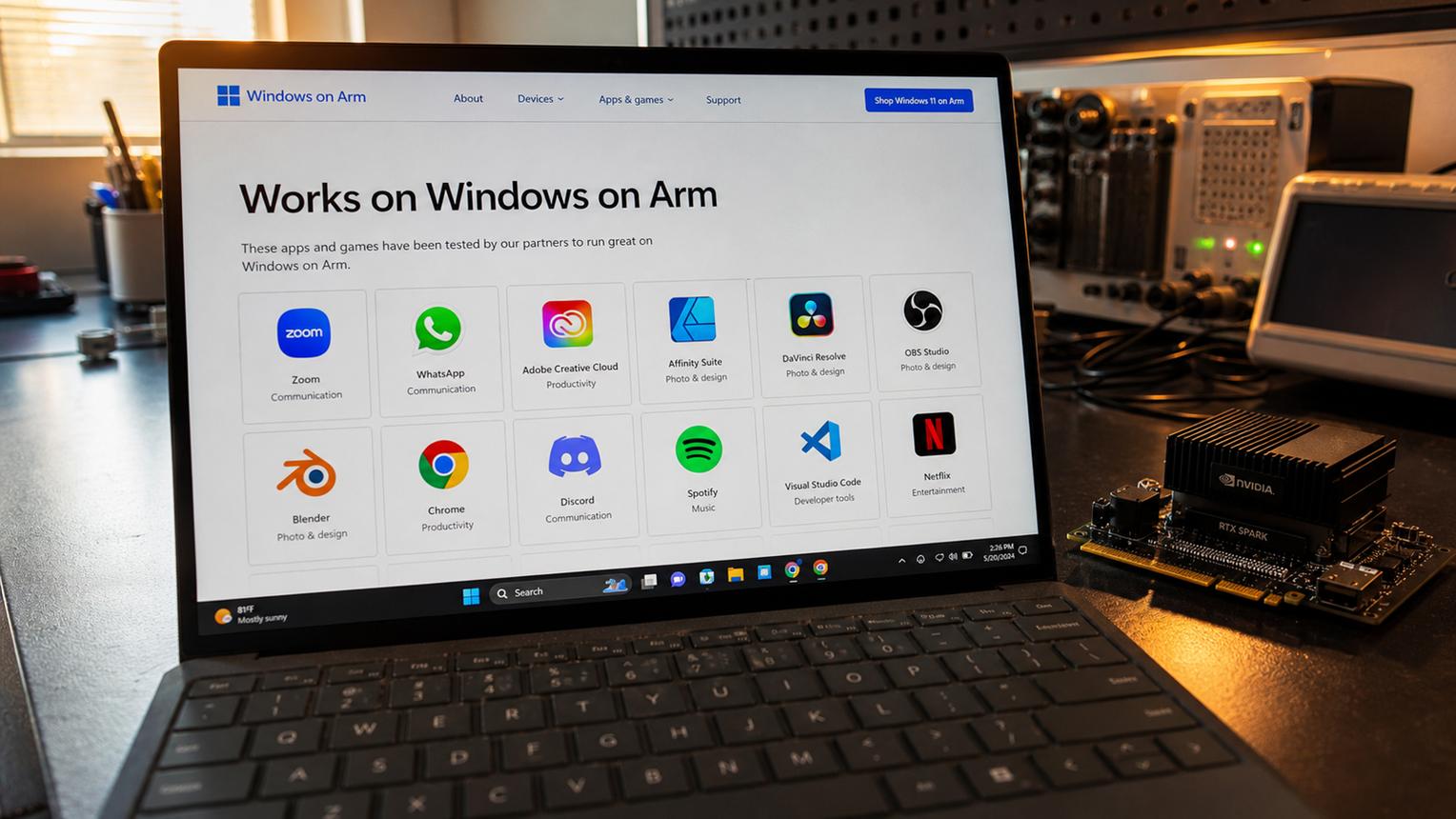
The Surface Laptop Ultra runs Windows 11 on an Arm-based platform.
This introduces a compatibility question that deserves more attention than the specifications page.
Windows on Arm can run native Arm applications as well as many x86 and x64 applications through emulation.
Microsoft explains this in its Windows on Arm app compatibility documentation.
The compatibility system is designed to help users run applications that were originally developed for traditional Intel and AMD processors.
However, compatibility is not universal.
Some software may:
-
Run natively
-
Run through emulation
-
Have reduced performance
-
Require an Arm-specific version
-
Fail to install
-
Require a driver that is not available for Arm
Applications that deserve extra checking
Before buying an RTX Spark laptop, verify compatibility for:
-
Professional CAD software
-
Specialized engineering applications
-
Audio production plugins
-
Legacy accounting software
-
Older games
-
Anti-cheat systems
-
VPN clients
-
Virtualization tools
-
External hardware drivers
-
Printer and scanner utilities
-
Specialized USB devices
A driver requirement is particularly important.
Microsoft’s documentation explains that Windows on Arm can emulate applications, but drivers and kernel-level components must be compatible with the system architecture.
An application that works on a standard Intel or AMD Windows laptop may not behave identically on an Arm-based machine.
This is not necessarily a deal-breaker. The Windows on Arm ecosystem has been improving, and many common applications now support the architecture.
But buyers should not assume that every application they rely on will work simply because the laptop runs Windows 11.
For developers and AI users, the platform may be attractive. For businesses running specialized software, compatibility testing should come before purchase.
Display: bright does not always mean better
Microsoft advertises the Surface Laptop Ultra’s 15-inch touchscreen with up to 2,000 nits of peak HDR brightness.
That sounds impressive, particularly for users who work in bright environments or view HDR content.
But peak brightness is only one part of display quality.
A laptop display also needs:
-
Good black levels
-
Contrast
-
Color accuracy
-
Uniformity
-
Response time
-
Low ghosting
-
Useful brightness at normal settings
-
Comfortable viewing during long sessions
Microsoft’s brightness figure is a peak HDR measurement over a limited screen area. It is not a promise that the entire display stays at 2,000 nits during everyday SDR work.
Independent testing by Notebookcheck raised concerns about the panel’s response times, ghosting, and local-dimming behavior.
The Notebookcheck Surface Laptop Ultra review found that the Mini-LED implementation had weaknesses despite its high brightness.
This is important for photographers, video editors, and anyone who values high-contrast images.
Mini-LED is a backlighting technology. It can improve brightness and contrast through local dimming, but the quality of the implementation matters.
If the panel cannot control its backlight effectively, the benefits of Mini-LED may not be as impressive as its specifications suggest.
A 120Hz refresh rate also does not automatically guarantee fast pixel response.
A display can refresh frequently while still producing ghosting if pixels do not transition quickly enough.
For everyday users, the panel may still be attractive because of its brightness, size, and touchscreen functionality.
For professionals who work with color-critical content, independent measurements are more valuable than the marketing brightness figure.
Battery life, cooling, and noise
Battery life is one of the most important areas to evaluate when buying an expensive portable workstation.
Microsoft advertises up to 15 hours of local video playback and up to 12 hours of active web browsing on its current product page.
These are manufacturer test figures. They do not guarantee the same runtime for every user.
Battery performance changes with:
-
Display brightness
-
Refresh rate
-
Wi-Fi activity
-
CPU load
-
GPU activity
-
AI workloads
-
Background applications
-
Video encoding
-
Power mode
Independent results vary significantly.
Notebookcheck measured approximately 10.5 hours in its Wi-Fi test at 150 nits, a little over seven hours at 500 nits, and substantially shorter runtime at maximum SDR brightness.
TechRadar also reported different results depending on its test method, including a video-loop result of about 7 hours and 23 minutes and another battery test exceeding 10.5 hours.
These numbers should not be averaged together. They come from different test conditions.
The practical conclusion is that light productivity may provide reasonable battery life, but GPU-heavy work, local AI, rendering, and gaming can drain the battery much faster.
Cooling is part of the performance story
The Surface Laptop Ultra is a powerful computer in a portable chassis.
That means heat management is a significant engineering challenge.
Microsoft says it developed a new thermal architecture for the device, with up to 2.5 times more thermal power capacity than its current Surface Laptops.
That is a manufacturer claim about its thermal design.
TechRadar’s fresh review reported loud fan noise during local AI and gaming workloads, along with heat around the keyboard area.
Notebookcheck’s power measurements also show how quickly power consumption can increase under load.
This is not surprising for a workstation-class computer. High-performance CPU and GPU workloads generate heat, and a laptop must dissipate that heat without becoming uncomfortable or reducing performance.
The important question is how much noise and heat you are willing to accept.
If you frequently work in libraries, classrooms, quiet offices, or on battery power, these compromises may matter more than the benchmark results.
Ports, storage, and upgradeability
The Surface Laptop Ultra has a practical port selection for a premium workstation.
Microsoft lists:
-
Three USB-C ports with USB4
-
USB-A
-
HDMI
-
SD card reader
-
3.5mm headphone jack
The official product specifications confirm these connectivity options.
The port selection is useful for creators and professionals who connect cameras, external storage, displays, audio equipment, and other peripherals.
The inclusion of USB-A is especially helpful for users who still own older devices.
Removable storage is a useful advantage
Microsoft says the SSD is removable.
That matters because storage upgrades can extend a laptop’s useful life. A user who initially buys a smaller SSD may be able to replace it with a larger drive later, depending on the available service options and compatible hardware.
However, buyers should not confuse storage upgradeability with memory upgradeability.
The unified memory is part of the platform design. Buyers should choose a memory configuration that meets their expected needs from the beginning.
For guidance on how much storage you need, TechOzea’s laptop SSD capacity guide can help you think through your workload.
Price and value
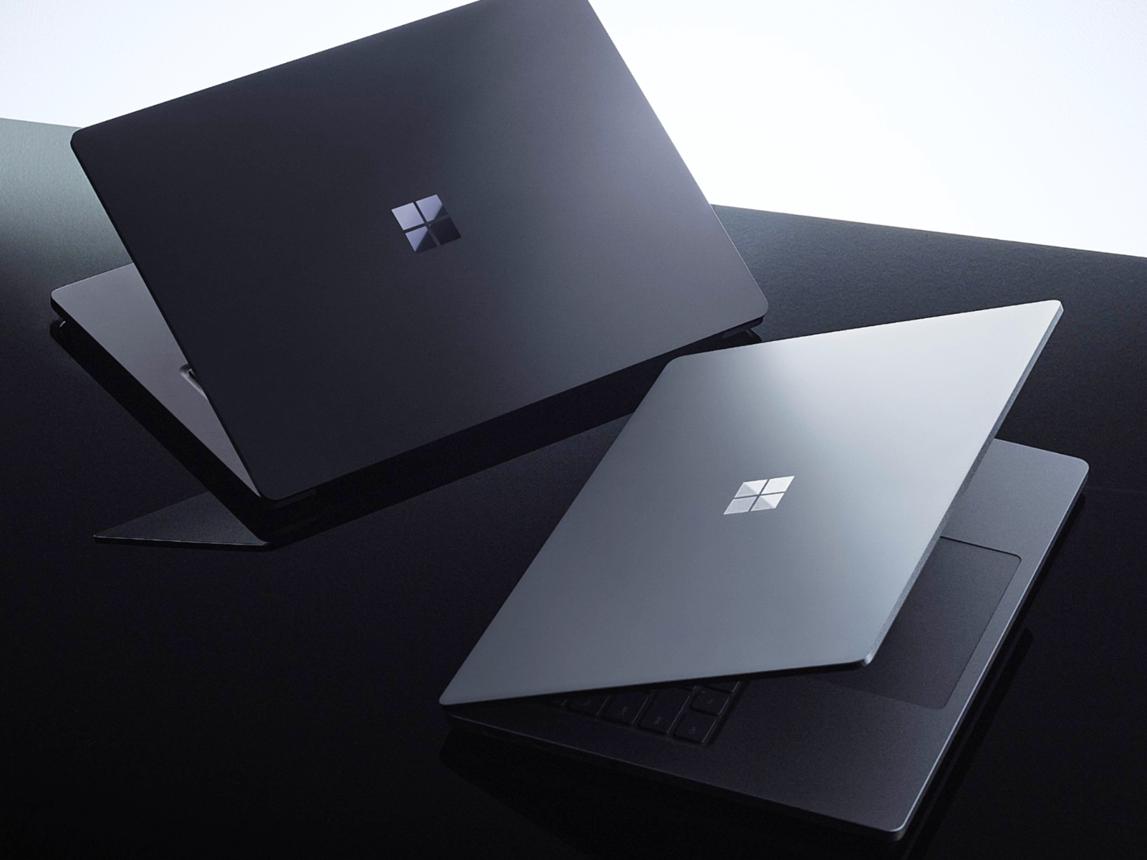
The Surface Laptop Ultra starts at $2,599.99.
At that price, buyers should expect more than basic productivity performance.
A premium laptop should deliver:
-
High sustained performance
-
Reliable software compatibility
-
Good battery life
-
Excellent display quality
-
Strong build quality
-
Comfortable keyboard and touchpad
-
Useful ports
-
Long-term support
-
Good value for its target workload
The Surface Laptop Ultra offers a different value proposition.
Its main selling points are the GPU, unified memory, CUDA ecosystem, and local AI capabilities.
These advantages may be valuable to developers, AI researchers, and creative professionals who use applications that benefit from the RTX Spark platform.
They are less compelling to someone who mainly uses:
-
Microsoft Word
-
Excel
-
Google Docs
-
Web browsers
-
Email
-
Video streaming
-
Social media
-
Basic photo editing
For those tasks, a much less expensive laptop may provide a similar day-to-day experience.
If you are shopping for a general-purpose computer, start with TechOzea’s best laptop deals guide and compare price, RAM, SSD capacity, display quality, and battery life.
You may find that spending $800 to $1,500 on a well-equipped laptop delivers better practical value than buying an AI workstation you rarely use to its full potential.
How it compares with conventional laptops
The RTX Spark platform occupies a different position from many mainstream laptop processors.
| Laptop category | Main strength | Main limitation | Best buyer |
|---|---|---|---|
| Intel Core / AMD Ryzen productivity laptop | Broad compatibility, practical performance | Less specialized local AI capacity | Everyday users and professionals |
| Snapdragon Windows laptop | Efficiency and portability | Some application and driver compatibility limitations | Mobile productivity users |
| Conventional NVIDIA gaming laptop | Strong dedicated GPU performance | Heavier, higher power use, often shorter battery life | Gamers and creators |
| Apple Silicon MacBook | Performance efficiency and integrated macOS ecosystem | macOS software and gaming limitations for some users | Apple users, creators, professionals |
| NVIDIA RTX Spark laptop | Unified memory, CUDA, graphics and local AI | High cost and newer Arm software ecosystem | AI developers and technical creators |
For portability, you can compare it against TechOzea’s lightweight laptop guide.
If you prefer a conventional premium Windows laptop, TechOzea’s Dell XPS 15 review offers another useful comparison point.
For students and budget users, even the best programming laptops under $500 may be enough for coding, web development, and everyday learning.
Who should buy it?
AI developers and local model users
If you regularly run large models locally, the Surface Laptop Ultra may be worth considering.
The large unified memory pool can help with workloads that are constrained by available memory rather than CPU speed alone.
Developers who experiment with AI agents, inference, coding assistants, and model evaluation may benefit from the NVIDIA platform.
Creative professionals
Video editors, 3D artists, and other creators should consider the laptop if their applications are optimized for RTX Spark.
Before purchasing, confirm the exact software version, plugin support, hardware acceleration, and export performance for your projects.
Technical professionals
Engineers, researchers, and technical users may find the CUDA ecosystem useful.
However, specialized software compatibility remains important. Confirm that your critical applications, drivers, and peripherals work correctly on Windows on Arm.
Who should skip it?
General laptop users
If you mainly browse, stream, write, attend meetings, and use office applications, you do not need to spend $2,599 on RTX Spark.
A mainstream laptop with a modern CPU, 16GB or 32GB RAM, and a good SSD will likely provide a more sensible purchase.
Students with limited budgets
A student’s needs vary.
For schoolwork, research, online classes, writing, spreadsheets, and basic coding, a laptop with a lower price and better battery efficiency may be a smarter choice.
TechOzea’s Chromebook buying guide is also worth considering if most of your work happens online and your applications are supported by ChromeOS.
Frequent travelers
The Surface Laptop Ultra is not especially light for its class, and heavy workloads can reduce battery life.
Frequent travelers should prioritize weight, real-world battery runtime, charging convenience, and display usability over maximum AI performance.
What buyers should check before purchasing
Before spending thousands of dollars, use this checklist.
The best laptop is the one that performs well for your actual workload—not the one with the biggest specification sheet.
What to watch next
The RTX Spark platform will be worth watching over the next few months for several reasons.
First, software support should improve as developers optimize applications for Windows on Arm and the NVIDIA ecosystem.
Second, the performance of local AI agents needs to be evaluated beyond demonstration workloads. The useful question is how reliably they can complete everyday tasks, how quickly they respond, and whether users can operate them without constant configuration.
Third, future RTX Spark laptops may help reveal whether unified-memory AI systems can become more affordable and more practical for mainstream users.
Finally, display quality, battery life, cooling, and compatibility remain areas where laptop manufacturers must make real engineering progress.
A powerful GPU is only one part of a successful laptop.
Conclusion
The Surface Laptop Ultra is an important Windows laptop because it brings NVIDIA RTX Spark, unified memory, graphics acceleration, and local AI into a premium portable computer.
Its strengths are real. The platform can provide meaningful advantages for AI workloads, graphics-heavy applications, development, and creative work.
But its price and compromises make it difficult to recommend to most laptop buyers.
The latest review reinforces a simple buying principle: do not pay for computing power that your everyday applications cannot use.
If local AI, CUDA, graphics rendering, and large models are central to your work, the Surface Laptop Ultra deserves serious consideration.
If you mainly need a laptop for everyday productivity, a conventional Windows laptop, MacBook, or Chromebook may be the better value.
FAQS
How much does the Surface Laptop Ultra cost?
Microsoft lists the Surface Laptop Ultra starting at $2,599.99. Higher-memory configurations cost significantly more, so check Microsoft’s current configuration page before buying.
What is NVIDIA RTX Spark?
RTX Spark is NVIDIA’s laptop computing platform combining an Arm-based CPU, Blackwell RTX graphics, AI acceleration, CUDA technologies, and unified memory. It is designed for graphics, gaming, AI workloads, and creative applications.
Is the Surface Laptop Ultra good for local AI?
It is designed specifically for local AI workloads and can be configured with up to 128GB of unified memory. Its practical performance depends on model size, quantization, software support, and the amount of memory available to the workload.
Does the Surface Laptop Ultra have good battery life?
Microsoft advertises up to 15 hours of local video playback and up to 12 hours of active web browsing. Independent testing varies significantly depending on brightness and workload. Heavy GPU and AI use can reduce battery runtime.
Can the Surface Laptop Ultra run regular Windows applications?
Windows on Arm supports native Arm apps and many x86/x64 applications through emulation. However, compatibility is not universal. Specialized drivers, plugins, games, and legacy applications should be checked before purchase.
Is the Surface Laptop Ultra good for gaming?
It can run demanding games and benefits from NVIDIA graphics technologies. However, it is not primarily a gaming laptop. Buyers who prioritize gaming should compare it with conventional GeForce RTX gaming laptops.
Is 128GB unified memory the same as 128GB VRAM?
No. Unified memory is shared between CPU and GPU. The amount available to the GPU depends on the configuration and workload, so it is not equivalent to 128GB of dedicated graphics memory.
Should most people buy the Surface Laptop Ultra?
No. It is designed for specialized workloads. Everyday users can get excellent performance from less expensive laptops that offer better value for their needs.
