




Affiliate disclosure: As an Amazon Associate, TechOzea earns from qualifying purchases. It costs you nothing extra and never changes our picks.
Key Takeaways
Shopping for the best noise-cancelling headsets with a mic for working from home? Remember these four things:
- Check two things, not one. ANC cuts the noise you hear. Mic noise suppression cuts the noise your team hears. Many headphones do one well and the other only okay.
- Best for most people: the Logitech Zone Wireless 2 ES. It has a real boom mic, solid ANC, and up to 20 hours of talk time with ANC on.
- Loud home? The Sony WH-1000XM6 blocks the most noise for you. If calls fill your day, the Jabra Evolve3 85 lasts the longest.
- Live on PC calls? Pick a headset with a USB dongle. A Bluetooth-only link to a laptop can make your voice sound thinner.
Here is the problem most remote workers miss: a headset can make your room quiet and still make you sound bad. The best noise-cancelling headsets with a mic for working from home fix both sides of the call. They block the noise you hear. They also stop your fan, keyboard, and barking dog from reaching your team.
So we judge every headset in this guide on two separate scores. First, how well its active noise cancellation (ANC) quiets your room. Second, how well its microphone keeps background noise out of your voice. A headset only makes this list if it does a good job on both, or if it is honest about the tradeoff.
- Best overall: Logitech Zone Wireless 2 ES: boom mic, good ANC, fair price.
- Best for long video calls: Jabra Evolve3 85: 25 hours of talk time, very comfortable, no boom arm.
- Best for noisy home offices: Sony WH-1000XM6: the strongest ANC here.
- Best budget pick: Sony WH-CH730N: 35 hours of talk time with ANC on.
Our Top Picks: Best Noise-Cancelling Headsets With Mic for Working From Home
Short on time? Which one fits your desk? Start with the job you need the headset to do. Each card links to the full review below.
Best Overall Headset for Remote Work
A flip-down boom mic, adaptive ANC, and all-day battery. It does the most things well for the least money.
Check Today’s Price on Amazon →Best Headset for Noisy Home Offices
The most noise blocking in this guide. Great for traffic, AC hum, and busy houses.
See the Current Deal on Amazon →Best Headset for Long Video Calls
Up to 25 hours of talk time, wireless charging, and a soft over-ear fit. No boom arm in your face.
Check Today’s Price on Amazon →Best Budget Headset for Working From Home
New for 2026. Good ANC for the money, a better call mic than before, and huge battery life.
See the Budget Pick on Amazon →Best Wireless Headset for Office Calls
A proven boom mic with Acoustic Fence, three ANC levels, and a long-range USB dongle.
Check Today’s Price on Amazon →Best Lightweight Headset for Hybrid Work
Only 180 g, folds flat, and looks like normal headphones at the café or on the bus.
See the Current Deal on Amazon →Best for Focus Time and Comfort
Elite ANC and a pillow-soft fit for deep work. The mic is only average, so it suits light call loads.
Check Today’s Price on Amazon →Comparison Chart: Mic Quality, ANC, Battery, and Comfort
Which headset wins on the thing you care about? Tap a column title to sort the table. Use the buttons to filter.
| Headset | Best for | Mic noise suppression | ANC | Comfort | Talk time, ANC on | Connection | Fit | Price tier | |
|---|---|---|---|---|---|---|---|---|---|
| Logitech Zone Wireless 2 ES | Most people | ★★★★½ | ★★★½ | ★★★★½ | 20 hrs | Bluetooth 5.3; USB receiver on Business USB model | On-ear | $$ | View Deal |
| Jabra Evolve3 85 | All-day calls | ★★★★ | ★★★★ | ★★★★★ | 21 hrs | Bluetooth LE Audio + Link 390 dongle, USB-C, 3.5 mm | Over-ear | $$$ | View Deal |
| Sony WH-1000XM6 | Noisy homes | ★★★★ | ★★★★★ | ★★★★½ | 24 hrs | Bluetooth 5.3 multipoint, 3.5 mm | Over-ear | $$$ | View Deal |
| Poly Voyager Focus 2 | Call-center style work | ★★★★½ | ★★★½ | ★★★½ | 16 hrs | Bluetooth 5.1 + BT700 dongle, USB cable | On-ear | $$ | View Deal |
| Jabra Evolve3 75 | Hybrid workers | ★★★★ | ★★★½ | ★★★★ | 18 hrs | Bluetooth LE Audio + Link 390 dongle | On-ear | $$$ | View Deal |
| Bose QC Ultra (2nd Gen) | Deep focus, few calls | ★★★ | ★★★★★ | ★★★★★ | Not listed (30 hrs music) | Bluetooth 5.4 multipoint, USB-C audio* | Over-ear | $$$ | View Deal |
| Sony WH-CH730N | Tight budgets | ★★★½ | ★★★ | ★★★★ | 35 hrs | Bluetooth 6.0 multipoint, 3.5 mm | Over-ear | $ | View Deal |
Price tiers: $ = budget, $$ = mid-range, $$$ = premium.
Bose does not publish a talk-time figure. It rates the QC Ultra (2nd Gen) at up to 30 hours of music with ANC on.
Answer three questions. We’ll match you with the best pick and a runner-up.
Detailed Reviews: The Best Noise-Cancelling Headsets With a Mic for Working From Home
What does each headset do well, and where does it fall short? Every review below covers who it suits, its biggest drawback, and why it earned its spot. When a number comes from the maker, we say so. When it comes from an outside lab, we link to it.
1. Logitech Zone Wireless 2 ES: Best Overall Headset for Remote Work
Want one headset that just works for calls, focus, and a full workday? This is the one we would hand to most remote workers.
The big win is the flip-down boom mic. A mic close to your mouth hears more of your voice and less of your room. Logitech backs it with two noise-canceling mics with AI processing. You also get adaptive hybrid ANC, which handles fan hum and AC drone well. Flip the boom up, and the mic mutes. That is a small thing you will use 20 times a day.
Battery life is solid. Logitech rates it at up to 20 hours of talk time with ANC on and 25 hours with ANC off. That covers a busy week of meetings for most people. It is also easy to keep for years, because the ear pads, headband, and battery can be replaced.
That said, not every reviewer agrees. heise’s 2026 test called the mic only average and the ANC weak. Our read: the ANC is good for a fan or a quiet street, but it will not match Sony or Bose in a loud house.
What we like
- Boom mic keeps voices clear in noisy rooms
- Flip-to-mute boom
- Light and easy to wear for hours
- Replaceable pads, headband, and battery
What could be better
- On-ear pads can press after 4+ hours
- ANC is good, not class-leading
- Base model is Bluetooth-only; the USB-receiver version costs more
Best suited for: most remote workers who take several calls a day and want a fair price. Skip it if: you need total silence for focus, or on-ear pads hurt your ears.
2. Jabra Evolve3 85: Best Headset for Long Video Calls
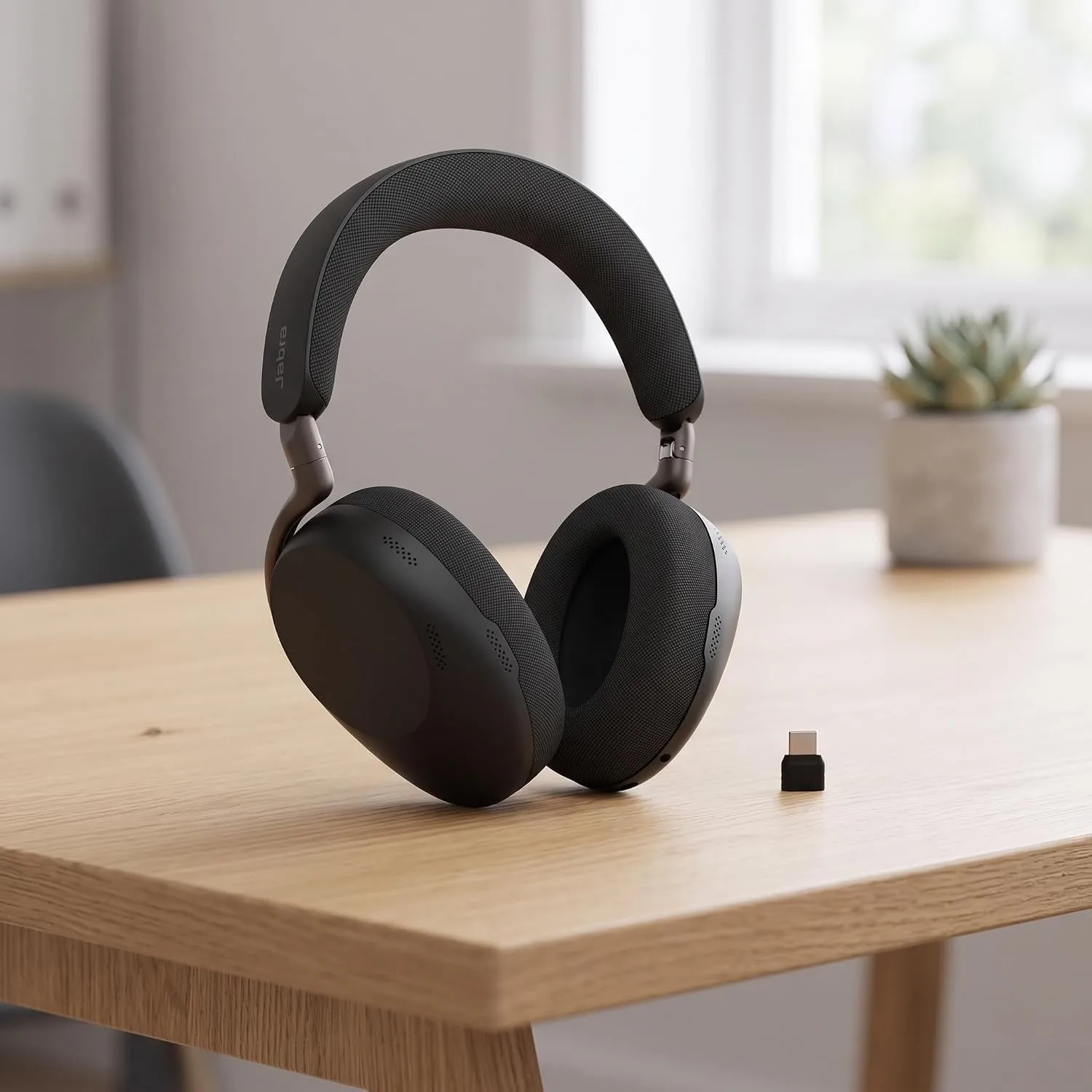
Do you spend most of your day on calls and hate having a boom arm in your face? The Evolve3 85 was built for you.
Jabra dropped the boom arm for 2026. Instead, it uses six hidden mics and a voice filter Jabra calls ClearVoice. SoundGuys notes it was trained on over 60 million real sentences to pick your voice out of the noise. The result looks like normal headphones but behaves like an office headset.
Battery life is the headline. Jabra rates it at up to 25 hours of talk time, or 21 hours with ANC and the busylight on. Music time hits 120 hours with ANC off. A 10-minute charge gives up to 10 hours of music. It also charges on a wireless pad, and the battery can be swapped. At 220 g, it is light for an over-ear headset.
However, a boomless mic has limits. RTINGS found it separates your voice well in a moderately busy space. But a very loud sound, like a passing train, can make your audio cut out. RTINGS also found its ANC is not quite as strong as Sony’s. And the price is the bigger issue. This is the most expensive headset here.
What we like
- Very long battery life
- Soft, light over-ear fit
- Wireless charging and a swappable battery
- Looks fine outside the office, too
What could be better
- Premium price
- Very loud, sudden noise can cut your audio
- ANC trails Sony and Bose
Best suited for: sales, support, and recruiters who talk all day in a normal home. Skip it if: your room is very loud. A boom mic still wins there.
3. Sony WH-1000XM6: Best Headset for Noisy Home Offices

Is your home office loud: traffic outside, kids next door, an AC that rattles? Then start here.
The XM6 has the strongest ANC in this guide. RTINGS names it the best headphones for work it has tested, and CNET called it the new noise-canceling king. Sony uses 12 mics in total, and six of them focus on your voice during calls. In daily use, that means a calm head even when the house is not calm.
Battery is strong, too. Sony’s spec sheet lists up to 30 hours of music and 24 hours of calls with ANC on. Multipoint lets you stay linked to your laptop and phone at once.
Still, the mic is the main drawback for heavy callers. Engadget found it made a loud fan vanish, but the cleanup made the voice less clear. A SoundGuys reader poll scored its mic 3.6 out of 5. There is no boom and no USB dongle, either. If you wear glasses, the arms can break the seal and let in more noise.
What we like
- Top ANC for loud homes
- Great sound for music between calls
- Folds into a compact case
- Laptop + phone at once
What could be better
- Voice can sound processed in loud rooms
- No boom mic, no USB dongle
- Glasses can weaken the seal
Best suited for: people who need quiet to focus and also take a fair number of calls. Want more detail? Read our full Sony WH-1000XM6 review or our XM6 vs. XM5 comparison. Skip it if: you are on calls most of the day in a loud room. A boom mic will serve you better.
4. Poly Voyager Focus 2: Best Wireless Headset for Office Calls

Do you want a headset that puts the mic right at your mouth and just keeps working? The Focus 2 is the reliable workhorse here.
This model has been around since 2021, but it is still a strong contender. Poly (now part of HP) gives it a boom mic with Acoustic Fence, which focuses on the space right in front of your mouth. Raise the boom, and you are muted. You get three ANC levels (off, low, high) and a BT700 USB dongle with up to 164 feet (50 m) of range. That means you can walk to the kitchen mid-call.
The main drawback is age. Poly’s listing rates it at up to 16 hours of talk with ANC on, which trails the Jabras. It is an on-ear design, so long days can feel tight. Music sounds fine, not exciting. A March 2026 review summed up the mic as clear but “not quite perfect.” Still, Headset Plus ran a live call with a vacuum beside it, and the other person couldn’t hear the vacuum.
What we like
- Proven boom mic for noisy homes
- Long-range USB dongle in the box
- Mute by lifting the boom
- Some bundles include a charging stand
What could be better
- Older design
- Shorter battery than newer rivals
- On-ear fit is not for everyone
Best suited for: people who take lots of calls in a shared home and walk around while talking. Skip it if: you want one pair for music, travel, and work. Look at the Sony instead.
5. Jabra Evolve3 75: Best Lightweight Headset for Hybrid Work

Need one light headset for home, the café, and the commute? The Evolve3 75 is the travel-friendly sibling of our #2 pick.
It weighs just 180 g and folds into a small pouch. It uses the same boomless ClearVoice approach as the 85. Jabra rates it at up to 18 hours of talk with ANC and the busylight on (22 hours off) and 45 hours of music with ANC on. Digital Trends notes that a wireless charging pad comes in the box.
That said, it is an on-ear headset. Some people feel pressure after a few hours, and on-ear pads let in more sound than over-ear cups. Like the 85, it has no boom, so very loud rooms are a weak spot. It also costs more than the Logitech, which has a boom mic.
What we like
- Very light and compact
- Looks like normal headphones
- Wireless charging pad included
What could be better
- On-ear pressure on long days
- Less passive isolation than over-ear cups
- Pricey next to the Logitech
Best suited for: hybrid workers who move between home, office, and travel. Skip it if: you sit at one desk all day. The over-ear 85 is more comfortable.
6. Bose QuietComfort Ultra Headphones (2nd Gen): Best for Focus Time and Comfort

Are your days more deep work than meetings? Then comfort and quiet may matter more than a perfect mic.
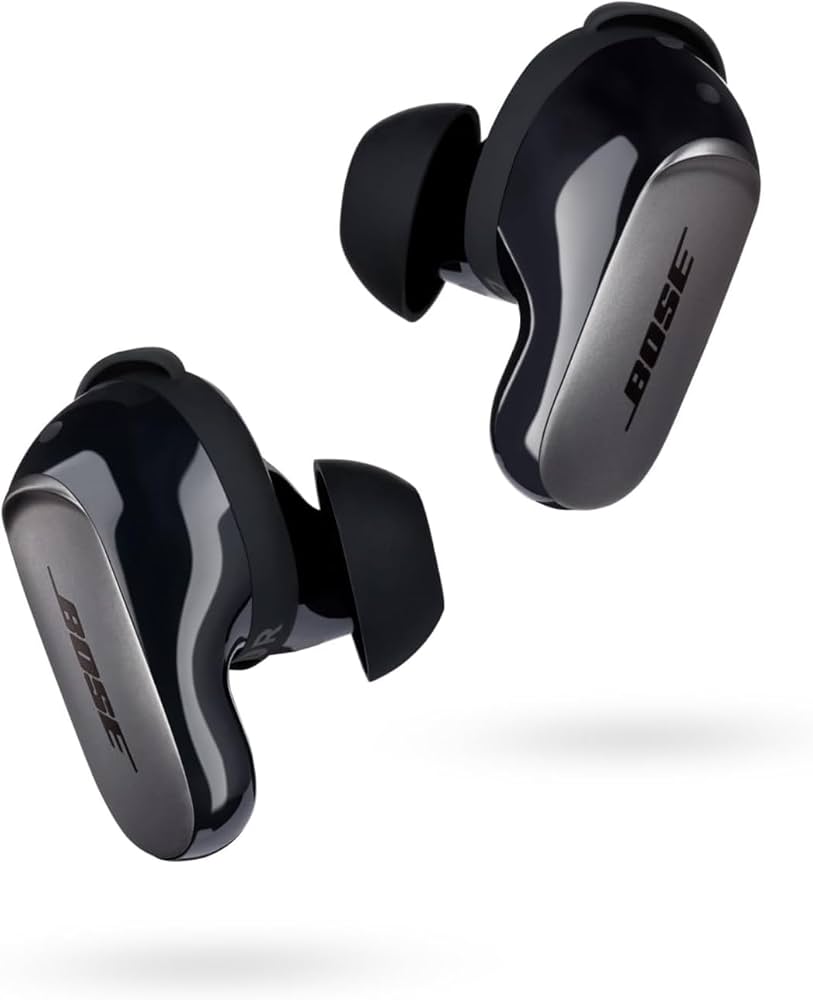
The Bose QC Ultra (2nd Gen) is one of the most comfortable headsets we know of, with ANC that rivals the Sony. Battery life went up to 30 hours with ANC on. It also adds USB-C audio and multipoint, and it is getting beta Auracast support.
However, the mic is the clear weak spot for calls. PCMag found voice recordings sounded compressed and a little thin. RTINGS rated it decent, but noted it doesn’t fully remove background noise. Potential dealbreaker: RTINGS also found the mic turns off when you use a wired connection. So if you planned to plug it into your laptop over USB for calls, this is not the one.
What we like
- Class-leading comfort
- ANC that rivals Sony
- Great for music and travel
What could be better
- Mic is only average for calls
- Mic is off when wired
- No dongle, no boom
Best suited for: writers, coders, and designers with one or two calls a day. Torn between the two flagships? See our Sony vs. Bose comparison. Skip it if: calls are your main job.
7. Sony WH-CH730N: Best Budget Headset for Working From Home

Need ANC and a usable call mic without paying flagship money? This 2026 model is the value play.
Sony launched the WH-CH730N in September 2026 (see our WH-CH730N launch coverage). Sony’s specs list up to 50 hours of music and 35 hours of calls with ANC on. That is the longest talk time in this guide. It weighs 207 g, folds, and supports multipoint over Bluetooth 6.0. Sony also updated its AI noise reduction for calls.
That said, keep your hopes in check. SoundGuys found the ANC struggles between 300 and 1,000 Hz. That is where human voices live, so a TV or chatty roommate will still get through. It rated call quality as “pretty decent,” which is fair for the price. Tom’s Guide also flagged that the US price is higher than the old model’s.
What we like
- Huge battery life
- Light, foldable, comfy
- Laptop + phone at once
What could be better
- Voices still leak through the ANC
- Mic is fine, not great
- No wear detection
Best suited for: students, new remote workers, and anyone shopping on a budget. Skip it if: you mainly need a top call mic. If you don’t need ANC, a boom headset like the Logitech Zone Vibe 100 (noise-canceling mics, no ANC) is another option. For more picks, see our best noise-cancelling headphones under $100.
How We Evaluate Microphone Noise Cancellation
How do you know a headset will make you sound good before you buy it? You test the mic like your coworkers hear it, not like the box describes it. Here is the process we use.
Background Noise Suppression During Calls
We read the same short script in each noise scene. Then we listen to the recording as the “other person.” The key question: does the noise vanish, shrink, or stay? We also check if the mic cuts off your words when it tries to remove noise. That is a common problem with heavy AI filters.
Voice Clarity and Natural Speech
A quiet call is useless if you sound like a robot. We listen for three things: Is your voice full or thin? Are word endings clear? Does your voice “pump” up and down as noise comes and goes? Boom mics usually sound more natural. Boomless designs rely more on software.
Performance With Fans, Traffic, and Keyboard Noise
We use five home sounds: a desk fan, keyboard typing, street traffic, a TV or kids talking, and a sudden loud noise like a door slam. Steady noise (fans, AC) is easy for most headsets. Sharp sounds (typing, dishes) and other voices are the real test.
Microphone Quality in Microsoft Teams, Zoom, and Google Meet
We run test calls in all three apps, with app noise suppression on and off. This matters because the app adds its own filter on top of the headset’s. In Teams, look in Settings → Devices → Noise suppression. In Zoom, go to Settings → Audio → Background noise suppression. In Google Meet, open Settings → Audio → Noise cancellation. For most people, “Auto” or “High” is the right setting with these headsets.
Calling from a PC over Bluetooth? Read our guide on connecting Bluetooth headphones to a PC. It helps you pick the right audio device so your mic doesn’t sound muffled.
ANC vs. Microphone Noise Cancellation: What’s the Difference?
Why can a $450 pair of headphones still make you sound bad on calls? Because “noise cancelling” means two different jobs, and the box rarely tells you which one it means.
Active Noise Cancellation for What You Hear
ANC uses tiny mics on the ear cups to “hear” outside noise. Then the speakers play an opposite sound wave to cancel it. It works best on steady, low sounds like AC hum and road noise. It works less well on sudden sounds and voices. Want the full story? Read how active noise cancellation works.
Microphone Noise Suppression for What Others Hear
This is a different system. It tries to keep your voice and drop everything else before the sound leaves your headset. Headsets do it with a boom mic close to your mouth, several mics that “aim” at your mouth (beamforming), AI filters, or a mix of all three. This is the part that decides whether your team hears your dog.
Why a Headset Needs Both for Remote Work
Without ANC, you strain to hear and get tired faster. Without good mic suppression, your team strains to hear you. The Bose shows the gap well: elite ANC, average mic. The Poly shows the other side: a great boom mic with more modest ANC. For most remote workers, a balance wins. For the bigger picture on noise tech, see our noise cancellation guide.
Which Headset Fits Your Home Office Noise?
Is your “office” a quiet spare room or the end of a busy kitchen table? Your space should drive your pick. Note: no headset removes every sound. These picks reduce noise. They don’t erase it.
| Your space | What matters most | Our pick | Runner-up |
|---|---|---|---|
| Quiet room | Comfort and battery | Jabra Evolve3 85 | Sony WH-CH730N |
| Fan or AC hum | ANC for steady noise | Sony WH-1000XM6 | Logitech Zone Wireless 2 ES |
| Kids, pets, TV | A mic that rejects other voices | Logitech Zone Wireless 2 ES | Poly Voyager Focus 2 |
| Street traffic | Strong ANC + solid mic | Sony WH-1000XM6 | Jabra Evolve3 85 |
| Open-plan or coworking | Boom mic + mute you can see | Poly Voyager Focus 2 | Logitech Zone Wireless 2 ES |
How to Choose a Headset for Working From Home
What actually matters once you look past the marketing? Four things decide whether you’ll love a work headset after month three.
Over-Ear Headsets vs. On-Ear Headsets
Over-ear cups sit around your ears. They block more noise and spread the pressure, so they suit long desk days. On-ear pads sit on your ears. They are lighter and cooler, but they can press after a few hours. If you wear glasses, try over-ear first, and know that glasses arms can still weaken the seal. Our in-ear vs. on-ear guide and headphones vs. earbuds for work go deeper.
Wired vs. Wireless Headsets for Work
Wired headsets never need charging and have no pairing trouble. Wireless headsets let you stand, stretch, and grab coffee mid-call. For most people, wireless with a USB dongle is the sweet spot. It is more stable than plain Bluetooth on a PC. See our wired vs. wireless headphones breakdown.
USB, Bluetooth, and Laptop Compatibility
When a laptop uses Bluetooth for a call, it often switches to a lower-quality “headset mode.” That can make your voice and your music sound flatter. A USB dongle (Jabra Link 390, Poly BT700, Logitech receiver) avoids most of that and gives you a reliable mute light. Newer Bluetooth LE Audio with the LC3 codec also helps. Learn more in our Bluetooth audio codecs guide and our laptop pairing guide. Also check the label: “MS” or “Teams” models have a Teams button, while “UC” models are tuned for Zoom, Meet, and others.
Comfort, Battery Life, and All-Day Meetings
Aim for at least 15 hours of talk time with ANC on. That covers two heavy days without charging. Light weight (under about 250 g) and soft pads matter more than you think by hour six. Take short breaks, too. Our guides on reducing listening fatigue and how long to wear headphones daily can help. For more comfort picks, see the most comfortable headphones for long sessions.
Mostly want headphones for travel, music, or commuting, not calls? Our best noise-cancelling headphones roundup is the better fit. Building out your whole setup? Pair your headset with one of our best webcams for Zoom.
What Reviewers and Readers Said
Don’t want to take only our word for it? Here is what other testers published this year. Every quote links to its source.
Frequently Asked Questions
Still have a question before you buy? These are the ones we hear most.
What is the difference between ANC and microphone noise cancellation?
ANC reduces the noise you hear by playing an opposite sound wave. Mic noise cancellation reduces the noise others hear by filtering your voice before it is sent. A headset can be great at one and average at the other, so check both.
What is the best headset for working from home with background noise?
For most people, the Logitech Zone Wireless 2 ES. Its boom mic keeps your voice clear, and its ANC handles steady noise. If your home is very loud, the Sony WH-1000XM6 blocks more noise for you, while the Poly Voyager Focus 2 has a strong boom mic for your listeners.
Which headsets have the best microphones for office calls?
Boom-mic headsets usually win. In this guide, the Logitech Zone Wireless 2 ES and Poly Voyager Focus 2 lead for mic noise rejection. The Jabra Evolve3 85 is the best boomless option.
Do noise-cancelling headphones block keyboard noise during calls?
Partly. ANC is weak against sharp sounds like typing, so you will still hear some clicks. On calls, a good mic filter plus Teams or Zoom noise suppression removes most keyboard noise for your listeners. Loud mechanical keyboards can still slip through.
Are over-ear headphones better than on-ear headsets for remote work?
Over-ear models block more noise and are usually more comfortable for long days. On-ear headsets are lighter and cooler. If you take calls for more than four hours a day, start with over-ear.
Is a USB headset better than Bluetooth for video meetings?
On a PC, usually yes. A USB dongle or cable gives a steadier link and avoids the lower-quality Bluetooth “headset mode.” Plain Bluetooth is fine for phones and is getting better with LE Audio.
Can a headset reduce background noise in Zoom and Microsoft Teams?
Yes. The headset filters noise first, and the app can filter again. Turn on noise suppression in Teams, Zoom, or Google Meet for the best result. Set it to Auto or High.
What should I look for in a headset for a noisy home office?
Look for strong ANC, a boom mic or a proven multi-mic array, a mute button you can find without looking, and at least 15 hours of talk time. Over-ear cups help in loud homes.
Can active noise cancellation improve the quality of my microphone?
Not directly. ANC works on what you hear. Your mic quality depends on mic placement and voice filtering. ANC can help in one small way: you can hear yourself better, so you may speak more calmly and clearly.
Are wireless headsets reliable for long work meetings?
Yes, if you choose one with a USB dongle and 15+ hours of talk time. Charge it overnight, and you will rarely run out mid-meeting. The Jabra Evolve3 85 and Sony WH-CH730N have the most battery headroom here.
Final Verdict: Which Headset Should You Buy?
So which one belongs on your desk? For most people, the Logitech Zone Wireless 2 ES is the easy call. It nails the mic, does ANC well enough, and costs far less than the flagships. If calls fill your whole day, the Jabra Evolve3 85 is worth the premium for comfort and battery. If your home is loud, get the Sony WH-1000XM6. If you are shopping on a budget, the Sony WH-CH730N gets you most of the way there.
Key Takeaways
- Match the headset to your noise. Choose a boom mic for kids, pets, and shared spaces. Choose strong ANC for traffic and AC hum.
- Test it in your return window. Record a 30-second Teams or Zoom test call with a fan running. If your voice sounds thin or cuts out, swap it.
- Turn on app noise suppression. Teams, Zoom, and Meet filters work on top of your headset’s mic. Set them to Auto or High.
- Watch for dealbreakers. Need wired USB calls? Skip the Bose, because its mic turns off when wired. Need a USB dongle? Avoid Bluetooth-only models.
