




Microsoft has officially started rolling out Windows 11 version 26H2, the company’s 2026 annual feature update for Windows PCs.
At first glance, that sounds like another major Windows upgrade. But 26H2 is different from the traditional Windows feature updates many laptop owners remember.
Microsoft built 26H2 on the same servicing foundation used by Windows 11 24H2 and 25H2. For eligible systems, that means the transition can happen through a relatively small enablement package instead of a large operating-system replacement. Microsoft says the installation can resemble a normal monthly update and typically requires only one restart.
That sounds straightforward.
It is not quite that simple.
The most important thing for laptop owners to understand is that Windows 11 26H2 is partly a version change and partly a consolidation of improvements that have already been delivered through Microsoft’s continuous-update system.
There is another reason to pay attention. Microsoft is already documenting compatibility issues involving some USB Audio Class 1.0 devices, along with other problems affecting certain managed and virtualized environments.
So should you install Windows 11 26H2 immediately?
For most compatible consumer laptops, there is a reasonable case for updating eventually. But there is little reason to treat 26H2 like an emergency upgrade, particularly if your laptop depends on older USB audio hardware or you rely on it for critical work.
Here’s what changed, what did not, and what laptop owners should know before pressing Download and install.
Key Takeaways
- Windows 11 26H2 is not a traditional major upgrade. Eligible Windows 11 24H2 and 25H2 PCs can receive it through a relatively small enablement package because the versions share the same servicing foundation.
- The biggest benefit is the refreshed support lifecycle. Windows 11 26H2 provides 24 months of support for Home and Pro editions and 36 months for Enterprise and Education editions.
- USB Audio Class 1.0 users should check compatibility before updating. Microsoft has documented issues including Code 10 errors, missing audio output and unresponsive volume controls, although the problem does not affect all USB audio devices.
- Don’t expect 26H2 to dramatically improve laptop performance or battery life. The update does not change the underlying CPU, GPU or RAM, and Microsoft does not promise a universal battery-life improvement. For most users, the sensible approach is to let the phased rollout proceed while checking drivers, backups and hardware dependencies first.
Table of Contents
- What Is Windows 11 26H2?
- Windows 11 26H2 Is Not a Traditional Major Upgrade
- Why the Update Can Be Relatively Small
- What Features Are Actually Associated With 26H2?
- The Support-Lifecycle Change Matters More Than It Looks
- The USB Audio Problem Laptop Owners Should Know About
- Other Known Windows 11 26H2 Issues
- Should You Install Windows 11 26H2 Now?
- What to Do Before Installing
- What 26H2 Means for Older Laptops
- What 26H2 Means for New Laptop Buyers
- Microsoft’s Changing Windows Strategy
- Performance, Battery Life and AI: What 26H2 Does Not Promise
- What Competitors Are Doing
- What to Watch Next
- Conclusion
- Frequently Asked Questions
What is Windows 11 26H2?
Windows 11 26H2 is Microsoft’s 2026 annual feature update.
The “26” identifies the year, while “H2” refers to the second half of the year, following Microsoft’s Windows release and servicing model.
Microsoft announced general availability on September 29, 2026. Eligible devices running Windows 11 24H2 or 25H2 can move to 26H2 through Windows Update.
The important technical detail is that Microsoft is not treating 26H2 as an entirely separate Windows foundation.
Instead, Microsoft says Windows 11 24H2, 25H2 and 26H2 share the same servicing branch and underlying platform. This allows Microsoft to use an enablement package to activate functionality that is already present in the operating system.
That distinction explains why some users may see a surprisingly small download compared with older Windows feature upgrades.
It also explains why the update can feel less dramatic than the version number suggests.
Windows 11 26H2 is not a traditional major upgrade
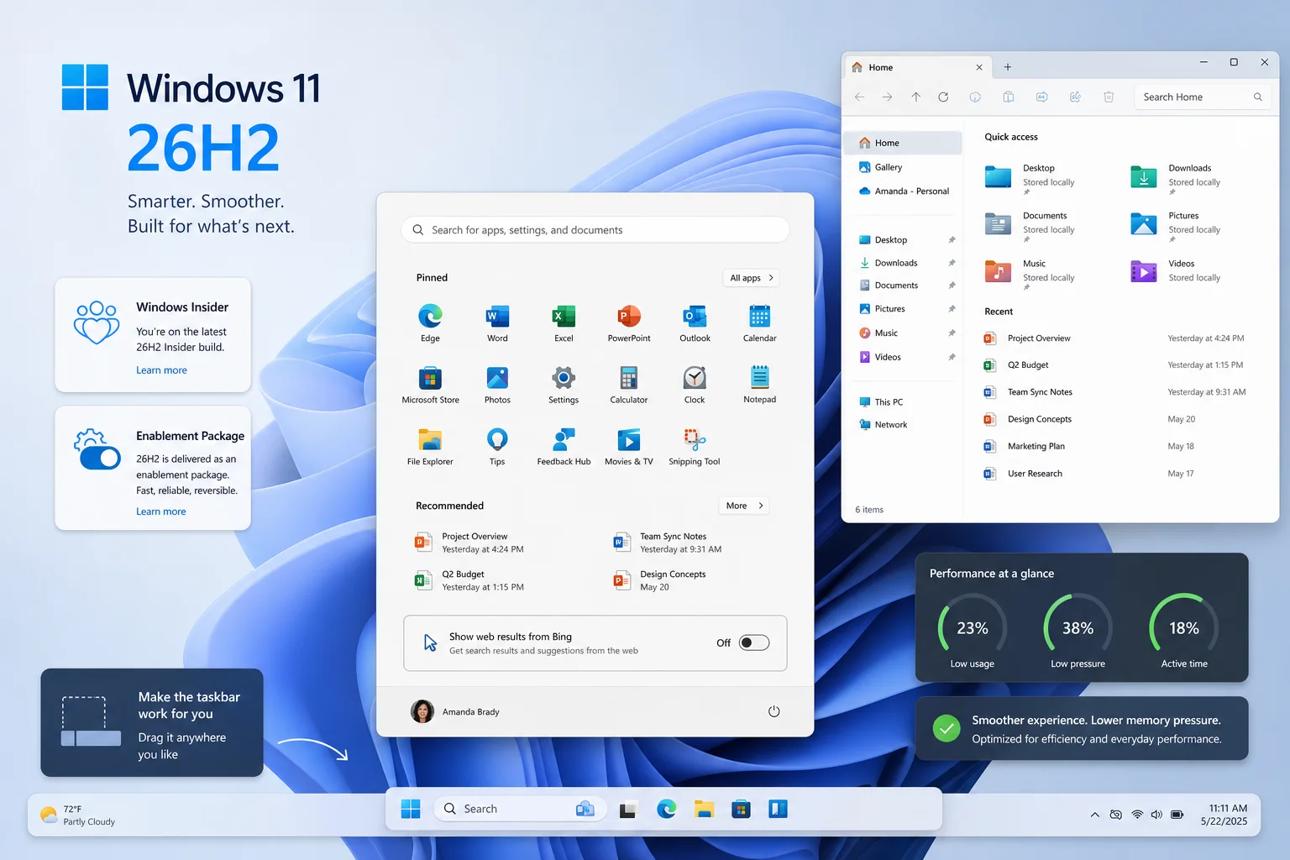
For years, Windows feature updates often felt like substantial operating-system upgrades.
A new version could bring large changes to the underlying system, introduce new hardware requirements, change system behavior and take a considerable amount of time to install.
Microsoft’s current Windows servicing approach is different.
The company increasingly follows a continuous innovation model. Features can be developed, tested and delivered through monthly servicing updates rather than waiting for one annual release.
That means a Windows laptop can receive a feature months before its operating-system version number changes.
Then the annual release effectively packages some of those changes into a new supported version.
This is good news for laptop owners in one important respect: the upgrade itself can be less disruptive.
But it also creates confusion.
A user might read a headline saying Windows 11 26H2 introduces a new feature, only to discover that the same feature has already appeared on their laptop.
That is not necessarily contradictory.
It is a consequence of Microsoft’s new servicing model.
Why the update can be relatively small
Microsoft calls the 26H2 transition an enablement package for eligible Windows 11 24H2 and 25H2 systems.
Think of it less like replacing the engine in your car and more like activating components that are already installed.
The operating system already contains much of the underlying code required for the transition.
When the enablement package is installed, Windows changes the version state and activates selected functionality.
Microsoft says this can produce a faster installation with a single restart in most scenarios.
For laptop users, this is especially useful.
A large operating-system upgrade can be disruptive when you are working on battery power, traveling or using a laptop for school.
A smaller update reduces that friction.
However, smaller installation size should not be interpreted as meaning the update is unimportant.
The version change still affects support status, servicing and the feature configuration of the operating system.
What features are actually associated with 26H2?
This is where Windows 11 26H2 becomes difficult to describe with a simple feature list.
Microsoft says many improvements associated with the release have already been delivered through monthly updates.
For commercial systems, Microsoft specifically identifies features such as Windows settings backup, app-specific taskbar actions and File Explorer improvements among capabilities enabled by default in 26H2.
Other Windows improvements have been introduced throughout the year.
This is why users should be careful with articles that present every recent Windows feature as something that magically appears only after installing 26H2.
That is not how Windows is now being serviced.
The practical consequence
If your laptop is already running recent Windows 11 updates, you may already have experienced some of the improvements associated with Microsoft’s 2026 Windows development.
Installing 26H2 changes your supported version and can enable selected functionality, but it does not necessarily transform the desktop overnight.
That is one of the most important distinctions in this year’s update.
The support-lifecycle change matters more than it looks
For many laptop owners, the most important reason to install 26H2 is not a new interface feature.
It is support.
Microsoft says installing Windows 11 26H2 resets the support lifecycle for supported editions.
Home and Pro editions receive 24 months of support, while Enterprise and Education editions receive 36 months.
That makes 26H2 particularly relevant for people who intend to keep their laptops for several years.
Consider a laptop purchased in 2025.
If the hardware remains capable of running Windows 11, its owner may want to keep it until 2029 or later.
The Windows version installed on that machine therefore matters.
A newer supported feature version gives the owner a fresh servicing lifecycle rather than leaving the machine tied to an older release.
This is one reason annual Windows releases remain important even though Microsoft’s feature delivery has become more continuous.
The USB audio problem laptop owners should know about
This is the most important caution in the current 26H2 rollout.
Microsoft’s official release-health documentation identifies a problem involving USB Audio Class 1.0 devices.
Affected systems may experience:
- Code 10 errors in Device Manager
- No audio output
- Unresponsive volume controls
- Sound settings that become unresponsive or unavailable
Microsoft says the problem is limited to USB Audio Class 1.0 devices.
That qualification is extremely important.
A headline such as “Windows 11 26H2 breaks USB audio” is too broad.
The confirmed Microsoft documentation does not say that all USB audio devices fail.
It identifies a particular USB audio class.
Why this matters to laptop users
Modern laptops increasingly rely on USB-C for peripherals.
That can include:
- USB microphones
- USB headsets
- External DACs
- Audio interfaces
- USB-C docking stations
- Conference-room audio equipment
For an everyday user, a problem with a USB audio accessory may be an inconvenience.
For a creator, podcaster, musician, remote worker or business user, it can become a serious workflow problem.
That is why users with specialized USB audio equipment should pay closer attention to Microsoft’s release-health documentation before updating.
The issue is being mitigated
Microsoft currently lists the issue as mitigated, with the release-health page showing an update to its status on September 29. The company says it is working toward addressing the remaining symptoms through a future Windows update.
So this is not a reason to declare 26H2 unsafe.
It is a reason to avoid making a blanket statement that every PC should install it immediately without checking hardware compatibility.
Other known Windows 11 26H2 issues
The USB audio issue is not the only item on Microsoft’s release-health page.
Microsoft also lists a problem involving certain domain-joined systems and Credential Guard-protected machine accounts.
Another documented issue involves black-screen or desktop-loading problems in some virtual desktop environments.
These are primarily enterprise or managed-environment concerns rather than typical home-laptop problems.
That distinction matters.
A person using a personal Windows 11 laptop at home does not necessarily face the same risk profile as an enterprise employee whose laptop is managed through corporate security policies.
This is another reason why the right question is not:
“Does Windows 11 26H2 have bugs?”
Every large operating system has bugs.
The better question is:
“Does the documented risk affect the hardware, software or workflow I depend on?”
Should you install Windows 11 26H2 now?
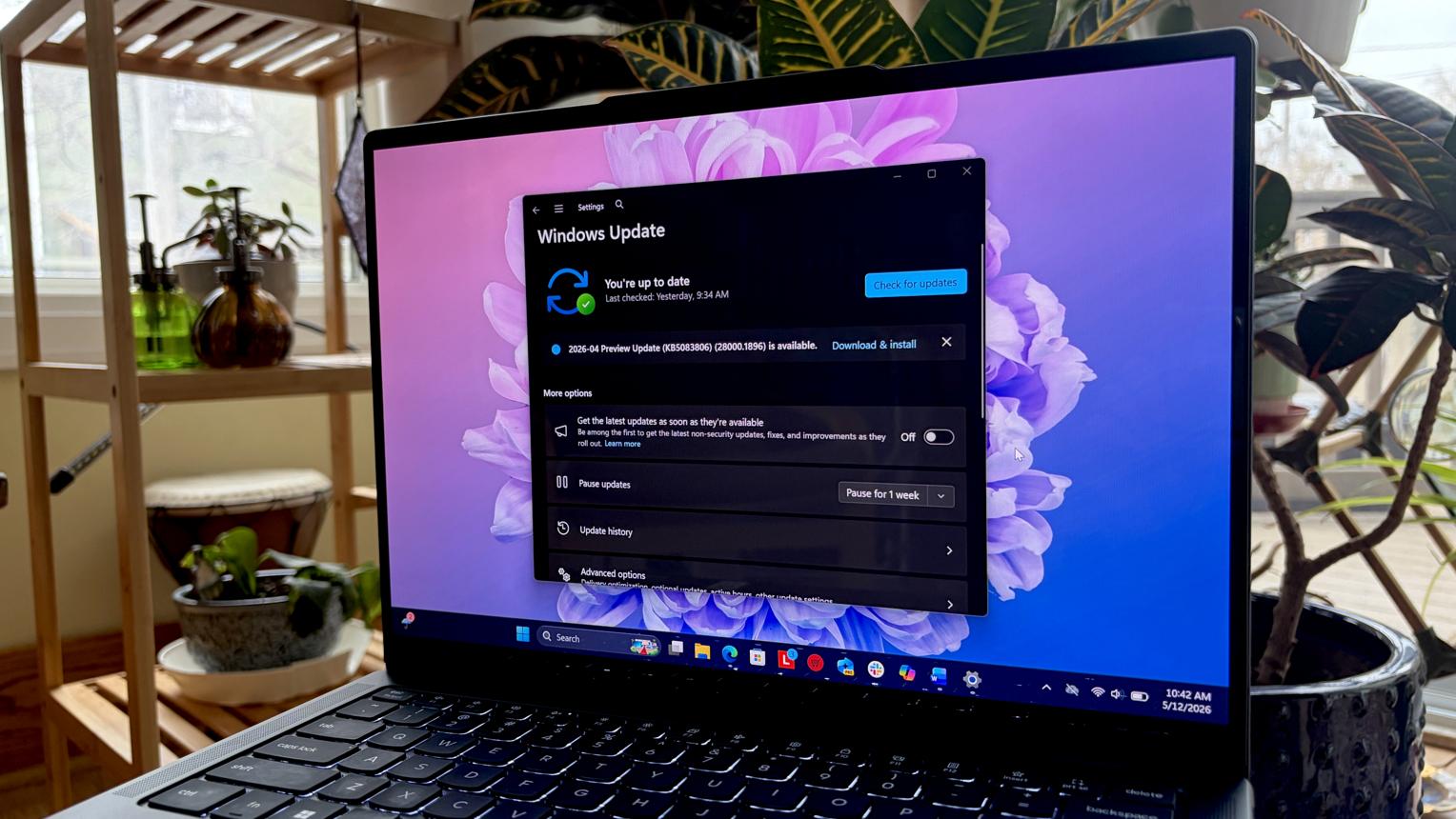
For most users, I would not frame this as an immediate “install or don’t install” decision.
Instead, divide laptop owners into groups.
If your laptop is a normal home or school PC
You can generally allow the rollout to proceed normally.
Microsoft is using a phased rollout and safeguard holds. Eligible systems will not necessarily receive the update simultaneously.
There is little reason to force the installation manually unless you specifically need the new version.
If you use USB audio equipment professionally
Be more cautious.
Check whether your audio hardware is affected by the USB Audio Class 1.0 issue before upgrading.
This is particularly important if your laptop is used for:
- Recording
- Podcasting
- Live streaming
- Music production
- Professional video calls
- Audio engineering
If your laptop is managed by an employer
Follow your organization’s deployment policy.
Enterprise administrators can validate 26H2 against business applications before deploying it broadly. Microsoft specifically recommends targeted deployments and validation for commercial and education customers.
If your laptop is old
Check Windows Update compatibility before doing anything.
Do not assume that because the machine runs Windows 11 today it will automatically receive every future version under every configuration.
What to do before installing
Even when an update is designed to be low disruption, basic preparation remains sensible.
Back up important files
Do not treat a Windows update as a replacement for a backup strategy.
Keep important documents, photographs and work files backed up before major system changes.
Check your audio devices
If you use USB audio, identify your important devices before installing 26H2.
That includes USB microphones, DACs and professional interfaces.
Update device drivers
Laptop manufacturers often publish driver updates through their support utilities.
Check your laptop manufacturer’s support page before performing a major Windows update.
Keep enough free storage
A small enablement package does not mean the entire operating system requires zero temporary storage.
Keep reasonable free space available.
Record your current Windows version
Open Windows Settings and check your current Windows version.
That gives you a useful reference if something changes after the upgrade.
What 26H2 means for older laptops
One of the biggest misunderstandings about Windows updates is that a new software release automatically makes old hardware faster.
There is no reason to expect Windows 11 26H2 to turn an aging laptop into a modern performance machine.
The same processor, memory and SSD remain inside the computer.
If your laptop feels slow today because it has limited RAM, an aging processor or a nearly full SSD, installing a new Windows version does not fundamentally change those hardware constraints.
For storage planning, TechOzea’s existing guide on how much SSD storage a laptop should have can help users evaluate whether limited disk space is becoming a bottleneck.
The real value of 26H2 for an older laptop is therefore software support and security, not a guaranteed performance upgrade.
What 26H2 means for new laptop buyers
If you are buying a Windows laptop in late 2026, Windows 11 26H2 should increasingly become part of the baseline software environment.
That is useful because buyers are unlikely to have to deal with the same major version transition immediately after purchasing a new machine.
But Windows version alone should not determine your laptop purchase.
Hardware still matters more.
For general use, look at:
- Processor generation
- RAM capacity
- SSD capacity
- Display quality
- Battery capacity
- Weight
- Port selection
- Wi-Fi support
- Webcam quality
- Repairability
- Warranty
TechOzea’s broader Windows laptop guide is also relevant for buyers comparing Windows systems, although its specifications and pricing should be rechecked against current listings before publication or purchasing.
A laptop with 26H2 is not automatically a better laptop than one with a similar configuration that has not yet received the update.
Microsoft’s changing Windows strategy
The deeper story behind 26H2 is Microsoft’s changing approach to Windows.
The company is moving away from a world in which every major feature waits for a large annual release.
Instead, Windows increasingly behaves like a continuously updated platform.
That approach has several advantages.
Faster feature delivery
Microsoft can release improvements when they are ready instead of holding them for an annual package.
Smaller annual transitions
Users do not necessarily need to endure a huge operating-system upgrade every year.
More controlled deployment
Microsoft can enable features gradually and use safeguard holds when compatibility problems emerge.
Easier enterprise management
Businesses can validate updates against their software and hardware environment before broad deployment.
But the approach also creates disadvantages.
The biggest is confusion.
A user may see a feature described as part of Windows 11 26H2 even though their computer received it weeks earlier.
Another issue is that the Windows version number becomes less useful as a shorthand for the actual user experience.
Two PCs running Windows 11 26H2 can have different feature states because Microsoft controls some functionality through staged deployment.
That is an important change in how consumers should think about Windows.
Performance, battery life and AI: what 26H2 does not promise
Laptop buyers should be particularly careful with performance claims surrounding operating-system updates.
Windows 11 26H2 is not a new processor architecture.
It does not increase the number of CPU cores in your laptop.
It does not add RAM.
It does not turn integrated graphics into a discrete GPU.
And it does not automatically transform an ordinary laptop into an AI PC.
Processor performance
Your laptop’s CPU remains the same after the update.
Windows can optimize software behavior, scheduling and drivers, but those changes should not be interpreted as a guaranteed generational performance increase.
Battery life
Microsoft’s release announcement focuses on quality, security and the update experience rather than promising a specific universal battery-life improvement.
Battery behavior can vary substantially by laptop model, processor, display, drivers, background software and workload.
AI
The same principle applies to AI.
If your laptop does not have an NPU, installing 26H2 does not physically add one.
AI features may be available through CPU, GPU or cloud-based processing depending on the software.
The hardware remains the limiting factor.
This distinction is increasingly important as manufacturers market new laptops around terms such as AI PC, Copilot+ PC and NPU performance.
What competitors are doing
Microsoft’s software strategy is happening while laptop manufacturers are simultaneously changing the hardware landscape.
H
HP’s new OmniBook 5, announced October 1, is one example. HP is pushing OLED displays, thin designs and AI-ready processors into a more mainstream consumer price category.
Meanwhile, Qualcomm-powered Windows laptops continue to compete on efficiency and battery life, while Intel and AMD are expanding their AI PC portfolios.
Google is also attempting a much more fundamental shift with Googlebook, its new laptop category built around Android and Gemini.
That means Windows 11 is no longer evolving in isolation.
Laptop operating systems are becoming part of a broader competition involving:
- AI acceleration
- Local processing
- Cloud integration
- Battery efficiency
- Cross-device connectivity
- Security
- Application compatibility
For consumers, that competition is ultimately useful.
It means laptop makers have stronger incentives to improve the complete computing experience rather than competing only on processor specifications.
What existing laptop owners should do
If your laptop works well and Windows Update has not offered 26H2 yet, there is no obvious need to panic.
Microsoft’s rollout is deliberately phased.
If the update is available, review your hardware and software dependencies before installing.
The most important question for most consumers is whether you depend on hardware or software that could be affected by a known compatibility issue.
For a typical home laptop with Bluetooth headphones, built-in speakers and standard peripherals, the current Microsoft documentation does not justify claiming that 26H2 is broadly unsafe.
For a professional machine using specialized USB audio equipment, the situation deserves more attention.
The right approach is therefore targeted caution, not blanket fear.
What to watch next
The next important developments will be less about the 26H2 announcement itself and more about Microsoft’s rollout.
Watch for:
Permanent fixes
Microsoft says it is working on future updates to address remaining known issues.
Broader availability
The company will continue expanding the rollout and can place safeguard holds on devices with compatibility concerns.
Driver updates
Laptop manufacturers may release BIOS, chipset, graphics and peripheral-driver updates in response to compatibility issues.
New laptop launches
New Windows laptops will increasingly ship with hardware designed around the latest Windows and AI requirements.
Windows 27H2
The next annual cycle will provide an important test of whether Microsoft’s enablement-package model remains effective as the Windows platform evolves.
Conclusion: Windows 11 26H2 is important, but not for the reason you might think
Windows 11 26H2 is a significant release, but it is not significant because it completely transforms Windows.
Its importance comes from three things.
First, Microsoft has officially moved another step toward a continuous Windows servicing model, where major improvements arrive throughout the year rather than being held for one annual release.
Second, 26H2 resets the support lifecycle, giving Home and Pro users another 24 months and Enterprise and Education users 36 months of support.
Third, the rollout shows why laptop owners still need to pay attention to compatibility. Microsoft itself has documented problems involving some USB Audio Class 1.0 devices and other environments.
For most consumers, the sensible approach is not to fear the update or rush to install it blindly.
Let Windows Update handle the rollout, keep your important files backed up, check your drivers and pay particular attention if you rely on specialized USB audio hardware.
The bigger story is that Windows itself is changing.
Version numbers are becoming less important as individual features arrive continuously. For laptop owners, that means the future of Windows will increasingly be about the combination of hardware, software, drivers and staged feature availability, rather than one enormous annual upgrade.
That is a quieter change than a redesigned Windows interface.
But it may ultimately be more important.
Frequently Asked Questions
Is Windows 11 26H2 available now?
Yes. Microsoft announced general availability on September 29, 2026, for eligible Windows 11 24H2 and 25H2 devices. The rollout is phased.
Is Windows 11 26H2 a major Windows upgrade?
Technically, it is an annual feature update, but Microsoft delivers it differently from a traditional large Windows upgrade. Eligible 24H2 and 25H2 systems receive an enablement package because the releases share a servicing foundation.
Should I install Windows 11 26H2 immediately?
Most consumers do not need to rush. If Windows Update offers it, check your drivers and hardware dependencies first. Users relying on specialized USB Audio Class 1.0 equipment should pay particular attention to Microsoft’s documented issue.
Does Windows 11 26H2 improve laptop performance?
There is no universal performance improvement that can be promised for every laptop. The processor, GPU and memory remain unchanged. Microsoft primarily describes 26H2 in terms of servicing, security, reliability and feature activation.
Does Windows 11 26H2 improve battery life?
Microsoft does not promise a universal battery-life improvement for all laptops. Battery life depends on hardware, display, drivers, workload and software configuration.
Does 26H2 break USB audio?
Not universally. Microsoft specifically documents an issue affecting some USB Audio Class 1.0 devices. Symptoms can include no sound, Code 10 and unresponsive audio controls.
How long is Windows 11 26H2 supported?
Microsoft says Home and Pro receive 24 months of support, while Enterprise and Education editions receive 36 months after installing 26H2.
Do new laptops need Windows 11 26H2?
New Windows laptops will increasingly adopt the latest supported Windows release, but the version number should not be the main reason to choose one laptop over another. Processor, RAM, SSD, display, battery, connectivity and build quality remain more important purchasing considerations.
